
ASRock H110 Manual
PDF manual · 73 Pages
English



Quick check
Incorrect answer, please try again.
Chat with your ASRock H110 manual using AI
Get instant AI answers from your ASRock H110 manual
Ask anything about the ASRock H110. Answers come from this manual, with the pages they are based on.
Ask a Question
Do you recommend H110?
Yes NoFrequently Asked Questions
It supports 6th and 7th Gen Intel Core i7/i5/i3/Pentium/Celeron processors using Socket 1151.
Is this answer helpful?
Up to 32GB DDR4 via two DIMM slots with support for speeds up to 2400MHz with newer CPUs.
Is this answer helpful?
Yes, but USB 3.0 drivers need installation or modification for compatibility on older operating systems.
Is this answer helpful?
Yes, provided the CPU installed has integrated graphics capabilities enabled.
Is this answer helpful?
Four SATA3 6.0 Gb/s connectors are available for storage devices.
Is this answer helpful?
Gigabit LAN 10/100/1000 Mb/s connectivity is supported for network access.
Is this answer helpful?
Yes, via BIOS OC Tweaker settings and power limits for performance adjustments.
Is this answer helpful?
Advantages and Disadvantages
Advantages

- Multiple PCIe slots suitable for multi-GPU mining setups
- Supports DDR4 memory up to 32GB with Dual Channel technology
- Intel 6th and 7th Gen CPU support with 2400MHz speeds
- Includes M.2 socket for faster storage device connectivity
- AMI UEFI interface offers detailed hardware configuration options
Disadvantages

- Limited to two DDR4 DIMM slots for memory expansion
- Only one PCIe 3.0 x16 slot available for primary graphics card
- Integrated graphics only without dedicated GPU support in specs
- No native USB 3.1 support requiring older standard ports
- Requires careful power supply connection for expansion cards
Product Specification
Socket
Intel 1151
Chipset
Intel H110
CPU Compatibility
Core i-7000, Core i-6000, Pentium Gold G4000, Pentium G4000, Celeron G3000
Graphics
iGPU
RAID Level
N/A
Lighting
N/A
USB Layout
Left
Product Description
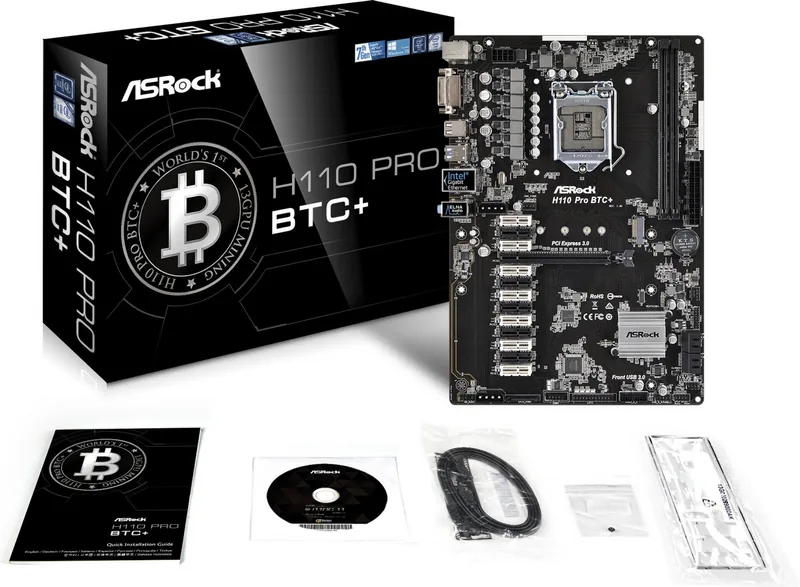
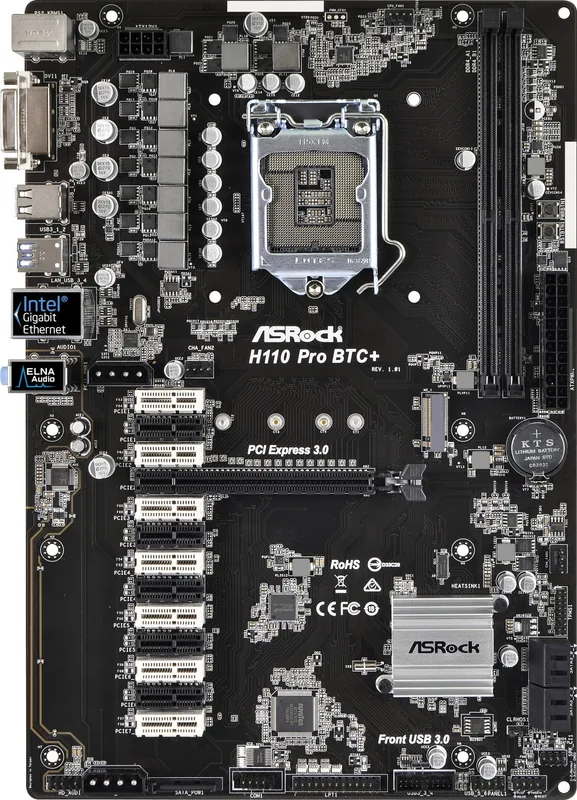
Exploring the ASRock H110 Pro BTC+ Motherboard
Building a reliable computing platform starts with choosing the best hardware component. This board stands out as a robust option designed for users seeking versatility in performance and expansion capabilities. Based on the solid Intel H110 chipset, this mainboard supports the 6th and 7th generation Intel Core processors effectively. This compatibility ensures users can leverage modern processing power for demanding tasks without unnecessary bottlenecks.
Expansion and Connectivity
One of the defining features of this platform is its extensive expansion slot configuration which caters to high performance needs. It includes one PCIe 3.0 x16 slot suitable for high-performance graphics cards. Additionally, the board features twelve PCIe 2.0 x1 slots. This makes it a popular choice for specific multi-GPU configurations or cryptocurrency mining setups. Memory expansion is handled through two DDR4 DIMM slots effectively, allowing for up to 32 gigabytes of dual-channel memory. This setup supports speeds up to 2400 MHz with processors, ensuring smooth multitasking capabilities.
Processor and Power
The central processing unit requirements are clearly defined for optimal stability. The socket is designed to handle power consumption up to 91 watts efficiently through a dedicated power phase design. A strong power supply unit is recommended to handle the load, especially when multiple expansion cards are connected. This ensures consistent voltage delivery during peak usage times.
Storage Solutions
Integrated storage options include four SATA3 connectors for data transfer. There is also an M.2 socket supporting Next Generation Form Factor modules for faster boot times. Users can easily configure system settings through the AMI UEFI operating system interface. This utility provides detailed controls for hardware monitoring and boot prioritization ensuring optimal system performance.
Audio and Networking
Communication remains efficient with Gigabit LAN connectivity built into the board. The onboard audio system features a Realtek codec supporting 7.1 channel HD sound output. Proper configuration of front panel audio modules allows for full surround sound. Safety features like ESD protection help protect valuable components from static damage during installation.
Operating System Support
Operating system support includes Windows 10, 8.1 and 7 versions. Users may need to configure specific USB settings for older operating systems on the platform. Installation steps involve connecting chassis fans and ensuring correct orientation for memory modules. The UEFI setup allows for navigation using keyboard or mouse. Security features include password protection and trusted computing.
Conclusion
Overall, this motherboard offers a solid foundation for various computing needs ranging from home office to specialized hardware arrangements. The build quality aligns well with standards providing consistent reliability. Regular updates through the utility software ensure longevity and support for future technologies. Proper cooling and power delivery are essential for maintaining stability across all installed components inside the chassis during operation.
Search for 67,706 Manuals online


Type-in Brand or Model