
ASRock DeskMini H470 Manual
PDF manual · 63 Pages
English



Quick check
Incorrect answer, please try again.
Chat with your ASRock DeskMini H470 manual using AI
Get instant AI answers from your ASRock DeskMini H470 manual
Ask anything about the ASRock DeskMini H470. Answers come from this manual, with the pages they are based on.
Ask a Question
Do you recommend DeskMini H470?
Yes NoFrequently Asked Questions
This system supports 10th Gen Intel Core Processors utilizing Socket 1200 for optimal performance and compatibility with modern computing tasks.
Is this answer helpful?
The motherboard features two SO-DIMM slots capable of supporting up to 64GB of DDR4 2933MHz memory modules for heavy multitasking.
Is this answer helpful?
No, the system only supports 2.5-inch HDD or SSD drives via SATA connectors, 3.5-inch drives require a 12V power rail not provided here.
Is this answer helpful?
Press the F2 or Delete key immediately after powering on the computer to enter the UEFI Setup Utility configuration menu.
Is this answer helpful?
You must use a standard Intel Box Fan Cooler or third-party cooler that fits within the 52mm height limitation of the chassis.
Is this answer helpful?
The package mentions the power adapter is optional depending on the local distribution kit, but a 120W 19V adapter is required for operation.
Is this answer helpful?
Turn off the computer and unplug power, then short the CLRCMOS1 jumper pins for 3 seconds to clear CMOS data to defaults.
Is this answer helpful?
Advantages and Disadvantages
Advantages

- Compact 1.92L chassis fits tight spaces and allows VESA mounting for versatile placement options.
- Supports latest 10th Gen Intel Core Processors with DDR4 memory for modern performance tasks.
- Multiple storage options including M.2 PCIe and 2.5-inch SATA drives for flexible data needs.
Disadvantages

- Barebone package excludes CPU, memory, and storage requiring separate purchase for full setup.
- Limited CPU cooler height restricts upgrade options to 52mm max for thermal management.
- Only supports 2.5-inch HDDs, excluding larger 3.5-inch drives due to power rail limits.
Product Specification
Type
Mini-PC
Chipset
Intel H470
Socket
Intel 1200
CPU
No (max. 65W TDP)
CPU Compatibility
Core i-11000, Core i-10000, Pentium Gold G6000, Celeron G5000, TDP Limit: 65W (Manufacturer List)
RAM
2x DDR4 SO-DIMM, dual PC4-23466S/DDR4-2933, Max. 64GB (UDIMM)
External Slots
N/A
Internal Slots
2x 2.5"
Graphics
CPU (iGPU)
Rear Ports
1x VGA, 1x HDMI 1.4, 1x DisplayPort 1.4, 1x USB-C 3.0 with DisplayPort 1.4 (5Gb/s), 4x USB-A 3.0 (5Gb/s), 1x RJ-45 1Gb LAN (Intel I219-V), 1x Barrel Jack (Power Input)
Front/Side Ports
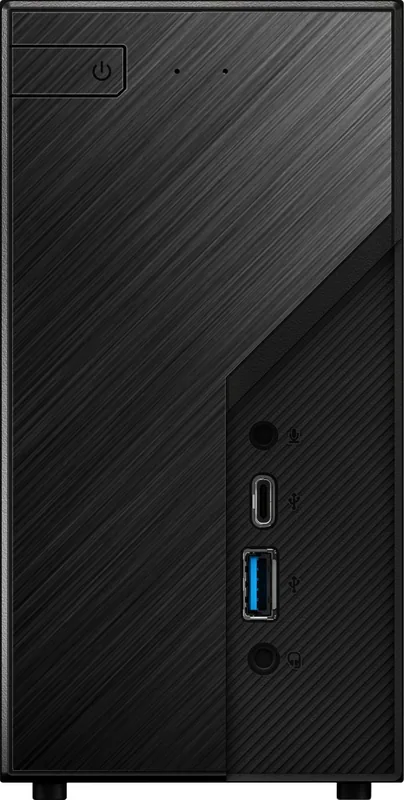
1x USB-A 3.1 (10Gb/s), 1x USB-C 3.0 (5Gb/s), 2x 3.5mm Jack (Realtek ALC233)
Audio
2.0 (Realtek ALC233)
Card Reader
N/A
Power Supply
External, 1x Barrel Jack (120W/19V)
VESA Mount
75x75/100x100 (optional)
Dimensions (WxHxD)
3.15 x 6.10 x 6.10 in
Volume
1.9 L
CPU Cooler
Not included, Max. 2.05 in
Features
Security Slot (Kensington), Mini-STX
USB Designation
Link
Product Description
Discover the Power of Compact Computing with the ASRock DeskMini H470
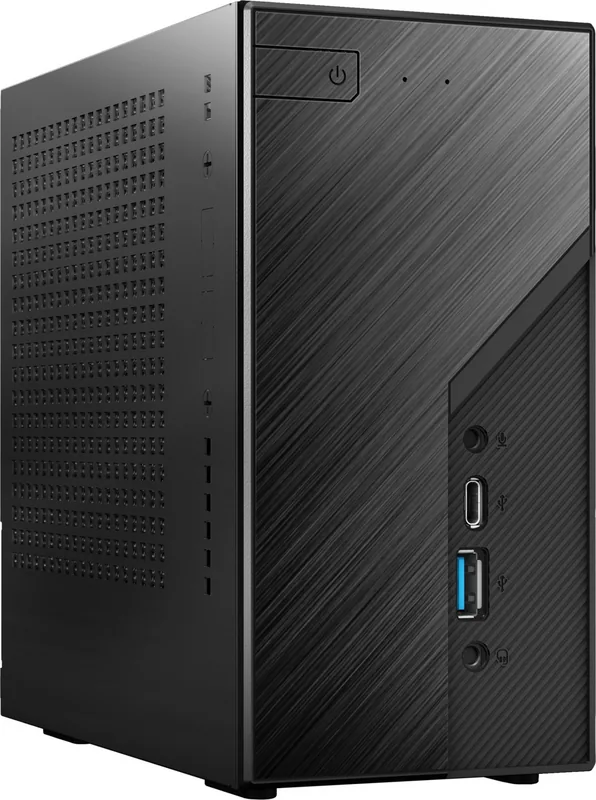
The ASRock DeskMini H470 series represents a significant leap in small form factor technology. Designed for enthusiasts and professionals who demand performance without the bulk, this barebone system offers a robust platform built around the Intel H470 chipset. Ideal for home servers, office workstations, or multimedia centers, it fits seamlessly into tight spaces while delivering serious power. If you are planning to build a system with these components, the ASRock DeskMini H470 Manual serves as your essential guide. It provides step-by-step instructions for every stage of assembly, ensuring you can maximize the potential of your hardware safely. Following the documentation prevents accidental damage during installation and ensures regulatory compliance.
System Specifications and Features
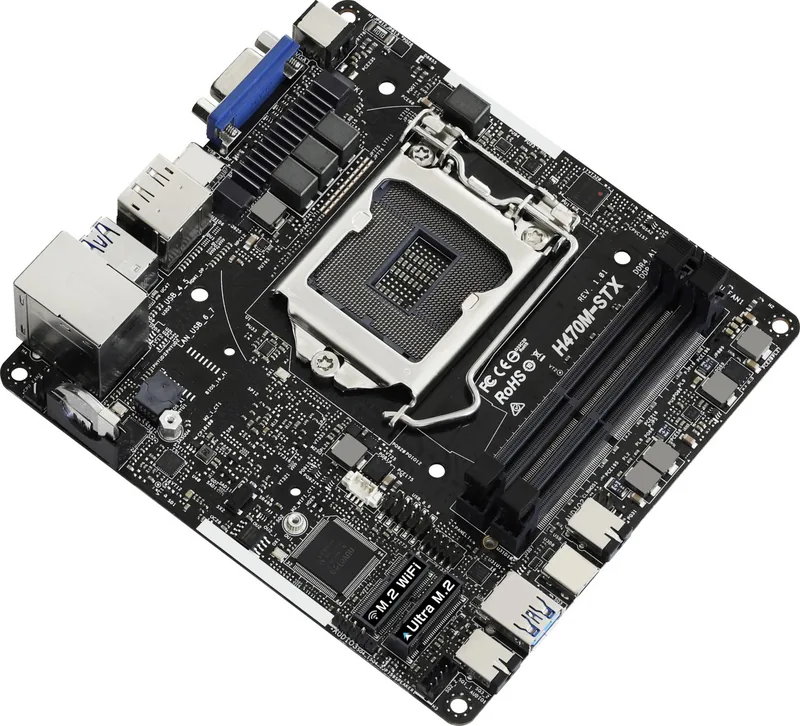
At its core, the DeskMini supports 10th Gen Intel Core Processors and utilizes Socket 1200 for flexibility. You will appreciate the two SO-DIMM slots that allow for up to 64GB of DDR4 memory. Storage options are equally impressive, featuring an Ultra M.2 socket for NVMe drives and dual SATA connectors for 2.5-inch HDDs or SSDs. The chassis is incredibly small at just 1.92 liters, measuring 155 x 155 x 80mm. This compact footprint allows for creative setups, including optional VESA mounting for wall or monitor arm integration. Connectivity is not sacrificed, offering USB 3.2 Gen1 Type-C, HDMI, and DisplayPort outputs. The motherboard layout places critical headers like power and USB easily accessible. Powering the unit requires an external 120W adapter which is often sold separately. The system supports Intel Gigabit LAN for reliable network speeds.
Installation and Configuration
Assembling the DeskMini requires careful attention to detail regarding cooling limits and component orientation. The manual highlights a maximum CPU cooler height of 52mm, which is crucial for thermal management plans. Installing the motherboard tray involves sliding it into the chassis and securing it with specific screws. Be sure to check for bent pins before inserting the CPU to avoid permanent damage. Software installation begins after hardware completion, where drivers from the support CD optimize functionality. The UEFI Setup Utility allows for deep configuration of boot order, security settings, and performance tweaks like overclocking. While powerful, users should remember that overclocking carries risks regarding stability. The manual emphasizes safety and correct procedure throughout every chapter. Features like Clear CMOS jumpers help reset the system if errors occur during updates. Australian consumers receive specific guarantees under the Consumer Law. California users have specific disposal rules for the lithium battery. Whether you are a first-time builder or a veteran, this system provides a reliable foundation for your next computer project. Always refer to the documentation for the latest updates on BIOS and specifications to ensure regulatory compliance and optimal performance in all environments. The UEFI tools also include features like Instant Flash for updating firmware easily without booting the operating system. This ensures you keep your system secure and efficient over time.
Search for 67,706 Manuals online


Type-in Brand or Model