
ASRock DeskMini 310 Manual
PDF manual · 63 Pages
English



Quick check
Incorrect answer, please try again.
Chat with your ASRock DeskMini 310 manual using AI
Get instant AI answers from your ASRock DeskMini 310 manual
Ask anything about the ASRock DeskMini 310. Answers come from this manual, with the pages they are based on.
Ask a Question
Do you recommend DeskMini 310?
Yes NoFrequently Asked Questions
It supports 8th Generation Intel Core processors in the LGA1151 socket, with a recommended limit of up to 65W TDP. That makes it suitable for efficient desktop builds rather than extreme performance CPUs.
Is this answer helpful?
No. It is a barebone system, so memory, storage, and the Wi-Fi module are not included by default. You choose the components you want to install based on your performance and budget needs.
Is this answer helpful?
The system supports two DDR4 SO-DIMM slots with a maximum capacity of 32GB. For best results in dual-channel mode, identical memory modules should be installed.
Is this answer helpful?
You can install an M.2 2280 SSD, an M.2 Wi-Fi module, and up to two 2.5-inch HDDs or SSDs. This gives you a flexible mix of speed and capacity in a compact space.
Is this answer helpful?
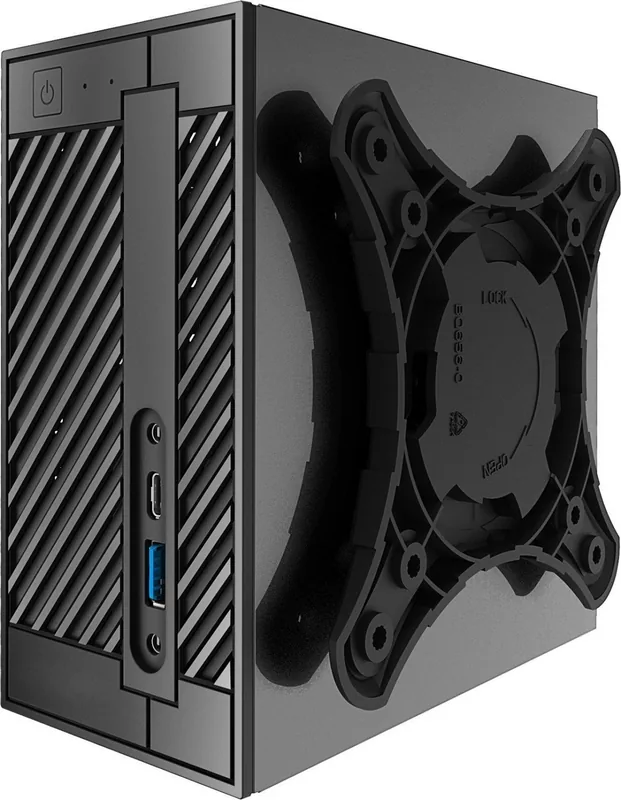
Yes. An optional VESA bracket is supported, so the system can be attached to a compatible display. It is a smart option for saving desk space and creating a cleaner setup.
Is this answer helpful?
The UEFI includes EZ Mode and Advanced Mode, plus settings for boot behavior, fan speeds, CPU and memory tuning, security, storage, and power management. It also includes tools for flashing firmware and loading defaults.
Is this answer helpful?
Advantages and Disadvantages
Advantages

- Very small footprint at 1.92L, ideal for crowded desks or clean workstation setups.
- Supports 8th Gen Intel Core CPUs up to 65W, offering solid desktop-style performance.
- Flexible storage options include M.2 SSD support and two 2.5-inch drive bays.
- UEFI tools, fan control, and BIOS options give users strong tuning and maintenance control.
Disadvantages

- Barebone package does not include memory, storage, or Wi-Fi hardware.
- CPU cooler clearance is limited, so only compact cooling solutions fit well.
- Not designed for high-wattage processors or heavy overclocking use.
- Some accessories such as the VESA bracket and support items may be optional depending on the bundle.
Product Specification
Type
Mini-PC
Chipset
Intel H310
Socket
Intel 1151 v2
CPU
no (max. 65W TDP)
CPU compatibility
Core i-9000, Core i-8000, Pentium Gold G5000, Celeron G4000, TDP-Limit: 65W (Manufacturer list)
RAM
2x DDR4 SO-DIMM, dual PC4-21300S/DDR4-2666, max. 64GB (UDIMM)
Hard drive
2x SATA 6Gb/s, 1x M.2/M-Key (PCIe 3.0 x4, 2280)
External bays
N/A
Internal bays
2x 2.5"
Graphics
CPU (iGPU)
Rear connectors
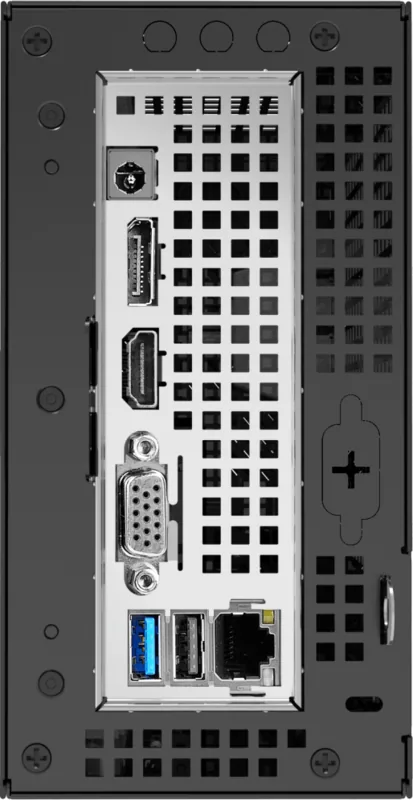
1x VGA, 1x HDMI 1.4, 1x DisplayPort 1.2, 1x USB-C 3.0 (5Gb/s), 2x USB-A 3.0 (5Gb/s), 1x USB-A 2.0 (480Mb/s), 1x RJ-45 1Gb LAN (Intel I219-V), 2x 3.5mm jack (Realtek ALC233), 1x barrel jack (power connector)
Front/Side connectors
1x microSD
Expansion slots
1x M.2/E-Key (PCIe/Intel CNVi, 2230)
Wireless
N/A
Audio
2.0 (Realtek ALC233)
Card reader
microSD
Power supply
external, 1x barrel connector (120W/19V)
VESA mount
2.95x2.95/3.94x3.94 (optional)
Dimensions (WxHxD)
3.15x6.10x6.10in
Volume
2.01 qt
CPU cooler
not included, max. 1.81in
Special features
Security lock (Kensington), Mini-STX
USB notation
Link
Product Description
ASRock DeskMini 310: Compact Power in a Small Barebone
The ASRock DeskMini 310 is a compact barebone system designed for users who want a desktop-like experience without the bulk of a full tower. According to the ASRock DeskMini 310 Manual, this Mini-STX platform supports 8th Generation Intel Core processors with a 65W TDP limit, making it a practical choice for home offices, light content creation, study setups, and minimal gaming builds.
What makes the DeskMini 310 appealing is its balance of size and flexibility. The 1.92L chassis is extremely space-efficient, yet it still offers room for essential upgrades. You can install DDR4 SO-DIMM memory, add an M.2 SSD, connect a Wi-Fi module, and even fit two 2.5-inch drives. That combination gives users a lot of freedom when building a compact system that can still handle everyday workloads with confidence.
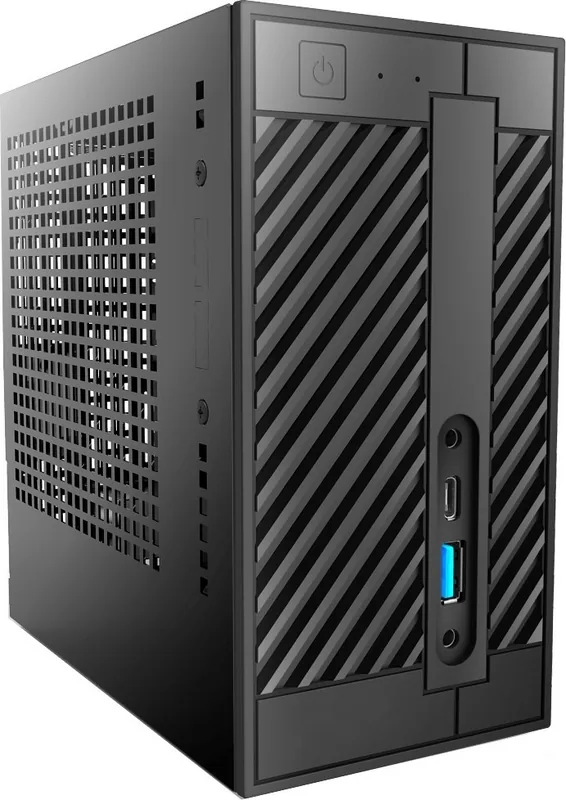
The front and rear connectivity also reflects its versatile design. On the front, you get convenient access to USB ports and audio jacks, while the rear provides display outputs, LAN, and additional USB connections. Support for VGA, HDMI, and DisplayPort makes it easier to connect to both modern and older monitors, which is helpful in mixed-device environments. The optional VESA bracket adds another layer of convenience, allowing the system to be mounted behind a display for a cleaner workspace.
From a setup perspective, the platform is well thought out for builders who like control. The UEFI environment includes EZ Mode for quick checks and Advanced Mode for deeper configuration, along with tools for fan tuning, storage settings, power behavior, and security options. That means the DeskMini 310 is not just compact; it is also adaptable.
Notes
- Barebone design means core components are selected by the user.
- Cooling height is limited, so compact CPU coolers matter.
- The system is best suited for efficient, space-saving builds.
- UEFI and driver support help users fine-tune performance and stability.
Search for 67,706 Manuals online


Type-in Brand or Model
Laura Schmidt
8 months ago
Does the ASRock DeskMini 310 come with a VESA adapter, and can I install Windows drivers without a CD?
Manual.ly
8 months ago
The DeskMini 310 usually does not include a VESA mounting adapter in the box. If you want VESA mounting, you typically need to purchase the VESA adapter separately. For Windows, the system does not rely on a bundled driver CD either. Instead, download the required LAN, audio, chipset, and other drivers from the ASRock support page for the DeskMini 310, then copy them to a USB stick and install from there. This is the normal way to get full device support, even if you do not have an optical drive.