
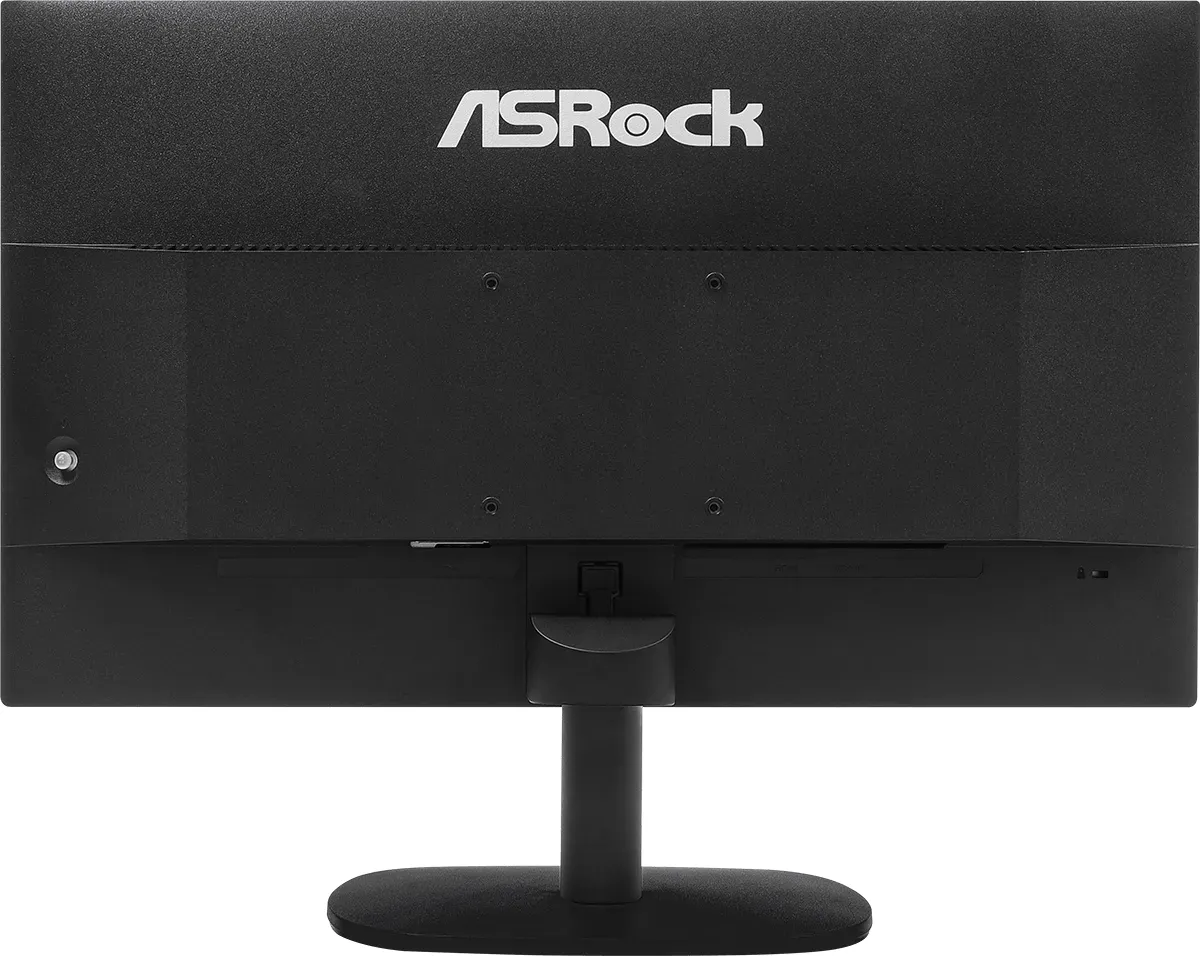
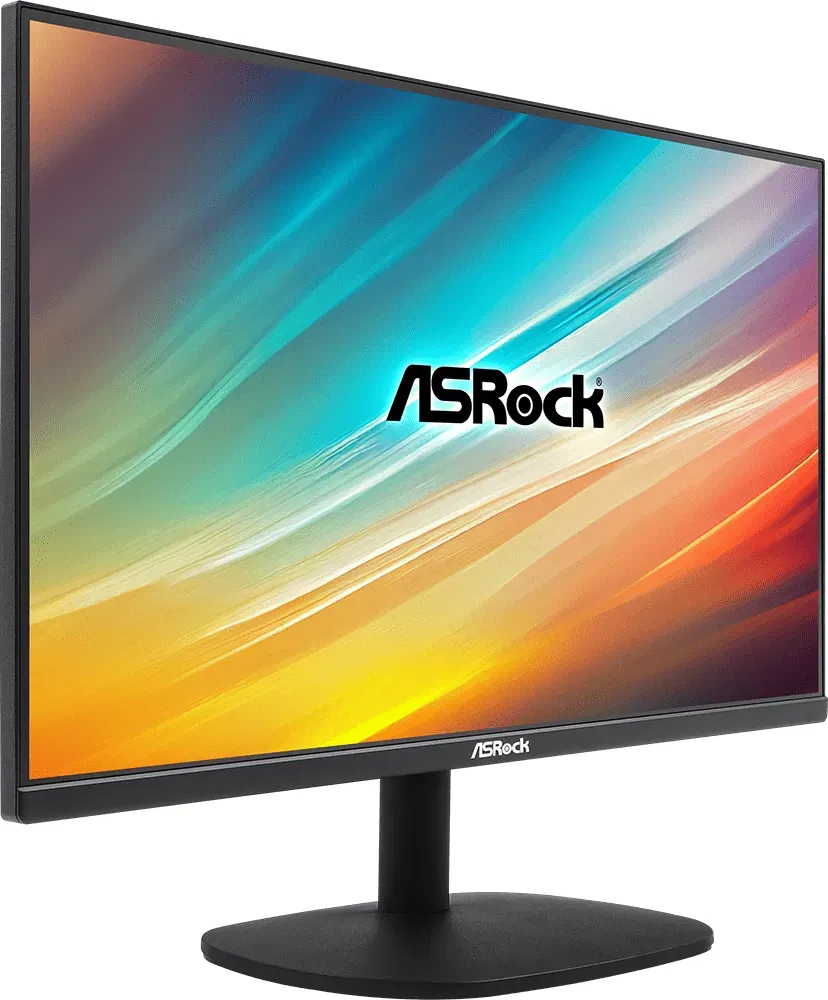

ASRock Challenger CL25FF Manual
PDF manual · 42 Pages
English



Quick check
Incorrect answer, please try again.
Chat with your ASRock Challenger CL25FF manual using AI
Get instant AI answers from your ASRock Challenger CL25FF manual
Ask anything about the ASRock Challenger CL25FF. Answers come from this manual, with the pages they are based on.
Ask a Question
Do you recommend Challenger CL25FF?
Yes NoFrequently Asked Questions
The CL25FF has a native resolution of 1920x1080 (Full HD) and supports up to a 100Hz refresh rate for smoother motion compared with standard 60Hz panels.
Is this answer helpful?
Yes, the monitor supports AMD FreeSync to reduce screen tearing when paired with compatible graphics cards. FreeSync effectiveness depends on the GPU and frame-rate range.
Is this answer helpful?
The CL25FF offers one HDMI 1.4 input and one VGA input. There is no DisplayPort or multiple HDMI ports on this model.
Is this answer helpful?
Yes. The monitor has a 100 x 100mm VESA mount pattern for arms or wall mounts and includes a Kensington-type security slot for anti-theft locks (lock sold separately).
Is this answer helpful?
Use the multi-directional joystick located on the rear of the monitor. Press the joystick to open the OSD, move it to navigate menus, and press again to confirm settings.
Is this answer helpful?
The included stand supports tilt adjustment from -5° to +20°. Height, swivel, and pivot adjustments are not provided; use the VESA mount for full ergonomic flexibility.
Is this answer helpful?
Follow basic safety guidance: use a stable surface, avoid exposure to liquids and extreme temperatures, unplug before cleaning, and follow local disposal/recycling rules for electronic equipment and batteries.
Is this answer helpful?
Advantages and Disadvantages
Advantages

- 100Hz refresh rate and 1ms MPRT deliver smoother motion for gaming and video.
- IPS panel with 178° viewing angles and 99% sRGB for accurate color and wide viewing.
- Low power consumption (≤18W) and Energy Star certification for efficient operation.
- Simple rear joystick OSD and multiple preset modes for quick image adjustments.
- VESA mount support and Kensington lock slot add mounting flexibility and security.
Disadvantages

- Limited input selection: only HDMI 1.4 and VGA—no DisplayPort or multiple HDMI ports.
- 1080p resolution on 24.5" is standard but may lack the sharpness of higher-res displays for detailed work.
- MPRT requires higher refresh rates to be effective; not all setups will reach that threshold.
- Stand offers only tilt adjustment; no height, swivel, or pivot for advanced ergonomic setup.
- Brightness and contrast are good for its class but may not satisfy demanding HDR or pro-creative users.
Product Specification
Function
Monitor (stationary)
Diagonal
24.5" (24.49in)
Resolution
1920x1080 (FHD), 16:9, 90ppi
Panel
IPS
Backlight
LED, blue light filter, flicker-free
Brightness
300cd/m² (typical)
Contrast
1,300:1 (static)
Response time
4ms (GtG), 1ms (MPRT)
Refresh rate
100Hz (1920x1080)
Variable synchronization
Adaptive Sync, AMD FreeSync certified (48-100Hz via HDMI, without LFC support, without HDR)
Signal frequency
24-120kHz (H) / 48-100Hz (V)
Connections
1x VGA (75Hz@1920x1080), 1x HDMI 1.4 (100Hz@1920x1080), 1x AC-In C13 (power connection)
Shape
straight (flat)
Viewing angle
178°/178°
Coating
non-glare (matte)
Color depth
8bit (16.7 million colors)
FRC
unknown
sRGB
99%
Controls
joystick
Ergonomics
with stand, height adjustable N/A, Pivot N/A, swiveling N/A, tiltable (+20°/-5°)
VESA
100x100 (free)
Power consumption
18W (maximum), 0.5W (standby)
Special features
Security lock (Kensington Security Slot), Slim Bezel
Screen-to-Body-Ratio
90.69% (calculated)
Dimensions
21.97x16.61x7.80in (WxHxD) with stand, 21.97x12.87x2.13in (WxHxD) without stand
Color
black (display frame) / black (bottom bezel) / black (stand) / black (rear)
Weight
7.41lb (with stand), 6.53lb (without stand)
Power supply
internal
USB notation
Link
Product Description
ASRock Challenger CL25FF, 24.5" Manual Overview
The ASRock Challenger CL25FF is a 24.5-inch Full HD IPS monitor tailored for everyday productivity and casual gaming. With a 1920x1080 resolution, 100Hz refresh rate, and a 1ms (MPRT) response time, it strikes a balance between fluid motion and sharp visuals. The panel offers wide 178° viewing angles and covers 99% of the sRGB color space, delivering accurate color reproduction for web content, streaming, and light creative work.
Design and Build
The Challenger CL25FF features a flat, anti-glare IPS panel and a minimalist stand with easy snap-on assembly. Tilt adjustment ranges from -5° to +20° for comfortable viewing. The monitor includes a Kensington security slot and VESA 100 x 100mm mount compatibility, making it suitable for both desktop setups and mounted installations.
Connectivity and Power
Connectivity is straightforward with HDMI 1.4 and VGA inputs supported. The monitor runs on 100–240 VAC power with low power consumption (typical max ≦ 18W for the 24.5" model). It supports AMD FreeSync to reduce tearing when paired with compatible GPUs and is Energy Star certified.
On-Screen Display & Controls
A rear multi-directional joystick provides intuitive access to the OSD menus for picture, color, gaming, OSD language, and system settings. Preset picture modes like Racing, Sports, Movie, Graphics, and User make it easy to switch profiles. Advanced options include Low Blue Light, Dynamic Contrast, Over Drive, MPRT, and refresh-rate display.
Performance and Modes
The monitor delivers solid everyday performance: high brightness (300 cd/m² typ.), 1300:1 contrast ratio, and flicker-free operation help reduce eye strain during long sessions. Response options and gaming features like Over Drive and MPRT help reduce motion blur; FreeSync support smooths variable framerates above certain thresholds.
Practical Notes
Setup is simple: the stand arm slides into the back groove and the base attaches with a quick-release tab. The package typically includes HDMI and power cables and a quick start guide. Safety guidance recommends placing the monitor on a stable surface, avoiding liquids, and following proper power and disposal guidance.
Notes
- Ideal for users seeking a budget-friendly 24.5" IPS monitor with gaming-friendly refresh and response features.
- VESA mount compatibility and Kensington lock support increase installation flexibility.
- Preset modes and OSD customization let users quickly tune image and gaming behavior.
Search for 67,706 Manuals online


Type-in Brand or Model
Nina Schreiber
11 months ago
The monitor's power button glows blue and is very distracting at night. Is there a way to turn off or reduce that LED instead of using tape?
Manual.ly
10 months ago
Yes, there are a couple of options. First, check the monitor's OSD (on-screen menu) for a setting like 'Power LED', 'LED', or 'Standby LED' and switch it off if available. If your model does not offer an LED control, the practical workaround is to turn the monitor off fully before going to sleep (so it does not stay in standby with the LED on). As a last resort, carefully covering the light with opaque tape works, but make sure it does not block ventilation around the power area.