
ASRock A320 Manual
PDF manual · 83 Pages
English



Quick check
Incorrect answer, please try again.
Chat with your ASRock A320 manual using AI
Get instant AI answers from your ASRock A320 manual
Ask anything about the ASRock A320. Answers come from this manual, with the pages they are based on.
Ask a Question
Do you recommend A320?
Yes NoFrequently Asked Questions
It is a good fit for budget builders, office PCs, home systems, and compact AM4 setups. It focuses on stability and essential features rather than premium extras.
Is this answer helpful?
It supports AMD AM4 processors, including selected A-Series APUs and Ryzen CPUs. Exact compatibility depends on the specific board version and BIOS support.
Is this answer helpful?
The board supports up to 32GB of DDR4 memory across two DIMM slots. Dual-channel operation works best when identical memory sticks are installed.
Is this answer helpful?
Yes, it supports SATA3 drives, and select models include an Ultra M.2 slot for faster SSDs. The exact M.2 support depends on the board variant.
Is this answer helpful?
Yes, for entry-level or mid-range gaming builds. Pairing it with a suitable Ryzen CPU and graphics card can create a solid everyday gaming system.
Is this answer helpful?
It gives clear installation and setup guidance for CPU, memory, storage, fans, and BIOS options, making the build process easier and safer.
Is this answer helpful?
Advantages and Disadvantages
Advantages

- Compact micro ATX design fits smaller cases and simple builds.
- Supports AMD AM4 CPUs and APUs for flexible budget configurations.
- Dual-channel DDR4 support up to 32GB covers common workloads.
- Useful UEFI, fan controls, and ASRock utilities simplify setup.
Disadvantages

- Only two memory slots, so upgrade headroom is limited.
- A320 chipset is basic and lacks premium enthusiast features.
- Some features differ by model, such as M.2 and video outputs.
- Not ideal for heavy overclocking or high-end expansion needs.
Product Specification
Socket
AMD AM4
Chipset
AMD A320
Buttons/Switches
N/A
Wireless
N/A
RAID Level
0/1/10 (A320)
Lighting
N/A
BIOS
1x 16MB (128Mb)
USB Notation
Link
Product Description
ASRock A320 Manual: A Practical AM4 Motherboard Choice for Everyday Builds
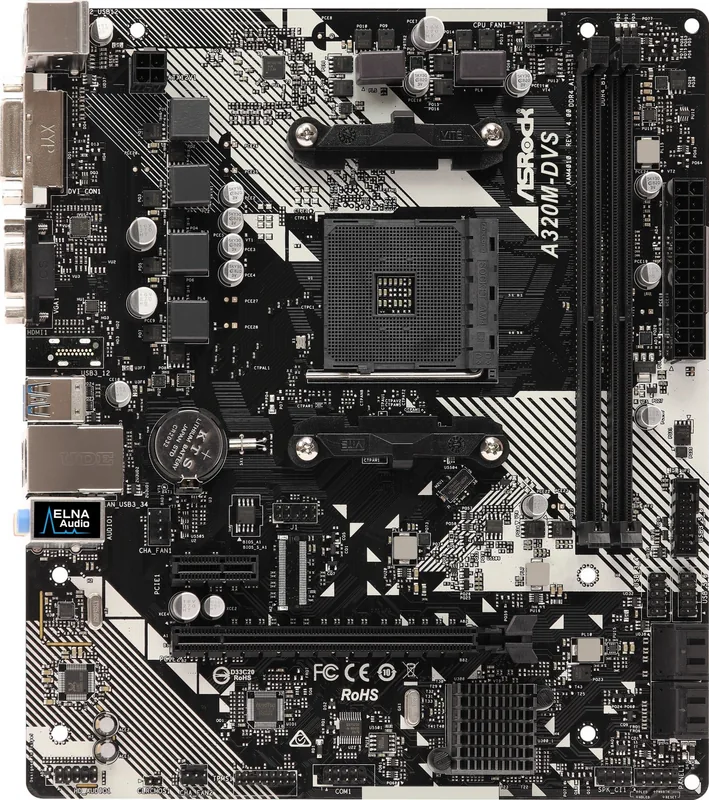
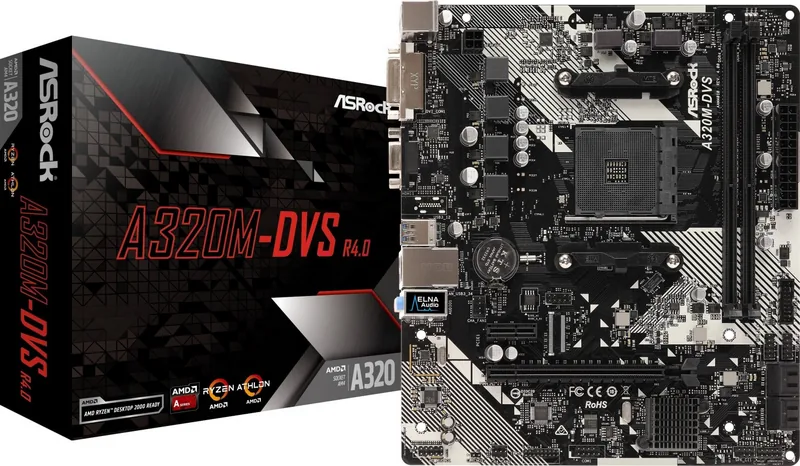
The ASRock A320 family is built for users who want a straightforward, dependable motherboard without extra complexity. Designed in a compact micro ATX format, it fits neatly into smaller cases while still offering the core features needed for a capable home, office, or entry-level gaming PC. The ASRock A320 Manual highlights a board that focuses on stable operation, clear layout, and broad compatibility with AMD AM4 processors.
One of its biggest strengths is platform support. The board works with AMD A-Series APUs and Ryzen processors, giving builders flexibility when choosing a CPU for different budgets and workloads. With dual-channel DDR4 memory support and a maximum capacity of 32GB, it covers the needs of most everyday systems. The solid capacitor design and 6-power-phase layout also point to a build that values endurance and consistent performance.
Storage and expansion are practical rather than extravagant, which is exactly what many users want in this class. SATA3 connectors support common drives and RAID modes, while select A320 models include an Ultra M.2 slot for faster SSD options. A PCIe x16 slot handles graphics cards, and an additional PCIe x1 slot leaves room for smaller expansion cards. This makes the board suitable for a balanced build that can grow over time.
The rear I/O and onboard features are also well thought out. Depending on the model, users get a mix of HDMI, DVI-D, and D-Sub outputs, plus USB 3.1 Gen1 ports, USB 2.0 ports, gigabit LAN, and HD audio. The UEFI setup is extensive, offering settings for boot, storage, security, fan control, and overclocking-related options. ASRock’s software tools, including A-Tuning and Live Update, add convenience for monitoring and maintenance.
For builders who value ease of installation, the manual provides clear step-by-step guidance for CPU mounting, memory placement, fan installation, and connector setup. That makes the ASRock A320 especially appealing for first-time system builders who want a clean, manageable path from parts to a working PC.
Notes
- Best suited for compact, cost-conscious AM4 builds.
- Check the exact model for M.2 and video output differences.
- Follow the ASRock A320 Manual carefully for safe installation.
- BIOS and feature support may vary by CPU generation.
Search for 67,706 Manuals online


Type-in Brand or Model