

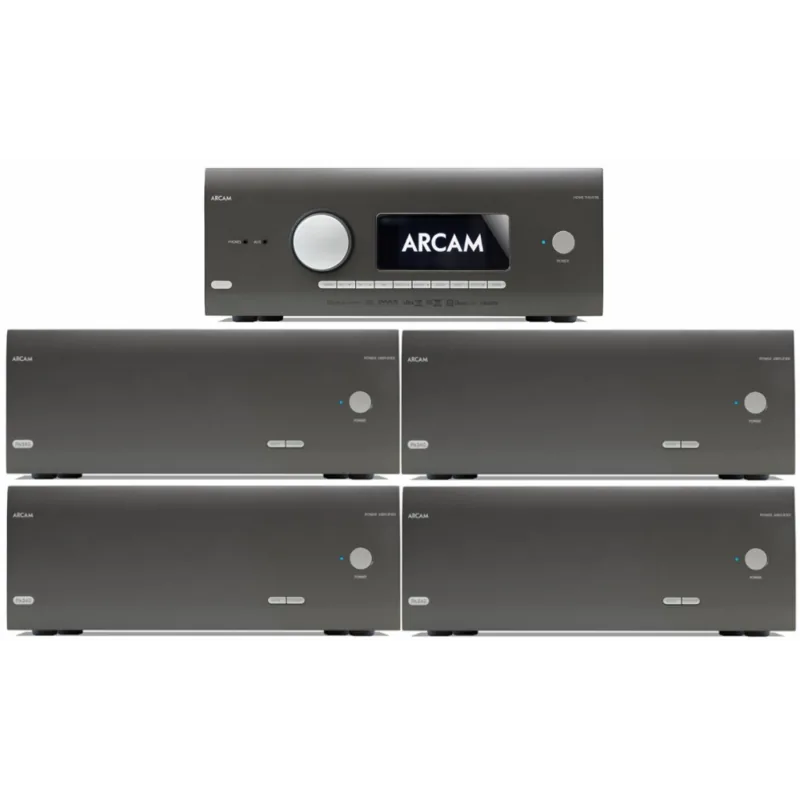
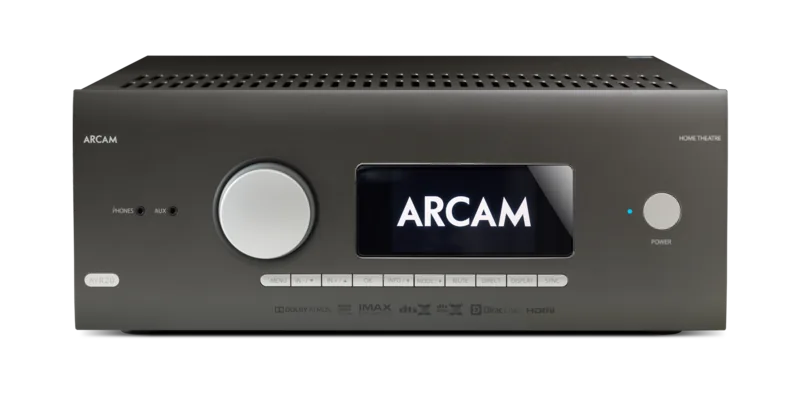
Arcam AV40 Manual
PDF manual · 384 Pages
English



Quick check
Incorrect answer, please try again.
Chat with your Arcam AV40 manual using AI
Get instant AI answers from your Arcam AV40 manual
Ask anything about the Arcam AV40. Answers come from this manual, with the pages they are based on.
AV40 Maintenance Schedule
Remove batteries from the remote control if the equipment is not going to be used for a month or more to prevent leakage and damage.
Unplug the unit before cleaning. Wipe the case with a soft, lint-free dry cloth. Do not use chemical solvents, sprays, or polishes.
Free maintenance reminders
Timed to your purchase date. Always free, unsubscribe anytime.
Ask a Question
Do you recommend AV40?
Yes NoFrequently Asked Questions
The Arcam AV40 is a surround sound processor for premium home cinema systems. It handles source switching, audio decoding, room correction, and volume control, then sends audio through pre-outs to external power amplifiers.
Is this answer helpful?
No. The AV40 requires external power amplifiers for every speaker channel. It provides both balanced XLR and RCA pre-amplifier outputs for connecting compatible amplification.
Is this answer helpful?
It supports Dolby Atmos, Dolby Vision, DTS:X, DTS Virtual:X, IMAX Enhanced, and Auro-3D. These formats enable multi-dimensional playback with suitable source material, speakers, and system configuration.
Is this answer helpful?
The AV40 can support systems with up to 16 speakers, including front, center, surround, surround-back, and height channels. It also supports connection of up to four active subwoofers.
Is this answer helpful?
Yes. HDMI Output 1 supports eARC. With a compatible television, this allows audio from the TV's internal tuner or apps to return to the AV40 through the HDMI connection.
Is this answer helpful?
Dirac Live measures the speakers and listening room using a calibration microphone and computer application. It calculates speaker delays, levels, and room correction filters to help improve tonal balance and surround integration.
Is this answer helpful?
Advantages and Disadvantages
Advantages

- Supports Dolby Atmos, DTS:X, Auro-3D, IMAX Enhanced, and DTS Virtual:X for immersive home cinema playback.
- Provides processing for up to 16 speaker channels, including height speakers and up to four active subwoofers.
- Includes balanced XLR and RCA pre-outs, making it flexible for use with a wide range of external amplifiers.
- Dirac Live room correction can measure speaker delays, levels, and room acoustics, with storage for three EQ curves.
- Offers extensive connectivity, including seven HDMI inputs, eARC, Wi-Fi, Bluetooth, Ethernet, USB, FM, DAB+, RS232, IR, and triggers.
Disadvantages

- Requires external power amplifiers for all speaker channels, adding cost and installation complexity.
- HDMI inputs are HDMI 2.0b, which may be less suitable for users seeking newer HDMI 2.1 gaming features.
- Advanced speaker layouts and Dirac Live calibration require time, careful setup, and a compatible PC or Mac.
- Optimal results depend heavily on correct speaker placement, room acoustics, and accurate calibration.
- Its extensive controls and configuration menus may feel complex for first-time home cinema users.
Product Specification
Type
A/V preamplifier
Channels
7.1
Audio decoders
Auro-3D, Dolby Atmos, DTS Virtual:X, IMAX Enhanced
Audio connections
4x Digital Audio In (coaxial), 2x Digital Audio In (optical), Digital Audio Out (optical), 6x Stereo Line In (RCA), 2x Pre Out (RCA), 7.1 Multi-Channel Pre Out (RCA), 9.1.6 Multi-Channel Pre Out (XLR), Sub Out (RCA)
Video connections
8x HDMI In, 2x HDMI Out
Additional connections
USB-A, RJ-45
Wireless
Wi-Fi (WLAN)
Color
gray
Product Description
Arcam AV40 - Read, Download & Print Free
The Arcam AV40 is a high-performance home cinema processor created for listeners who want detailed, immersive sound and flexible system design. Built as part of Arcam's HDA range, it combines advanced surround decoding, extensive connectivity, network features, and balanced audio outputs for a serious multi-channel entertainment setup. This model is designed to work with external power amplification, giving enthusiasts the freedom to select amplifiers that suit their speakers and room.
Cinematic sound with flexible processing
The AV40 supports major immersive audio formats, including Dolby Atmos, DTS:X, IMAX Enhanced, Auro-3D, and DTS Virtual:X. Its processing can accommodate elaborate speaker arrangements of up to 16 channels, including surround, surround-back, height, and subwoofer channels. This makes it a strong foundation for a dedicated theater room or a carefully planned living-room system.
Dirac Live room correction helps tailor playback to the acoustic character of the listening space. Using a calibration microphone and compatible computer, the system measures speaker levels, delays, and room behavior to create correction curves. Up to three curves can be stored, allowing separate tuning choices for movies, music, or different listening preferences.
Connections for modern sources
With seven HDMI 2.0b inputs supporting HDCP 2.2, the AV40 can serve as the central connection point for Blu-ray players, game consoles, media devices, and set-top boxes. HDMI output 1 supports eARC, enabling compatible televisions to send audio back to the processor. A second HDMI output and Zone 2 HDMI connection add useful options for multi-display and multi-room installations.
Digital, analogue, Ethernet, Wi-Fi, Bluetooth, USB, FM, and DAB+ connectivity broaden its role beyond film playback. Streaming support includes AirPlay 2, Chromecast, and Bluetooth with aptX, while the network connection supports online audio and convenient updates. The AV40 also includes RS232, IR, and 12V trigger connections for custom control systems and coordinated operation with external equipment.
Designed for serious system building
Balanced XLR outputs sit alongside RCA pre-outs, helping the AV40 integrate cleanly with a broad range of external power amplifiers. Four subwoofer outputs offer additional flexibility when tuning low-frequency performance across a room. The supplied universal learning remote can also control compatible source components, reducing the need for multiple handsets.
Note: Careful speaker placement, accurate distance settings, and adequate ventilation are essential to get the best performance from the AV40. External power amplifiers are required for every speaker channel.
Arcam AV40 - Read, Download & Print Free is a useful starting point for exploring the processor's capabilities, setup considerations, and control options before building a premium surround sound system.
Search for 67,732 Manuals online


Type-in Brand or Model