

Free Arcam Manuals – Read, Download & Print
11 Manuals
Manuals
2 Pages

136 Pages

108 Pages
230 Pages
141 Pages
102 Pages
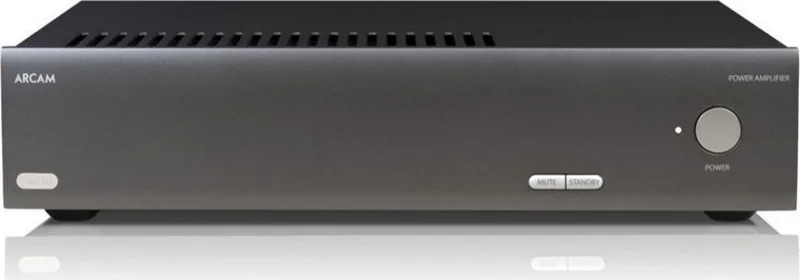
187 Pages
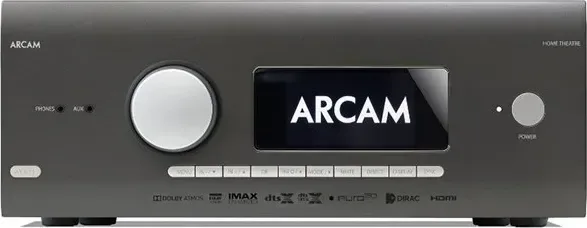
388 Pages

384 Pages
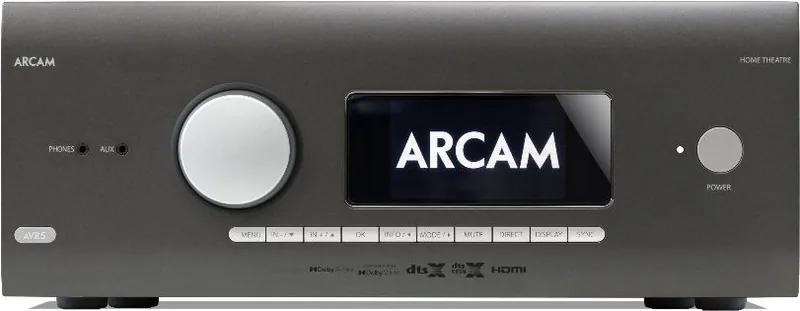
402 Pages
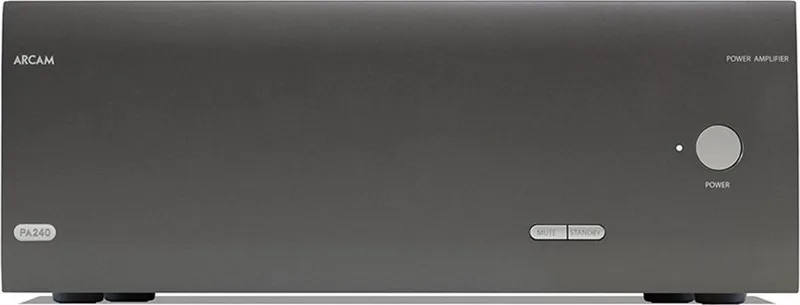
187 Pages
Categories

Free Arcam Manuals - Read, Download & Print
Find Helpful Arcam Documentation
Looking for free Arcam manuals for your audio equipment? Clear product documentation can make it much easier to understand features, connect components, adjust settings, and solve common operating questions. Whether you own an Arcam stereo amplifier, AV receiver, CD player, network streamer, DAC, turntable accessory, or home cinema processor, the right manual is a useful reference for everyday use and long-term care.
Arcam products are designed for detailed, high-quality sound reproduction, and many models include advanced controls that are best understood with the official operating guide. A manual can explain front-panel buttons, remote control functions, display messages, speaker terminals, input selections, menu options, firmware procedures, and safety instructions. Reading the documentation before changing system settings can help you get better results while avoiding incorrect connections or unwanted configuration changes.
Read Arcam Manuals Online
Reading an Arcam manual online is a convenient way to find information without downloading a file first. Digital manuals are especially useful when you need a quick answer while setting up a system, troubleshooting an input problem, or checking a specification. Most PDF viewers include a search feature, allowing you to look for terms such as "Bluetooth," "HDMI," "subwoofer," "network," "factory reset," or "remote control."
Online documentation can help users review important sections, including:
- Initial installation and unpacking guidance
- Electrical safety information and ventilation requirements
- Amplifier, receiver, and source component connections
- Speaker wiring and impedance recommendations
- Audio input and output descriptions
- HDMI, TV, and home cinema setup information
- Network streaming and wireless connection steps
- Remote control button layouts and programming notes
- Sound modes, tone controls, and listening settings
- Maintenance, troubleshooting, and technical specifications
Before following instructions, always confirm that the document matches the exact Arcam model number shown on the rear panel, product label, packaging, or original receipt. Similar product names can have different connectors, software menus, remotes, and supported functions.
Download Free Arcam Manuals
Downloading an Arcam manual gives you offline access whenever you need it. A saved PDF is practical for installations where internet access is limited, for keeping a reference archive, or for reviewing setup instructions near your equipment. It can also be useful when moving a system, changing speakers, connecting a new television, or transferring equipment to another owner.
When downloading a manual, choose reputable sources that provide legitimate documentation. The best option is generally the manufacturer support area or an authorized dealer resource. Official documents are more likely to include accurate diagrams, current technical details, safety notices, and model-specific instructions. Avoid files from suspicious websites, especially if they require unknown software, unusual permissions, or misleading download buttons.
Save downloaded manuals with clear names, such as "Arcam AVR Manual" or "Arcam Stereo Amplifier User Guide," followed by the model number. Keeping manuals organized in a dedicated folder makes them easy to locate later. If you own multiple components, create separate folders for amplifiers, disc players, streamers, receivers, and accessories.
Print Arcam User Guides for Easy Reference
A printed Arcam manual can be useful during installation, servicing preparation, or detailed system configuration. Paper copies make it easy to compare connection diagrams while working behind an equipment rack, review remote control layouts from a listening position, or mark important pages for later reference.
For a more practical printout, consider printing only the sections you need. Commonly useful pages include the quick start guide, rear-panel connection diagram, speaker setup instructions, menu overview, remote control section, troubleshooting list, and specifications. Printing selected pages saves paper while still providing the information needed for a particular task.
If you print a full manual, use double-sided printing where possible and keep the pages in a labeled binder or folder. Store the printed guide away from heat, moisture, dust, and direct sunlight. Do not cover ventilation openings or place paper manuals on top of equipment that becomes warm during use.
Manuals for Arcam Amplifiers and Stereo Components
Arcam integrated amplifiers and stereo components may include multiple analog and digital inputs, pre-outs, headphone outputs, phono stages, control connections, and selectable sound options. The manual explains how each input is intended to be used and how to connect external sources correctly.
For example, a user guide may clarify the difference between line-level, phono, optical, coaxial, and USB inputs. It may also explain volume behavior, balance adjustment, source naming, standby operation, and compatible speaker connections. This information is important because incorrect cable placement or unsuitable speaker wiring can affect performance or prevent the system from operating correctly.
If your Arcam component includes a built-in DAC or streaming capability, documentation may also cover supported audio formats, network setup, app control, updates, and playback behavior. Check the manual before changing digital settings, as options may vary by model and software version.
Manuals for Arcam AV Receivers and Home Cinema Systems
Arcam AV receivers and processors often have more complex setup requirements than traditional stereo equipment. Their manuals commonly cover HDMI connections, television control, surround speaker placement, bass management, subwoofer settings, room correction, audio decoding modes, and video pass-through options.
A receiver manual can help identify which HDMI ports support specific functions and which outputs should connect to a display or projector. It can also explain speaker channel assignments for systems such as 5.1, 7.1, or height-speaker configurations. Follow model-specific instructions carefully, especially when using active subwoofers, external power amplifiers, or bi-amping arrangements.
Room calibration instructions are another valuable part of many AV manuals. Proper measurement microphone placement, quiet-room conditions, and speaker distance settings can significantly influence the final listening experience. If calibration results sound unusual, refer to the troubleshooting and manual adjustment sections before repeating the process.
Troubleshooting With the Right Manual
An Arcam manual is often the first place to check when a system does not behave as expected. Common concerns may include no sound, no picture, remote control issues, network connection failures, display warnings, input switching problems, or unexpected standby behavior. Manuals frequently provide step-by-step checks that address these situations safely.
Start with basic items: confirm power connections, verify the selected source, inspect cables, check volume level, and ensure speakers are connected securely. For home cinema systems, also confirm the correct TV input and HDMI path. If a problem remains, use the model-specific troubleshooting section and contact qualified support when necessary. Do not open the equipment or attempt internal repairs unless you are trained and authorized to do so.
Use the Correct Arcam Model Manual
The most important step is matching your equipment to the correct documentation. Look carefully at the full model designation, including letters, generation numbers, regional versions, and suffixes. A manual for a related model may look similar but can contain different connection diagrams, control menus, supported formats, or firmware procedures.
Free Arcam manuals provide a practical way to read, download, and print the information needed to use your equipment with confidence. Keep an official copy available for setup, daily operation, maintenance, and future system changes. With the right user guide at hand, you can spend less time guessing about controls and more time enjoying your music, movies, and home audio system.
Search for 67,732 Manuals online


Type-in Brand or Model