
Aqua Computer Ultitube D5 100 Manual
PDF manual · 8 Pages
English



Quick check
Incorrect answer, please try again.
Chat with your Aqua Computer Ultitube D5 100 manual using AI
Get instant AI answers from your Aqua Computer Ultitube D5 100 manual
Ask anything about the Aqua Computer Ultitube D5 100. Answers come from this manual, with the pages they are based on.
Ask a Question
Do you recommend Ultitube D5 100?
Yes NoFrequently Asked Questions
The Ultitube D5 100 holds approximately 230 milliliters of coolant. Larger Ultitube models (150 and 200) have greater capacities.
Is this answer helpful?
Yes. The Ultitube is compatible with both D5 NEXT (digital, removable control unit) and D5 PWM (PWM-controlled) pump motors. Follow the mounting steps and gasket placement to ensure a secure seal.
Is this answer helpful?
An optional or included RGBpx LED ring mounts around the glass tube. The bus connector supports RGBpx output (addressable LEDs up to about 90 pixels) and allows chaining via IN/OUT connectors to other RGBpx devices.
Is this answer helpful?
D5 NEXT uses a SATA power connection, an internal USB header for aquasuite communication (optional for operation), a fan/flow 4-pin connector, and a bus port for aquabus or RGBpx devices. Ensure the PC power supply is switched off before connecting.
Is this answer helpful?
Hold the glass tube firmly and rotate the lid counterclockwise to remove, taking care not to lose the seal. Refit the form gasket and screw the lid back on hand-tight; do not overtighten with tools.
Is this answer helpful?
Clean external surfaces with a dry, lint-free cloth. Keep electronic connectors dry and perform regular checks for leaks. Use recommended coolant types and follow proper disposal procedures at end of life.
Is this answer helpful?
Aqua Computer provides the aquasuite software and the complete user manual on their website support section. aquasuite enables configuration, monitoring and factory-reset of D5 NEXT devices.
Is this answer helpful?
Advantages and Disadvantages
Advantages

- Modular compatibility with D5 NEXT and D5 PWM pumps for flexible control.
- Compact 72 x 72 mm footprint with ~230 ml capacity fits many chassis layouts.
- RGBpx LED ring and bus support enable advanced, addressable lighting setups.
- Multiple mounting options and vibration-damping accessories for stable installation.
- Comprehensive connectivity: SATA power, internal USB, fan/flow input and bus port.
Disadvantages

- Small 230 ml capacity may require more frequent refills than larger reservoirs.
- Certain mounting variants require careful alignment to avoid leaks during rotation.
- D5 NEXT features add complexity and require aquasuite for full configuration.
- Some accessories (fan brackets, specific holders) are sold separately.
- Pump must never run dry—improper setup risks damage to pump and loop.
Product Specification
Material
Stainless steel, POM, Borosilicate glass
Capacity
7.78 fl oz
Connections
G1/4"
Color
black (matte), clear (transparent)
Manufacturer's warranty
2 years
Product Description
Aqua Computer Ultitube D5 100 — Smart, Modular Reservoir and Pump Solution
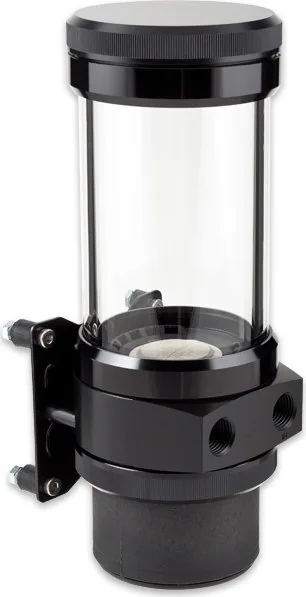
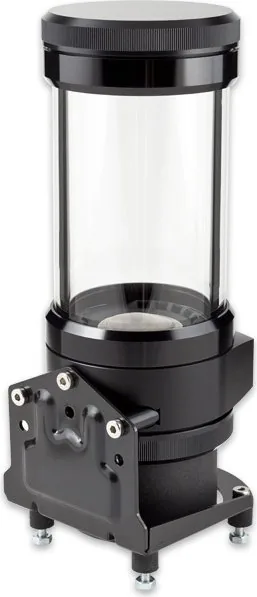
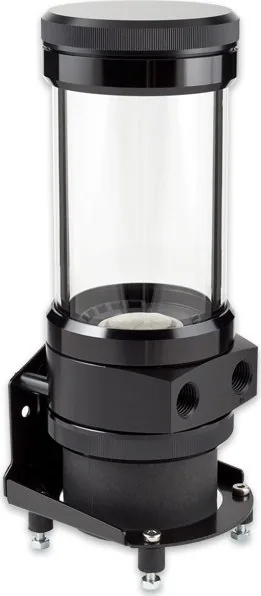
The Aqua Computer Ultitube D5 100 pairs a sleek cylindrical reservoir with the proven D5 pump platform to deliver a compact, modular cooling solution for PC water loops. Built with high-quality materials and multiple mounting options, the Ultitube series targets enthusiasts who want reliable performance, flexible installation and elegant RGB lighting integration. The 100 variant offers approximately 230 ml coolant capacity, a G1/4 thread interface and a small footprint (about 72 x 72 mm) that fits in many mid- and full-tower setups.
Featuring compatibility with both D5 NEXT (digitally controlled) and D5 PWM (voltage/PWM controlled) pump motors, the Ultitube D5 100 supports modern control and monitoring. The D5 NEXT variant includes a removable control unit with USB, SATA power, fan/Duty or flow-sensor input, and a bus port for aquabus or RGBpx devices. The D5 PWM variant offers straightforward PWM speed control and tachometer output for status monitoring. Both pump types are specified with operating temperature ranges (0–50 °C fluid, 10–40 °C ambient) and strict guidance that the pump must not run dry.
Installation is user-friendly: a simple gasket seals the glass tube to the base, the pump motor mounts into the reservoir, and the lid unscrews for refill and maintenance. Multiple mounting accessories are supplied or optional — including rubber damping rings, fan-mount brackets and a two-part RGBpx LED ring for dramatic illumination. The RGBpx interface supports up to 90 addressable LEDs and daisy-chaining via IN/OUT connectors for synchronized lighting.
Electrical connections are clear and robust: SATA power for supply, optional internal USB for aquasuite communication, a four-pin fan connector serving as PWM/tach output or flow-sensor input, and a bus connector for aquabus or RGBpx. D5 NEXT power specs allow up to 65 W total (including fans and RGB), while the PWM variant accepts 8–24 V input with typical current draw listed. The product ships with mounting hardware and basic documentation, while full firmware/configuration and the aquasuite software are available for download.
Maintenance and safety are emphasized: clean with dry, lint-free cloths, avoid contact between electronics and liquids, and dispose of the unit via appropriate electronic waste channels. Aqua Computer also lists contact options for support, and provides factory-reset procedures for D5 NEXT via aquasuite or onboard menu.
Notes:
- Capacity: ~230 ml (Ultitube 100). Thread: G1/4. Keep pump from running dry.
- D5 NEXT offers advanced control, aquabus/RGBpx connectivity and a removable control module.
- D5 PWM offers simpler PWM speed control and tach output for monitoring.
Search for 67,706 Manuals online


Type-in Brand or Model