
Aqua Computer poweradjust 3 USB Manual
PDF manual · 20 Pages
English



Quick check
Incorrect answer, please try again.
Chat with your Aqua Computer poweradjust 3 USB manual using AI
Get instant AI answers from your Aqua Computer poweradjust 3 USB manual
Ask anything about the Aqua Computer poweradjust 3 USB. Answers come from this manual, with the pages they are based on.
Ask a Question
Do you recommend poweradjust 3 USB?
Yes No
mike_keller
8 months ago
I already own an Aquaero. With the Splitty, can I run and control many fans by temperature without upgrading to the Aquaero Ultra, or is the Ultra upgrade really necessary?

Manual.ly
8 months ago
The Splitty can help you drive many fans so you can steer them through the Aquaero temperature control setup. If you already have an Aquaero, some users can use the existing setup to control fans via temperature without purchasing the Ultra version. However, upgrading to Ultra is often worth it because the software upgrade cost can be disproportionately high compared to paying the Ultra up-front. If you rely on the latest Aquaero control features or need Ultra-specific functionality, plan for the Ultra upgrade.
Frequently Asked Questions
Yes, settings can be stored locally on the device and applied independently of a USB connection after initial configuration.
Is this answer helpful?
The unit supports 3 Amps at 12 volts continuously and up to 4.5 Amps for short duration periods.
Is this answer helpful?
Yes, compatible flow sensors are available separately and connect to the dedicated sensor inputs.
Is this answer helpful?
Disconnect all loads and use the software calibration feature to adjust the current reading accurately.
Is this answer helpful?
No, this is a single channel controller so it drives one main load effectively.
Is this answer helpful?
It shuts down completely at 100 degrees Celsius to protect itself and connected components from damage.
Is this answer helpful?
Advantages and Disadvantages
Advantages

- High power output with thermal protection prevents damage during heavy loads.
- Aquasuite software offers deep customization for dashboard layouts and data logging.
- Multiple interface options including USB and aquabus for broad system integration.
- Compact size saves space inside the chassis while delivering professional regulation.
Disadvantages

- Requires manual configuration via software for advanced features to function fully.
- Standard version lacks automatic temperature regulation found in Ultra variants.
- Output is not short-circuit protected which requires careful cable management.
- Additional sensors and accessories must be purchased separately for full functionality.
Product Specification
Type
Fan control, Pump control
Form factor
Internal
Fan
1
Channels
1 (Speed), 1 (Temperature), 1 (Pump)
Power
30 W/Channel
Display
N/A
Power Supply
1x 4-Pin Molex
Fan Connector
1x 3-Pin
Control via
1x USB-In (USB 2.0 Header, Software Control)
Front I/O
N/A
Features
12V Start Boost, Alarm Function, aquabus, Water Cooling Flow Rate Display, Regulation of Laing DDC Pumps
Product Description
Enhance Your PC Cooling Strategy with Precision Control
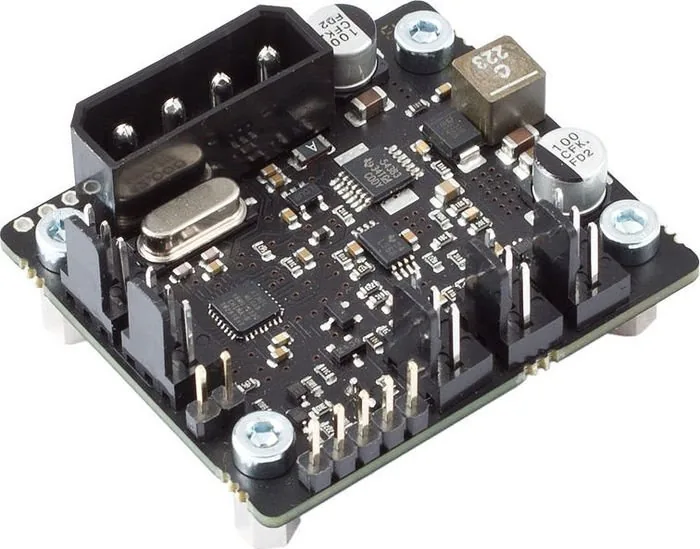
Managing heat in a high-performance computer requires reliable hardware and intelligent software. The Aqua Computer poweradjust 3 USB stands out as a top choice for enthusiasts seeking detailed oversight of their cooling infrastructure. This pump and fan controller delivers exceptional performance on a single channel, handling significant loads without compromise. It supports connections for various fans and pumps, offering flexibility for diverse build requirements. The output allows for up to 30 watts of continuous load.
One of the standout features is the aquasuite software integration. This Windows-based application provides a comprehensive interface for configuration and monitoring. Users can create custom overview pages that display real-time data directly on their desktop. You can visualize speeds, temperatures, and flow rates with customizable graphs. The data logger function records historical information, allowing you to export logs for analysis. This capability is essential for optimizing cooling curves and ensuring system stability during stress tests. You can also set up alarms for critical values to be alerted instantly when thresholds are breached. The software allows for manual performance settings or automatic temperature control. Startboost ensures motors start reliably before settling into normal operation.
Safety is paramount with this unit. It includes thermal protection that reduces power if internal temperatures become dangerous. Specifically, the electronics limit output at 80 degrees Celsius and shut down completely near 100 degrees Celsius to prevent hardware failure. The device also monitors tachosignals to detect fan or pump failure. If a fan stops, you can configure the system to trigger an alarm or shut down the machine via the motherboard power button. These measures protect your investment from heat damage or mechanical wear. You must ensure the board is mounted securely to avoid electrical shorts with the case. The compact design measures 47 by 41 by 36 millimeters.
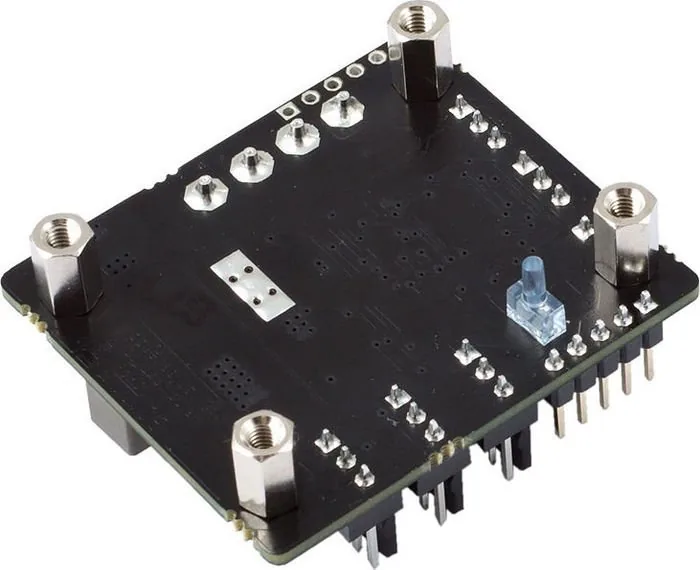
Installation involves mounting the printed circuit board inside the case carefully. Avoid contact with other metal elements to prevent short circuits. Power comes from the PSU and communication via USB or aquabus. The aquabus allows connection to other Aqua Computer devices like aquaero controllers for unified management. Compatibility extends to specific temperature sensors and flow meters sold separately. The device supports standard G1/4 sensors for precise liquid cooling monitoring.
Regular maintenance involves keeping water away from the electronics to prevent corrosion and ensure long-term durability in humid environments.
Ultimately, the Aqua Computer poweradjust 3 USB, Standard variant, pump and fan controller 1-channel Manual guides you through setup and operation. It empowers users to take charge of thermal dynamics within their rig. Whether for silent operation or maximum airflow, this controller adapts to your needs while maintaining rigorous safety standards. It is designed for longevity, using high-quality components that withstand the heat found inside a computer chassis.
Search for 67,706 Manuals online


Type-in Brand or Model
Alex R.
8 months ago
Is the Ultra version worth the extra cost given the software upgrade prices mentioned in reviews?
Manual.ly
8 months ago
While the standard Splitty supports temperature control with an Aquero unit, many customers recommend the Ultra version. This is because software upgrade fees for the standard model can be double the initial price difference. Choosing Ultra upfront often saves money long-term.