
Aqua Computer cuplex kryos NEXT VARIO with VISION AM4/3000/5000 Manual
PDF manual · 4 Pages
English



Quick check
Incorrect answer, please try again.
Chat with your Aqua Computer cuplex kryos NEXT VARIO with VISION AM4/3000/5000 manual using AI
Get instant AI answers from your Aqua Computer cuplex kryos NEXT VARIO with VISION AM4/3000/5000 manual
Ask anything about the Aqua Computer cuplex kryos NEXT VARIO with VISION AM4/3000/5000. Answers come from this manual, with the pages they are based on.
Ask a Question
Do you recommend cuplex kryos NEXT VARIO with VISION AM4/3000/5000?
Yes NoFrequently Asked Questions
This version is intended for compatible AMD AM4 systems, including many Ryzen 3000 and Ryzen 5000 CPUs. Confirm the motherboard socket and included mounting hardware before installation.
Is this answer helpful?
For the best expected cooling performance, route coolant into the central connection and out through the outer connection. Reversing the direction may lower cooling efficiency.
Is this answer helpful?
VARIO allows the cold-plate geometry to be adjusted with four side screws. Small changes can optimize contact behavior for a particular CPU, potentially improving observed temperatures.
Is this answer helpful?
Make small changes while the cooler is mounted in an operating loop and the CPU is under load. Monitor temperatures continuously, adjust screws one at a time, and do not move any screw more than one turn from its starting position.
Is this answer helpful?
Alternating between diagonally opposite screws helps distribute mounting pressure evenly across the CPU. Continue gradually until all fasteners reach their stop.
Is this answer helpful?
The VISION module adds monitoring and configuration capabilities to the cooler. It can be used with Aqua Computer aquasuite to evaluate and monitor supported USB devices in the system.
Is this answer helpful?
Advantages and Disadvantages
Advantages

- Adjustable base geometry lets experienced users tune cooler contact for their individual CPU.
- Central inlet and outer outlet layout supports the intended coolant flow path for strong cooling performance.
- Integrated VISION module supports monitoring and configuration through Aqua Computer aquasuite.
- Spring-loaded mounting hardware promotes even mounting pressure when tightened diagonally.
Disadvantages

- VARIO tuning requires careful temperature monitoring under load and is best suited to confident builders.
- Incorrect inlet and outlet routing can reduce cooling performance.
- Leak testing is mandatory before powering the rest of the PC hardware.
- The specified coolant requirement may limit fluid choices for an existing custom loop.
Product Specification
Type
CPU
Compatibility
AM4
Connections
G1/4"
Dimensions (LxWxH)
4.37 x 2.95 x 0.87 in
Features
malleable base plate, temperature sensor, display, USB, aquabus
Product Description
Aqua Computer cuplex kryos NEXT VARIO with VISION AM4/3000/5000 - Read, Download & Print Free
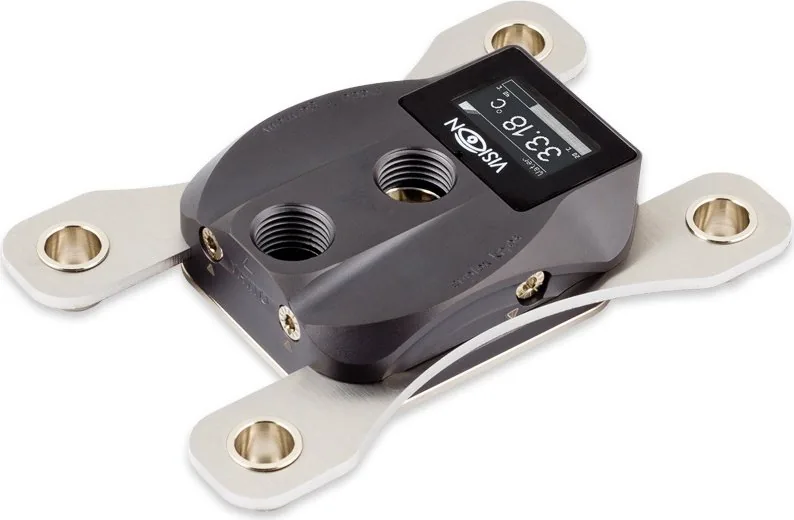
The Aqua Computer cuplex kryos NEXT VARIO with VISION is a premium CPU water block designed for enthusiasts who want precise cooling control, adaptable contact pressure, and integrated system monitoring. Built for compatible AMD AM4 platforms, including many Ryzen 3000 and Ryzen 5000 processors, it combines a configurable cold-plate design with the distinctive VISION monitoring module.
Adjustable cooling for demanding systems
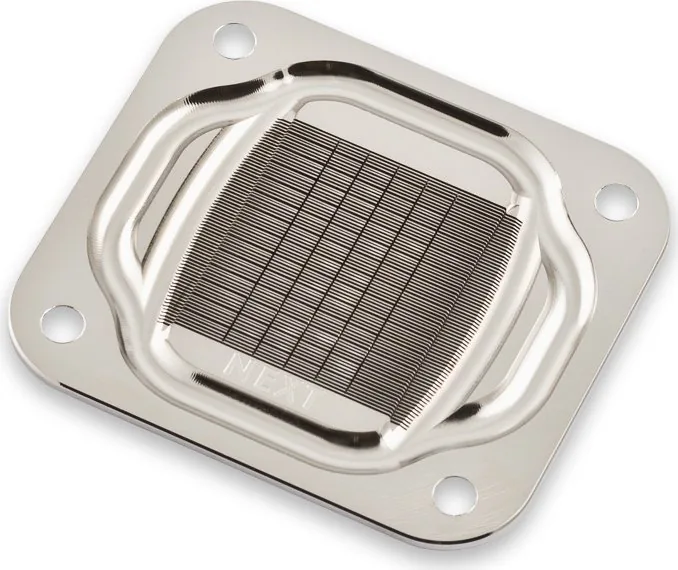
A defining feature of the VARIO model is its adjustable cooler-base geometry. Four side adjustment screws allow users to fine-tune the contact characteristics for the installed processor. The factory setting is marked and provides a strong starting point, while careful tuning under CPU load can help identify a configuration that delivers lower temperatures for a specific processor.
Adjustment should be performed in very small steps while monitoring CPU or individual core temperatures. Each screw should remain within one full turn of its original position. This makes the cooler particularly appealing to experienced builders who enjoy optimizing a custom loop beyond standard installation settings.
Installation and loop integration
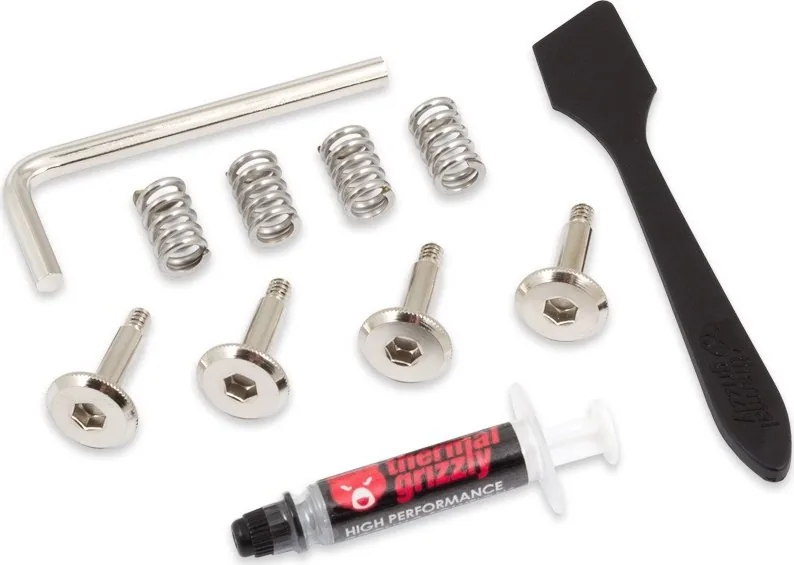
Before mounting, power should be disconnected, existing thermal compound should be removed, and static protection should be considered. A small amount of thermal paste is applied at the center of the CPU before the block is positioned. Mounting hardware uses springs and thumb screws to create even pressure, with diagonal tightening recommended until all fasteners are secure.
For the strongest cooling performance, coolant should enter through the central port and leave through the outer port. Reversing this flow direction can reduce cooling efficiency. The cooler must be installed in a water-cooling loop with sufficient flow and heat-dissipation capacity. Leak testing is essential before powering other PC components.
VISION monitoring integration
The built-in VISION module expands the cooler beyond its mechanical cooling role. It works with Aqua Computer's aquasuite environment for configuration, evaluation, and monitoring of supported USB hardware. This creates a useful focal point for users who want water cooling to be part of a broader, data-driven PC setup.
Notes
- Use the approved coolant specified for the cooling loop.
- Monitor temperatures throughout VARIO adjustment and stop if temperatures rise unexpectedly.
- Ensure all fittings are dry and secure before starting the complete computer.
- Follow the socket-specific mounting arrangement for reliable pressure and insulation.
Search for 67,706 Manuals online


Type-in Brand or Model