
Aqua Computer cuplex kryos NEXT RGBpx AM4 Manual
PDF manual · 2 Pages
English



Quick check
Incorrect answer, please try again.
Chat with your Aqua Computer cuplex kryos NEXT RGBpx AM4 manual using AI
Get instant AI answers from your Aqua Computer cuplex kryos NEXT RGBpx AM4 manual
Ask anything about the Aqua Computer cuplex kryos NEXT RGBpx AM4. Answers come from this manual, with the pages they are based on.
Ask a Question
Do you recommend cuplex kryos NEXT RGBpx AM4?
Yes NoFrequently Asked Questions
Yes. The cuplex kryos NEXT RGBpx includes mounting instructions and hardware appropriate for AM4. Place the block over the CPU, use the supplied springs and knurled screws, and alternately tighten each screw a fraction of a turn until all are secure for even contact.
Is this answer helpful?
Clean old thermal compound first, then apply a small drop (~4 mm) centrally on the CPU or a thin layer with the supplied plastic spatula. When the block is mounted, the pressure spreads the compound into a thin, uniform interface for optimal heat transfer.
Is this answer helpful?
For best cooling performance, supply coolant through the central fitting of the cuplex kryos NEXT. Reversed flow direction can significantly reduce cooling efficiency, so adhere to the recommended inlet orientation when integrating into your loop.
Is this answer helpful?
Connect the integrated RGBpx connector to a compatible Aqua Computer device (e.g., D5 NEXT, farbwerk series, OCTO, QUADRO) using the included cable. Additional RGBpx components can be daisy-chained. An adapter for standard addressable LED motherboard headers is available separately.
Is this answer helpful?
Aqua Computer recommends using corrosion-inhibiting coolants such as Double Protect Ultra to protect system metals and prevent galvanic corrosion. Using approved coolant formulations helps ensure long-term reliability and warranty adherence.
Is this answer helpful?
Run the water loop separately without connecting other PC components to power. Inspect the cuplex kryos NEXT and all fittings for leaks, allow any wet components to dry completely, and only power the PC once the loop is verified leak-free.
Is this answer helpful?
Advantages and Disadvantages
Advantages

- High-performance copper contact and optimized coolant flow for efficient CPU cooling.
- Integrated RGBpx lighting for customizable, daisy-chainable illumination.
- Compatible with common G1/4 fittings and multiple Aqua Computer RGBpx controllers.
- Straightforward AM4 mounting with springs and knurled screws for even pressure.
- Recommended coolant compatibility and clear leak-test guidance for safe setup.
Disadvantages

- Performance drops if coolant flow is reversed; correct inlet orientation required.
- Requires compatible Aqua Computer RGBpx controllers or separate adapter for motherboard headers.
- Installation demands careful handling to avoid electrostatic damage and leaks.
- Must use corrosion inhibitor like Double Protect Ultra to prevent galvanic issues.
- Initial leak testing required before powering other PC components, adding setup time.
Product Specification
Type
CPU
Compatibility
AM4
Connectors
G1/4"
Lighting
LED (RGB)
Dimensions (LxWxH)
4.37x2.95x0.87in
Product Description
Aqua Computer cuplex kryos NEXT RGBpx AM4 Manual
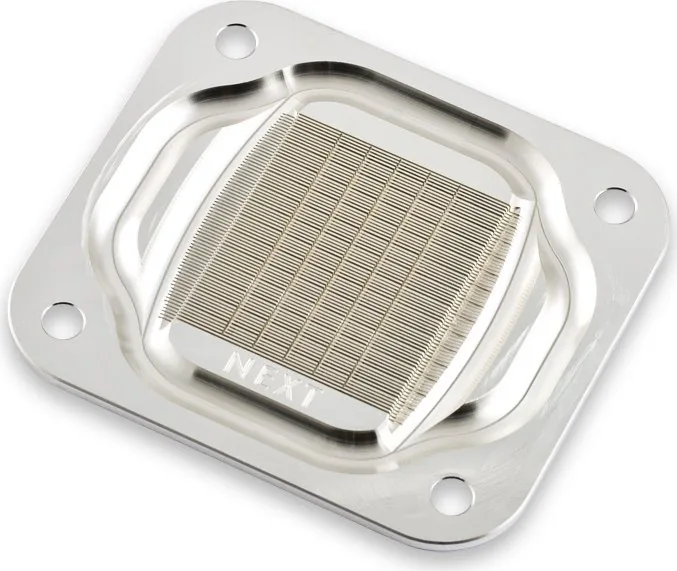
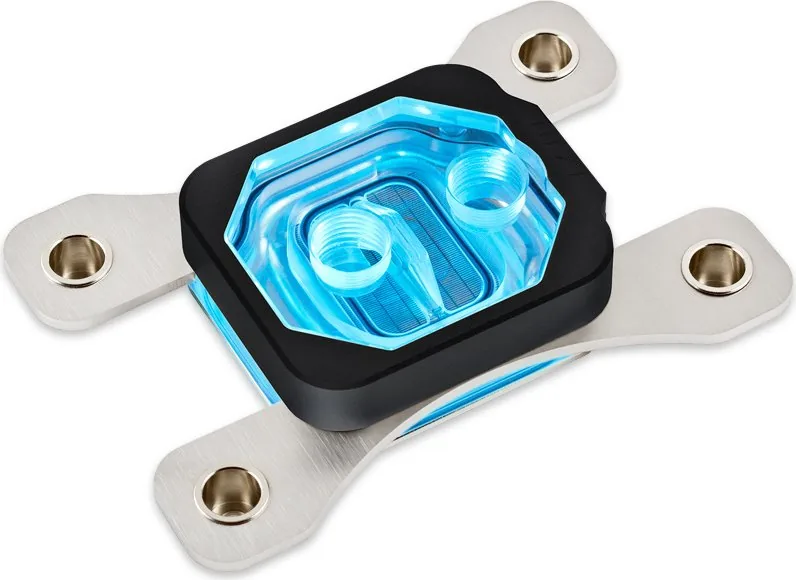
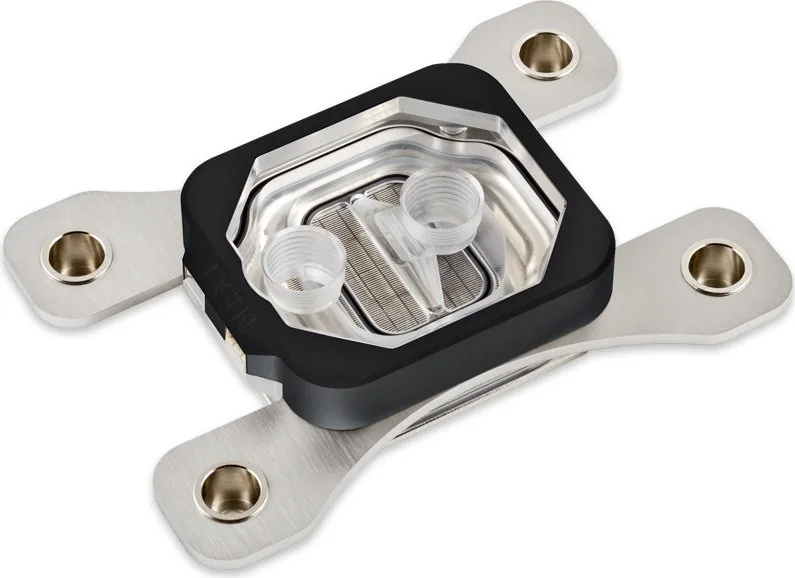
The Aqua Computer cuplex kryos NEXT RGBpx AM4 is a high-performance CPU water block designed for custom liquid cooling systems. Engineered for modern AMD AM4 platforms, it delivers efficient heat transfer through a precision-machined contact plate and optimized coolant channels. The RGBpx variant adds addressable illumination for system builders who want both cooling performance and aesthetic flair.
Installation begins with careful preparation: back up data, disconnect mains power, and ground yourself to avoid electrostatic discharge. Old thermal grease should be cleaned from the CPU surface, and a small central drop or thin smear of the supplied thermal grease applied before mounting the block. For AM4 retention the block is placed over the CPU, springs and knurled screws are used to secure the unit, tightening each a fraction alternately until fully seated for even pressure.
Mechanical integration into the cooling loop is straightforward. The cuplex kryos NEXT must be installed in a loop with adequate radiator capacity and pump performance. For optimal thermal results, feed coolant through the central inlet—reversing flow can significantly reduce effectiveness. Standard G1/4 fittings are used for compatibility with common tubing and fittings.
The RGBpx lighting module is built into the block and can be connected to Aqua Computer devices that feature RGBpx output (e.g., D5 NEXT, farbwerk 360, farbwerk nano, OCTO, QUADRO). A daisy-chain connector allows expansion to additional RGBpx components. An adapter for common addressable motherboard LED headers is available separately.
Before powering any other PC components, run the loop independently and check thoroughly for leaks. Ensure all components are dry and that the block is properly mounted before powering the system. Aqua Computer recommends corrosion-inhibiting coolant such as Double Protect Ultra. Follow all safety instructions closely: improper installation or operation can cause damage or injury and void liability.
Notes:
- Always verify orientation and mounting hardware for your specific socket variant. AM4 uses specific retention instructions and spring/knurled-screw fastening.
- Use the included thermal grease and spatula or a small central drop for best contact.
- Test the loop for leaks before connecting other components or powering the PC.
- Use approved corrosion inhibitors to protect system metals.
Search for 67,706 Manuals online


Type-in Brand or Model