
Aqua Computer cuplex kryos NEXT AM4/3000/5000 Manual
PDF manual · 2 Pages
English



Quick check
Incorrect answer, please try again.
Chat with your Aqua Computer cuplex kryos NEXT AM4/3000/5000 manual using AI
Get instant AI answers from your Aqua Computer cuplex kryos NEXT AM4/3000/5000 manual
Ask anything about the Aqua Computer cuplex kryos NEXT AM4/3000/5000. Answers come from this manual, with the pages they are based on.
Ask a Question
Do you recommend cuplex kryos NEXT AM4/3000/5000?
Yes NoFrequently Asked Questions
It is designed for AM4-based systems and is suitable for Ryzen 3000 and Ryzen 5000 processor builds. Confirm your exact motherboard socket and mounting hardware before installation.
Is this answer helpful?
For optimal cooling performance, coolant should enter through the center connection and exit through the outer connection. Reversed flow can reduce cooling efficiency.
Is this answer helpful?
Start each thumb screw with roughly two turns. Then tighten diagonally opposite screws in small alternating steps until all four screws reach their stop. This helps keep mounting pressure even.
Is this answer helpful?
Yes. Remove old thermal paste from the processor before mounting the block. Apply a small central drop of fresh paste or spread it into a thin, even layer before seating the cooler.
Is this answer helpful?
No. Start the water-cooling loop while keeping other PC components disconnected from power. Inspect the cooler and fittings for leaks before starting the complete system.
Is this answer helpful?
Do not power on the computer. Fix the source of the leak and allow all affected components to dry completely before reconnecting power.
Is this answer helpful?
Advantages and Disadvantages
Advantages

- Designed for AMD AM4 systems, including Ryzen 3000 and Ryzen 5000 builds.
- Spring-loaded diagonal mounting helps apply even pressure across the CPU.
- Central inlet and outer outlet layout supports optimized coolant flow.
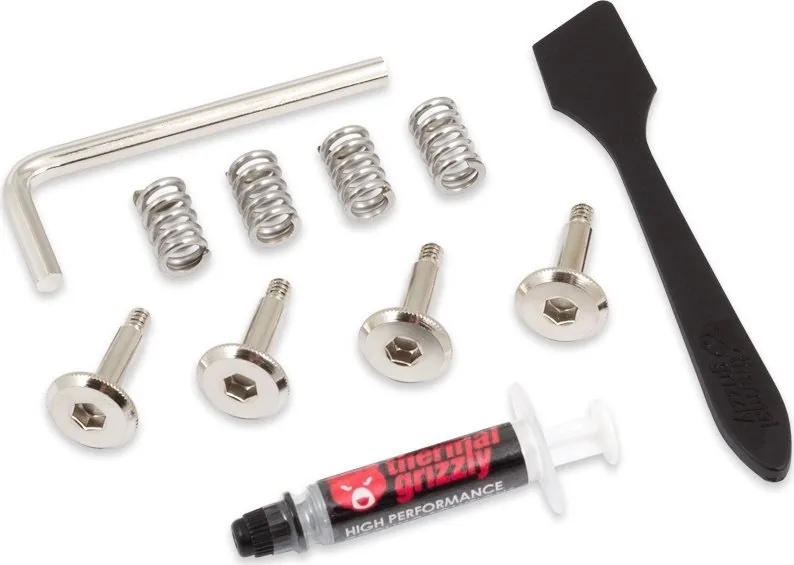
- Includes a structured installation approach using a backplate, bolts, washers, springs, and thumb screws.
- Also supports multiple other Intel and AMD socket mounting configurations with suitable hardware.
Disadvantages

- Requires a complete custom water-cooling loop with adequate flow and cooling capacity.
- Incorrect coolant flow direction can reduce cooling performance.
- Careful leak testing is required before powering the rest of the PC.
- Installation requires motherboard access for backplate placement.
- Only Double Protect Ultra coolant is approved in the supplied guidance.
Product Specification
Type
CPU
Compatibility
AM4
Connections
G1/4"
Dimensions (L x W x H)
4.37 x 2.95 x 0.87 in
Product Description
Aqua Computer cuplex kryos NEXT AM4/3000/5000 - Read, Download & Print Free
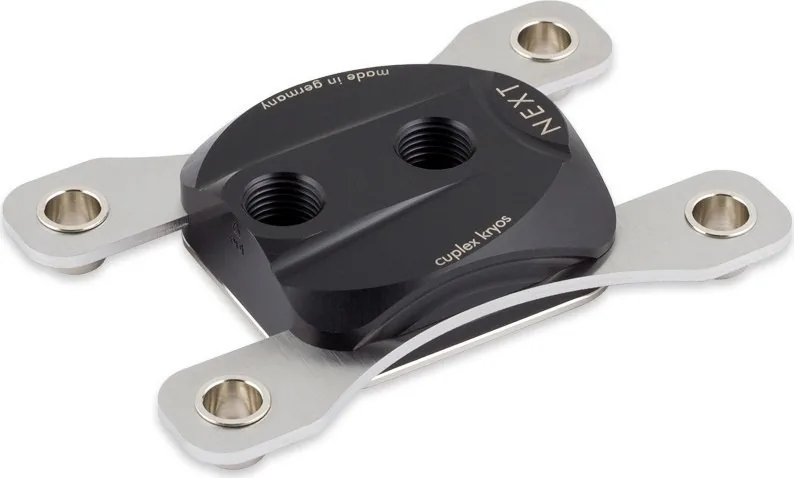
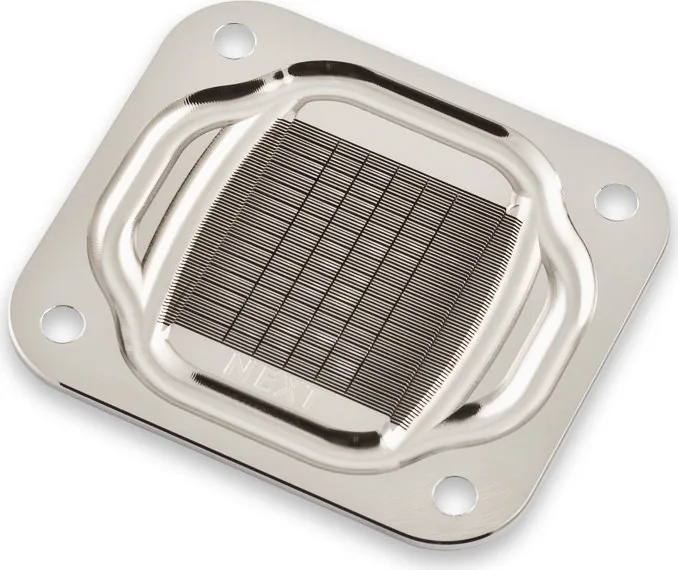
The Aqua Computer cuplex kryos NEXT AM4/3000/5000 is a precision CPU water block designed for enthusiast PC cooling systems. Built for AMD AM4 platforms, it is a practical choice for systems based on Ryzen 3000 and Ryzen 5000 processors where stable temperatures and careful installation matter. Its mounting design uses springs and thumb screws to apply balanced pressure across the CPU surface, helping create reliable contact with the thermal interface material.
Designed for Custom Water Cooling
This cooler is intended for integration into a complete liquid-cooling loop with adequate flow and radiator capacity. For the best cooling performance, coolant should enter through the central port and leave through the outer port. Reversing that flow direction remains possible, but may reduce thermal performance. This makes planning tubing routes and fitting positions an important part of a clean, efficient build.
Before installation, users should shut down and disconnect the computer, protect components from static electricity, and remove residue from any previous thermal paste. A small amount of supplied thermal compound can be placed at the center of the processor, or spread into a thin, even layer. The cooler is then seated on the CPU and secured gradually in a diagonal pattern. Alternating between opposite screws helps distribute mounting force evenly.
AM4 Installation Highlights
For AM4 systems, the installation process uses a backplate with an insulating layer, mounting bolts, plastic washers, springs, and thumb screws. The backplate must be aligned beneath the motherboard socket before the bolts are installed. Once the water block is positioned, each spring is fitted over a bolt and secured with a thumb screw. Tighten each screw only a little at first, then continue diagonally until all four reach their stop.
The same general product family also supports several Intel and AMD socket arrangements with the appropriate mounting hardware. Compatibility should always be confirmed against the exact processor socket and included accessories before starting a build.
Safe Setup Notes
Leak testing is essential before powering other PC components. Run the cooling loop first and inspect the block, tubing, and connections for escaping coolant. Do not start the full system until leaks have been ruled out. If a leak occurs, correct it and ensure every affected component is completely dry before applying power.
Note: Use only the specified Double Protect Ultra coolant for operation, maintain sufficient loop flow, and follow the recommended inlet and outlet orientation for the strongest cooling results.
Search for 67,706 Manuals online


Type-in Brand or Model