
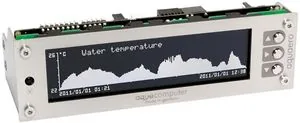
Aqua Computer aquaero 5 PRO Manual
PDF manual · 53 Pages
English



Quick check
Incorrect answer, please try again.
Chat with your Aqua Computer aquaero 5 PRO manual using AI
Get instant AI answers from your Aqua Computer aquaero 5 PRO manual
Ask anything about the Aqua Computer aquaero 5 PRO. Answers come from this manual, with the pages they are based on.
Ask a Question
Do you recommend aquaero 5 PRO?
Yes No
Stefan Hoffmann
7 months ago
Is this controller reliable for managing water cooling pumps and fans longer than motherboard limits?

Manual.ly
7 months ago
Users confirm the AE5 excels at precise fan and pump control, surpassing standard motherboard capabilities. Reviews indicate zero crashes or dropouts after over a year of continuous use. It serves as a central control unit for water cooling setups. Customer support and the community forum are also highlighted as excellent resources for setup assistance.
Frequently Asked Questions
Use the Aquasuite software connected via USB or utilize the local display keys found on PRO and XT models. You can set curve controllers or presets based on temperature data.
Is this answer helpful?
Yes, the device supports D5 and aquastream pumps via the aquabus interface or standard fan outputs, provided power limits are respected for pump safety.
Is this answer helpful?
Yes, the relay output allows for emergency system shutdowns when specific alarm conditions are met, such as exceeding maximum temperature thresholds.
Is this answer helpful?
The controller supports temperature, flow, pressure, fill level, and power measurement sensors, with options for virtual and software-based sensor integration.
Is this answer helpful?
Yes, specific RGB controller outputs allow for color and gradient adjustments based on temperature or fixed preset values.
Is this answer helpful?
The aquaremote IR remote is included with the XT model and available as a separate accessory for the PRO model.
Is this answer helpful?
Yes, settings are stored locally on PRO and XT variants, allowing autonomous temperature control even when the USB cable is disconnected.
Is this answer helpful?
Advantages and Disadvantages
Advantages

- Multi-channel control with up to 4 fan outputs and support for pumps via aquabus technology.
- Extensive monitoring capabilities including temperature, flow, pressure, and power measurements.
- Flexible configuration via USB Aquasuite software or local display keys on PRO and XT models.
- Safety features with alarm levels, emergency shutdowns, and programmable fuse protection.
- Customizable infrared remote operation for convenient control without direct PC access.
Disadvantages

- Requires a 5.25-inch bay drive slot which limits space in modern chassis designs.
- Complex setup may overwhelm beginners compared to simpler passive fan controllers.
- Proprietary aquabus connections restrict compatibility to specific Aqua Computer accessories.
- USB connection is needed for initial software configuration and firmware updates.
- Standby power management may require additional adapters for specific functionality on older models.
Product Specification
Type
Fan control, Pump control, Diagnostic Display/System Monitoring Display
Form factor
5.25"
Fans
4
Channels
4 (Speed), 8 (Temperature), 2 (Pump)
Power
30W/Channel
Control Range
0-12V
Display
LCD
Power Supply
1x 4-Pin Molex
Fan Headers
4x 4-Pin
Control via
1x USB-In (USB 2.0 Header, Software control)
Front I/O
N/A
Features
12V Start boost, Alarm function, illuminated, aquabus, Water cooling flow indicator
Product Description
Enhance Your Cooling Setup with Advanced Control
Maintaining optimal temperatures in a high-performance PC is crucial for stability and longevity, especially when pushing hardware to the limit. The Aqua Computer aquaero 5 PRO 5.25" Pump and Fan Controller 4-Channel Manual serves as the essential guide to mastering your water cooling system. This robust device is designed to handle complex thermal management tasks with precision and flexibility. It connects directly to your PC via a USB interface, allowing for deep configuration through the Aquasuite software suite. Beyond basic control, it offers a professional approach to system monitoring.
Comprehensive Connectivity and Expansion
The unit features multiple ports including four dedicated fan channels for precise airflow management. It supports pumps via the innovative aquabus technology, enabling communication with external expansion devices. You can monitor temperature, flow, pressure, and even fill levels directly from the device or through the software interface. For users who prefer physical interaction without relying on a PC, the PRO and XT versions include an LC display and tactile keys for on-device configuration. This ensures core functionality remains even when the computer is offline.
Smart Automation and Hardware Safety
One of the standout aspects is the alarm configuration system. You can set thresholds for various sensors to trigger specific actions like fan speed adjustments, buzzer alerts, or emergency shutdowns via a relay output. This protects your expensive components from overheating or pump failure. The infrared remote control, available as a separate accessory, adds significant convenience for quick adjustments on the fly. The device handles curve controllers, set point controllers, and two-point controllers to automate fan and pump speeds based on real-time data streams.
Software Integration and Customization
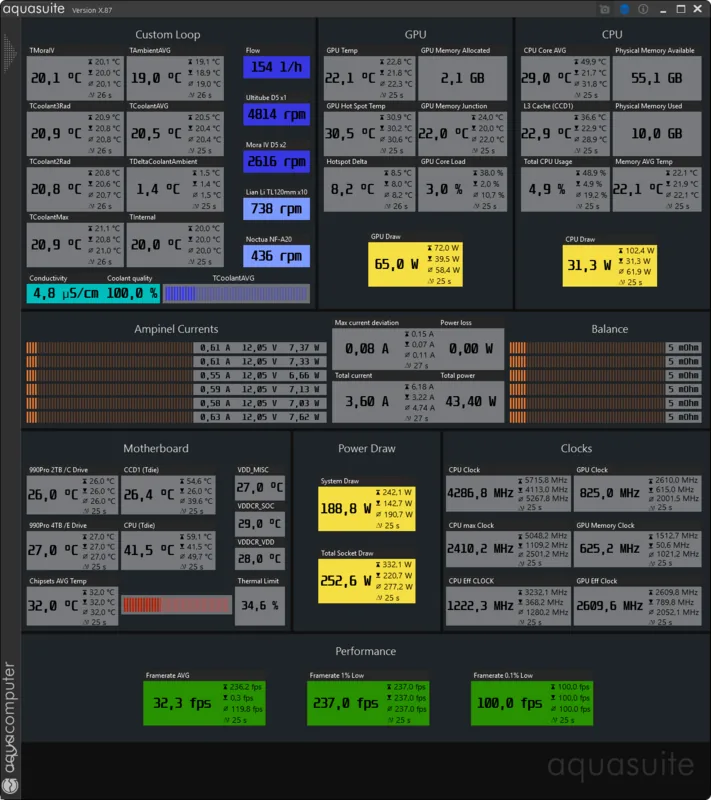
The documentation details how to install and utilize the Aquasuite software effectively for Windows. This PC application allows for extensive data logging and visualization tools. You can create custom overview pages to display sensor data directly on your desktop background. The software supports importing and exporting configurations, making setup migration between systems straightforward. It also enables third-party data integration through software sensors, allowing you to utilize CPU temperatures from other monitoring applications for unified control.
Installation, Operation, and Accessories
Safety is emphasized heavily throughout the guidance documents. Users are instructed to disconnect power before modifying connections to avoid damage. The scope of delivery includes necessary temperature sensors and mounting hardware. Compatibility with optional accessories like poweradjust units and high flow sensors expands the system capabilities significantly. Whether you are a hobbyist builder or a professional, understanding the operation concepts regarding sensors, controllers, and outputs is key to unlocking the full potential of this 4-channel controller and maintaining a silent, efficient cooling environment for years.
System Note
Always backup settings before major updates.
Search for 67,706 Manuals online


Type-in Brand or Model
Thomas Mueller
8 months ago
Is the Aquacomputer AE5 reliable for long-term fan control without crashes?
Manual.ly
8 months ago
Yes, users confirm stable performance for over a year without system crashes or outages. This device regulates fans more precisely than standard motherboard controls. It serves as a central hub for water cooling setups. Customer support and community forums are also rated highly for assistance.