
APC Switched Rack PDU Manual
PDF manual · 172 Pages
English



Quick check
Incorrect answer, please try again.
Chat with your APC Switched Rack PDU manual using AI
Get instant AI answers from your APC Switched Rack PDU manual
Ask anything about the APC Switched Rack PDU. Answers come from this manual, with the pages they are based on.
Ask a Question
Do you recommend Switched Rack PDU?
Yes NoFrequently Asked Questions
It distributes power to rack equipment while adding remote monitoring and outlet-level switching. That allows administrators to see load trends, manage devices remotely, and reduce downtime during maintenance or troubleshooting.
Is this answer helpful?
Yes. Individual outlets can be switched on, off, or managed through scheduled actions. This is especially useful for remote reboots, staged power-up sequences, and controlled maintenance tasks.
Is this answer helpful?
Yes. Network Port Sharing lets up to four Rack PDUs share one network connection through the In and Out ports. One unit acts as the host, while the others can be managed as guests.
Is this answer helpful?
The unit can be managed through a web interface, command line interface, SNMP, and supported network management platforms. It also supports secure access methods like SSH and HTTPS.
Is this answer helpful?
Yes. It supports both IPv4 and IPv6, and network settings can be configured manually or through DHCP and BOOTP. That gives flexibility for different network environments.
Is this answer helpful?
It includes event logs, data logs, email notifications, and SNMP traps. These tools help operators respond to overloads, network issues, and other system events more quickly.
Is this answer helpful?
Advantages and Disadvantages
Advantages

- Remote outlet control supports rebooting, scheduling, and targeted power actions.
- Real-time monitoring helps track load, peak demand, power use, and alarm thresholds.
- Multiple access options include Web UI, CLI, SNMP, SSH, and secure remote tools.
- Network Port Sharing can connect up to four PDUs through one network link.
Disadvantages

- The unit does not provide surge protection, so a UPS is still recommended.
- Advanced setup can be complex for users unfamiliar with networking or SNMP.
- Some features depend on firmware version, compatible sensors, or supported accessories.
- Multi-user and security settings require careful administration to avoid access mistakes.
Product Specification
Outputs
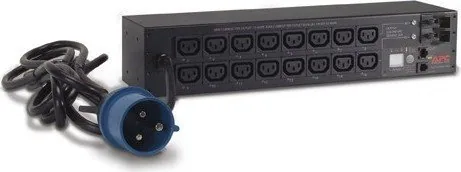
16x C13
Input
1x IEC-309 (32A)
Input Voltage
230V
Cable Length
11.98 ft
Dimensions (WxHxD)
17.52x3.50x4.49in
Weight
9.92 lb
Manufacturer Warranty
two years
Product Description
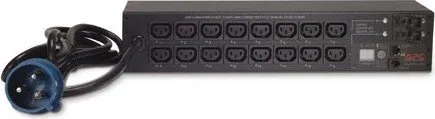
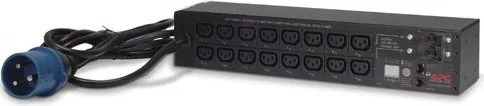
APC Switched Rack PDU, 2U, 32A: Smart Power Control for Modern Racks
The APC Switched Rack PDU, 2U, 32A is built for environments that need reliable power distribution with a high level of remote control. For teams managing dense server racks, network gear, or mixed equipment, this unit combines switching, monitoring, and alerting in one compact form factor. If you’re looking for the APC Switched Rack PDU, 2U, 32A Manual, this product is clearly designed around practical operations: visibility, control, and fast response.
At its core, the PDU helps administrators see how power is being used and act before issues become outages. It supports real-time load monitoring, peak tracking, and configurable thresholds so warning conditions can be identified early. That makes it easier to avoid overloads and maintain stable rack performance during busy periods or hardware changes.
One of its strongest advantages is outlet-level control. Instead of managing the rack as one block, you can switch individual outlets on or off, schedule actions, and assign outlet users with controlled permissions. That flexibility is useful for remote reboot workflows, staged deployments, and maintenance tasks where timing matters.
The unit also fits into larger management ecosystems. It can be accessed through a web interface, command line interface, SNMP tools, and integrated management platforms. Network configuration is flexible as well, with support for IPv4 and IPv6, DHCP, BOOTP, and manual setup. For multi-unit environments, Network Port Sharing lets up to four PDUs share one network connection, simplifying cabling and centralized oversight.
Security and usability are also well represented. Multiple user roles help separate duties, while SSH, HTTPS, RADIUS, and firewall options support more secure administration. Event logs, data logs, email alerts, and SNMP traps provide useful context when something changes on the rack. Features like firmware updates, RF Code wireless monitoring support, and Cisco EnergyWise compatibility add further value for data center teams that want both control and long-term manageability.
Notes
- The PDU is focused on remote power management, not surge protection.
- A UPS is recommended to help protect the rack from power loss or surges.
- Network Port Sharing can reduce cabling while expanding visibility across multiple units.
- Optional temperature and humidity sensors extend monitoring beyond power alone.
Search for 67,706 Manuals online


Type-in Brand or Model