


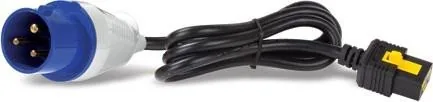
APC Switched Rack PDU 2G Manual
PDF manual · 166 Pages
English



Quick check
Incorrect answer, please try again.
Chat with your APC Switched Rack PDU 2G manual using AI
Get instant AI answers from your APC Switched Rack PDU 2G manual
Ask anything about the APC Switched Rack PDU 2G. Answers come from this manual, with the pages they are based on.
Ask a Question
Do you recommend Switched Rack PDU 2G?
Yes NoFrequently Asked Questions
It gives you switched outlet control plus detailed power monitoring in a compact vertical 0U design. That makes it easier to manage rack equipment, reduce clutter, and react quickly to power issues.
Is this answer helpful?
No. It is a power distribution and control device, not a surge protector. For better protection during outages or electrical events, it should be connected to a Schneider Electric UPS.
Is this answer helpful?
Yes. The unit supports outlet-level control, including on, off, reboot, and scheduled actions. This is helpful for maintenance, staged power-up, and controlled shutdowns.
Is this answer helpful?
Up to four Rack PDUs can be connected in one NPS group. One unit acts as the host, and the others are managed as guests through the host’s network connection.
Is this answer helpful?
You need an IP address, subnet mask, and default gateway for IPv4. IPv6 is also supported. These settings can be applied manually, through DHCP/BOOTP, or with configuration tools.
Is this answer helpful?
The PDU supports multiple user roles, SSH, Telnet, RADIUS, SNMPv3, and firewall features. Access can be limited by account type so only approved users can change settings or control outlets.
Is this answer helpful?
Yes. It uses watchdog behavior to detect lack of network traffic and can restart the interface to recover from issues. This helps avoid long periods of unreachable management access.
Is this answer helpful?
Advantages and Disadvantages
Advantages

- Outlet-level switching helps reboot devices and manage power more precisely.
- Supports web, CLI, SNMP, SSH, and other enterprise-friendly control methods.
- Network Port Sharing can manage up to four units with one network connection.
- Detailed monitoring, alerts, and logs improve visibility and fault response.
Disadvantages

- It does not provide surge protection and should be paired with a UPS.
- Initial setup can be technical because network, users, and security must be configured.
- Network Port Sharing depends on correct cabling, terminators, and firmware compatibility.
- Some advanced actions are limited by user role and host/guest group structure.
Product Specification
Outputs
21x C13
Input
3x IEC C19
Input Voltage
230V
Additional Connections
1x RJ-11, 1x RJ-45, 1x USB, 1x CAN
Material
Plastic
Cable Length
9.84 ft
Dimensions (WxHxD)
2.20x70.47x1.81in
Weight
0.20 oz
Features
Display
Manufacturer Warranty
two years
Product Description
APC Switched Rack PDU 2G, Vertical, 0U, 16A
The APC Switched Rack PDU 2G is a smart choice for environments that need more than basic power delivery. Designed in a vertical, 0U form factor, it preserves valuable rack space while giving operators better visibility and control over connected equipment. The APC Switched Rack PDU 2G, vertical, 0U, 16A Manual reflects a product built for modern rack management, where uptime, remote access, and clear power insight matter every day.
This PDU stands out because it combines switching, monitoring, and alerting in one compact unit. Users can track real-time electrical data such as current, voltage, power, apparent power, and energy consumption, making it easier to understand how a rack is performing. When a circuit begins to approach its limits, configurable alarms help warn staff early, reducing the chance of overloads and unexpected outages.
Outlet-level control is another major strength. Administrators can switch outlets on or off, define delays, group outlets for coordinated behavior, and assign access based on role. That flexibility is useful for rebooting servers, staging equipment after a power event, or limiting control to approved users only. The result is a more organized and predictable power environment.
The unit also fits well into managed IT networks. It supports web access, CLI administration, SNMP, SSH, Telnet, logging, notifications, and integration with broader management tools. IPv4 and IPv6 support, DHCP/BOOTP options, NTP, RADIUS, and firewall features make it suitable for teams that want both convenience and security. For larger installations, Network Port Sharing can link multiple Rack PDUs through one network connection, simplifying deployment and reducing cabling complexity.
Another practical advantage is resilience. Watchdog behavior helps recover from network inactivity, while event logs and data logs preserve useful history for troubleshooting and reporting. Temperature and humidity sensor support adds an environmental layer, helping teams spot issues that may affect equipment health before they become serious.
Practical takeaway
The APC Switched Rack PDU 2G is ideal for data centers, server rooms, and network closets that need precise outlet control and dependable power visibility. It is not a surge protector, so pairing it with a UPS is still the best approach for complete protection. If your goal is smarter rack power management with enterprise-ready features, this PDU delivers a strong balance of control, monitoring, and flexibility.
Notes
- Best for rack environments that need remote switching and monitoring.
- Proper network setup is required for full functionality.
- NPS deployments need compatible firmware and correct terminators.
- Use with a UPS for surge protection and power conditioning.
Search for 67,706 Manuals online


Type-in Brand or Model