
APC Smart-UPS SRT 48V Manual
PDF manual · 16 Pages
English



Quick check
Incorrect answer, please try again.
Chat with your APC Smart-UPS SRT 48V manual using AI
Get instant AI answers from your APC Smart-UPS SRT 48V manual
Ask anything about the APC Smart-UPS SRT 48V. Answers come from this manual, with the pages they are based on.
Smart-UPS SRT 48V Maintenance Schedule
If the unit is in storage, charge the battery modules every six months to maintain battery health.
Perform this test anytime the steady state load changes significantly, such as adding or removing servers from the UPS load.
Free maintenance reminders
Timed to your purchase date. Always free, unsubscribe anytime.
Ask a Question
Do you recommend Smart-UPS SRT 48V?
Yes NoFrequently Asked Questions
It is an external battery pack that increases the available runtime of compatible APC Smart-UPS SRT systems during utility failures or unstable power conditions.
Is this answer helpful?
Install it indoors in a clean, dry, ventilated location. Keep it away from direct sunlight, liquids, excessive dust, and high humidity. Do not block its ventilation openings.
Is this answer helpful?
Typical battery life is two to five years. Heat, poor power quality, and repeated short discharge cycles can reduce service life, so replacement may be needed sooner.
Is this answer helpful?
Place external battery packs at the bottom of the rack and install the UPS above them. This helps provide safer weight distribution and a more stable rack installation.
Is this answer helpful?
Replace the batteries immediately when a replacement or overheating alert appears. Turn off the UPS, disconnect AC input, and disconnect batteries before servicing as required.
Is this answer helpful?
Yes, compatible systems can support multiple external battery packs. Check the compatible UPS specifications for its recognized limit; the referenced guidance notes up to 10 external battery units.
Is this answer helpful?
Advantages and Disadvantages
Advantages

- Extends backup runtime for compatible APC Smart-UPS SRT installations.
- Rack-oriented deployment supports organized, scalable power protection.
- Sealed maintenance-free battery design minimizes routine battery handling.
- Supports multi-pack configurations, with UPS compatibility determining the allowed quantity.
Disadvantages

- Heavy equipment requires safe lifting practices and careful rack placement.
- Battery life can decline in hot environments or with frequent short discharges.
- Indoor-only operation requires protection from moisture, dust, liquids, and sunlight.
- Battery replacement requires strict safety procedures, matching modules, and proper recycling.
Product Specification
Type
Battery Pack
Dimensions
21.1 x 17.01 x 3.35 in
Weight
65.92 lb
Color
black
Manufacturer Warranty
two years
Product Description
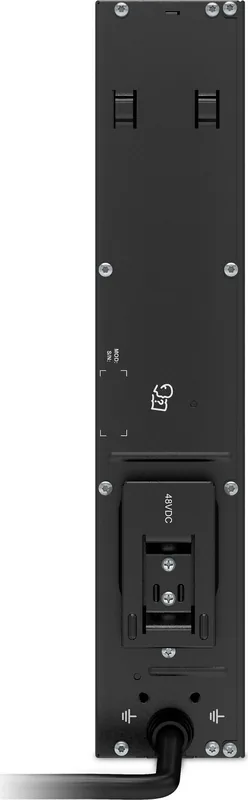
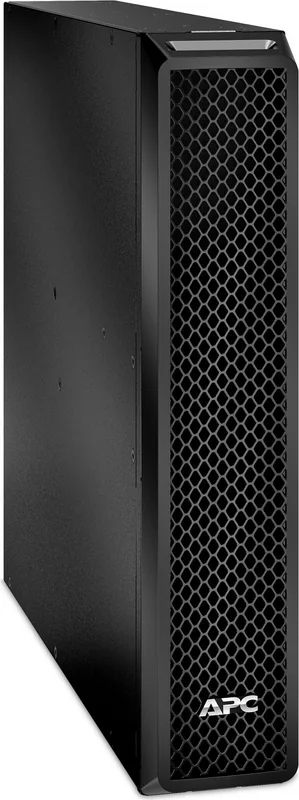
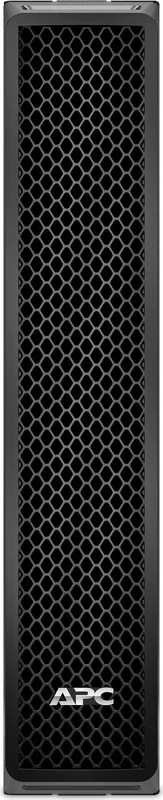
APC Smart-UPS SRT 48V Battery Pack
The APC Smart-UPS SRT 48V Battery Pack is an external battery solution designed to extend backup time for compatible APC Smart-UPS systems. It supports continuity planning in environments where servers, network hardware, storage equipment, and other essential electronics need additional runtime during a utility outage. Its rack-oriented design makes it suitable for organized IT installations that require scalable battery capacity.
Built for Extended Runtime
Adding an external battery pack can help a UPS remain available for longer periods when power quality is unstable or an outage lasts beyond the runtime of the internal batteries. The APC Smart-UPS SRT 48V Battery Pack is intended for indoor use and should be installed where ventilation is clear, temperatures are controlled, and the unit is protected from direct sunlight, dust, moisture, and liquids.
Because battery equipment is heavy, correct handling is important from delivery through installation. Battery modules should be removed before mounting equipment in a rack when appropriate, and external battery packs should be positioned at the bottom of a rack configuration. The UPS is installed above the battery packs to support a stable layout and safer weight distribution.
Battery Care and Replacement
The APC Smart-UPS SRT 48V Battery Pack uses sealed, maintenance-free, valve-regulated lead-acid batteries. Under normal operating conditions, the internal battery components are not exposed. However, damaged, overheated, overcharged, or improperly handled batteries can present electrical and chemical hazards.
Typical battery service life is around two to five years, although actual longevity depends on operating conditions. High ambient temperatures and repeated short discharges caused by poor power quality may shorten battery life. Replacing batteries before they reach the end of their useful life helps maintain dependable backup performance.
Use the same battery type and quantity originally fitted in the equipment. If the UPS indicates a battery replacement or battery overheating condition, address it promptly. When expanding a system with additional battery packs or replacing modules, replace battery modules older than one year to help maintain balanced performance across the installation.
APC Smart-UPS SRT 48V Battery Pack Manual Guidance
Safe operation begins with proper electrical practices and careful installation. Disconnect power sources and battery connections before battery service, remove conductive jewelry, and use insulated tools. Never burn, open, or intentionally damage batteries. Recycle used batteries and retain or recycle packaging responsibly.
Notes
- Keep ventilation openings unobstructed.
- Follow local electrical and battery disposal regulations.
- Verify compatible UPS capacity before connecting multiple external battery packs.
- A compatible UPS may support up to 10 external battery units, subject to its supported configuration.
Search for 67,706 Manuals online


Type-in Brand or Model