
APC Smart-UPS SRT 1000VA Manual
PDF manual · 33 Pages
English



Quick check
Incorrect answer, please try again.
Chat with your APC Smart-UPS SRT 1000VA manual using AI
Get instant AI answers from your APC Smart-UPS SRT 1000VA manual
Ask anything about the APC Smart-UPS SRT 1000VA. Answers come from this manual, with the pages they are based on.
Smart-UPS SRT 1000VA Maintenance Schedule
The UPS executes a Self Test at the configured interval, defaulting to startup plus every 14 days since the last test.
Charge the battery modules every six months if the UPS is stored to maintain battery health.
Perform this test anytime the steady state load changes significantly, such as adding or removing a server.
Free maintenance reminders
Timed to your purchase date. Always free, unsubscribe anytime.
Ask a Question
Do you recommend Smart-UPS SRT 1000VA?
Yes NoFrequently Asked Questions
This UPS is rated at 1000 VA and 1000 W. It is intended for protecting important electronic loads such as servers, switches, storage devices, and communications equipment within its rated capacity.
Is this answer helpful?
It uses online double-conversion operation to provide conditioned output power. It helps protect equipment from utility failures, voltage drops, surges, overloads, and input frequency fluctuations.
Is this answer helpful?
Yes. The unit includes USB and serial communication ports for local connection to a server or compatible management software. A SmartSlot is also available for supported optional management accessories.
Is this answer helpful?
Yes. Compatible external battery packs can be connected to extend backup runtime. The UPS can automatically recognize up to ten supported external battery packs, though charging time increases as packs are added.
Is this answer helpful?
Yes. Two controllable outlet groups can be configured independently for delayed startup, shutdown, restart, and load shedding. This helps prioritize critical equipment during an extended outage.
Is this answer helpful?
The nominal output voltage is selectable between 220 V, 230 V, and 240 V. Output frequency can be configured for 50 Hz or 60 Hz operation to suit the connected environment.
Is this answer helpful?
Advantages and Disadvantages
Advantages

- Online double-conversion design delivers conditioned power and protection from outages, sags, surges, and frequency disturbances.
- 1000 VA / 1000 W capacity supports critical servers, network equipment, storage, and communications hardware.
- USB and serial ports enable local UPS monitoring and integration with supported shutdown software.
- Two controllable outlet groups support power sequencing and load shedding to preserve battery runtime.
- Supports hot-swappable batteries and up to ten compatible external battery packs for extended runtime.
Disadvantages

- Battery runtime depends heavily on connected load, battery age, temperature, and the number of external battery packs.
- At about 22 kg with batteries installed, the UPS requires careful lifting and secure rack installation.
- Energy-saving mode can introduce a brief transfer interruption that may not suit every sensitive load.
- Battery replacement requires approved matching modules and should be performed with appropriate safety precautions.
Product Specification
Type
Tower/Rackmount
Classification
VFI (Online)
Apparent Power
1,000 VA
Active Power
1,000 W
Voltage
230 V
Input
1x C14
Outputs
6x C13
Interfaces
USB, serial (RJ-45)
Data Line Protection
N/A
Charging Time
3 h
Weight
45.19 lb
Dimensions (W x H x D)
17.01 x 3.35 x 19.88 in
Rack Units
2U
Special Features
LCD
Manufacturer Warranty
3 years
Product Description
APC Smart-UPS SRT 1000VA 230V, USB/serial - Read, Download & Print Free
The APC Smart-UPS SRT 1000VA 230V is an online uninterruptible power supply designed to keep essential electronic equipment protected when utility power becomes unstable or unavailable. With a 1000 VA / 1000 W rating, it is a strong choice for servers, network hardware, storage systems, telecom equipment, and other sensitive loads that need reliable, continuously conditioned power.
Continuous power protection for critical equipment
This Smart-UPS SRT model uses online double-conversion technology to deliver clean output power while isolating connected equipment from common electrical disturbances. It helps defend against outages, voltage sags, surges, overload conditions, and frequency variations. During a power interruption, the UPS automatically supplies battery power so connected devices can remain operational or shut down in a controlled way.
The selectable 220 V, 230 V, or 240 V output makes the unit adaptable to different electrical environments. Output frequency can also be configured for 50 Hz or 60 Hz operation. An optional energy-saving mode is available for installations where efficiency is a priority, although highly sensitive equipment may benefit most from the standard online operating mode.
Monitoring and flexible control
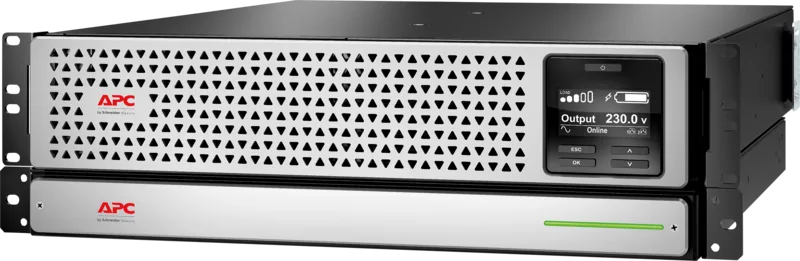
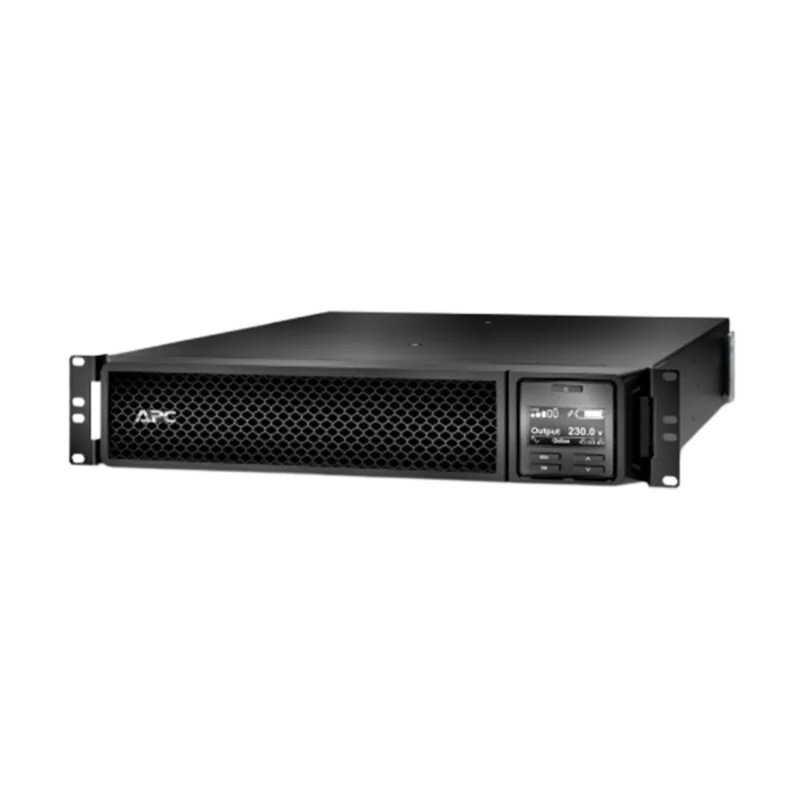
A clear LCD display provides at-a-glance information on input and output voltage, frequency, load percentage, available runtime, battery condition, and alarms. The adjustable display angle helps improve visibility whether the UPS is installed in a rack or used in a tower orientation.
USB and serial connectivity support local communication with a server or management software. The UPS also includes a SmartSlot for compatible management accessories and an emergency power off connection for coordinated shutdown requirements. Two controllable outlet groups allow administrators to sequence startup, restart, shutdown, or load shedding for selected devices.
Battery expansion and practical installation
The APC Smart-UPS SRT 1000VA 230V supports hot-swappable, sealed lead-acid battery modules, helping reduce downtime during planned battery replacement. It can also detect up to ten compatible external battery packs, providing a scalable approach to longer runtime during outages.
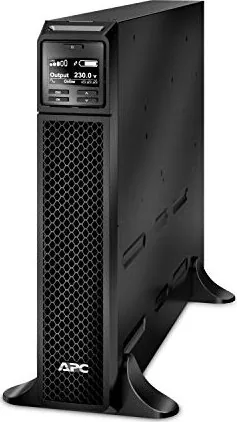
Its 2U form factor supports rack installation, while compatible configurations can also be deployed as a tower. The unit weighs approximately 22 kg with its battery installed, so safe lifting and proper rack placement are important. For best battery life, maintain a clean, dry indoor environment with sufficient ventilation.
Notes
- Allow the battery to charge after installation before expecting maximum runtime.
- Connect the UPS directly to a properly grounded wall outlet.
- Replace batteries with approved equivalents when the UPS reports end-of-life conditions.
- Keep nonessential loads separate so they can be shed first during battery operation.
Search for 67,706 Manuals online


Type-in Brand or Model