
APC Smart-UPS 750VA Manual
PDF manual · 17 Pages
English



Quick check
Incorrect answer, please try again.
Chat with your APC Smart-UPS 750VA manual using AI
Get instant AI answers from your APC Smart-UPS 750VA manual
Ask anything about the APC Smart-UPS 750VA. Answers come from this manual, with the pages they are based on.
Smart-UPS 750VA Maintenance Schedule
The UPS automatically performs a self-test at startup and every two weeks by default. The interval can be configured.
When stored at +30 to +45 C, recharge the UPS battery every three months.
Store the UPS cool and dry with a fully charged battery. Recharge the battery every six months at -15 to +30 C.
Replace the battery with a new battery after three years of use.
Free maintenance reminders
Timed to your purchase date. Always free, unsubscribe anytime.
Ask a Question
Do you recommend Smart-UPS 750VA?
Yes NoFrequently Asked Questions
It helps protect connected electronics from outages, surges, sags, overvoltage, undervoltage, and smaller utility power fluctuations. During a power interruption, it switches to battery power to provide temporary runtime.
Is this answer helpful?
No. The UPS supports USB and serial communication, but the two ports are not intended for simultaneous use. Select the interface that best fits the management system.
Is this answer helpful?
Automatic voltage regulation, or AVR, corrects certain high and low input-voltage conditions without switching to battery operation. This helps preserve battery capacity when utility voltage is outside the preferred range but still usable.
Is this answer helpful?
Runtime depends on the wattage of connected equipment, battery age, battery charge level, and operating conditions. Lower loads generally receive longer runtime. Allow the battery to charge after installation before relying on maximum backup time.
Is this answer helpful?
Laser printers can draw substantially more power than typical office equipment, especially during printing. This may overload a 750VA UPS. Check the printer's power demand and the UPS load rating before connecting it.
Is this answer helpful?
A battery replacement or disconnected-battery indicator, audible alerts, and self-test results can identify battery issues. Verify the battery connector, recharge the unit for at least 24 hours, then run a self-test if needed.
Is this answer helpful?
Advantages and Disadvantages
Advantages

- 750VA UPS protection for workstations, network devices, and other essential electronics.
- Automatic voltage regulation compensates for high or low utility voltage without immediate battery use.
- USB and serial connectivity support monitoring and controlled shutdown workflows.
- Front-panel LEDs, alarms, and self-tests simplify status checks and battery troubleshooting.
- Replaceable battery module supports serviceability and longer product life.
Disadvantages

- Serial and USB ports cannot be used simultaneously.
- Backup runtime varies significantly with the connected load and battery condition.
- Laser printers and other high-inrush devices can overload the UPS.
- The battery requires charging after setup and periodic maintenance during storage.
- Regional voltage versions differ, so buyers must select a compatible 100V, 120V, or 230V model.
Product Specification
Type
Tower
Classification
VI (Line-Interactive)
Apparent Power
750 VA
Active Power
500 W
Voltage
220-230 V
Input
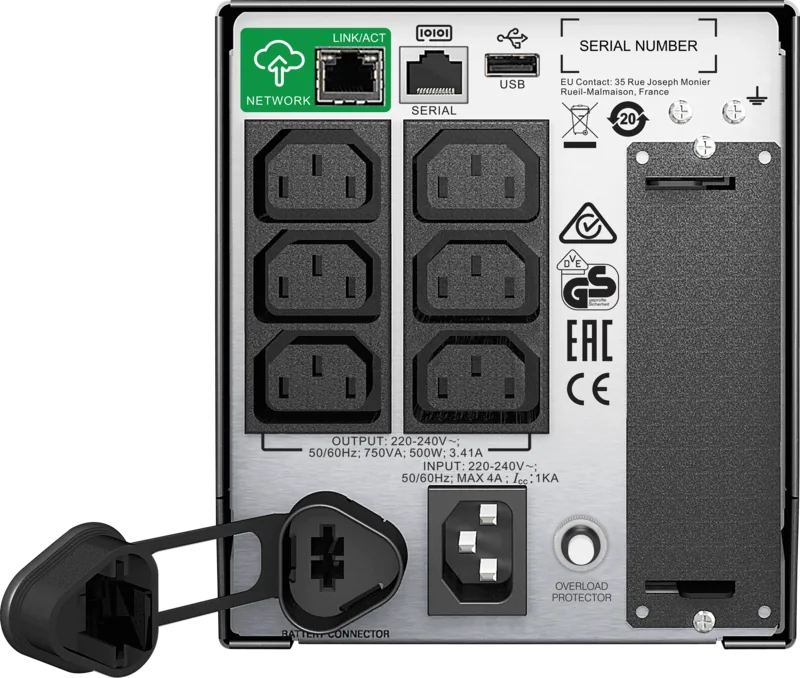
1x C14
Outputs
6x C13
Interfaces
1x USB, 1x Serial
Data Line Protection
N/A
Runtime
16.3 min (50%), 4.8 min (100%)
Charging Time
3 h
Weight
29.06 lb
Dimensions (W x H x D)
5.39 x 6.18 x 14.09 in
Special Features
UL Certified
Manufacturer Warranty
Two Years
Product Description
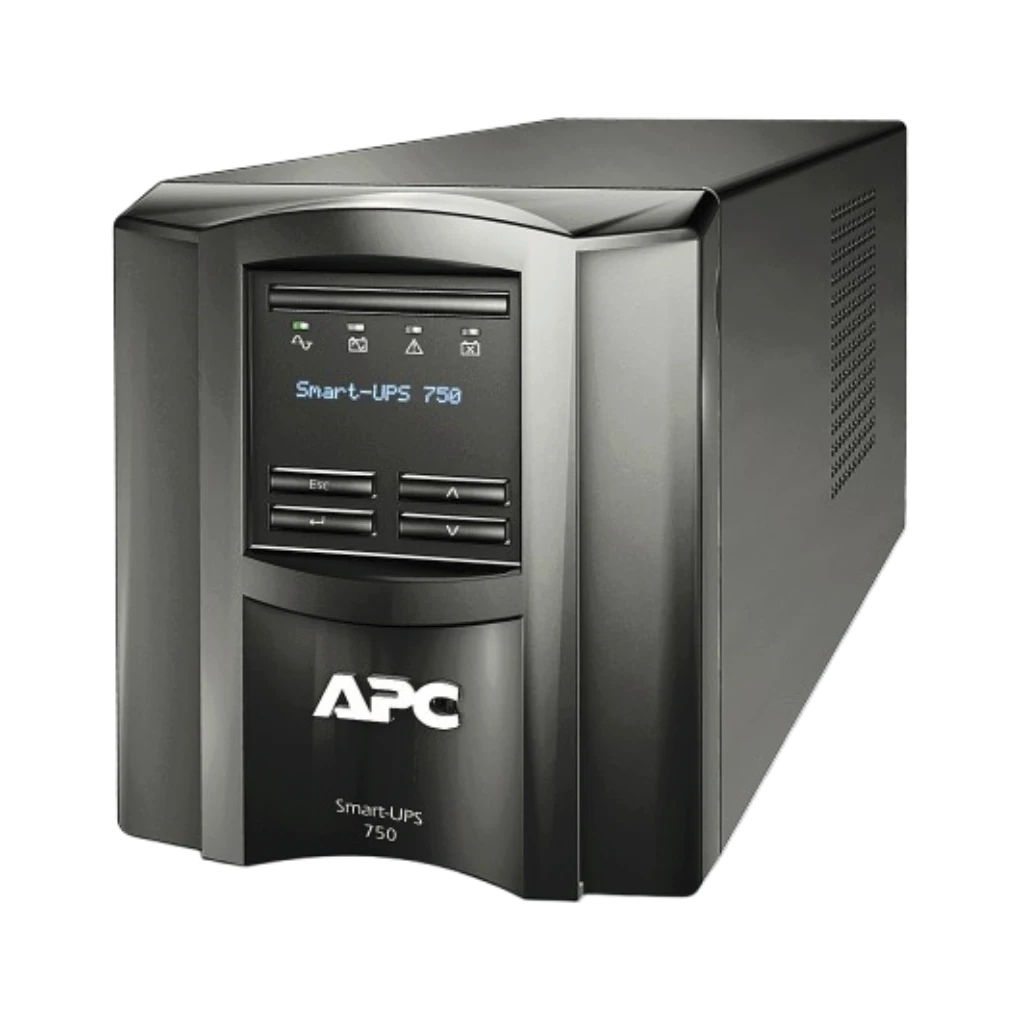
APC Smart-UPS 750VA with UL Certification, USB/Serial
The APC Smart-UPS 750VA with UL certification, USB/serial is designed to keep essential electronics protected when utility power becomes unstable or unavailable. Built for desktops, workstations, networking gear, point-of-sale equipment, and small business systems, this tower UPS delivers dependable battery backup along with protection from surges, voltage drops, and other power disturbances.
Reliable Power Protection for Critical Equipment
During normal operation, the Smart-UPS supplies connected devices with utility power while monitoring line conditions. Its automatic voltage regulation helps correct excessively high or low input voltage without immediately using battery power. This can reduce unnecessary battery cycling and support more consistent operation in locations with fluctuating electrical service.
If an outage occurs, the UPS automatically switches to battery power so equipment can remain active long enough to save work, shut down safely, or continue operating through a brief interruption. Audible alarms and front-panel indicators clearly identify online operation, battery use, overload conditions, and battery replacement needs.
USB and Serial Connectivity
USB and serial ports support direct communication with a compatible computer or management setup. When used with PowerChute monitoring software, the UPS can provide status visibility and help automate orderly system shutdown during extended outages. Only one communication interface should be used at a time, and APC-approved interface cables are recommended.
The unit also supports optional Smart-Slot accessories for expanded management capabilities. This flexibility makes the APC Smart-UPS 750VA with UL certification, USB/serial a practical choice for installations that need local monitoring today and may require more advanced oversight later.
Practical Setup and Maintenance
The tower design fits easily near a workstation or communications cabinet when adequate ventilation is provided. The internal battery is supplied disconnected for transport and must be connected during setup. After installation, allow time for charging before expecting maximum backup runtime. Battery performance depends on connected load, temperature, age, and how frequently the UPS operates on battery.
A replaceable battery module helps simplify long-term maintenance. The UPS includes self-test functions to help identify a weak or disconnected battery, while configurable settings can adjust alarms, sensitivity, shutdown timing, restart behavior, and low-battery warnings.
Notes
- Avoid connecting laser printers or other high-inrush devices unless their load is confirmed compatible.
- Keep the UPS in a cool, dry, well-ventilated location.
- Confirm the exact regional model and certification requirements before purchase, especially for 100V, 120V, or 230V installations.
Search for 67,706 Manuals online


Type-in Brand or Model