

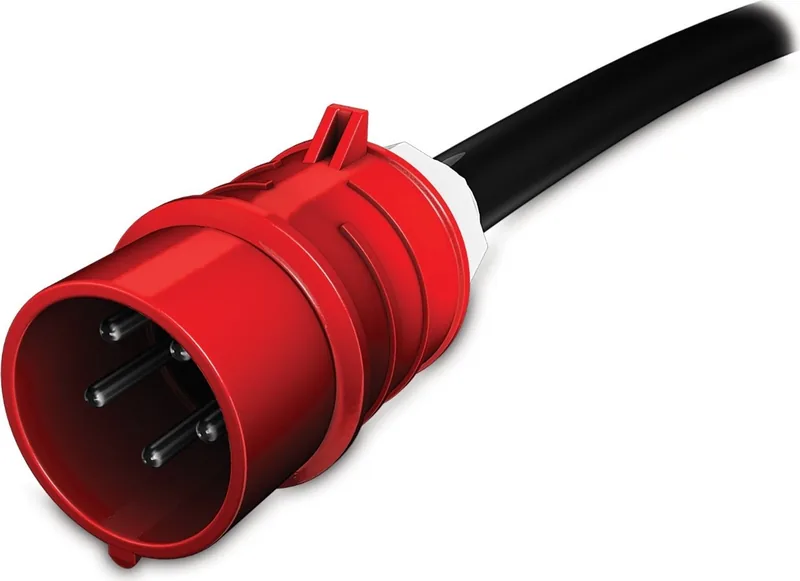

APC Metered Rack PDU Manual
PDF manual · 3 Pages
English



Quick check
Incorrect answer, please try again.
Chat with your APC Metered Rack PDU manual using AI
Get instant AI answers from your APC Metered Rack PDU manual
Ask anything about the APC Metered Rack PDU. Answers come from this manual, with the pages they are based on.
Ask a Question
Do you recommend Metered Rack PDU?
Yes NoFrequently Asked Questions
No. Units shipped with NMC2 display modules will not support firmware for an NMC3 display module. Installing it may cause errors like incorrect hardware configuration data or improper overload LED status.
Is this answer helpful?
You can check the firmware version in the main menu of the display module, go to the About tab in the Web UI, or check the main screen in the Command Line Interface.
Is this answer helpful?
Rack PDUs with an NMC2 display module have firmware version 6.x.x or later. This is distinct from the NMC3 firmware which starts with 1.x.x.1.
Is this answer helpful?
If an NMC3 module is installed on an NMC2 unit, symptoms include incorrect data and LED issues. If an NMC2 module is installed on an NMC3 unit, the PDU will no longer function.
Is this answer helpful?
Compare your serial number to the list provided. If lower than the threshold, use the legacy NMC2. If greater or equal, use the NMC3 display module.
Is this answer helpful?
Advantages and Disadvantages
Advantages

- Prevents hardware incompatibility errors when following firmware checks.
- Allows accurate monitoring of voltage and amperage when modules match.
- Serial number thresholds simplify the replacement decision process.
Disadvantages

- Installing wrong module stops unit function or shows incorrect LED status.
- Older NMC2 units cannot support newer NMC3 firmware updates.
- Requires manual verification of serial numbers before installation.
Product Specification
Outputs
36x C13, 6x C19
Input
1x IEC 60309 (20A), 1x IEC 60309 (16A)
Input Voltage
400V
Cable Length
6.00 ft
Dimensions (WxHxD)
70.51x2.20x1.73 in
Weight
14.07 lbs
Manufacturer Warranty
2 years
Product Description
Maintaining APC Rack PDU Reliability
Managing power distribution infrastructure requires absolute precision and attention to detail. The APC Metered Rack PDU Vertical, 0HE, 20A/16A stands as a critical component within modern data center rack environments. Ensuring its internal display functions correctly is vital for operational monitoring, safety, and accurate load reporting. Many technicians reference technical documentation to maintain optimal performance standards and prevent downtime. The APC Metered Rack PDU Vertical, 0HE, 20A/16A Manual offers essential updates regarding hardware compatibility across specific legacy systems and newer firmware architectures.
Upgrading display modules from the legacy NMC2 to the newer NMC3 version is a common maintenance task often considered during hardware refresh cycles. However, this upgrade path depends strictly on the initial shipment configuration of the specific unit in question. Units that originally shipped with NMC2 modules do not support firmware intended for NMC3 display modules under any circumstances. Installing an NMC3 module onto an NMC2 legacy unit can cause significant operational errors and system instability. For instance, the PDU might fail to display the correct hardware configuration data on the screen immediately upon startup. The overload LED could remain illuminated constantly regardless of actual electrical load conditions. This leads to the unit improperly measuring critical variable data such as amperage and voltage levels which jeopardizes safety protocols.
Conversely, installing an NMC2 display module into a PDU that was originally shipped with an NMC3 display module causes the unit to cease functioning entirely. To ensure your PDU functions properly, you must match the module strictly to the original configuration. If the unit shipped with NMC2, ensure the legacy display module is used for replacement. If it shipped with NMC3, ensure the NMC3 module is used to replace the failed unit. You can verify the display module identity by checking the firmware version or serial number records. Rack PDUs with an NMC2 display module typically contain firmware version 6.x.x or later. Rack PDUs with an NMC3 display usually have firmware 1.x.x.1 or later. You can check the firmware version for your PDU in multiple ways including the display main menu. Select Software Info or navigate the Web UI to the About tab. In the Command Line Interface, checking the main screen provides confirmation. The Serial Number list provides specific thresholds for model compatibility across the AP7 and AP8 series. If your serial number is lower than the specified threshold, install the legacy NMC2 display module. If your serial number is greater than or equal to the serial threshold, install the NMC3 display module. This protocol protects expensive hardware from incompatible hardware issues and ensures accurate data logging. Adhering to these guidelines protects your investment from unnecessary downtime and costly service calls. Power reliability frequently hinges on these small but critical hardware components within the rack. Proper identification ensures continuous operation in demanding facility environments. Following specific instructions helps maintain accuracy and safety standards. Always verify the serial number range before opening the PDU for maintenance tasks.
Search for 67,706 Manuals online


Type-in Brand or Model