
APC Galaxy VS Manual
PDF manual · 68 Pages
English



Quick check
Incorrect answer, please try again.
Chat with your APC Galaxy VS manual using AI
Get instant AI answers from your APC Galaxy VS manual
Ask anything about the APC Galaxy VS. Answers come from this manual, with the pages they are based on.
Galaxy VS Maintenance Schedule
If the UPS remains de-energized for a long period, energize it for at least 24 hours to charge installed battery modules and prevent deep-discharge damage.
Recharge battery modules stored at -15 to 25 C every six months to avoid damage from deep discharging. Units stored above 25 C require shorter intervals.
Free maintenance reminders
Timed to your purchase date. Always free, unsubscribe anytime.
Ask a Question
Do you recommend Galaxy VS?
Yes NoFrequently Asked Questions
It supports Normal (inverter) operation, Battery operation, Requested and Forced Static Bypass, ECO mode, ECOnversion, Internal and External Maintenance Bypass, Static Bypass Standby, and Off mode. ECO/ECOnversion settings are shared across parallel units.
Is this answer helpful?
Battery solutions can be Standard, Modular, or Custom. You configure number of cabinets/strings, charge profiles (float/boost/equalization), temperature thresholds, test intervals, and enable automatic disconnect. Modular cabinets provide per-string LEDs and detailed status accessible through the UI.
Is this answer helpful?
Yes — an integrated or optional Network Management Card provides HTTPS/HTTP, SNMPv1/v3, Modbus (serial and TCP), SSH, FTP/SFTP, and NTP. Integration with EcoStruxure IT Gateway and StruxureWare is supported; SNMP should be enabled deliberately for security.
Is this answer helpful?
The UPS offers runtime calibration, battery self-tests, scheduled battery tests, buzzer/LED/breaker lamp checks, air filter reminders, environmental sensor support, and the ability to export UPS reports to USB for diagnostics and support.
Is this answer helpful?
Follow lockout/tagout, open the cabinet battery breaker, remove/install full battery strings (complete set of modules), reconnect terminals, restore breaker, and use the UI to verify modular battery status. Always use identical battery module types and observe storage/installation limits.
Is this answer helpful?
Only qualified personnel should install, operate, and service the UPS. Adhere to lockout/tagout procedures, avoid live connections during service, wear PPE around batteries, and respect warnings about arc flash, shock, and explosive risks. Autostart settings require caution since the unit may restart when mains return.
Is this answer helpful?
Use the front-panel Configuration > Save/restore menu and a USB device in the front USB port. Settings can only be restored to the UPS they were saved from; restores require the UPS to be in maintenance bypass or off mode and will reboot the controller.
Is this answer helpful?
Advantages and Disadvantages
Advantages

- Flexible operation modes (Normal, ECO, ECOnversion, Battery, Static/Forced Bypass) for efficiency and resilience.
- Comprehensive touchscreen UI with mimic diagrams, guided sequences, logs, and local USB backup/restore.
- Network management via integrated/optional NMC supporting HTTPS, SNMPv3, Modbus, SSH and EcoStruxure integration.
- Modular battery support with per-string monitoring, runtime calibration, and scheduled battery tests.
- Maintenance bypass options (internal/external) and detailed breaker configuration for safe servicing.
Disadvantages

- Requires qualified personnel for installation, configuration, and battery servicing due to electrical and safety risks.
- Certain advanced features (ECO mode) may require vendor enablement and careful tuning across parallel systems.
- Modular battery replacements demand strict matching of module types and full-string replacement to avoid issues.
- Runtime calibration and battery testing temporarily reduce available runtime and can stress batteries if repeated.
- Configuration complexity (Modbus, NMC, transformer compensation, redundancy) may require expert setup for optimal performance.
Product Specification
Type
Tower
Classification
VFI (On-Line)
Voltage
400V
Data line protection
N/A
Special features
LCD
Manufacturer's warranty
one year (on-site)
Product Description
APC Galaxy VS Tower UPS/USV Manual — Product Overview
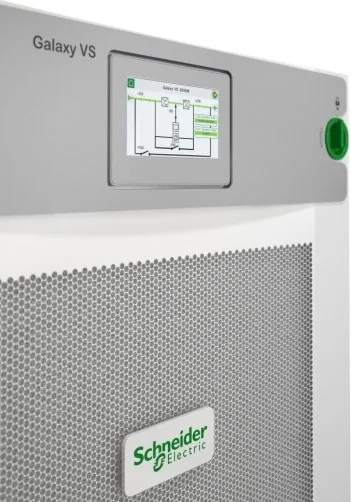
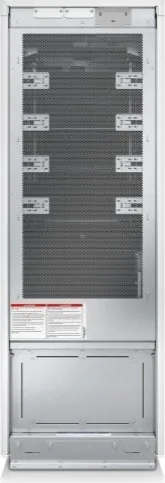
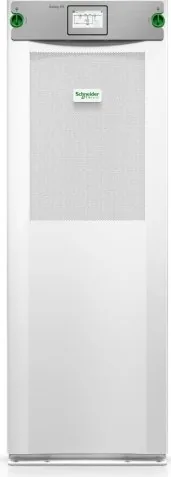
The APC Galaxy VS Tower UPS/USV is a scalable, robust uninterruptible power supply designed for small to medium data centers, network closets, and critical infrastructure requiring reliable conditioned power. Engineered with flexible input and output configurations, the Galaxy VS family supports single- and dual-mains topologies, modular battery options, and several high-efficiency modes to balance energy savings with power quality.
Key product features and operation
The UPS offers multiple operation modes including Normal (inverter) operation, Battery operation, Requested and Forced Static Bypass, ECO and ECOnversion modes, and Maintenance Bypass. ECO mode and ECOnversion minimize energy consumption by routing active load through bypass while the inverter supports reactive components, preserving output quality during transfers. Internal and external maintenance bypass options (IMB and MBB) enable safe servicing without interrupting loads when configured correctly.
A touchscreen interface presents a comprehensive mimic diagram, status LEDs, menus for configuration and logs, and guided sequences for safe start-up and shutdown procedures. Networked monitoring is supported via an integrated or optional Network Management Card (NMC) offering HTTP/HTTPS, SNMPv1/v3, Modbus (serial/TCP), NTP time sync, SSH, FTP/SFTP and integration with EcoStruxure platforms. Local USB ports allow saving/restoring configurations and exporting UPS reports.
Battery and maintenance capabilities
Battery support includes standard, modular, or custom solutions with detailed configuration for number of cabinets, strings, cells, charge profiles (float/boost/equalization), and protections like temperature monitoring and automatic disconnect. Built-in diagnostics include runtime calibration and battery tests, environmental sensors (temperature/humidity), air filter reminders, and detailed alarm reporting. Modular battery cabinets expose per-string status LEDs and allow safe replacement of battery strings following strict safety and lockout/tagout procedures.
Installation and configuration highlights
Configuration menus guide input/output setup (voltages, tolerances, frequency windows), breaker presence, I/O contacts and relay assignments, Modbus/Network settings, display preferences, and maintenance reminders. The UPS supports autostart of the inverter, output transformer compensation, and redundancy settings for parallel systems. Extensive safety instructions emphasize qualified personnel, proper lockout/tagout, and adherence to installation and environmental limits.
Notes
- Designed for professional installation and servicing only; follow all safety warnings to avoid shock, arc flash, or battery hazards.
- ECO and ECOnversion settings are shared across parallel UPS units.
- Use only approved, matching battery modules when servicing modular strings.
Search for 67,706 Manuals online


Type-in Brand or Model