
APC Easy UPS SMV Manual
PDF manual · 8 Pages
English



Quick check
Incorrect answer, please try again.
Chat with your APC Easy UPS SMV manual using AI
Get instant AI answers from your APC Easy UPS SMV manual
Ask anything about the APC Easy UPS SMV. Answers come from this manual, with the pages they are based on.
Ask a Question
Do you recommend Easy UPS SMV?
Yes NoFrequently Asked Questions
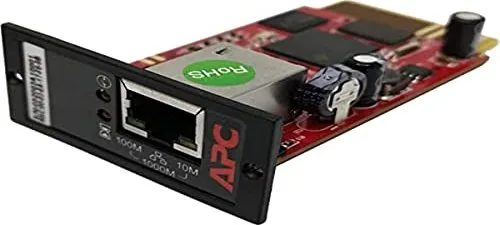
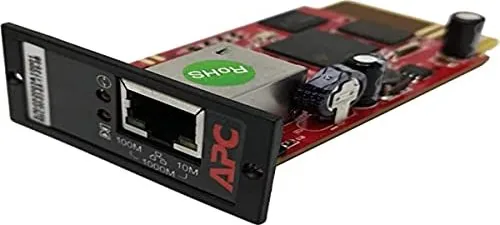
Turn off power, touch only the end plate using ESD devices, slide the card into the Intelligent Card Slot, secure with screws, and connect the network cable to the RJ-45 port.
Is this answer helpful?
It supports TCP/IP, UDP, SNMP, HTTPS, SMTP, and FTPS protocols along with SSL/TLS encryption for secure communications across the network.
Is this answer helpful?
Green LED flashes for 100Mbit/s operation, Yellow flashes for 10Mbit/s, and Red flash indicates lost UPS connection. Both Green and Yellow on means 1000Mbit/s.
Is this answer helpful?
Yes, you can manage and configure via Web Browser or NMS. It attempts to obtain an IP address via DHCP automatically upon connection.
Is this answer helpful?
The Easy UPS LI SNMP Manager software simplifies setup and upgrades. It automatically searches for available SNMP cards within the network including serial and MAC addresses.
Is this answer helpful?
The operating temperature is 0 to 60 degrees Celsius and storage temperature is -40 to 85 degrees Celsius ensuring reliability in varied climates.
Is this answer helpful?
Support is available through the corporate headquarters website at www.apc.com, global support searching, or by contacting local customer support centers.
Is this answer helpful?
Advantages and Disadvantages
Advantages

- Supports SNMP MIB to monitor and control UPS effectively.
- Auto-senses 10M, 100M, and 1000M Fast Ethernet connections.
- Enables management via Web Browser or Network Management System.
- Sends SNMP TRAP and Email for event notifications automatically.
- Performs graceful shutdown via Easy UPS LI Shutdown software.
Disadvantages

- Requires turning off power to install the SNMP card safely.
- Card is sensitive to static electricity requiring ESD precautions.
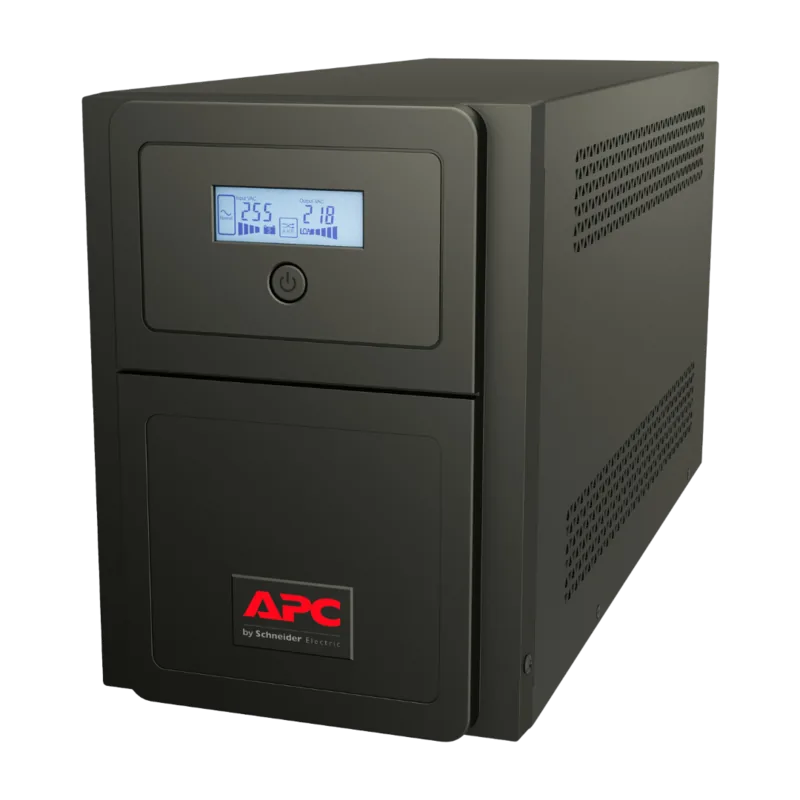
- Needs specific Intelligent Card Slot on compatible Easy UPS.
Product Specification
Type
Network card
Dimensions
3.15x2.05x1.02in
Weight
1.06oz
Warranty
2 years
Product Description
Enhancing UPS Management with Advanced Connectivity
Overview of the APC Easy UPS SMV Network Management Card Manual
Managing modern power infrastructure requires precision and robust remote access capabilities to ensure business continuity. The APC Easy UPS SMV Network Management Card Manual introduces a robust solution for integrating Uninterruptible Power Supply systems directly into local area networks. This network management card enables seamless monitoring and detailed control through standard IP networks. It ensures uninterrupted operation of critical equipment by providing real-time data on power status. Safety messages and symbols warn of electrical hazards to protect staff during installation.
Key Features and Capabilities
The device supports high-speed Ethernet connections with auto-sensing capabilities for 10M, 100M, and 1000M speeds. Administrators can utilize web browsers or Network Management Systems to configure settings remotely. Security is maintained through robust SSL/TLS encryption and support for HTTPS, SMTP, and FTPS protocols. The card sends SNMP traps and emails for urgent event notifications, distributing daily UPS history reports directly to administrators. This ensures that IT staff stay informed about power quality without constant physical presence on the floor. Integration with the Easy UPS Shutdown software allows for graceful system closure during extended power failures.
Installation and Configuration
Proper installation requires turning off power before accessing the intelligent card slot on the back of the unit. Users must handle the card with electrostatic-discharge precautions to prevent damage to sensitive components. Once installed, the network interface cable connects to the RJ-45 port. The system attempts to obtain an IP address via DHCP automatically. Configuration tools like Easy UPS LI SNMP Manager software simplify setup and upgrades significantly. The front panel status LEDs provide visual feedback on connection states and power levels using color codes. Green indicates 100Mbit/s operation while red alerts on UPS connectivity issues.
Specifications and Support
Physical dimensions are compact, fitting standard slots with minimal bulk in the rack environment. Operating temperatures range from 0 to 60 degrees Celsius to ensure reliability in varied climates. Comprehensive support is available through the corporate headquarters website and global support centers. Localized assistance offers help regarding maintenance or software compatibility issues. Recyclable packaging materials emphasize environmental responsibility during disposal.
Conclusion on Power Systems Integration
Incorporating this hardware into your facility enhances network visibility and control over power assets. The information provided in the APC Easy UPS SMV Network Management Card Manual outlines best practices for safety and performance. This technology ensures graceful shutdowns and timely alerts to minimize downtime during electrical fluctuations. It is essential for maintaining data center integrity and protecting expensive hardware investments from unexpected surges.
Important Notes
Ensure electrostatic-discharge precautions are taken during handling. Do not turn off power when updating firmware to avoid system corruption.
Search for 67,706 Manuals online


Type-in Brand or Model