
APC DIN Rail UPS 500VA Manual
PDF manual · 14 Pages
English



Quick check
Incorrect answer, please try again.
Chat with your APC DIN Rail UPS 500VA manual using AI
Get instant AI answers from your APC DIN Rail UPS 500VA manual
Ask anything about the APC DIN Rail UPS 500VA. Answers come from this manual, with the pages they are based on.
Ask a Question
Do you recommend DIN Rail UPS 500VA?
Yes NoFrequently Asked Questions
Mount the unit on a heavy-duty DIN rail using the separate DIN rail kit. Ensure the rail is sturdy enough to support the weight. Refer to the included guide for specific steps.
Is this answer helpful?
Yes, the SUA500PDR features a hot-swappable battery module. You can replace the battery without turning off the UPS or disconnecting your equipment.
Is this answer helpful?
The standard warranty covers the unit for two years from the date of purchase. Schneider Electric may replace the unit with a factory reconditioned one.
Is this answer helpful?
By default, the UPS performs a self-test automatically every 14 days. You can change this interval to every 7 days, on startup, or disable it via software.
Is this answer helpful?
Allow the battery to recharge for 24 hours and run a self-test. If the issue persists, the battery likely needs replacement due to age or failure.
Is this answer helpful?
Advantages and Disadvantages
Advantages

- Supports hot-swappable battery replacement without shutting down the system
- Compatible with both DIN rail mounting and enclosure back panels
- Includes configurable emergency power off interface for enhanced safety
- Features adjustable voltage sensitivity to conserve battery life
- Provides clear LED status indicators for easy troubleshooting
Disadvantages

- DIN rail installation kit is sold separately and not included
- Requires specific wiring configurations based on local voltage standards
- Self-test function briefly interrupts power to connected equipment
- Battery replacement is necessary every two to four years for optimal performance
- Advanced configuration requires PowerChute software or network card
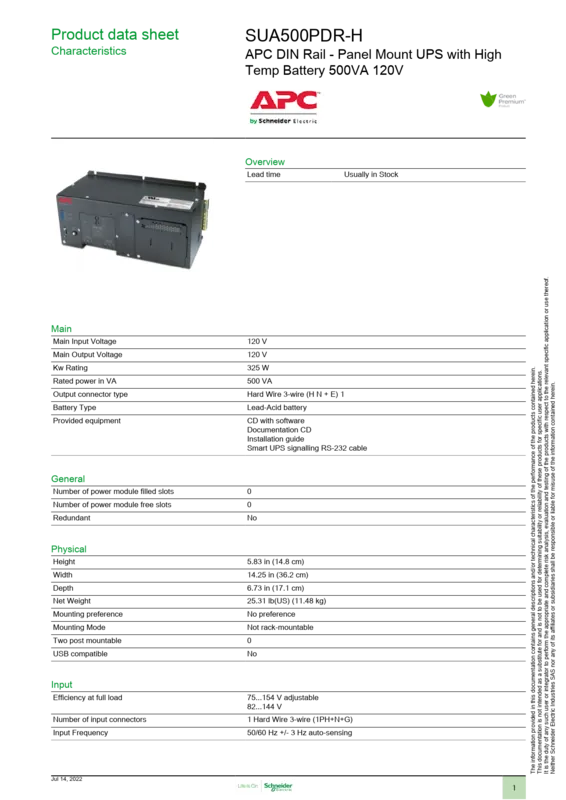
Product Specification
Type
DIN Rail
Classification
VI (Line-Interactive)
Apparent Power
500 VA
Active Power
325 W
Voltage
230 V
Interfaces
serial (RS-232)
Charging Time
2 h
Weight
28.34 lbs
Dimensions (WxDxH)
14.25x5.83x6.73 in
Manufacturer Warranty
two years
Product Description
APC Smart-UPS SUA500PDR: Reliable Power Protection for DIN Rail
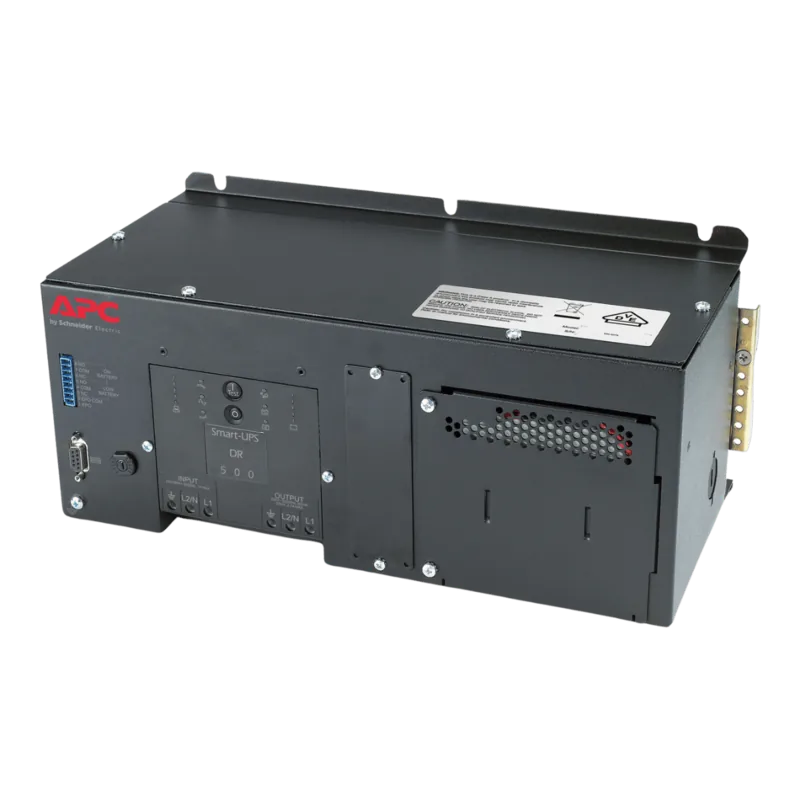
The APC Smart-UPS SUA500PDR represents a robust solution for protecting critical electronic equipment against power disruptions. Designed specifically for mounting on heavy-duty DIN rails or within the back panels of enclosures, this unit offers versatility in tight server rooms and industrial control environments. With a capacity of 500VA and standard battery support, it ensures that connected devices remain operational during brief outages or voltage fluctuations.
Installation requires careful attention to detail. While the unit is built for DIN rail integration, the specific kit must be purchased separately. When securing the device to an enclosure back panel, six screws are mandatory - three at the top bracket and three at the bottom - to prevent structural damage. Hardwiring should always be performed by a qualified electrician who adheres to local standards, such as using appropriate circuit breakers rated for 120V, 208V, or 230V applications depending on the regional voltage supply.
Once installed, the front panel provides intuitive control through a clear LED display. Users can monitor status indicators like On-Line, On Battery, Overload, and AVR Trim conditions instantly. The Test button allows for manual self-tests and cold starts, ensuring the system is ready when needed. For advanced management, the optional SmartSlot accepts communication cards or serial connections, enabling remote monitoring via PowerChute software. This software facilitates automatic shutdowns during extended outages, safeguarding data integrity.
Maintenance is straightforward thanks to the hot-swappable battery module. Users can replace the battery without powering down the UPS or disconnecting the load, minimizing downtime. It is recommended to check battery health every two to four years and store the unit in a cool, dry environment if not in use. Regular self-tests keep the internal components calibrated and alert users to potential issues before they cause failure.
Key Features
This unit combines durability with smart functionality. The Emergency Power Off (EPO) interface allows for immediate de-energizing of connected gear from a remote location, adding a layer of safety for high-risk operations. Voltage sensitivity settings can be adjusted to balance protection levels with battery conservation, adapting to varying power quality conditions in different facilities.
Important Notes
Always ensure the EPO interface connects only to Safety Extra Low Voltage circuits to avoid damaging the unit. When shipping the UPS, disconnect the battery to comply with transportation regulations. Proper ventilation is essential during operation to prevent overheating.
Search for 67,706 Manuals online


Type-in Brand or Model