
APC Basic Rack PDU AP9572 Manual
PDF manual · 16 Pages
English



Quick check
Incorrect answer, please try again.
Chat with your APC Basic Rack PDU AP9572 manual using AI
Get instant AI answers from your APC Basic Rack PDU AP9572 manual
Ask anything about the APC Basic Rack PDU AP9572. Answers come from this manual, with the pages they are based on.
Ask a Question
Do you recommend Basic Rack PDU AP9572?
Yes NoFrequently Asked Questions
It mounts vertically in a 0U position alongside rack rails. You can install it tool-less in compatible NetShelter enclosures using supplied mounting pins or use the included vertical mounting brackets and screws for standard EIA-310 racks.
Is this answer helpful?
This model supports up to 10 amps at standard nominal voltage (typically 120 V) and uses IEC C13 outlets (15 outlets in similar APC models). Check the specific label on your unit for exact outlet count and cable/plug configuration.
Is this answer helpful?
No. APC advises against using this product with life-sustaining medical equipment or any application where PDU failure could cause a safety hazard. APC requires specific agreements and approvals for such use, which are not standard for this product.
Is this answer helpful?
Use a three-prong grounded supply, avoid humid or hot locations, disconnect power before wiring, do not install during thunderstorms, do not use extension cords or adapters, and ensure the PDU is installed by qualified personnel. Follow grounding and wiring instructions carefully.
Is this answer helpful?
No. The manual states components are not user-repairable. Repairs or replacements must be performed by qualified service technicians or APC-authorized service centers to avoid voiding warranty and ensure safety.
Is this answer helpful?
Typical operating ranges include temperatures from about -5 to 45 °C (23 to 113 °F), relative humidity up to 95% non-condensing, and altitude operation up to around 3,000 m (10,000 ft). Refer to the product label and manual for exact tolerances.
Is this answer helpful?
APC provides a limited two-year warranty for defects if the product is used per the manual. Warranty exceptions include misuse, modifications, improper installation, or environmental damage. Register the product and contact APC support or your reseller for claims and service options.
Is this answer helpful?
Advantages and Disadvantages
Advantages

- Space-saving 0U vertical design preserves rack U-space while providing multiple outlets.
- Simple mounting options: tool-less for compatible enclosures or bracket-mounted for standard racks.
- Suitable for typical data-center environments with defined temperature and humidity tolerances.
- Clear safety guidance reduces installation risk when followed correctly.
- Backed by a two-year warranty for defects in materials and workmanship.
Disadvantages

- No remote monitoring or management features — basic power distribution only.
- Not intended for life-sustaining medical equipment or critical patient-care use.
- Requires correct grounding and qualified installation; user repairs are prohibited.
- Limited to 10 A input — may be insufficient for higher-density or high-power racks.
- Cannot be used with extension cords or adapters, limiting deployment flexibility in some scenarios.
Product Description
APC Basic Rack PDU, upright, 0U, 10A Manual
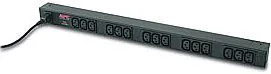
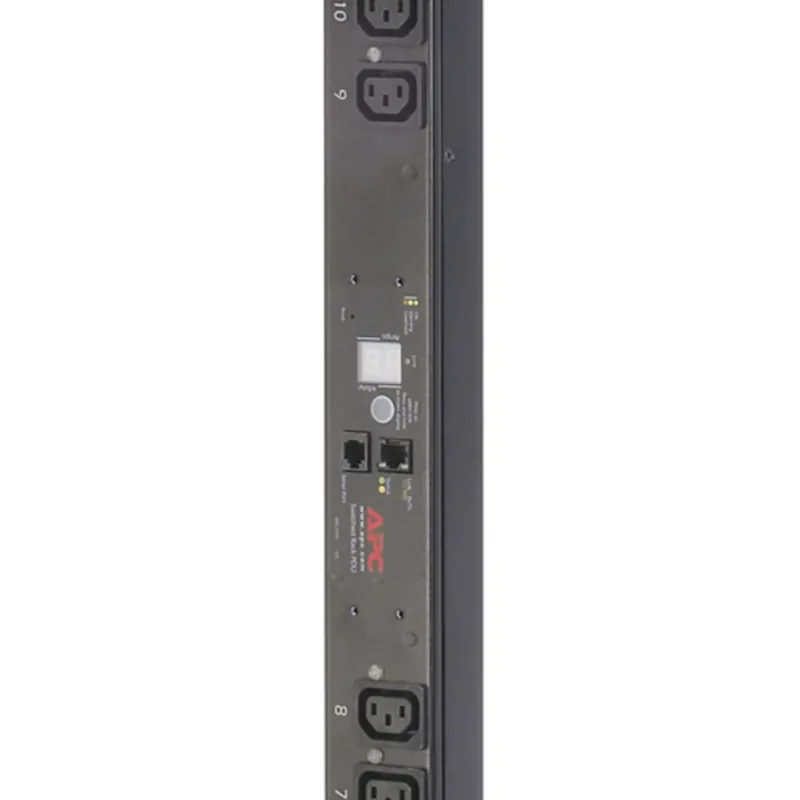
The APC Basic Rack PDU, upright, 0U, 10A is a compact, vertical power distribution unit designed for dense rack environments where space and reliable basic power delivery matter. Engineered for simple, safe deployment, this 0U vertical PDU mounts alongside rack rails to deliver up to 10 amps of 120 V power to multiple devices via IEC C13 outlets. Its upright profile preserves usable rack space while providing a tidy power footprint for servers, network switches, and other IT equipment.
Built for straightforward installation, the unit supports tool-less mounting in compatible enclosures and includes vertical mounting brackets for standard EIA-310 racks. The manual highlights installation precautions — always use a three-prong grounded supply, avoid wet or excessively hot environments, and follow grounding and wiring best practices. The power cable and plug types are specified for safe connections; the device should not be used with extension cords or adapters and must be installed by qualified personnel where required.
Operational details emphasize basic overload protection and clearly labeled outlets. The PDU is intended for indoor use and typical data-center ambient ranges. The documentation outlines environmental tolerances (temperature and humidity ranges), altitude limits, and compliance with common safety standards to ensure reliable performance. Guidance includes inspecting shipments for damage, retaining packaging, and following recycling instructions for materials.
For mounting flexibility, the manual describes two methods: tool-free installation in compatible NetShelter enclosures using mounting pins, or secure installation using supplied vertical brackets and screws for standard racks. The process is concise and intended to be repeatable for multiple PDUs per cabinet side where applicable.
Safety is a major emphasis. Instructions warn against installing or servicing during thunderstorms, advise disconnecting power before wiring loads, and recommend single-handed data-cable handling to minimize shock hazards. The product cannot be user-serviced; repairs must be performed by qualified service personnel. The manual also clarifies that APC does not recommend these PDUs for life-sustaining medical equipment and provides examples of devices where APC products should not be used.
A limited two-year warranty covers defects in materials and workmanship for properly used products, with exclusions for misuse, unauthorized modifications, and improper installation. Warranty claims must be processed through APC support channels and product registration is recommended.
Notes:
- Designed for basic power distribution; not a managed or monitored PDU.
- Follow grounding and installation instructions strictly for safety.
- Keep packaging for returns and recycling guidance.
Search for 67,706 Manuals online


Type-in Brand or Model