
APC Back-UPS Pro BR900G-GR Manual
PDF manual · 10 Pages
English



Quick check
Incorrect answer, please try again.
Chat with your APC Back-UPS Pro BR900G-GR manual using AI
Get instant AI answers from your APC Back-UPS Pro BR900G-GR manual
Ask anything about the APC Back-UPS Pro BR900G-GR. Answers come from this manual, with the pages they are based on.
Back-UPS Pro BR900G-GR Maintenance Schedule
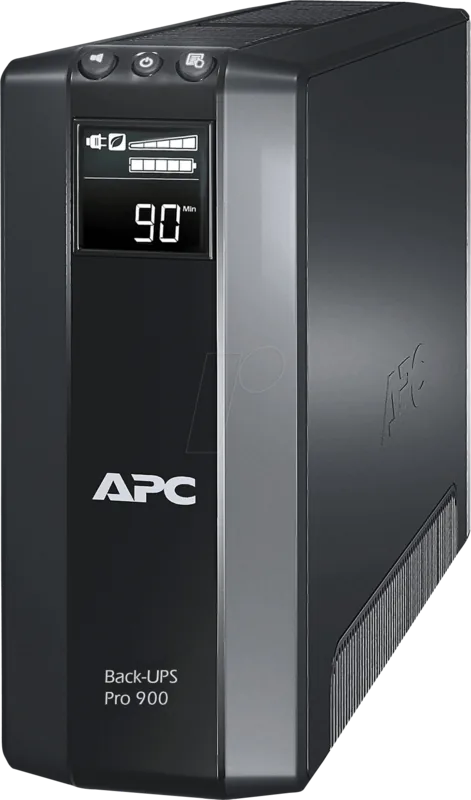
Press and hold MUTE and DISPLAY for six seconds to manually test the internal battery.
The battery typically lasts 3 to 6 years. Replace it when the REPLACE BATTERY indicator is illuminated or if it fails automatic diagnostic tests.
Free maintenance reminders
Timed to your purchase date. Always free, unsubscribe anytime.
Ask a Question
Do you recommend Back-UPS Pro BR900G-GR?
Yes NoFrequently Asked Questions
Press and hold MUTE and DISPLAY buttons simultaneously for two seconds until the Back-UPS beeps and the leaf icon illuminates on the display.
Is this answer helpful?
The back-UPS will beep continuously and the battery charge indicator will flash. Save your work immediately as the unit will shut down soon.
Is this answer helpful?
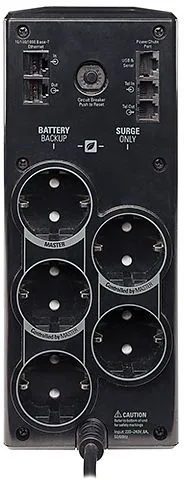
Yes but it is recommended to connect printers to Surge Protection Only outlets to conserve battery space for critical data equipment.
Is this answer helpful?
The battery cartridge typically lasts between three to six years depending on usage intensity and environmental factors like heat exposure.
Is this answer helpful?
Disconnect non-essential equipment from the Battery Backup outlets to reduce the load until the indicator stops flashing.
Is this answer helpful?
Unplug non-essential devices, reset the circuit breaker if tripped, and reconnect equipment one item at a time to identify the cause.
Is this answer helpful?
Advantages and Disadvantages
Advantages

- Advanced surge protection capabilities that safeguard sensitive electronics from voltage spikes and fluctuations effectively
- Automatic shutdown software preserves work in progress during unexpected power failure events securely
- Integrated master controlled outlets conserve electricity by powering down peripherals when the main device sleeps
Disadvantages

- Battery cartridge requires 16 hours of initial charging before operation can begin successfully
- Software compatibility is limited primarily to Windows operating systems rather than Mac platforms
- Standard warranty involves replacing the unit with a factory reconditioned unit instead of original hardware
Product Specification
Type
Tower
Classification
VI (Line-Interactive)
Apparent Power
900 VA
Real Power
540 W
Voltage
230 V
Input
1x IEC C14
Outputs
5x NEMA 5-15
Interfaces
USB, Serial
Data Line Protection
2x RJ-11, 2x RJ-45
Runtime
16.3 min (50%), 4.6 min (100%)
Charge Time
8 hours
Weight
23.63 lbs
Dimensions (WxHxD)
3.94 x 9.84 x 15.04 in
Features
LCD
Manufacturer Warranty
3 years
Product Description
Product Overview
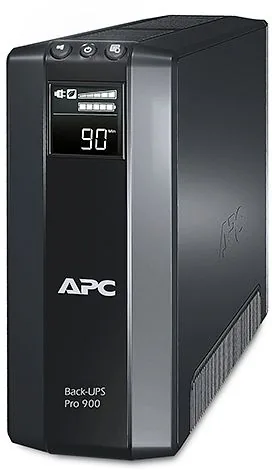
Protecting your critical digital assets requires reliable power solutions. The APC Back-UPS Pro 900VA Schuko, USB/serial Manual represents a robust line of uninterruptible power supplies designed for home and office environments. This specific unit ensures your computer and peripherals remain operational during unexpected outages. It features advanced surge protection capabilities that safeguard sensitive electronics from voltage spikes and fluctuations. Users can connect desktop monitors, modems, and other data devices to the battery backup outlets. Meanwhile, peripheral equipment like printers or scanners connect to surge-only outlets to conserve energy.
Installation is straightforward with provided instructions for connecting the A/C power cable and data ports. The included PowerChute Personal Edition software enhances functionality by allowing users to monitor status and manage shutdown procedures automatically. This software preserves work during outages by hibernating the system before power loss occurs. You can configure power-saving outlets and view runtime estimates directly from a connected computer. Compatibility is primarily for Windows systems while Mac users can utilize native shutdown applications via USB connection. The device includes master and controlled outlets to automate power distribution. When the main computer enters sleep mode, controlled devices shut down too, saving electricity.
Security measures include built-in circuit breakers that reset automatically after overload events. The internal battery cartridge requires approximately 16 hours of charging for optimal performance before initial use. Regular self-tests ensure readiness for utility failures without operator intervention. Noise levels are designed to remain unobtrusive during standard daytime operation yet loud enough to alert users during emergencies. Maintenance involves replacing the battery cartridge every few years depending on usage intensity and environmental factors. High temperatures shorten battery life significantly so proper ventilation around the unit is essential. Users should avoid plugging high-draw appliances like space heaters or laser printers into the protected outlets. The unit supports both USB and serial connectivity for enhanced management options across different computer generations. Network integration through Ethernet ports offers additional protection for internet connection hardware as well.
Emergency protocols are streamlined to minimize data loss during abrupt shutdowns. The system automatically saves open documents when runtime drops below a critical threshold automatically. Visual indicators on the front face simplify diagnostic steps without requiring technical expertise. Battery health monitoring prevents sudden failures by warning owners well in advance of potential depletion. This comprehensive approach ensures business continuity and personal data safety is maintained consistently.
Note
Charge battery for 16 hours before first use to ensure proper capacity.
Search for 67,706 Manuals online


Type-in Brand or Model
Andre Runte
6 months ago
Is this UPS really silent during normal operation, and do the battery runtime estimates match real-world usage? I want to keep it near my desk.
Manual.ly
6 months ago
Yes, most users report the unit becomes completely silent once the battery reaches 100% charge, although a slight whine might occur during high-charge states near 95%. Regarding runtime, the display accurately reflects the load capacity. Many users confirm it supports servers, aquarium pumps, or consoles for several hours as advertised, ensuring data safety without distracting noise once fully charged.