
APC Back-UPS Pro BR 1600VA Manual
PDF manual · 12 Pages
English



Quick check
Incorrect answer, please try again.
Chat with your APC Back-UPS Pro BR 1600VA manual using AI
Get instant AI answers from your APC Back-UPS Pro BR 1600VA manual
Ask anything about the APC Back-UPS Pro BR 1600VA. Answers come from this manual, with the pages they are based on.
Ask a Question
Do you recommend Back-UPS Pro BR 1600VA?
Yes NoFrequently Asked Questions
The battery typically lasts for three to five years. A shorter period may occur if subjected to frequent outages or elevated temperatures. Replace the battery immediately when the indicator flashes or shows low life to protect your equipment.
Is this answer helpful?
PowerChute Personal Edition is only compatible with Windows. Mac OSX users should use the native shutdown feature provided by the operating system to protect their system during a power loss event effectively.
Is this answer helpful?
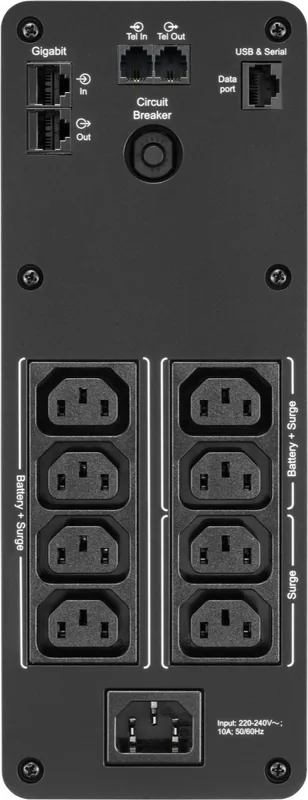
Battery Backup outlets provide power during outages for critical devices like computers. Surge Protection Only outlets provide full-time surge protection even when the UPS is off, suitable for non-critical peripherals like printers.
Is this answer helpful?
If the circuit breaker trips due to overload, disconnect non-essential equipment. Press the reset button on the circuit breaker switch. Re-connect equipment one item at a time to identify the cause if it trips again.
Is this answer helpful?
The typical recharge time is sixteen hours after a full discharge. It is important to ensure the unit stays connected to AC power to allow the battery cartridge to reach full capacity before the next outage.
Is this answer helpful?
Turn the unit off. Press and hold the Power button for six seconds until the load bars flash. Press Power again to cycle through sensitivity levels. Stop at the desired setting and the beep will confirm selection.
Is this answer helpful?
Check the error code displayed on the LCD screen. Codes F01 and F02 might be user-correctable by disconnecting loads. Other codes like F04 to F09 require contacting Schneider Electric IT support for assistance.
Is this answer helpful?
Advantages and Disadvantages
Advantages

- USB charging ports for mobile devices during outages
- Automatic voltage regulation adjusts input voltage stability
- Clear LCD display indicates load and battery capacity status
- PowerChute software handles safe computer shutdowns automatically
- Includes Ethernet surge protection for modem connections
Disadvantages

- Battery replacement requires internal access and specific tools
- Mac OSX compatibility relies on native features not software
- Runtime depends heavily on load connected to the unit
- Audible alarms can be loud and cannot be fully disabled
- Warranty replacement often involves shipping a factory reconditioned unit
Product Specification
Type
Tower
Classification
VI (Line-interactive)
Apparent Power
1600 VA
Real Power
960 W
Voltage
230 V
Input
1x C14
Outputs
8x C13
Interfaces
USB
Data Line Protection
2x RJ-45, 2x RJ-11
Runtime
13.5 min (50%), 3.6 min (100%)
Charge Time
16 h
Weight
26.68 lbs
Dimensions (WxHxD)
3.94x10.24x14.49 in
Features
LCD
Manufacturer Warranty
3 years
Product Description
Safeguarding Your Digital Assets
Power instability poses a significant threat to modern electronics. Sudden surges or unexpected outages can corrupt data and destroy hardware. The APC Back-UPS Pro BR 1600VA, USB provides essential protection against these risks. It acts as a shield, ensuring your desktop, monitor, and router remain operational during grid failures. This product is designed for indoor use and requires adequate ventilation for safety.
Installation and Setup
Connecting the unit requires attention to detail. The package includes a USB cable for communication with your computer. You must connect the battery module inside the chassis before powering on. Once installed, attach critical devices to the battery-backed outlets. Non-essential peripherals like printers belong on surge-only outlets. This separation maximizes backup duration for your computer system.
Software Integration
PowerChute Personal Edition software enhances protection. It manages the shutdown process safely during power loss. Users save open files before the system turns off completely. On Windows systems, the software integrates directly with the UPS. Mac users should utilize native features as supported. Configuration allows customization of sensitivity levels. This determines when the unit switches to battery power based on voltage dips.
Monitoring and Alerts
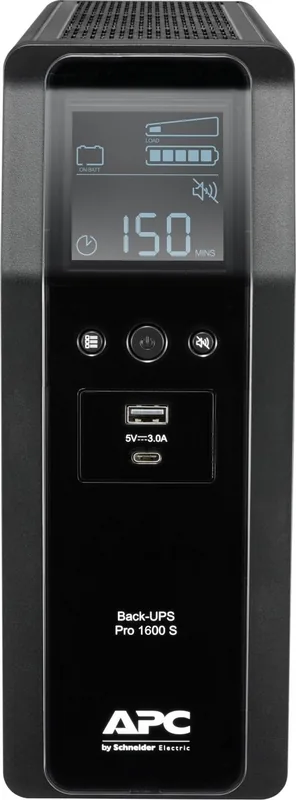
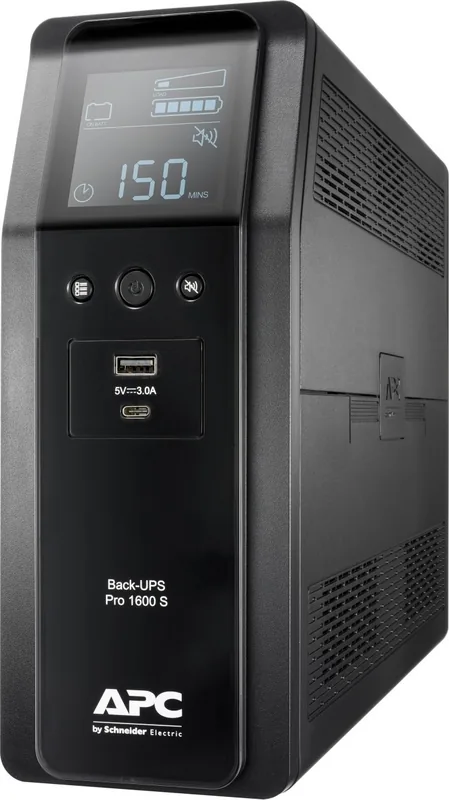
The front panel display provides real-time feedback. Load capacity is shown in percentage bars. Battery status lights indicate charge levels. Audible alarms signal low battery or overload conditions. Users can mute these sounds if necessary. The estimated runtime display helps plan emergency shutdowns accurately. Event counters track incidents to diagnose future issues.
Specifications and Care
This model delivers 1600 volt-amps of power capacity. It supports various input voltage ranges with automatic regulation. USB ports offer charging capabilities even on battery power. Recharge time typically takes around sixteen hours. Battery replacement is recommended every three to five years. Always follow safety warnings regarding electric shock and gas hazards during maintenance.
Warranty and Support
Schneider Electric offers standard warranty coverage. Service procedures vary by region but generally involve unit replacement. Keep packaging for potential shipping needs. Contact customer support for internal error codes. Following the APC Back-UPS Pro BR 1600VA, USB Manual ensures correct usage. Proper setup prevents overload and maintains system integrity over time.
Important Maintenance Notes
Regular inspections prevent unexpected failures. Clean vents with a soft cloth to avoid overheating. Do not place the unit near wet areas. Check the battery status annually. Record the purchase date for warranty claims. Dispose of old batteries according to local regulations. Avoid overloading the surge-only outlets. Use the mute button to reduce noise in quiet offices. These steps ensure long-term reliability.
Search for 67,706 Manuals online


Type-in Brand or Model