
APC Back-UPS Pro 650VA Manual
PDF manual · 12 Pages
English



Quick check
Incorrect answer, please try again.
Chat with your APC Back-UPS Pro 650VA manual using AI
Get instant AI answers from your APC Back-UPS Pro 650VA manual
Ask anything about the APC Back-UPS Pro 650VA. Answers come from this manual, with the pages they are based on.
Ask a Question
Do you recommend Back-UPS Pro 650VA?
Yes NoFrequently Asked Questions
Use the included USB cable to connect the UPS data port to a USB port on your computer. Then install PowerChute Personal Edition to configure settings and support safe shutdown during outages. The manual notes that PowerChute is compatible with Windows.
Is this answer helpful?
The manual states PowerChute Personal Edition is compatible only with Windows. If you are using Mac OS, use the native shutdown feature to protect your system during an outage. Follow your computer's documentation for shutdown behavior.
Is this answer helpful?
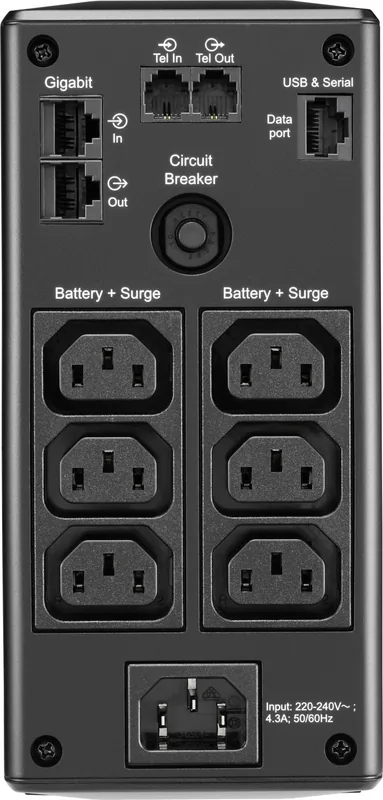
Battery Backup with Surge Protection outlets provide limited-time power during outages. Use them for critical devices like desktops, monitors, modems, or other data-sensitive equipment. Surge Protection Only outlets provide full-time surge protection even when the UPS is off, suitable for printers and scanners that do not need battery runtime.
Is this answer helpful?
You can switch between Full Time Mode and Power Saving Mode using the DISPLAY button. Full Time Mode keeps the display illuminated, while Power Saving Mode darkens it after inactivity and lights it when a button is pressed, then darkens again after a period.
Is this answer helpful?
Common alerts include On Battery (four beeps every 30 seconds), low battery (continuous tone), overload (chirps and flashing load indicator), and Replace Battery (battery nearing end of life). If an overload occurs, disconnect non-essential items and continue operating essential equipment.
Is this answer helpful?
The manual indicates the battery typically lasts 3 to 5 years, and replacement should be done based on UPS warnings or diagnostic failures. It also instructs replacing at least every 5 years and immediately if the UPS indicates battery replacement is necessary or detects battery over-temperature or leakage evidence. Power off the UPS and unplug before disconnecting batteries.
Is this answer helpful?
Yes. The manual describes Telephone Cable Surge Protected ports (connect a telephone cable to IN and modem to OUT) and In/Out Ethernet surge-protected ports (connect cable modem to IN and computer to OUT), helping protect connected communication equipment from surges.
Is this answer helpful?
Advantages and Disadvantages
Advantages

- Battery backup with surge protection keeps critical devices running during outages
- Surge Protection Only outlets provide full-time surge defense even when the unit is off
- USB data port supports PowerChute Personal Edition for monitoring and orderly shutdown
- Front-panel display shows load, battery charge, and operational status with alarms
- Automatic Voltage Regulation helps correct low and high input voltage
Disadvantages

- Backup time is limited and varies with the connected load
- PowerChute Personal Edition is only compatible with Windows
- Lead-acid battery has a finite service life and needs periodic replacement
- Overload events require unplugging non-essential equipment and may trip the breaker
- Some system errors need technical support rather than user-only fixes
Product Specification
Type
Tower
Classification
VI (Line-Interactive)
Apparent power
650VA
Active power
390W
Voltage
230V
Input
1x C14
Outputs
6x C13
Interfaces
USB
Data line protection
RJ-45
Runtime
10.5min (50%), 2.7min (100%)
Charging time
12h
Weight
6.40kg
Dimensions (WxHxD)
91x190x310mm
Features
LCD
Manufacturer's warranty
three years
Product Description
APC Back-UPS Pro 650VA, USB Manual: Smart Backup Power with USB Monitoring
The APC Back-UPS Pro 650VA (BR650MI), USB Manual style, is designed to keep essential electronics running through short outages and unstable AC power. With 650VA capacity (up to 390W maximum load), it delivers both battery backup and surge protection so your work area stays protected whether the issue is a blackout or everyday power spikes.
Safety comes first. The unit is intended for indoor use only and should be kept away from direct sunlight, fluids, excessive dust, and high humidity. Proper ventilation is essential, and the battery must be handled carefully since it can present shock and burn risks if mismanaged. Following the included installation and maintenance instructions helps reduce hazards and protects the UPS and connected equipment.
Setup is straightforward. The BR650MI ships with the battery disconnected, and you will connect it by installing the battery into the compartment and securing the battery door. Once installed, PowerChute Personal Edition software can configure UPS behavior and provide an orderly shutdown during outages. Connect the supplied USB cable from the UPS data port to your computer, then download the latest Windows-compatible PowerChute version from APC.
For connected devices, the Back-UPS Pro separates protection by outlet type. Battery Backup with Surge Protection outlets supply limited-time power during outages, making them ideal for critical items like desktops, monitors, modems, and other data-sensitive equipment. Surge Protection Only outlets provide full-time surge defense even when the UPS is switched off, which is helpful for printers, scanners, and similar accessories.
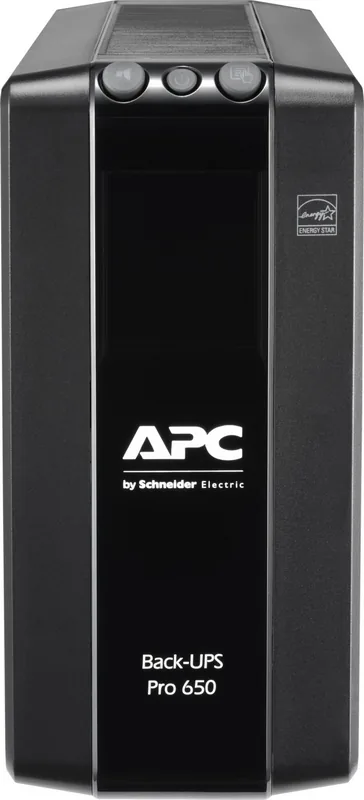
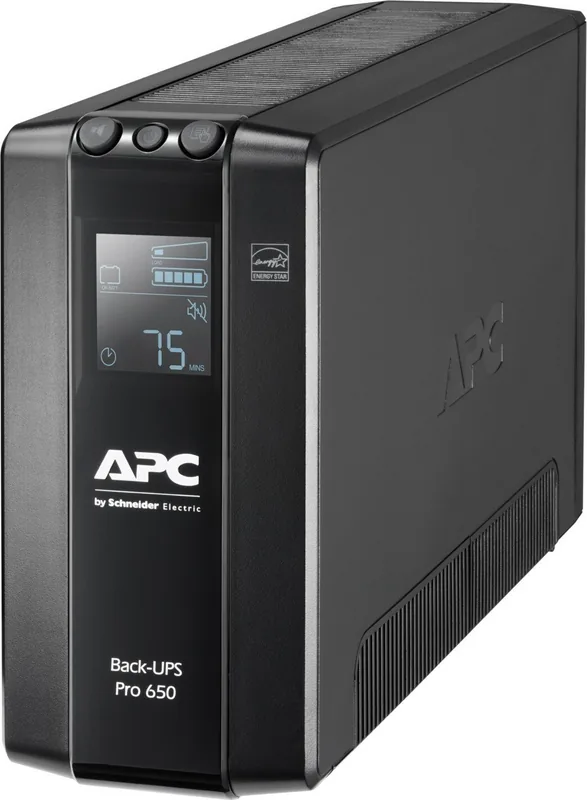
On the front panel, a display interface shows operational status, load capacity, and battery charge. Power saving display and full-time display modes let you control illumination. A built-in sensitivity setting helps determine when the unit transfers to battery power. During abnormal events, audible alarms and icons guide you, including overload, low battery, and system error indicators.
Notes
- Install indoors with clear airflow around vents.
- Use USB monitoring with PowerChute on Windows; Mac users should rely on native shutdown.
- Plan for periodic battery replacement based on warnings and age.
Pros - key results
- Battery Backup outlets keep critical devices running for a limited time during outages.
- Surge Protection Only outlets guard accessories with constant protection, even when the UPS is off.
- USB connection enables PowerChute monitoring and safer shutdown during power loss.
- Adjustable sensitivity helps tune transfer behavior to your environment.
- Front-panel indicators and alarms make overload and low-battery issues easier to spot.
Cons - key results
- Backup runtime depends on load; it is not designed for long-duration outages.
- PowerChute Personal Edition is Windows-only per the manual.
- Lead-acid battery performance declines over time and requires replacement every few years.
- If the battery is overloaded or disconnected, alarms can increase and capacity drops.
- Some system errors require contacting support for resolution.
Search for 67,706 Manuals online


Type-in Brand or Model