
AOC U28G2XU/BK Manual
PDF manual · 29 Pages
English



Quick check
Incorrect answer, please try again.
Chat with your AOC U28G2XU/BK manual using AI
Get instant AI answers from your AOC U28G2XU/BK manual
Ask anything about the AOC U28G2XU/BK. Answers come from this manual, with the pages they are based on.
Ask a Question
Do you recommend U28G2XU/BK?
Yes NoFrequently Asked Questions
The native resolution is 3840×2160 (UHD). Over HDMI the monitor supports up to 60Hz at UHD; via DisplayPort it can support up to 144Hz depending on the DP version and system configuration.
Is this answer helpful?
No. When HDR mode is enabled and detected, many items under Color Setup and Picture Boost become unavailable to adjust. HDR must be disabled to regain full manual control.
Is this answer helpful?
Yes, the monitor supports optional wall mounting and VESA-compatible arms on models that include the mounting holes. Verify with your retailer that your specific regional model includes VESA holes.
Is this answer helpful?
It offers Game Modes (FPS, RTS, Racing, three user presets), adaptive-sync/AMD FreeSync support, low input lag toggle, Overdrive with multiple levels, MBR (motion blur reduction) and an on-screen frame counter to optimize competitive performance.
Is this answer helpful?
Disconnect power before cleaning. Use a soft cloth and mild detergent; avoid strong detergents and rough cloths to prevent cabinet damage or screen scratches. Do not let liquid seep into the product.
Is this answer helpful?
This means the video signal exceeds the monitor’s supported resolution or refresh rate. Lower your GPU output resolution/frequency to a supported mode (e.g., UHD@60Hz for HDMI) or use the appropriate DisplayPort setting.
Is this answer helpful?
To reset, use the OSD Extra menu and select Reset. To lock or unlock the OSD, press and hold the MENU button while the monitor is off, then press the power button to turn it on; repeat to toggle.
Is this answer helpful?
Advantages and Disadvantages
Advantages

- UHD 3840×2160 resolution with DisplayPort support up to 144Hz for smooth high-resolution gameplay.
- Extensive OSD controls: luminance, color temperature presets, gamma options and user color gains.
- Multiple inputs (2×HDMI, 2×DP), several USB 3.2 ports including charging and an earphone jack.
- Gaming features: adaptive-sync/FreeSync, low input lag toggle, overdrive, MBR and dedicated game modes.
- Ergonomic stand with tilt (-5° to 23°), 130mm height adjustment and optional VESA wall-mount compatibility.
Disadvantages

- HDR mode disables many manual picture and color adjustments, limiting fine-tuning while active.
- Tilting below -5° risks panel damage and voids warranty, reducing flexibility for some setups.
- Some advanced modes (MBR/Overdrive Boost) may darken the image and cause artifacts or flicker.
- Maximum power consumption can reach ≤120W at full brightness and contrast settings.
- VESA mounting screw holes may not be available for all regional variants; check before purchase.
Product Specification
Function
Monitor (stationary)
Diagonal
28" (27.99in)
Resolution
3840x2160 (4K UHD), 16:9, 157ppi
Panel
IPS
Backlight
LED, blue light filter, flicker-free
Brightness
370cd/m² (typical)
Contrast
1,000:1 (static), 80,000,000:1 (dynamic)
HDR
VESA DisplayHDR 400
Response Time
1ms (GtG), 1ms (MPRT)
Refresh Rate
144Hz (3840x2160)
Variable Synchronization
Adaptive Sync, AMD FreeSync Premium certified (48-144Hz via DisplayPort, 48-120Hz via HDMI, with LFC support, without HDR), NVIDIA G-Sync Compatible (48-144Hz via DisplayPort)
Connections
2x HDMI 2.0, 2x DisplayPort 1.4, 1x USB-B 3.0 (Upstream, 5Gb/s), 4x USB-A 3.0 (Downstream, 5Gb/s), 1x 3.5mm jack (Line-Out), 1x AC-In C13 (Power Connection)
Form
straight (flat)
Viewing Angle
178°/178°
Coating
non-glare (matte), Hardness 3H
Color Depth
8bit (16.7 Mio. Colors)
FRC
unknown
Adobe RGB
105%
DCI-P3
99%
Speakers
Speakers (2x 3W)
Ergonomics
with stand, height-adjustable (5.12in), Pivot (±90°), rotatable (±130°), tiltable (+23°/-5°)
VESA
100x100 (occupied)
Power Consumption
45W (typical), 0.5W (Standby)
Energy Efficiency SDR (A to G)
33kWh/1000h (G)
Energy Efficiency HDR (A to G)
60kWh/1000h (G)
Special Features
Security Lock (Kensington Security Slot), Picture-in-Picture, Slim Bezel
Screen-to-Body Ratio
92.16% (calculated)
Dimensions
25.06x18.49x9.64in (WxHxD) with stand compressed, 25.06x14.51x1.94in (WxHxD) without stand
Color
black (display frame) / black, red (lower bezel) / black, red (stand) / black, red (back)
Weight
13.52lb (with stand)
Power Supply
internal
Warranty
three years
USB Labeling
Link
Product Description
AOC U28G2XU/BK, 28" Manual Overview
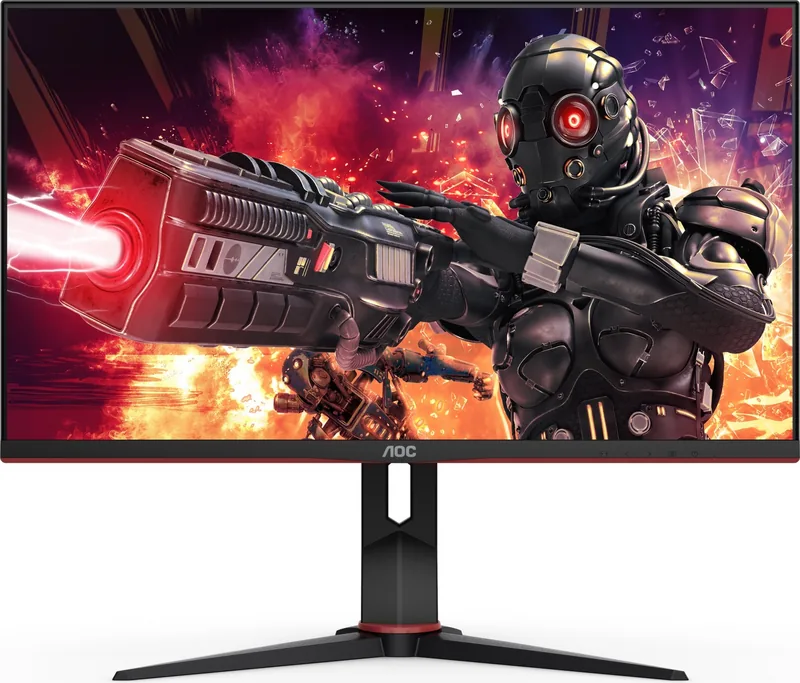
The AOC U28G2XU/BK is a 28-inch UHD (3840×2160) monitor designed to serve both productivity and gaming needs with a rich feature set. It offers multiple inputs including two HDMI ports and two DisplayPort connections, extensive OSD controls, and ergonomic adjustments for comfortable use. With support for high refresh rates via DisplayPort (up to 144Hz) and 60Hz over HDMI, it accommodates high-resolution work and smooth gameplay when paired with capable hardware.
Design and Ergonomics
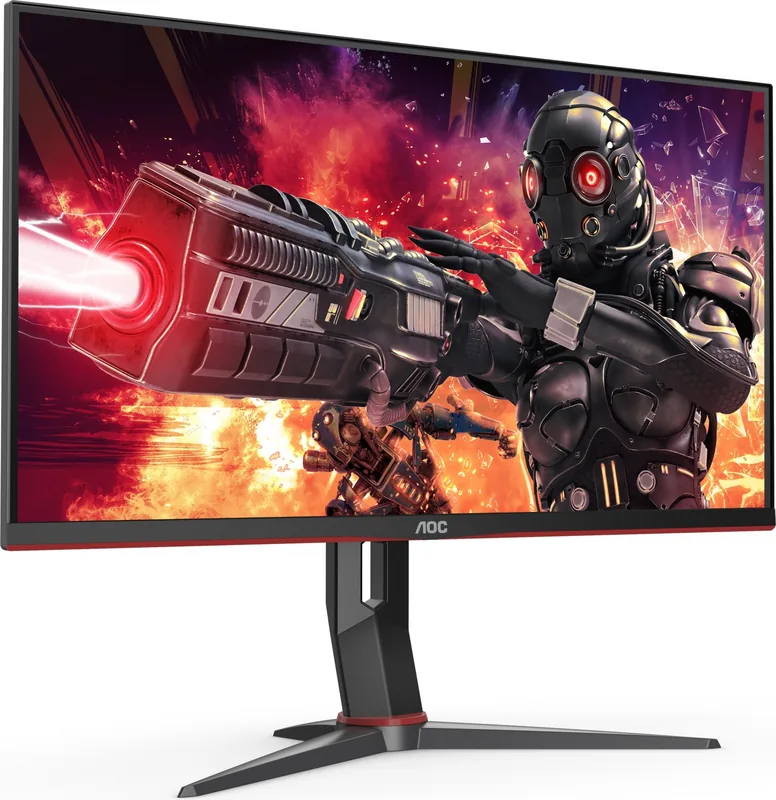
This model features a robust stand with tilt adjustment from -5° to 23° and a 130mm height adjustment, plus optional VESA wall-mount compatibility. The monitor emphasizes safe operation with a grounded three-prong plug, recommended ventilation clearances, and clear cleaning and handling instructions to avoid damage. The chassis includes multiple USB ports and an audio jack for convenient peripheral connections.
Image, Color and Performance
The U28G2XU/BK includes advanced OSD sections for Luminance, Color Setup, Picture Boost and Game Setting. Brightness and contrast ranges, gamma presets, and color temperature profiles (Warm, Normal, Cool, sRGB, User) allow precise tuning. Picture Boost functions (bright frame, size and position) and uniformity modes help adapt visuals to specific tasks. HDR support is available with automatic detection, though enabling HDR restricts some manual adjustments.
Gaming features include Game Modes (FPS, RTS, Racing, three user presets), adaptive-sync/AMD FreeSync support, low input lag toggle, overdrive with multiple strengths, and MBR (motion blur reduction). Frame counter overlay and shadow control let users tweak visibility and responsiveness. Note: some features (MBR, Overdrive Boost) are limited when adaptive-sync is enabled and can reduce brightness.
Connectivity and Setup
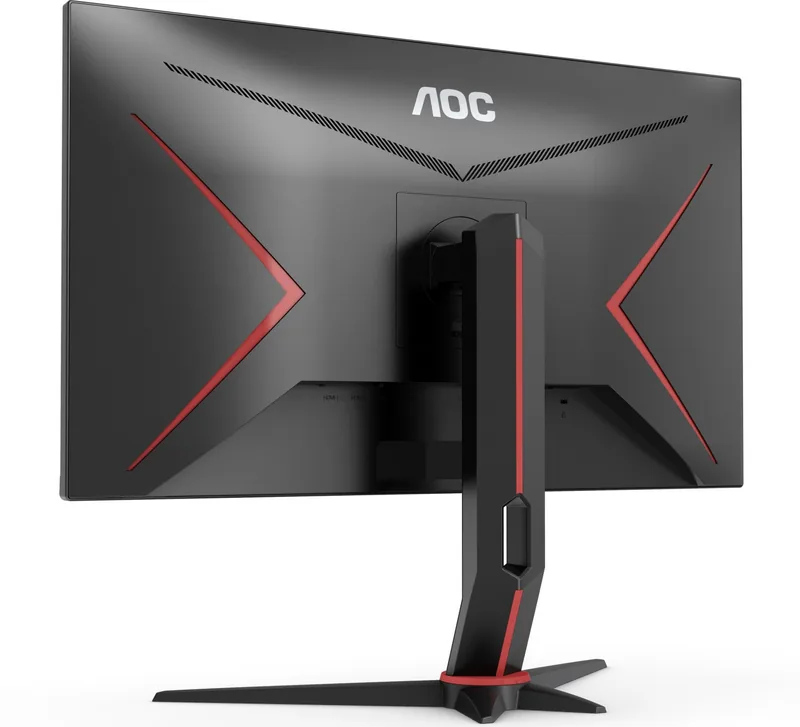
Connections are clearly labeled: DP1/DP2, HDMI1/HDMI2, USB upstream, several USB3.2 ports (including a charging port) and earphone output. The manual provides step-by-step setup, safe mounting and cable connection guidance and a PIP/PBP submenu for multi-source viewing with swap and audio options.
Utilities and Troubleshooting
The OSD supports language, transparency, OSD position, timeout and DP capability settings. Built-in diagnostics and a troubleshooting section cover common issues like no image, fuzzy picture, color defects and input-not-supported messages. Power consumption is listed (typical ~45W, max ≤120W) and environmental/operating ranges are specified.
Notes
- HDR mode disables many manual color and picture adjustments.
- Avoid tilting below -5° to prevent warranty-voiding panel damage.
- Use recommended mounting accessories and grounded outlets for safety.
Search for 67,706 Manuals online


Type-in Brand or Model