
AOC U2868PQU Manual
PDF manual · 64 Pages
English



Quick check
Incorrect answer, please try again.
Chat with your AOC U2868PQU manual using AI
Get instant AI answers from your AOC U2868PQU manual
Ask anything about the AOC U2868PQU. Answers come from this manual, with the pages they are based on.
Ask a Question
Do you recommend U2868PQU?
Yes No
Thomas Muller
7 months ago
Will this monitor support 4K resolution at 60Hz, and are the necessary cables included?

Manual.ly
7 months ago
Yes, this model supports 4K resolution at 60Hz via DisplayPort. Please note that the DisplayPort cable is not included in the package, while it is needed for full refresh rate performance. HDMI cables are typically included but may limit resolution or refresh rates depending on their version. We recommend using a high-quality DisplayPort connection for optimal results. Ensure your graphics card supports 4K at 60Hz for the best experience.

Lena Schmidt
9 months ago
Does the monitor come with a DisplayPort cable, and do I really need DP to get 4K at 60Hz? Also, what should I do if it does not wake properly from sleep?
Manual.ly
9 months ago
Many units are sold without a DisplayPort cable. If you want to run 4K at 60Hz, use a proper DisplayPort connection. The included accessories may be enough for lower refresh rates, but several buyers report that the full 60Hz experience only works with a DP cable. If the monitor does not wake from sleep, try disconnecting and reconnecting the video cable, then reboot the PC and check sleep and display power settings. Also verify you are using the correct GPU port (prefer DP for 60Hz) and update your graphics drivers. If the issue persists, contact support with your exact model and GPU for the correct troubleshooting steps.
Frequently Asked Questions
Connect the net cable and video cables such as VGA, DVI, HDMI, or DisplayPort to your computer and the monitor. Ensure you use the correct ports for resolution support, as DP is best for 4K at 60Hz.
Is this answer helpful?
The optimal resolution is 3840 by 2160 at 60 Hz using DisplayPort. HDMI can reach 3840 by 2160 but is often limited to 30 Hz.
Is this answer helpful?
Yes, the monitor supports MHL for mobile devices. You need a certified Mobile device, an MHL cable, and must connect to the HDMI/MHL port on the monitor.
Is this answer helpful?
In Europe, coverage lasts for three years from the date of purchase in regions covered. Other regions have varying terms such as one to three years depending on the sale location.
Is this answer helpful?
Yes, it has a VESA Mounting pattern of 100 by 100 mm. You can use an optional wall mount arm after removing the base and following installation instructions.
Is this answer helpful?
You can use e-Saver for power management and Screen+ for desktop division. Drivers for Windows Vista, 7, 8, and others are available on the AOC website.
Is this answer helpful?
Yes, it complies with EPA Energy Star standards and EPEAT certifications. This ensures it meets environmental guidelines for energy use and recycling.
Is this answer helpful?
Advantages and Disadvantages
Advantages

- High resolution 4K display enhances visual clarity for creative work.
- Multiple input options including HDMI and DisplayPort ensure compatibility.
- USB 3.0 ports allow for fast data transfer and charging peripherals.
- VESA mount support enables flexible installation on wall or arms.
- Energy Star certification helps reduce power consumption effectively.
Disadvantages

- HDMI connection limits 4K video to 30 Hz refresh rate.
- Stand tilt range may not satisfy all ergonomic preferences.
- Screen glare on glossy bezels may reflect ambient light sources.
- Driver installation requires specific Windows version for full support.
- MHL charging function shares port with HDMI video input.
Product Specification
Function
Fixed Monitor
Diagonal
28 inches (28.00 inches)
Resolution
3840x2160 (4K UHD), 16:9, 157 ppi
Panel
TN, Manufacturer: Innolux (M280DGJ-L30)
Backlight
LED
Brightness
300 cd/m^2 (Typical)
Contrast
1,000:1 (Static), 80,000,000:1 (Dynamic)
Response Time
1ms (GtG)
Refresh Rate
60Hz (3840x2160)
Signal Frequency
30-99kHz (H) / 50-76Hz (V)
Ports
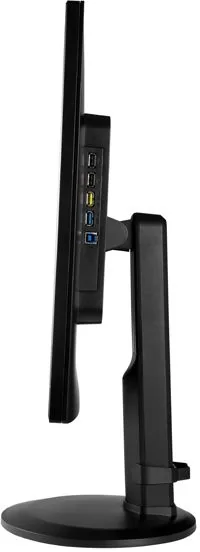
1x VGA, 1x HDMI 1.4, 1x DisplayPort 1.2, 1x DVI, 1x USB-B 3.0 (Upstream, 5Gb/s), 2x USB-A 3.0 (Downstream, 5Gb/s), 2x USB-A 2.0 (Downstream, 480Mb/s), 1x 3.5mm Jack (Line-In), 1x AC-In C13 (Power In)
Shape
Flat
Viewing Angle
170 deg / 160 deg
Coating
non-glare (matte)
Color Depth
10-bit (1.07 Billion Colors)
FRC
Yes (8-bit+2-bit)
Certifications / Standards
EPEAT
Speakers
Speakers (2x 3W)
Ergonomics
With Stand Base, Height Adjustable (5.12 inches), Pivot (+90 deg), Rotatable (+/-165 deg), Tilt (+24 deg / -5 deg)
VESA
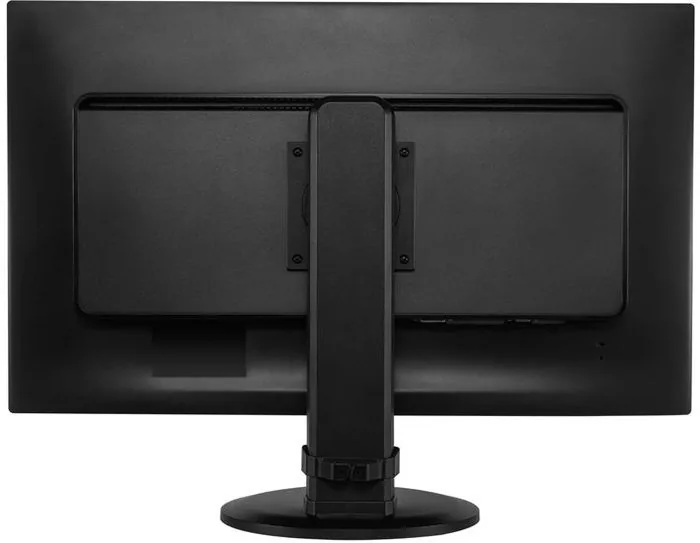
VESA 100x100 (Mounted)
Power Consumption
0.5W (Standby)
Special Features
Security Lock (Kensington Security Slot)
Screen-to-Body Ratio
Infinity% (Calculated)
Dimensions
25.94x22.09x6.65 inches (WxHxD) with Stand Base Compressed
Color
Black (Display Bezel) / Black (Lower Bezel) / Black (Stand Base)
Weight
17.50 lbs (with Stand Base)
Power Supply
Internal
Warranty
Three Years
USB Notation
Link
Product Description
Product Overview
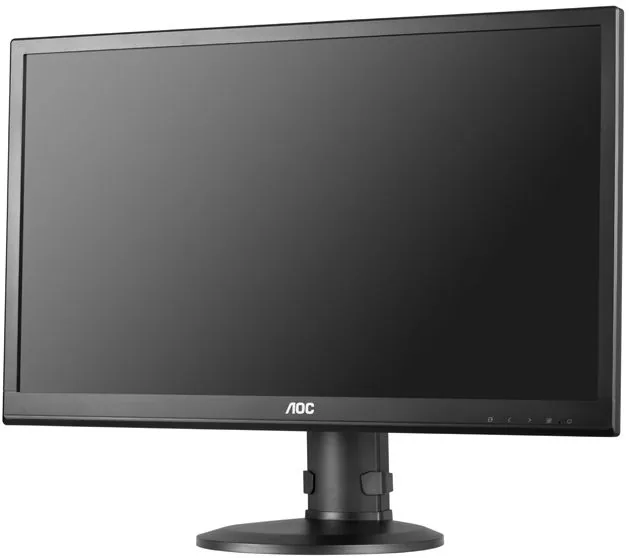
When it comes to high-performance displays, the AOC u2868Pqu 28 inch offers a compelling solution. This monitor boasts a stunning resolution of 3840 by 2160 pixels, perfect for detailed graphic work. The LED backlighting ensures vibrant colors that bring your digital content to life.
Setting up your new display is straightforward with the help of the AOC u2868Pqu, 28 Manual. This manual provides clear instructions on installation and configuration. Installation takes minimal time with the provided stand and base. You can connect via HDMI or DisplayPort to unlock the potential of refresh rates. HDMI may link at 30 Hz at 4K resolution, but DP supports 60 Hz effectively. The OSD menu allows extensive customization including Picture Boost and Clear Vision features. These settings enhance readability and visual clarity.
Users can adjust color temperature and brightness levels effortlessly. The screen brightness can be tuned in the OSD menu for optimal visibility. The stand tilts between negative five and positive 21.5 degrees to suit your ergonomic needs. Connectivity is a strong suit with USB 2.0 and 3.0 ports for easier peripheral access. The VESA mounting pattern ensures compatibility with various wall mount systems. Additionally, the unit supports MHL for mobile devices to stream media. The integrated audio output supports headphones for private listening sessions.
Security features include a three-pole grounded plug for safety. Do not cover ventilation openings to prevent overheating. Cleaning should be done with a soft cloth. For power management, the e-Saver software allows you to automate screen shutdown. The Screen+ tool divides your desktop into multiple sections for better workflow management. Screen+ software works well with multiple monitor setups for multitasking. Proper configuration is essential for the best experience. Refer to the troubleshooting section in the manual if you encounter flickering issues.
The warranty details vary by region. Overall, this monitor delivers exceptional value for those seeking clarity. It is a robust choice for modern desktop setups requiring high fidelity visuals. Users should check the manual for specific pin configurations of cables.
Usage Tips
Ensure you use correct cables for 4K performance. Update drivers regularly from the AOC website to maintain compatibility with Windows systems like Windows 7, Windows 8, Windows 2000, and Windows Vista. The unit supports Plug and Play DDC2B functionality for automatic detection. The manual mentions compliance with standards including WEEE, EPA Energy Star, and EPEAT. These certifications ensure the product meets safety guidelines. The monitor is designed to operate within specific temperature ranges. It ensures users can maximize the lifespan of their investment through proper maintenance.
Search for 67,706 Manuals online


Type-in Brand or Model
Marcus Johnson
5 months ago
Does the 4K monitor need DisplayPort for 60Hz, and is the cable included or can I use HDMI?
Manual.ly
5 months ago
Yes, achieving 4K at 60Hz requires the DisplayPort connection as HDMI bandwidth is limited for this resolution. Some users note the DisplayPort cable is not included in the box, so please verify all accessories if high refresh rates are needed. For sleep mode issues where the monitor fails to wake, update your graphics drivers and adjust OS power settings. Reviews confirm high image quality and price-value despite occasional setup quirks. We recommend checking specific port specifications for your computer to ensure compatibility before use.