
AOC U2790PQU Manual
PDF manual · 32 Pages
English



Quick check
Incorrect answer, please try again.
Chat with your AOC U2790PQU manual using AI
Get instant AI answers from your AOC U2790PQU manual
Ask anything about the AOC U2790PQU. Answers come from this manual, with the pages they are based on.
Ask a Question
Do you recommend U2790PQU?
Yes NoFrequently Asked Questions
It is a 27-inch TFT color LCD monitor with UHD 3840×2160 resolution. The panel is designed for sharp visuals, everyday productivity, and flexible desktop use.
Is this answer helpful?
The monitor includes HDMI, DisplayPort, USB, and earphone out connections. This makes it suitable for modern PCs and a range of desktop setups.
Is this answer helpful?
Yes, it supports optional wall mounting with a compatible arm. You need to remove the base first and follow the mounting hardware instructions carefully.
Is this answer helpful?
Clear Vision is an image enhancement feature that helps make low-resolution or blurry content look clearer and more vivid. It can be adjusted through the hotkeys or menu system.
Is this answer helpful?
You can use the on-screen display menu or the AOC i-Menu software. Both let you change brightness, contrast, color settings, and other picture options.
Is this answer helpful?
Check the power connection, confirm the HDMI or DP cable is properly attached, and make sure the PC is turned on. If needed, review the troubleshooting steps in the guide.
Is this answer helpful?
Advantages and Disadvantages
Advantages

- 27-inch 4K UHD panel delivers sharp detail and plenty of workspace for productivity and multitasking.
- Multiple connections including HDMI, DisplayPort, USB, and earphone out make setup versatile.
- OSD offers deep control over brightness, color, gamma, and image tuning for tailored viewing.
- AOC software tools like i-Menu, e-Saver, and Screen+ add convenience for desktop management.
Disadvantages

- Some features and menu items change depending on the input source or specific model variant.
- 4K at 60 Hz is limited to HDMI1 and DisplayPort; HDMI2 supports a lower maximum mode.
- The stand’s viewing angle adjustment is limited, so extreme positioning is not recommended.
- Accessory bundles may vary by region, so not every cable or disc is guaranteed in the box.
Product Specification
Function
Monitor (stationary)
Diagonal
27" (27.01in)
Resolution
3840x2160 (4K UHD), 16:9, 163ppi
Panel
IPS, Manufacturer: Panda (LM270PF1L)
Backlight
LED, Blue Light Filter, flicker-free
Brightness
350cd/m² (typical)
Contrast
1,000:1 (static), 50,000,000:1 (dynamic)
Response Time
5ms (GtG)
Refresh Rate
60Hz (3840x2160)
Signal Frequency
30-160kHz (H) / 23-80Hz (V)
Connections
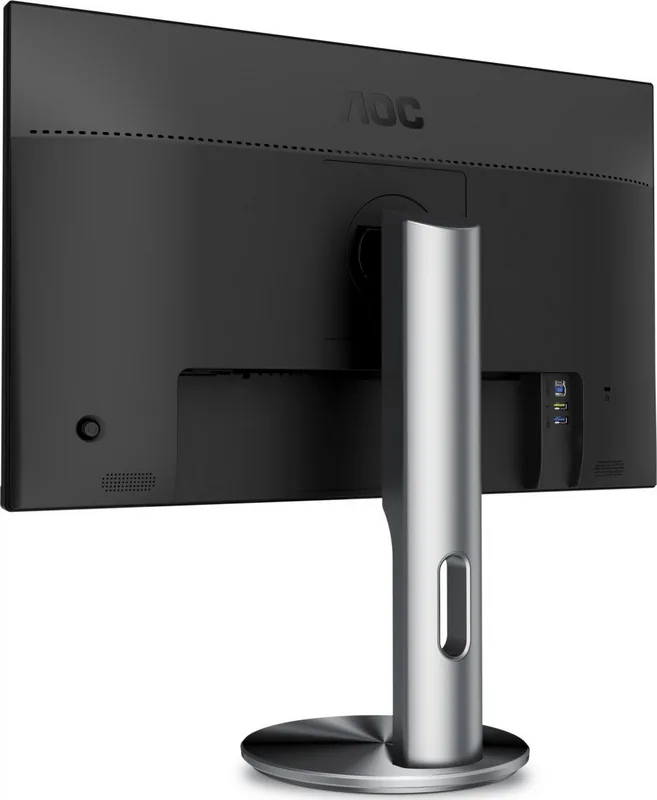
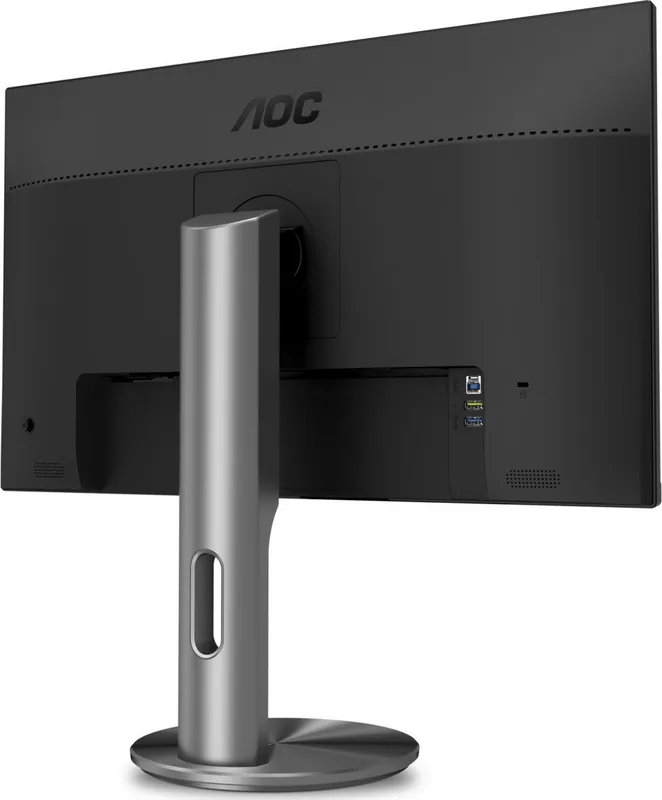
1x HDMI 2.0, 1x HDMI 1.4, 1x DisplayPort 1.2, 1x USB-B 3.0 (Upstream, 5Gb/s), 2x USB-A 3.0 (Downstream, 5Gb/s), 1x 3.5mm jack (Line-Out), 1x AC-In C13 (Power Connector)
Shape
straight (flat)
Viewing Angle
178°/178°
Coating
non-glare (matte)
Color Depth
10bit (1.07 billion colors)
FRC
yes (8bit+2bit)
sRGB
100%
Certifications/Standards
EPEAT
Speakers
Speakers (2x 2W)
Controls
Joystick
Ergonomics
with stand, height adjustable (5.12in), Pivot (+90°), rotatable (+45°), tiltable (+20°/-4°)
VESA
100x100 (occupied)
Power Consumption
34W (typical), 0.5W (Standby)
Special Features
Security Lock (Kensington Security Slot), Slim Bezel
Screen-to-Body Ratio
Inf% (calculated)
Dimensions
24.21x21.06x7.87in (WxHxD) with stand compressed
Color
black (display frame) / black (bottom bezel) / black, silver (stand) / black (back)
Weight
14.33lb (with stand), 10.25lb (without stand)
Power Supply
internal
Warranty
three years
USB Naming
Link
Product Description
AOC U2790PQU 27" Manual: a 4K monitor built for clear daily work
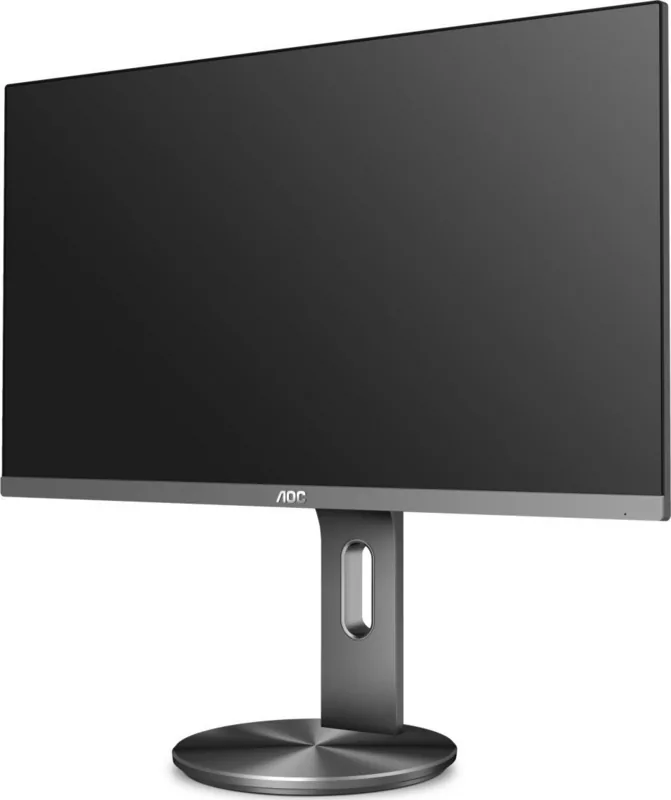
The AOC U2790PQU is a 27-inch TFT color LCD monitor focused on sharp detail, practical connectivity, and flexible on-screen control. With UHD 3840×2160 resolution, it brings crisp text, clean graphics, and a spacious workspace that suits office routines, creative tasks, and general multitasking. The manual paints a picture of a monitor designed to be easy to install, simple to manage, and dependable enough for everyday use.
Designed for flexible use
The setup process is straightforward, and the included stand supports a clean desktop arrangement while optional wall mounting expands placement choices. The rear panel offers HDMI, DisplayPort, USB, and earphone connections, giving users the freedom to match the monitor with modern PCs and accessories. AOC also provides hotkeys for source selection, ECO modes, volume control, and Clear Vision, so common actions can be handled quickly without digging through menus.
A menu system with real depth
Beyond the basics, the monitor includes a broad OSD layout for fine-tuning the viewing experience. Brightness, contrast, gamma, color temperature, sharpness, and image position can all be adjusted with ease. Features such as LowBlue Mode, OverDrive, DCR, and Picture Boost show that this model is built for users who want more than a simple plug-and-play display. The available presets and tuning options make it easier to adapt the screen to work, reading, entertainment, or long sessions at the desk.
Everyday convenience with useful software
AOC complements the monitor with companion tools like i-Menu, e-Saver, and Screen+. These utilities help simplify monitor control, save power, and organize windows across one or more displays. That makes the U2790PQU especially appealing for productivity-focused users who value screen management and energy awareness. The manual also highlights safety, ventilation, and cleaning practices, reminding users that a good monitor should be handled carefully for long-term reliability.
Final impression
Overall, the AOC U2790PQU combines a crisp 4K panel, practical ports, and a detailed adjustment system in a 27-inch form factor that feels balanced and efficient. It is a solid choice for users who want a high-resolution desktop display with enough customization to fit different workflows.
Notes
- Best results are achieved when using the native 4K signal path on HDMI1 or DisplayPort.
- Some settings depend on the input source or model variant.
- The monitor is most appealing to users who value image control, clean design, and everyday productivity.
Search for 67,706 Manuals online


Type-in Brand or Model
maria_k
9 months ago
Is this monitor really as good as the positive reviews and YouTube videos online suggest?
Manual.ly
9 months ago
Based on common user feedback, the positive impressions you see online often match real-world use: good overall image quality, solid usability, and reliable performance for everyday tasks. That said, the best results depend on your setup (PC/laptop model, connection type, and room lighting) and on which picture settings you choose. If you want to confirm fit, check the monitor specifications that matter to you (resolution, refresh rate, panel type, and supported input ports) and compare them to your intended use. If anything is not as expected after delivery, please reach out so we can help troubleshoot or review your options.