
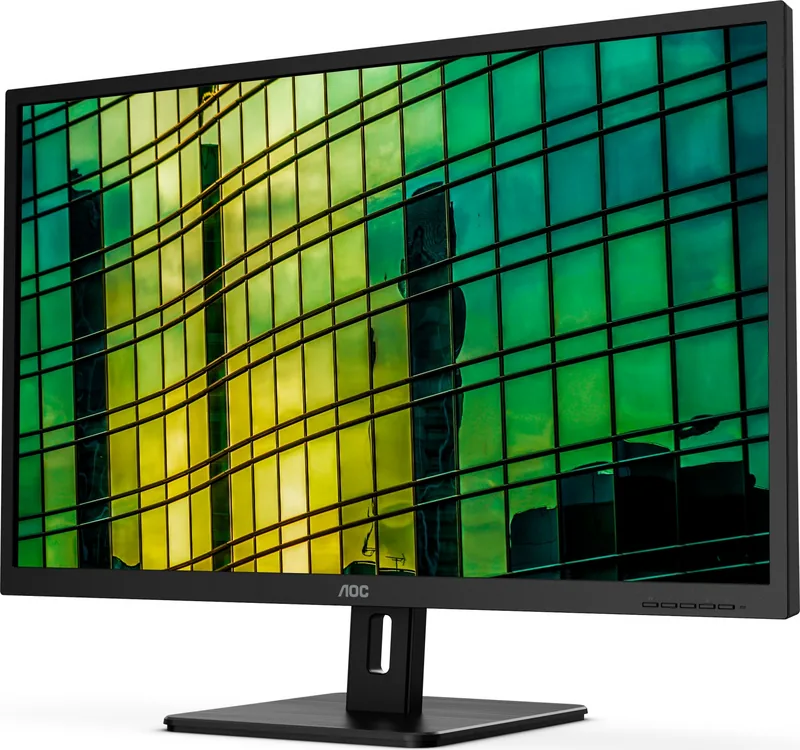
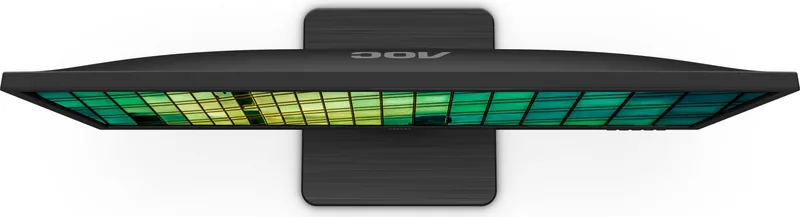
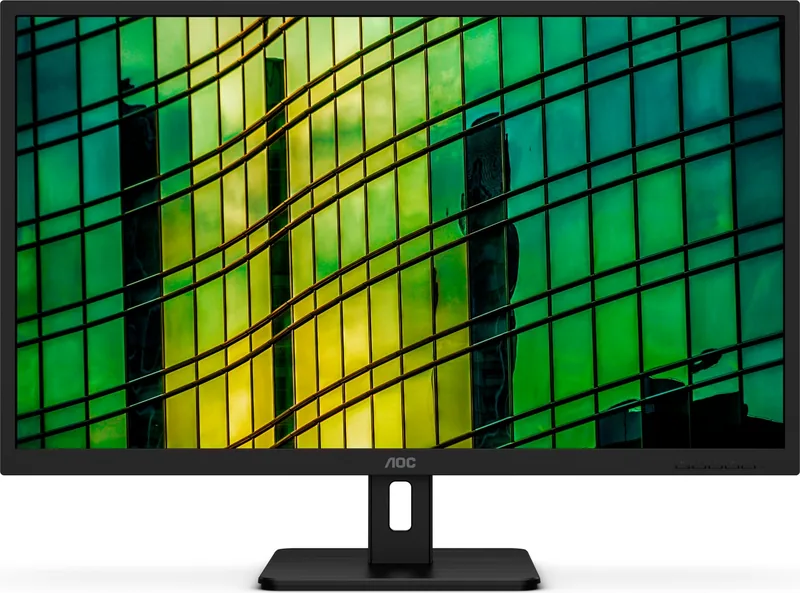
AOC Q32E2N Manual
PDF manual · 29 Pages
English



Quick check
Incorrect answer, please try again.
Chat with your AOC Q32E2N manual using AI
Get instant AI answers from your AOC Q32E2N manual
Ask anything about the AOC Q32E2N. Answers come from this manual, with the pages they are based on.
Ask a Question
Do you recommend Q32E2N?
Yes No
Julia Schmidt
5 months ago
Is it possible to adjust the height of this monitor using the stand?

Manual.ly
5 months ago
No, the stand does not feature height adjustment. The position is fixed vertically. The monitor is stable as noted, but for height customization, a separate desk mount or monitor arm would be required.

orion91
4 months ago
Does this monitor include a height adjustment feature?
Manual.ly
4 months ago
Thank you for your inquiry. Unfortunately, this model does not come with a built-in height adjustment stand. However, it includes one HDMI cable and a power cord, and the display offers sharp image quality without pixel errors. The stand provides stable support, though users sitting close may notice slight edge shading.
Klaus Schmidt
6 months ago
Are there any visible screen issues like edge shading or dead pixels?
Fred Harris
6 months ago
Does this monitor have height adjustment, and is the screen otherwise suitable for close-up desk work?
Manual.ly
6 months ago
The monitor does not include height adjustment, so a monitor arm or stand riser may be useful for an ergonomic setup. Reviews report a sharp, defect-free image, stable stand, and included HDMI and power cables. Some edge shading can be visible when sitting very close, but it was not considered disruptive.
Frequently Asked Questions
The monitor supports a maximum resolution of 2560 x 1440 at 75 Hz. Its listed optimal resolution is 2560 x 1440 at 60 Hz.
Is this answer helpful?
The AOC Q32E2N includes HDMI and DisplayPort inputs. It also has a headphone output for connecting compatible headphones or external audio equipment.
Is this answer helpful?
Yes. Adaptive-Sync can operate through HDMI or DisplayPort when used with compatible graphics hardware. The feature can be enabled or disabled in the gaming settings menu.
Is this answer helpful?
Yes. The monitor can be attached to a separately purchased wall-mounting arm. Remove the stand, follow the arm manufacturer's installation instructions, and use suitable mounting hardware.
Is this answer helpful?
The supplied stand supports tilt adjustment from -5 degrees to 23 degrees. Hold the stand when changing the angle and avoid pressing directly on the LCD panel.
Is this answer helpful?
When HDR Picture, HDR Movie, or HDR Game mode is active, several settings become unavailable. These include brightness, contrast, gamma, color setup, Picture Boost, Game Mode, Shadow Control, and Game Color.
Is this answer helpful?
Advantages and Disadvantages
Advantages

- Large 31.5-inch QHD panel provides ample workspace and sharper detail than Full HD.
- Supports up to 2560 x 1440 at 75 Hz for smoother desktop use and compatible games.
- HDMI, DisplayPort, and headphone output offer useful connection flexibility.
- Adaptive-Sync, low input lag, overdrive, shadow control, and game presets support gaming use.
- Extensive OSD controls include HDR modes, Low Blue Mode, Clear Vision, RGB tuning, and Eco presets.
Disadvantages

- The stand only supports tilt adjustment; height, swivel, and pivot adjustments are not specified.
- HDR mode disables several manual picture, color, and gaming controls.
- Wall-mounting arm and VESA mounting screws may need to be purchased separately.
- Included HDMI and DisplayPort cables can vary by region.
- Maximum QHD refresh rate is 75 Hz, which may be limiting for competitive high-refresh gaming.
Product Specification
Function
Monitor (stationary)
Diagonal
31.5 in (31.5 in)
Resolution
2560x1440 (QHD), 16:9, 93 ppi
Panel
IPS
Backlight
LED, blue light filter, flicker-free
Brightness
250 cd/m² (typical)
Contrast
1,200:1 (static), 20,000,000:1 (dynamic)
Response time
4 ms (GtG)
Refresh rate
75 Hz (2560x1440)
Variable synchronization
Adaptive Sync
Signal frequency
30-114 kHz (H) / 48-75 Hz (V)
Connections
1x HDMI 1.4, 1x DisplayPort 1.2, 1x 3.5 mm jack (line-out), 1x AC-in C13 (power input)
Shape
straight (flat)
Viewing angle
178°/178°
Coating
non-glare (matte), 3H hardness
Color depth
8-bit (16.7 million colors)
FRC
unknown
sRGB
104%
Adobe RGB
77%
Speakers
Speakers (2x 3 W)
Controls
mechanical buttons
Ergonomics
with stand, height adjustment N/A, pivot N/A, swivel N/A, tilt (+24°/-6°)
VESA
100x100 (available)
Power consumption
60 W (maximum), 40 W (typical), 0.3 W (standby), 42 W (old energy label A+++ to G)
Energy efficiency SDR (A to G)
32 kWh/1,000 h (F)
Energy efficiency HDR (A to G)
36 kWh/1,000 h (G)
Old energy efficiency (A+++ to G)
61.3 kWh (B)
Special features
Security lock (Kensington Security Slot)
Screen-to-body ratio
86.34% (calculated)
Dimensions
28.74x17.09x2.24 in (WxHxD) without stand
Color
black (display bezel) / black (bottom bezel) / black (stand) / black (rear)
Weight
16.36 lb (with stand)
Power supply
internal
Warranty
three years
USB designation
Link
Product Description
AOC Q32E2N, 31.5" Manual: A QHD Monitor for Work and Play
The AOC Q32E2N is a 31.5-inch LCD monitor designed to provide a spacious, detailed desktop experience. Its QHD resolution of 2560 x 1440 gives users noticeably more workspace than Full HD, making it a practical choice for multitasking, office tasks, streaming, creative projects, and casual gaming. With a large 80 cm visible diagonal and support for up to 1.07 billion colors, it can present text, images, and video with strong clarity and rich color depth.
For users searching for the AOC Q32E2N, 31.5" Manual, the monitor offers straightforward setup and flexible daily operation. HDMI and DisplayPort inputs allow connection to a wide range of computers and compatible devices, while the headphone output adds a convenient audio-routing option. The monitor supports Plug and Play through VESA DDC2B/CI, helping connected systems detect its display capabilities automatically.
Smooth QHD Performance
The native resolution is 2560 x 1440 at 60 Hz, with support for a maximum refresh rate of 75 Hz at the same QHD resolution. This makes the display well suited to productivity and smoother-than-standard desktop use. Adaptive-Sync is available through HDMI and DisplayPort with compatible graphics hardware, helping reduce visible tearing during supported gameplay. The monitor also includes gaming controls such as low input lag, overdrive, shadow control, game color adjustment, aiming point, and an optional frame counter.
Image Controls for Different Content
AOC provides extensive on-screen controls to tailor the picture. Users can adjust brightness, contrast, gamma, color temperature, RGB values, and several Eco modes for text, internet use, films, sports, reading, and games. Low Blue Mode offers presets intended to reduce blue light for more comfortable extended viewing. Clear Vision can improve the appearance of low-resolution or soft images, while Picture Boost creates an adjustable highlighted area for focused viewing.
HDR modes for pictures, movies, and games are also included. Keep in mind that enabling HDR limits access to several image, color, and gaming adjustments. This design helps avoid conflicting settings but may matter to users who prefer full manual control.
Flexible Placement and Responsible Use
The stand supports tilt adjustment from -5 to 23 degrees, allowing a more comfortable viewing angle. The display can also be used with a separately purchased wall-mounting arm. For reliable operation, place it on a stable surface, keep ventilation openings clear, use the correct grounded power source, and disconnect power before cleaning or installing accessories.
Note: Use a soft cloth for cleaning, avoid harsh chemicals, and connect or disconnect display cables only when the PC and monitor are powered off.
Note: The included signal cables may vary by country or region.
Search for 67,706 Manuals online


Type-in Brand or Model
Stefan Weber
7 months ago
Does this monitor stand support height adjustment?
Manual.ly
7 months ago
No, this model does not include a height adjustment mechanism. The stand offers good stability for fixed viewing positions, but users seeking vertical customization will need to use an external monitor arm.