
AOC GM500 Manual
PDF manual · 1 Pages
English


Quick check
Incorrect answer, please try again.
Chat with your AOC GM500 manual using AI
Get instant AI answers from your AOC GM500 manual
Ask anything about the AOC GM500. Answers come from this manual, with the pages they are based on.
Ask a Question
Do you recommend GM500?
Yes NoFrequently Asked Questions
The AOC GM500 features an advanced optical sensor with a maximum resolution of 5,000 DPI. Users can switch between preset levels of 800, 1600, 3200, 5000, or Smart DPI modes.
Is this answer helpful?
Yes, the mouse is compatible with MAC OS X versions 10.7 through 10.9. However, full software customization via AOC G-Tools is primarily optimized for Windows operating systems.
Is this answer helpful?
Plug the mouse into a USB port, download the Setup.exe file from the AOC website, run the installer, and reboot your computer. You can then access the configuration menu via the taskbar icon.
Is this answer helpful?
Absolutely. The mouse has a symmetrical design intended for both right and left-handed users. Additionally, the AOC G-Tools software allows you to swap the left and right button functions easily.
Is this answer helpful?
Yes, the GM500 supports customizable RGB lighting effects including Static, Breathing, Blink, Flashing, and DPI modes. These lights can be synchronized with other AOC gaming devices.
Is this answer helpful?
The mouse uses Omron mechanical switches which are tested to last up to 50 million clicks, ensuring durability during extended gaming sessions.
Is this answer helpful?
Advantages and Disadvantages
Advantages

- True 5,000 DPI optical sensor for extreme precision
- Eight programmable buttons for extensive customization
- Symmetrical design suitable for both left and right hands
- Durable Omron switches rated for 50 million clicks
- Synchronized RGB lighting with other AOC devices
Disadvantages

- Software installation may require driver updates first
- Fixed cable length of 1.8 meters limits mobility slightly
- No wireless connectivity option available
- Default DPI setting might need adjustment for some users
- Lighting effects require specific software configuration
Product Specification
Suitability
both hands (left hand, right hand)
Keys
8 (total), 2 (main), 1 (top), 2 (left), 2 (right), 1 (scroll wheel click)
Scroll Wheel
1x 2-way
Scanning
red LED/IR
Resolution
5000 dpi, reducible to 100 dpi
Sensor
PixArt PWM 3325
Switches
mechanical switches, Omron D2FC-F-K, 50 million clicks
Polling Rate
1000Hz (wired USB)
Lighting
RGB
Connection
wired (7.1ft), USB-A 2.0
Power Supply
USB
Dimensions (WxDxH)
2.52x1.50x4.88 in
Approximate Volume
4.82 cu in (approximated shape)
Weight
5.12 oz
Color
solid, black
Features
NVIDIA Reflex Compatible certified, onboard memory, fabric cable
Product Description
Elevate Your Gaming with the AOC GM500 RGB Mouse
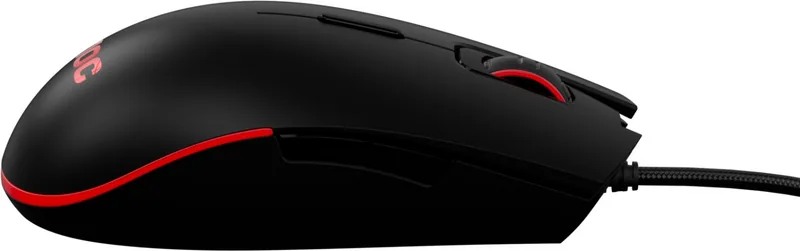
The AOC Gaming GM500 is a high-performance USB gaming mouse designed for serious FPS enthusiasts and casual gamers alike. This device features an advanced optical sensor capable of true 5,000 DPI, ensuring precise tracking on any surface. With switchable DPI settings ranging from 800 to 5000, users can instantly adapt to different game scenarios or tasks. The mouse boasts a symmetrical design that accommodates both right and left-handed users, making it a versatile choice for households with multiple gamers.
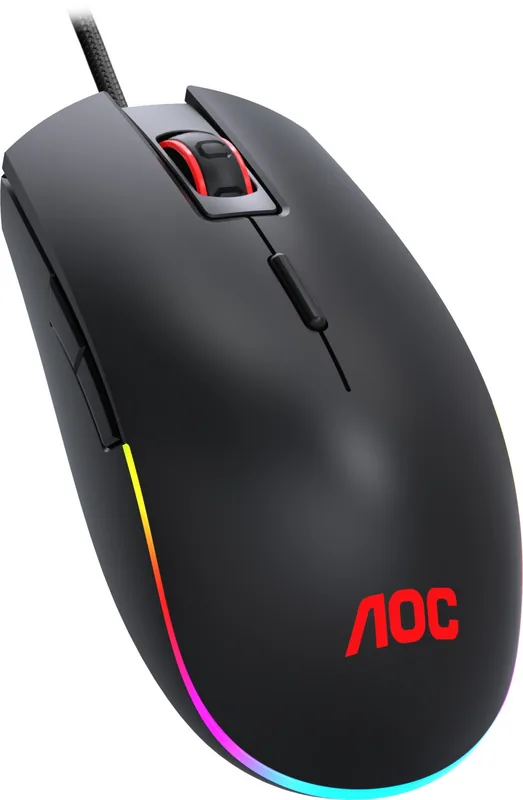
Customization is at the heart of the GM500 experience. It comes equipped with eight programmable buttons, allowing players to map complex macros, multimedia controls, and browser functions to their fingertips. The included AOC G-Tools software provides deep control over button assignments, macro creation, and lighting effects. The customizable RGB lighting system can sync with other AOC gaming peripherals, creating a cohesive aesthetic across your entire setup. Whether you prefer static colors, breathing effects, or dynamic flashing lights, the GM500 offers extensive visual options.
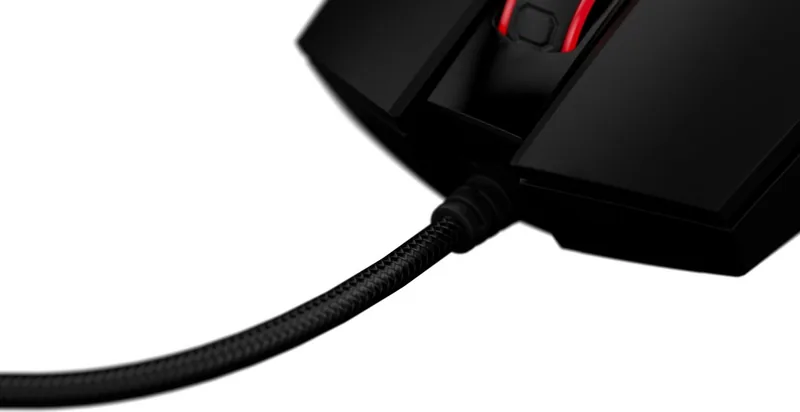
Durability is another key strength of this peripheral. The Omron mechanical switches are rated for up to 50 million clicks, promising long-term reliability even during intense gaming sessions. The braided cable adds to the robustness, preventing tangling and wear over time. The mouse also supports swappable left and right keys, offering further ergonomic flexibility. With a report rate of up to 1000 Hz and acceleration of 20g, the GM500 delivers responsive performance that keeps you ahead of the competition.
Important Notes
- Ensure Windows 7 or later is installed for full software compatibility.
- Download the latest drivers from the official AOC website before use.
- The device requires 160MB of free hard disk space for installation.
- Always unplug the device if overheating occurs to prevent damage.
Search for 67,706 Manuals online


Type-in Brand or Model