
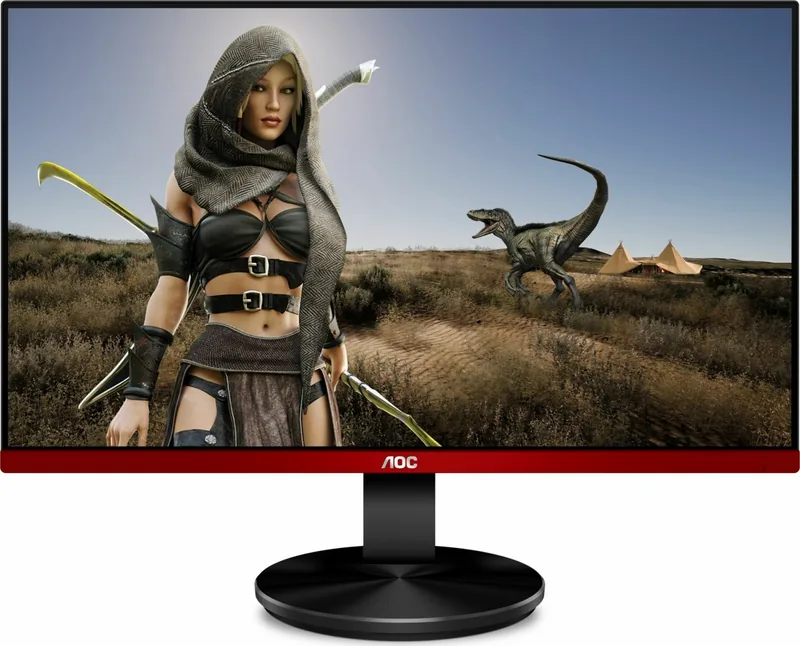
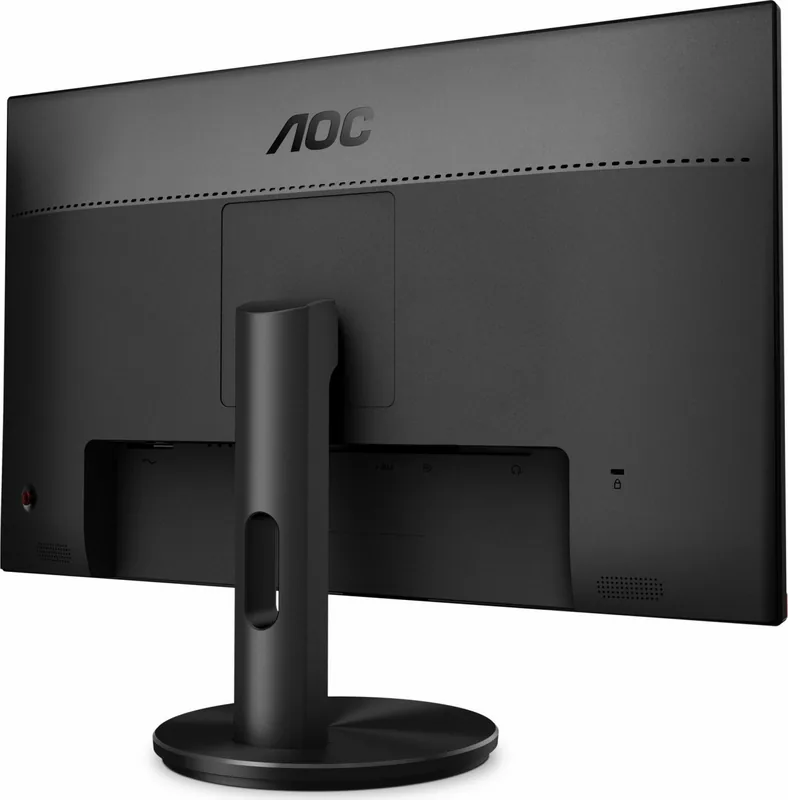
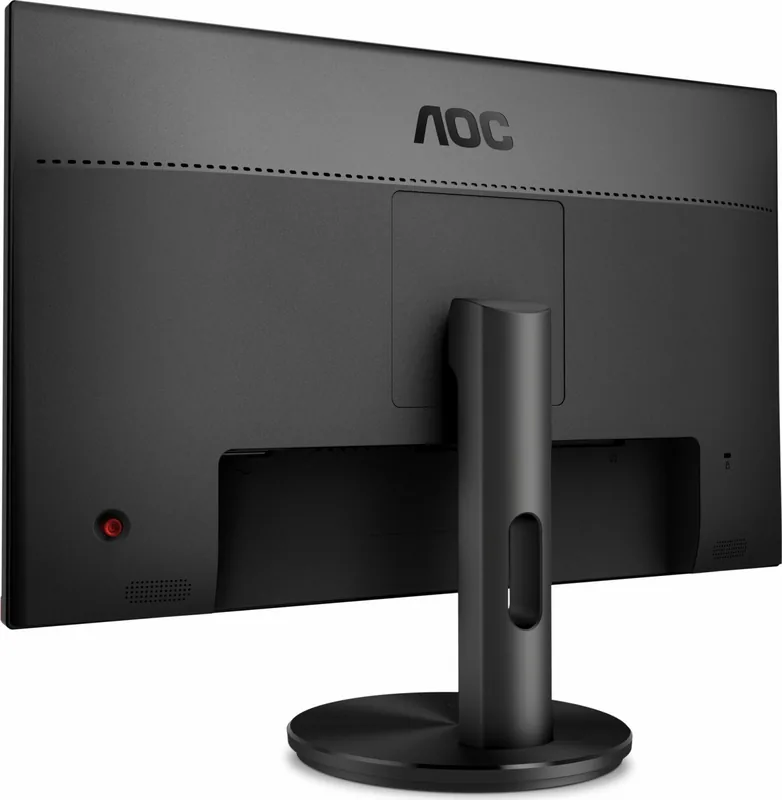
AOC G2790VXA Manual
PDF manual · 28 Pages
English



Quick check
Incorrect answer, please try again.
Chat with your AOC G2790VXA manual using AI
Get instant AI answers from your AOC G2790VXA manual
Ask anything about the AOC G2790VXA. Answers come from this manual, with the pages they are based on.
Ask a Question
Do you recommend G2790VXA?
Yes NoFrequently Asked Questions
Yes, the monitor supports Adaptive-Sync functionality. It works over both DisplayPort and HDMI connections to reduce screen tearing and stuttering when paired with compatible AMD Radeon graphics cards.
Is this answer helpful?
The maximum refresh rate supported by the AOC G2790VXA is 144Hz at Full HD resolution (1920x1080). The optimal standard refresh rate is 60Hz.
Is this answer helpful?
Yes, you can mount this monitor on a wall using a VESA-compatible arm. You must first remove the stand and ensure you have the correct mounting screws, which may need to be purchased separately.
Is this answer helpful?
You can enable Low Blue Mode through the OSD menu under Game Settings. Select the Low Blue Mode option and choose from presets like Multimedia, Internet, Office, or Reading to filter blue light effectively.
Is this answer helpful?
The monitor features HDMI and DisplayPort inputs for video, a power connector, and a headphone jack for audio output. D-Sub inputs are not available on this specific model.
Is this answer helpful?
When the HDR Mode is set to anything other than Off, the manual adjustments for Brightness, Contrast, and Gamma are locked. You must turn off HDR mode to customize these specific image parameters.
Is this answer helpful?
Advantages and Disadvantages
Advantages

- Adaptive-Sync technology eliminates screen tearing for smoother gameplay
- Dedicated game modes optimize settings for FPS, RTS, and racing genres
- Low Blue Mode effectively reduces eye strain during extended use
- Supports VESA wall mounting for flexible installation options
- Fast response time adjustments via Overdrive settings minimize motion blur
Disadvantages

- No built-in speakers, requiring external audio solutions
- Limited tilt adjustment compared to full articulating stands
- HDR mode restricts access to some color and game settings
- Cable management could be improved on the rear panel
- Resolution is limited to 1080p rather than higher definitions
Product Specification
Function
Monitor (stationary)
Diagonal
27" (68.6cm)
Resolution
1920x1080 (FHD), 16:9, 82ppi
Panel
VA
Backlight
LED, blue light filter, flicker-free
Brightness
350cd/m^2 (typical)
Contrast
3,000:1 (static), 80,000,000:1 (dynamic)
Response Time
1ms (MPRT)
Refresh Rate
144Hz (1920x1080)
Variable Synchronization
Adaptive Sync, AMD FreeSync Premium certified (48-144Hz via DisplayPort, 48-144Hz via HDMI, with LFC support, without HDR)
Signal Frequency
48-144Hz (V)
Connections
1x HDMI 1.4, 1x DisplayPort 1.2, 1x 3.5mm jack (Line-Out), 1x 3.5mm jack (Line-In), 1x AC-In C13 (power input)
Shape
straight (flat)
Viewing Angle
178°/178°
Coating
non-glare (matte), hardness 3H
Color Depth
8bit (16.7 million colors)
FRC
unknown
Speakers
Speakers (2x 2W)
Operation
control cross
Ergonomics
with stand, height adjustable N/A, pivot N/A, rotatable N/A, tiltable (+22°/-4°)
VESA
100x100 (occupied)
Power Consumption
32W (typical), 0.5W (standby)
Energy Efficiency SDR (A to G)
22kWh/1000h (F)
Energy Efficiency HDR (A to G)
24kWh/1000h (F)
Features
security lock (Kensington Security Slot), Slim Bezel
Screen-to-Body Ratio
89.28% (calculated)
Dimensions
24.2x17.6x7.9in (WxHxD) with stand, 24.2x14.4x1.9in (WxHxD) without stand
Color
black (display frame) / red (lower bezel) / black (stand) / black (back)
Weight
9.63lbs (with stand)
Power Supply
internal
Warranty
three years
USB Spelling
Link
Product Description
Elevate Your Gaming Experience with the AOC G2790VXA 27" Monitor
The AOC G2790VXA is a high-performance 27-inch LCD monitor designed specifically for gamers and professionals who demand precision and speed. With its sleek design and robust feature set, this display offers an immersive viewing experience that brings your digital content to life. The screen boasts a Full HD resolution of 1920x1080 pixels, ensuring sharp and detailed images whether you are engaging in fast-paced competitive gaming or working on creative projects.
One of the standout features of the AOC G2790VXA is its support for Adaptive-Sync technology. This function significantly reduces screen tearing and stuttering by synchronizing the refresh rate of the monitor with the graphics card. It works seamlessly over both DisplayPort and HDMI connections, making it compatible with a wide range of AMD Radeon graphics cards. This ensures smooth gameplay even during intense action sequences.
The monitor includes a comprehensive suite of game settings accessible through the On-Screen Display menu. Users can select specific modes tailored for First-Person Shooters (FPS), Real-Time Strategy (RTS), racing games, or save custom preferences in three user-defined slots. Additional tools like Shadow Control help reveal hidden details in dark scenes, while the Low Blue Mode protects your eyes during long sessions by filtering harmful blue light wavelengths. The Overdrive setting allows you to adjust response times from weak to strong, minimizing motion blur for crisper visuals.
Connectivity is straightforward, featuring both HDMI and DisplayPort inputs alongside a headphone jack for audio output. The stand offers tilt adjustment ranging from -5 to 23 degrees, allowing you to find the perfect ergonomic angle without straining your neck. For those who prefer a cleaner desk setup, the monitor also supports VESA wall mounting after removing the base. Safety guidelines emphasize proper ventilation and stable placement to prevent overheating or accidental falls.
Whether you are looking to dominate in online matches or simply enjoy a stunning visual interface, the AOC G2790VXA delivers reliability and performance. Its intuitive controls and versatile connectivity options make it a top choice for modern desktop setups.
Search for 67,706 Manuals online


Type-in Brand or Model