
AOC E970SWN Manual
PDF manual · 50 Pages
English



Quick check
Incorrect answer, please try again.
Chat with your AOC E970SWN manual using AI
Get instant AI answers from your AOC E970SWN manual
Ask anything about the AOC E970SWN. Answers come from this manual, with the pages they are based on.
Ask a Question
Do you recommend E970SWN?
Yes NoFrequently Asked Questions
Click Start, Control Panel, Display, Settings, and move the resolution slide bar to 1366x768 for the best image quality.
Is this answer helpful?
Do not spill liquids on the monitor, use a grounded outlet, and unplug the unit during lightning storms or long periods of inactivity.
Is this answer helpful?
Yes, the stand allows you to tilt the monitor from negative three to ten degrees. Do not touch the LCD screen while adjusting to avoid damage.
Is this answer helpful?
The package includes i-Menu for on-screen display settings and e-Saver for automatic power management based on PC status.
Is this answer helpful?
Use a soft cloth with mild detergent or water. Never use strong chemicals or rough materials that could scratch the screen surface.
Is this answer helpful?
Warranty typically covers three years for parts and labor depending on the region. Proof of purchase is required for any service claims.
Is this answer helpful?
Check that the power button is ON and the power cord is connected to a grounded outlet. If issues persist, contact the service center.
Is this answer helpful?
Advantages and Disadvantages
Advantages

- LED backlight technology ensures energy efficiency and long life for the display unit.
- Plug and play support simplifies driver installation and initial setup processes for users.
- Adjusting viewing angle allows for 3 degrees tilt to ten degrees for comfort.
- i-Menu software provides virtual interface for adjusting brightness and contrast settings easily.
- e-Saver utility helps reduce electricity bills by monitoring PC power status.
Disadvantages

- VGA interface limits connectivity options compared to modern HDMI or DisplayPort standards.
- Screen resolution is lower than newer Full HD monitors for high definition content.
- Stand tilt range may not be sufficient for some specific ergonomic requirements.
- Glossy bezel may cause disturbing reflections from surrounding light and bright surfaces.
- Driver installation requires manual steps which might confuse some less technical users.
Product Specification
Function
Monitor (stationary)
Diagonal
18.5 in
Resolution
1366x768 (HD), 16:9, 85ppi
Panel
TN
Backlight
LED
Brightness
200 cd/m^2 (typical)
Contrast
700:1 (static), 20,000,000:1 (dynamic)
Response Time
5ms (GtG)
Refresh Rate
60Hz (1366x768)
Signal Frequency
30-80kHz (H) / 50-76Hz (V)
Ports
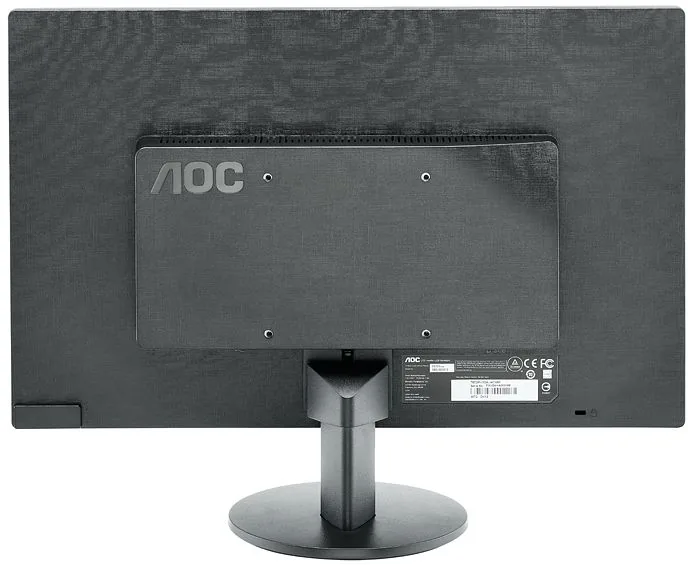
1x VGA (60Hz@1366x768), 1x AC-In C13 (Power Inlet)
Form
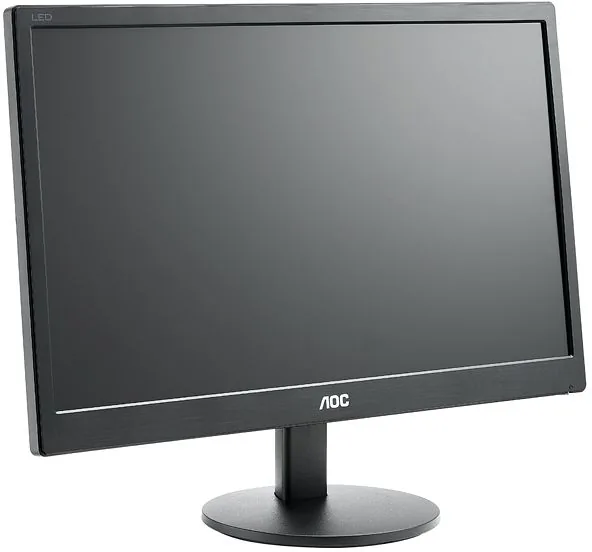
Flat
Viewing Angle
90 deg / 65 deg
Coating
Non-glare (Matte)
Color Depth
8bit (16.7 Million Colors)
FRC
Unknown
Certifications/Standards
EPEAT Gold
Controls
Mechanical Buttons
Ergonomics
With Stand, Height Adjustable N/A, Pivot N/A, Swivel N/A, Tilt (+15 deg/-5 deg)
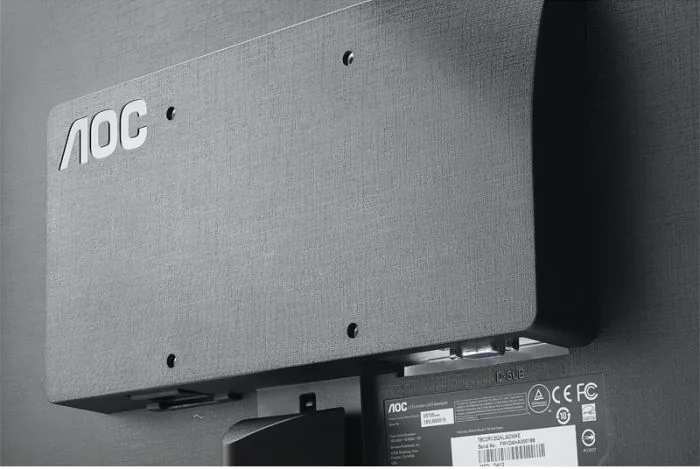
VESA
100x100mm
Power Consumption
0.1W (Standby)
Energy Efficiency SDR (A-G)
12kWh/1000h (E)
Features
Security Lock (Kensington Lock)
Screen-to-Body Ratio
Infinity% (Calculated)
Dimensions
17.2 x 18.8 x 10.7 in (W x H x D) with stand folded
Color
Black (Bezel) / Black (Bottom Bezel) / Black (Stand)
Weight
4.74 lbs (with stand)
Power Supply
Internal
Warranty
3 years
USB Version
Link
Product Description
Introduction to the AOC E970SWN
The AOC E970SWN offers a practical viewing solution for home and office setups. This 18.5 inch device features LED backlight technology for reduced power usage and long life. This size is ideal for work tasks and media consumption in compact spaces. It provides a clear visual output suitable for various computing tasks. Referencing the AOC E970SWN, 18.5" Manual assists users during the initial unboxing phase. Understanding the safety and power connections prevents electrical issues before they start.
Installation and Setup
Assembly requires attaching the stand securely to the back of the unit. You can tilt the display from negative three degrees to ten degrees for comfort. Do not touch the liquid crystal panel when changing angles to avoid cracks. Leave space around the monitor for air circulation to prevent overheating during extended operation.
Connectivity and Drivers
Connecting to your computer uses a standard VGA interface with a blue connector. The system should automatically detect the optimal preset resolution of 1366 by 768 pixels. Windows operating systems like Vista and XP support the display drivers easily. Installing the monitor driver from the CD ensures the screen works as intended by the manufacturer. If no image appears, check the connection cables and ensure the power is on. If the initial screen does not appear, reboot the computer to see the login screen.
Power Management Software
Specialized software tools help manage the display settings without physical buttons. The e-Saver utility automatically turns off the monitor when the PC enters sleep. The monitor shuts down after a specific duration when the screen saver activates. This automation saves energy and reduces electricity bills over time. The i-Menu application provides a virtual interface for quick adjustments to brightness and contrast.
Maintenance and Safety
Maintenance involves cleaning the cabinet with a soft cloth and mild detergent. Strong chemicals should never be used as they can damage the outer casing. Always unplug the power before performing any cleaning tasks on the device. Ensure no liquid enters the product vents while wiping down the surface gently.
Warranty and Compliance
Regulatory compliance ensures the device meets safety standards for emissions and recycling. Coverage differs slightly depending on the country of purchase and local laws. All AOC LCD monitors are produced according to ISO standards. Disposal must follow local regulations for electronic waste to protect the environment properly. Keep the manual for warranty claims and service contact information at all times. Service centers handle replacements for defects not caused by misuse.
Important Notes
Check that the power cord is properly grounded to prevent surges. Report any strange smells or smoke to a service center immediately. Regular checks ensure the equipment remains safe and functional for years.
Search for 67,706 Manuals online


Type-in Brand or Model
Thomas Klein
6 months ago
Is this product suitable for daily office tasks?
Manual.ly
6 months ago
Based on customer feedback, this item fulfills its purpose in office environments. It performs reliably for standard operations in a professional office setting.