
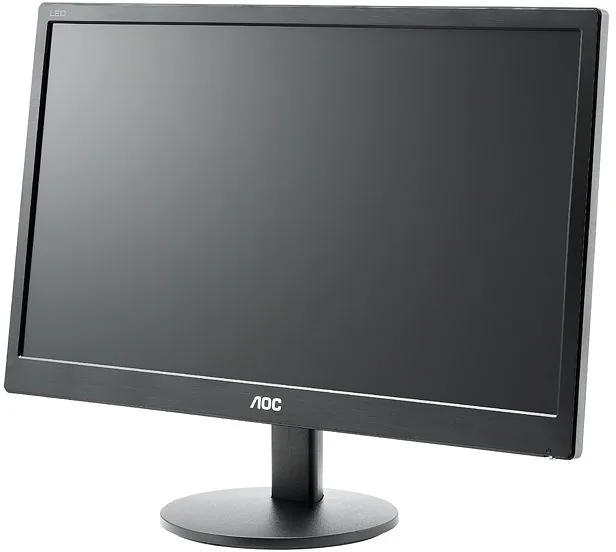
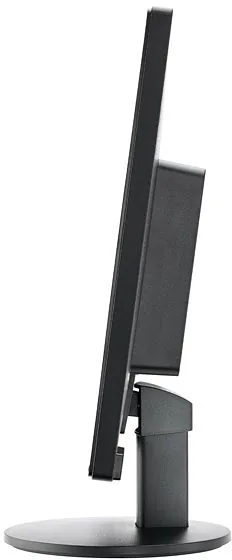
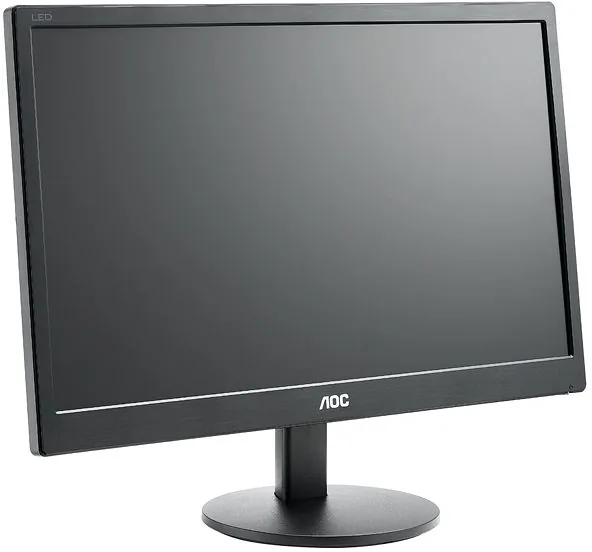
AOC E2070SWN Manual
PDF manual · 51 Pages
English



Quick check
Incorrect answer, please try again.
Chat with your AOC E2070SWN manual using AI
Get instant AI answers from your AOC E2070SWN manual
Ask anything about the AOC E2070SWN. Answers come from this manual, with the pages they are based on.
E2070SWN Maintenance Schedule
Clean the cabinet regularly with a soft cloth and soft detergent. Do not use strong detergents or rough cloths.
Always disconnect the power cord before cleaning the product to ensure safety.
Ask a Question
Do you recommend E2070SWN?
Yes NoFrequently Asked Questions
The monitor supports a maximum resolution of 1600 x 900 pixels, which provides good clarity for most desktop applications and standard HD content.
Is this answer helpful?
Yes, the AOC E2070SWN supports VESA mounting. You can attach it to an optional wall arm, but you must purchase the arm separately and follow the installation instructions carefully.
Is this answer helpful?
The product includes i-Menu for onscreen settings, e-Saver for automatic power management, and Screen+ for desktop optimization and window management.
Is this answer helpful?
In Europe, this product comes with a three-year limited warranty covering material and manufacturing defects. Proof of purchase is required for claims.
Is this answer helpful?
It uses a standard analog D-Sub VGA cable with a 15-pin connector. This is the legacy video standard used for many older and some budget computers.
Is this answer helpful?
Use a soft, dry cloth. If stains persist, use a mild cleaner but avoid aggressive chemicals. Never spray liquid directly onto the screen to prevent damage.
Is this answer helpful?
The monitor requires twelve volts DC direct current. Always use the included power adapter and a grounded electrical outlet to ensure safety.
Is this answer helpful?
Advantages and Disadvantages
Advantages

- LED backlighting provides efficient illumination.
- VESA mount support allows flexible placement.
- e-Saver software manages power consumption effectively.
- Plug and play simplifies driver installation.
- Adjustable tilt offers ergonomic viewing angles.
Disadvantages

- Only VGA input available, no digital ports.
- Screen surface may scratch with abrasive cloths.
- Limited brightness specifications listed.
- Manual installation required for driver updates.
- Stand limits vertical height adjustment.
Product Specification
Function
Monitor (Desktop)
Diagonal
19.5" (19.5 in)
Resolution
1600x900 (HD+), 16:9, 94 ppi
Panel
TN
Backlight
LED
Brightness
200 cd/m^2 (typical)
Contrast
600:1 (static), 100,000,000:1 (dynamic)
Response Time
5ms (GtG)
Refresh Rate
60Hz (1600x900)
Signal Frequency
30 to 83kHz (H) / 50 to 76Hz (V)
Ports
1x VGA (60Hz@1600x900), 1x AC-In C13 (Power)
Shape
Straight (Flat)
Viewing Angle
90 deg/50 deg
Coating
Non-glare (Matte)
Color Depth
8bit (16.7 Million Colors)
Frame Rate Control
Unknown
Certifications/Standards
EPEAT
Ergonomics
With Stand, Height Adjustable N/A, Pivot N/A, Swivel N/A, Tilt (+10 deg/-3 deg)
VESA
100x100 (Mountable)
Power Consumption
0.2W (Standby)
SDR Energy Efficiency (A to G)
14 kWh/1000h (E)
Features
Security Lock (Kensington Security Slot)
Screen-to-Body-Ratio
Infinity% (Calculated)
Dimensions
465x346x176mm (WxHxD) with Stand (Compact)
Color
Black (Bezel) / Black (Lower Bezel) / Black (Stand)
Weight
5.00 lbs (with Stand)
Power Supply
Internal
Warranty
three years
USB Designation
Left
Product Description
Comprehensive Guide to the AOC E2070SWN
Overview of the AOC E2070SWN, 19.5 Monitor
Welcome to the world of enhanced viewing experiences with the AOC E2070SWN. This 19.5 inch monitor delivers crisp visuals powered by advanced LED backlighting technology. Designed for home and office environments, it strikes a balance between performance and energy efficiency. The display utilizes a TFT LCD panel capable of rendering 16.7 million colors, ensuring vibrant images for everyday tasks.
Setting up the AOC E2070SWN, 19.5 is remarkably straightforward. Users can easily attach the base to stand the monitor upright or opt for a wall mount using the VESA interface. The stand allows for tilting angles between negative five and fifteen degrees, accommodating different seating positions. Connectivity relies on a standard analog D-Sub video link. While modern models often feature digital inputs, this VGA connection remains reliable for compatible hardware.
Software integration enhances usability significantly. The i-Menu tool allows screen adjustments without physical buttons. Furthermore, e-Saver intelligently manages power consumption by turning off the unit after specific idle periods. Screen+ assists with desktop organization by splitting the view into windows. These utilities contribute to a smoother workflow without excessive resource usage.
Maintenance involves simple cleaning with a soft cloth. Avoid spraying liquids directly on the screen. Ensure proper ventilation to prevent overheating during extended sessions. The monitor requires a grounded outlet for safety. If issues arise, the troubleshooting section offers solutions for common display errors like flickering or lack of signal.
Ultimately, this model represents a solid entry-level option for budget-conscious setups. The resolution peaks at 1600 by 900 pixels, providing ample space for multitasking. This is higher than standard 1080p in terms of aspect ratio suitability for productivity. Adjusting settings is possible through multiple Windows versions including Vista and XP. Drivers support various operating systems found on legacy machines.
Its reliability is backed by a comprehensive three-year warranty in Europe. Users appreciate the plug-and-play capabilities which simplify driver installation across Windows versions. Notes regarding usage include the specific power requirements of twelve volts DC. Always use the provided power adapter. Do not obstruct ventilation slots.
Search for 67,706 Manuals online


Type-in Brand or Model