
AOC CU34G2XE/BK Manual
PDF manual · 29 Pages
English



Quick check
Incorrect answer, please try again.
Chat with your AOC CU34G2XE/BK manual using AI
Get instant AI answers from your AOC CU34G2XE/BK manual
Ask anything about the AOC CU34G2XE/BK. Answers come from this manual, with the pages they are based on.
Ask a Question
Do you recommend CU34G2XE/BK?
Yes NoFrequently Asked Questions
The monitor uses a 3440 x 1440 native resolution. This ultrawide format offers more horizontal room than standard 16:9 displays, which is useful for immersive games and side-by-side windows.
Is this answer helpful?
At 3440 x 1440, the AOC CU34G2XE/BK supports up to 144 Hz through DisplayPort. Through HDMI, it supports up to 100 Hz at the same resolution.
Is this answer helpful?
Yes. Adaptive-Sync is supported through both DisplayPort and HDMI. For DisplayPort operation, the on-screen DP capability setting should use DP 1.2 when the connected source supports it.
Is this answer helpful?
Yes. Picture-in-Picture and Picture-by-Picture settings allow two connected sources to be shown together. You can select main and secondary sources, alter window size and position, swap sources, and manage audio behavior.
Is this answer helpful?
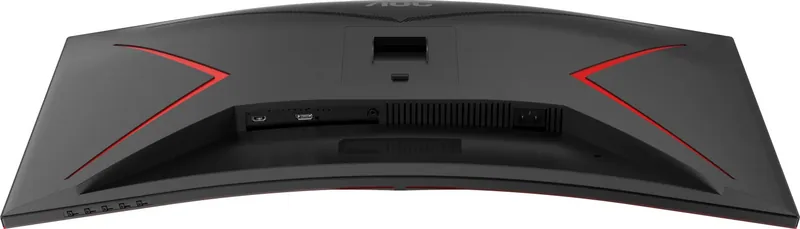
The monitor includes HDMI and DisplayPort video inputs, a headphone output, and a power connection. HDMI and DisplayPort are the primary choices for connecting a PC, console, or other compatible source.
Is this answer helpful?
Yes. It supports a 100 x 100 mm VESA mount. Use a compatible mounting arm and M4 screws sized according to the mount thickness, then follow the mounting hardware manufacturer's instructions.
Is this answer helpful?
Advantages and Disadvantages
Advantages

- 3440 x 1440 ultrawide resolution provides a spacious view for gaming, productivity, and multitasking.
- Up to 144 Hz at the native resolution through DisplayPort supports smooth, fast motion.
- Adaptive-Sync works through HDMI and DisplayPort to help reduce tearing with compatible hardware.
- PIP and PBP modes make it possible to work with two video sources on one screen.
- Gaming tools include aiming point, Shadow Control, Low Input Lag, Game Color, and customizable profiles.
Disadvantages

- The maximum 144 Hz refresh rate is available only through DisplayPort; HDMI reaches up to 100 Hz at 3440 x 1440.
- Some features, including MBR and Overdrive Boost, have limitations based on Adaptive-Sync status and refresh rate.
- The included HDMI and DisplayPort cables may vary by country or region.
- The supplied stand is described for tilt adjustment, so advanced ergonomic positioning may require a VESA arm.
- The monitor should not be tilted downward beyond 5 degrees to avoid potential screen damage.
Product Specification
Function
Monitor (stationary)
Diagonal
34 in
Resolution
3440 x 1440 (UWQHD), 21:9, 110 ppi
Panel
VA
Backlight
LED, blue light filter, flicker-free
Brightness
300 cd/m2 (typical)
Contrast
4,000:1 (static), 80,000,000:1 (dynamic)
HDR
HDR10
Response Time
4 ms (GtG), 1 ms (MPRT)
Refresh Rate
144 Hz (3440 x 1440)
Variable Synchronization
Adaptive Sync (48-144 Hz via DisplayPort, 48-144 Hz via HDMI)
Signal Frequency
30-220 kHz (H) / 48-144 Hz (V)
Ports
1 x HDMI 2.0 (100 Hz at 3440 x 1440), 1 x DisplayPort 1.4 (144 Hz at 3440 x 1440), 1 x 3.5 mm jack (line-out), 1 x AC-In C13 (power connection)
Shape
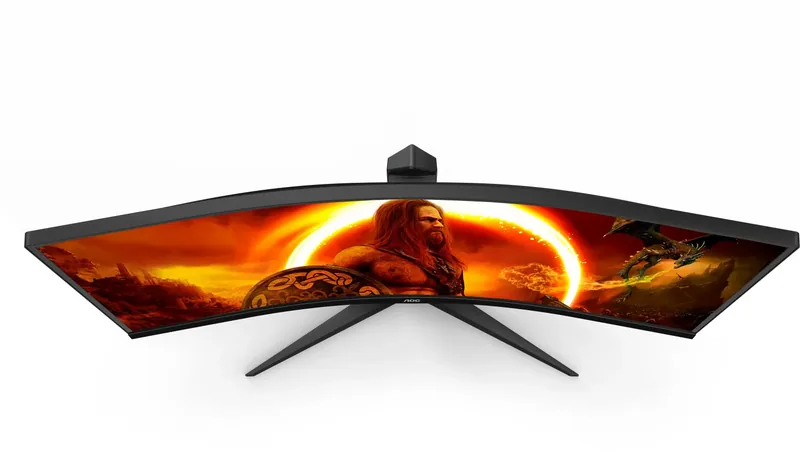
curved, 1500R / 59.06 in
Viewing Angles
178 degrees / 178 degrees
Coating
non-glare (matte)
Color Depth
8-bit (16.7 million colors)
FRC
N/A (native 8-bit)
sRGB
115%
Adobe RGB
98%
DCI-P3
92%
REC 709
115%
REC 2020
67%
Speakers
Speakers (2 x 2 W)
Controls
Mechanical buttons
Ergonomics
With stand, tiltable (+23 degrees / -5 degrees)
VESA
100 x 100 (occupied)
Power Consumption
84 W (maximum), 52 W (typical), 0.5 W (standby)
SDR Energy Efficiency (A to G)
31 kWh/1,000 h (F)
HDR Energy Efficiency (A to G)
65 kWh/1,000 h
Special Features
Security lock (Kensington Security Slot), picture-in-picture, slim bezel
Screen-to-Body Ratio
89.43% (calculated)
Dimensions
31.82 x 18.91 x 9.64 in (W x H x D) with stand, 31.82 x 14.47 x 4.05 in (W x H x D) without stand
Color
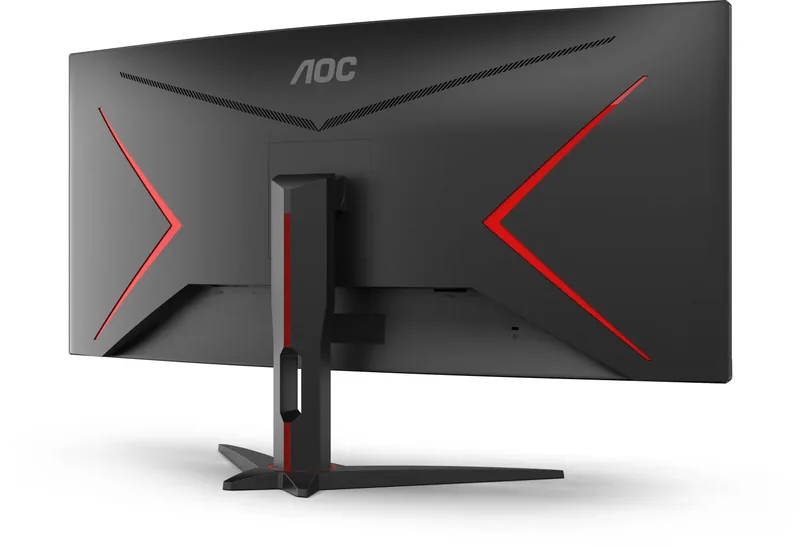
Black (display bezel) / black, red (lower bezel) / black, red (stand) / black, red (rear)
Weight
16.53 lb (with stand), 13.80 lb (without stand)
Power Supply
Internal
Warranty
Three years
USB Notation
Link
Product Description
AOC CU34G2XE/BK, 34" Manual: Ultrawide Gaming Made Practical
The AOC CU34G2XE/BK is a 34-inch ultrawide gaming monitor designed for players and multitaskers who want a wider, more immersive desktop. Its 3440 x 1440 resolution gives you extra horizontal workspace for games, streaming tools, timelines, and multiple application windows. The broad 21:9-style viewing area is especially useful when you prefer to keep chat, maps, or browser windows visible beside your main content.
With a maximum refresh rate of 144 Hz through DisplayPort, this model is built to deliver smoother motion than conventional 60 Hz displays. HDMI supports the same native 3440 x 1440 resolution at up to 100 Hz. Adaptive-Sync is available through both DisplayPort and HDMI, helping compatible systems reduce screen tearing and uneven motion during gameplay. For the best high-refresh experience, DisplayPort is the preferred connection.
Gaming Controls and Image Tools
The AOC CU34G2XE/BK, 34" Manual highlights a broad set of on-screen settings. Game Mode includes FPS, RTS, Racing, and three customizable Gamer profiles. Shadow Control can brighten or darken detailed areas, while Game Color adjusts saturation. Low Input Lag is available for a more direct gaming response, and the frame counter can display the current vertical frequency on screen with supported AMD graphics hardware.
Additional tools include an adjustable aiming point, LowBlue Mode presets, and Overdrive response-time settings. Motion Blur Reduction is adjustable from 0 to 20, although some performance functions depend on Adaptive-Sync status and refresh rate. The monitor also provides HDR modes for pictures, movies, and games, allowing users to tailor the image to their content.
Connections, Multitasking, and Setup
Connectivity includes HDMI, DisplayPort, a headphone output, and power input. Picture-in-Picture and Picture-by-Picture modes let you view two input sources at once, with options for source selection, window size, position, audio behavior, and swapping the displayed sources. This can be useful for combining a PC with a console, laptop, or secondary system.
The supplied setup accessories may include HDMI and DisplayPort cables, though availability can vary by region. The stand allows screen tilt adjustment, with a maximum downward tilt of 5 degrees. For alternative desk arrangements, the display supports 100 x 100 mm VESA mounting using compatible hardware.
Note: Connect cables only when the PC and monitor are powered off. Leave adequate space around the display for ventilation, use a grounded outlet, and clean the cabinet with a soft, nearly dry microfiber cloth.
Search for 67,706 Manuals online


Type-in Brand or Model