
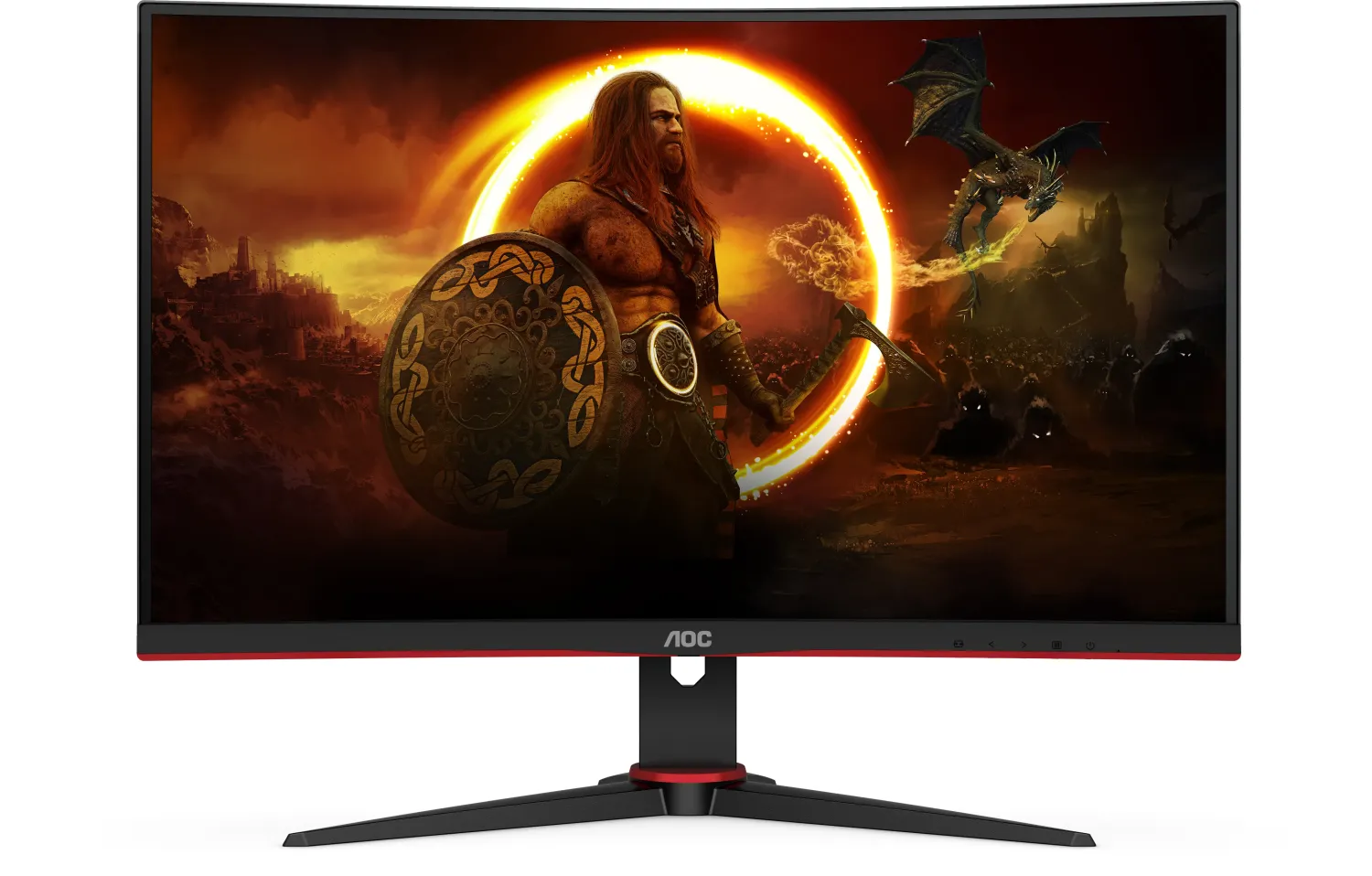
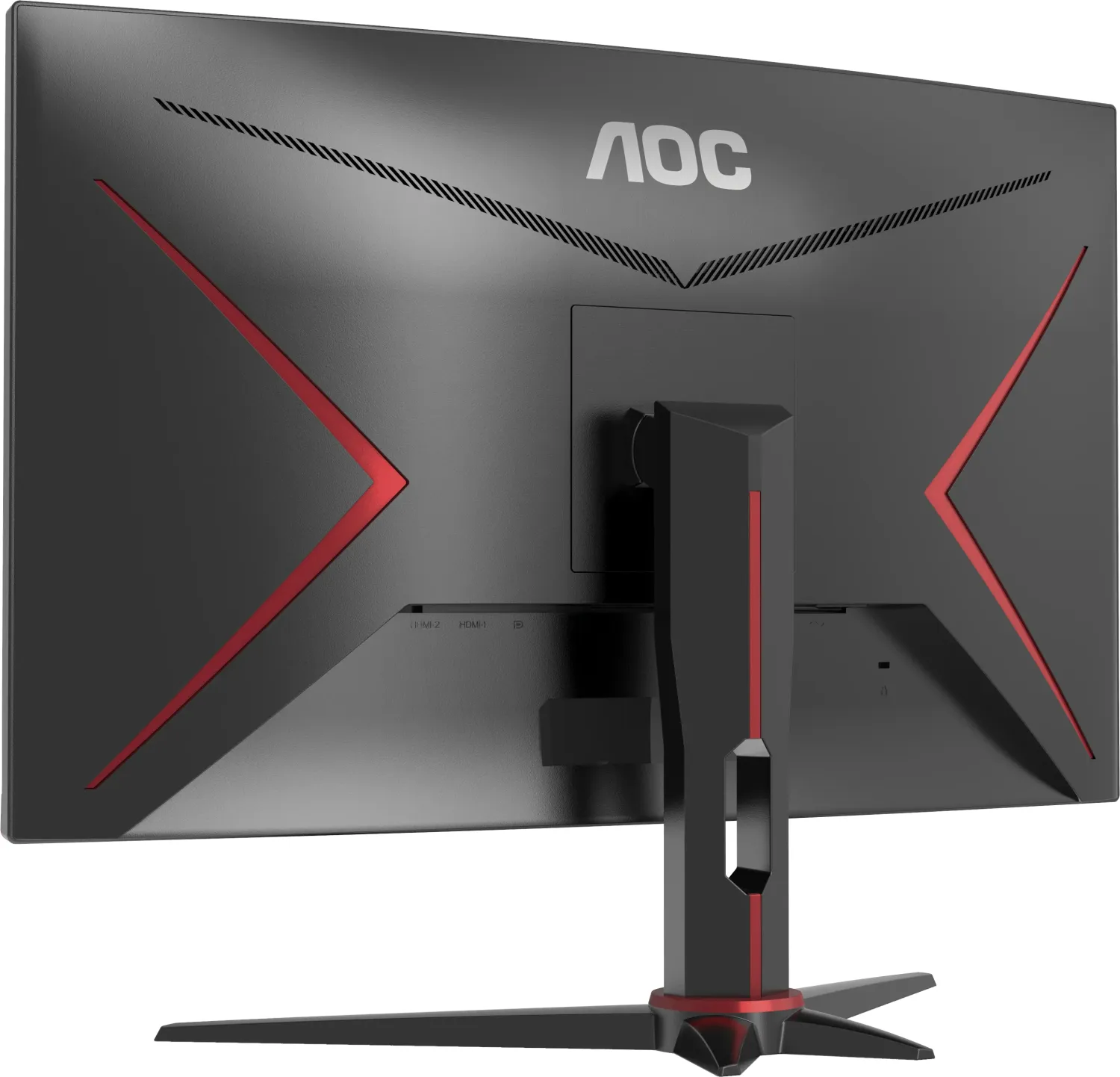
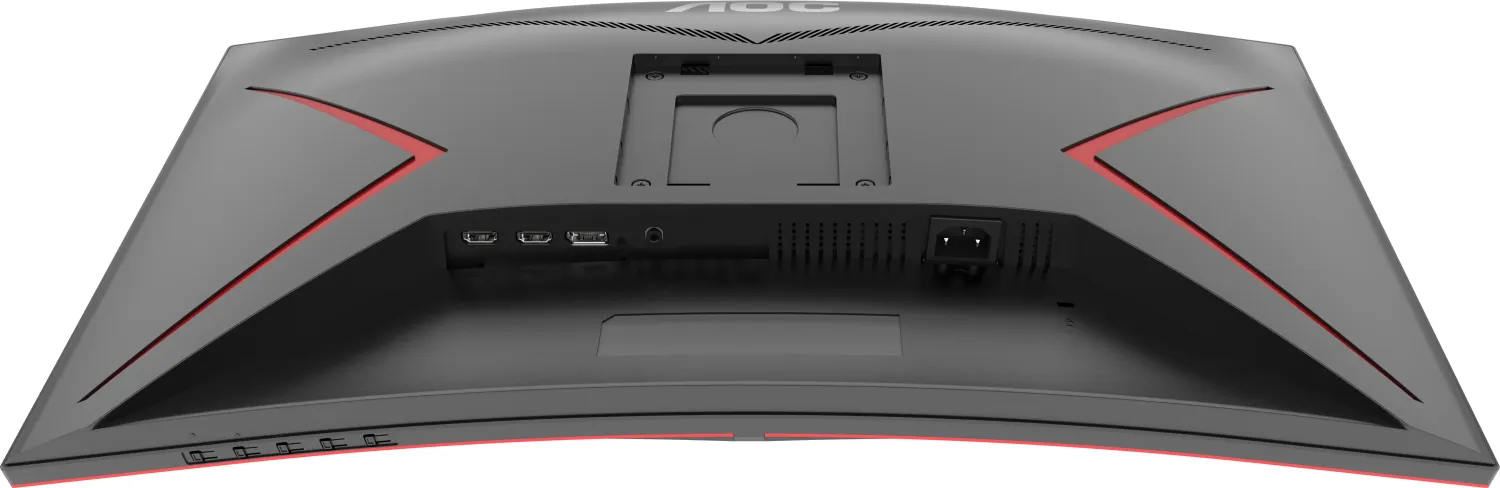
AOC CQ27G2SE/BK Manual
PDF manual · 31 Pages
English



Quick check
Incorrect answer, please try again.
Chat with your AOC CQ27G2SE/BK manual using AI
Get instant AI answers from your AOC CQ27G2SE/BK manual
Ask anything about the AOC CQ27G2SE/BK. Answers come from this manual, with the pages they are based on.
Ask a Question
Do you recommend CQ27G2SE/BK?
Yes NoFrequently Asked Questions
Yes, the monitor supports G-SYNC Compatible functionality when connected via DisplayPort or HDMI with a compatible NVIDIA graphics card and driver.
Is this answer helpful?
The maximum refresh rate reaches 165Hz using the DisplayPort connection, while HDMI supports up to 144Hz.
Is this answer helpful?
Use a soft cotton or microfiber cloth dampened with water. Do not allow liquid into the case and disconnect power before cleaning.
Is this answer helpful?
Yes, you can use a wall mounting arm purchased separately. Ensure you use an approved kit and follow safety tilt guidelines.
Is this answer helpful?
Adjust the contrast and brightness controls or press the hot-key to auto-adjust. Check cable connections and frequency settings.
Is this answer helpful?
Yes, Adaptive-Sync works with DP and HDMI ports on selective models with compatible graphics cards.
Is this answer helpful?
Press the Source button on the monitor controls to switch between HDMI or DisplayPort inputs automatically.
Is this answer helpful?
Advantages and Disadvantages
Advantages

- High refresh rate up to 165Hz via DisplayPort for smoother gaming experience.
- Supports Adaptive-Sync with AMD FreeSync Premium and G-SYNC for tear-free visuals.
- Curved design offers immersive field of view for entertainment and productivity tasks.
- Includes multiple connectivity options like HDMI and DisplayPort plus headphone jack.
- Adjustable stand allows tilt and height settings within safe ergonomic ranges.
Disadvantages

- OSD menu navigation requires careful button presses to avoid accidental settings changes.
- Cannot adjust color settings while HDR mode is active, limiting flexibility.
- Stand tilt limited to negative 5 degrees downward to prevent screen damage.
- Some cables like DP may not be included in all regions, check with dealer.
- No USB hub or built-in speakers mentioned, relying on external audio connections.
Product Specification
Function
Monitor (stationary)
Diagonal
27" (27.01 in)
Resolution
2560x1440 (QHD), 16:9, 109ppi
Panel
VA
Backlight
LED, Blue Light Filter, flicker-free
Brightness
250 cd/m^2 (typical)
Contrast
3,000:1 (static), 80,000,000:1 (dynamic)
HDR
HDR10
Response Time
4ms (GtG), 1ms (MPRT)
Refresh Rate
165Hz (2560x1440)
Variable Synchronization
Adaptive Sync, AMD FreeSync Premium
Signal Frequency
30-230kHz (H) / 48-165Hz (V)
Ports
2x HDMI 2.0 (144Hz@2560x1440), 1x DisplayPort 1.4 (165Hz@2560x1440), 1x 3.5mm Jack (Line-Out), 1x AC-In C13 (Power Input)
Shape
Curved (1500mm R 59.06 in)
Viewing Angle
178 deg / 178 deg
Coating
Non-Glare (matte), Hardness 3H
Color Depth
8bit (16.7 Million Colors)
FRC
Unknown
sRGB
121%
DCI-P3
91%
Controls
Mechanical Buttons
Ergonomics
With Stand, Height Adjustable (5.12 in), Pivot N/A, Swivel (+/-30 deg), Tilt (+22 deg/-4 deg)
VESA
100x100 (occupied)
Power Consumption
55W (max), 32W (typical), 0.5W (Standby)
Energy Efficiency SDR (A to G)
26kWh/1000h (F)
Energy Efficiency HDR (A to G)
39kWh/1000h (G)
Special Features
Security Lock (Kensington Security Slot), Slim Bezel
Screen-to-Body Ratio
89.35% (calculated)
Dimensions
24.11x15.69x8.95 in (WxHxD) with Stand (compressed), 24.11x14.46x2.88 in (WxHxD) without Stand
Color
black (Display Frame) / black, red (Bottom Bezel) / black, red (Stand) / black, red (Rear)
Weight
11.90 lbs (with Stand), 9.04 lbs (without Stand)
Power Supply
Internal
Warranty
3 Years
USB Specification
Link
Product Description
Discover the AOC CQ27G2SE/BK, 27" Monitor
Elevate Your Visual Experience
This curved display redefines immersive gaming environments for enthusiasts. The 144Hz refresh rate coupled with a 1ms response time ensures smooth motion without motion blur. Compatibility with G-SYNC and FreeSync Premium enhances fluidity across supported graphics cards from AMD and NVIDIA. HDR support brings deeper blacks and brighter highlights to compatible content, improving visual contrast significantly. The 2560 by 1440 resolution provides sharp text and detailed imagery on the 27 inch screen space.
Setup and Connectivity
Installation is straightforward with the included stand and base assembly. Users can remove the base or setup the stand following provided steps. The rear panel houses dual HDMI ports and a DisplayPort connection with audio capability. Wall mounting is supported with VESA compatibility, adhering to strict safety guidelines regarding tilt angles and ventilation spacing to prevent overheating. Always follow safety warnings about power sources and grounding to prevent electrical hazards during operation. Never block ventilating openings or place the unit near liquid sources.
Customization and Control
The On-Screen Display menu offers extensive control without software installation. Users can adjust brightness, contrast, gamma, and color temperature manually. Specific settings include DCR, Color Boost, and Picture Boost for enhanced visuals. Game modes like FPS and Racing allow quick profile switching for specific genres. Low Input Lag options reduce delay between input and display response. Note that DCR and Color Boost states allow only one state to exist simultaneously for proper function.
Safety and Power Management
The unit features a three-pronged grounded plug ensuring safety. Do not defeat the safety purpose of the ground. Unplug the unit during lightning storms to protect from power surges. Ensure the monitor is operated only from the indicated power source. Leave at least 12 inches of space around the set for air circulation. Tilt angles must not exceed negative 5 degrees to avoid screen damage.
Maintenance and Longevity
Cleaning the cabinet requires a damp soft cloth or microfiber material. Avoid liquids entering the case to protect internal circuits from short circuits. Always disconnect the power cord before cleaning. Ensure adequate ventilation space around the unit to prevent overheating during extended use. The monitor supports Plug and Play DDC2B features for seamless integration with your host system drivers. Operating temperature ranges are defined for safety and performance stability under various conditions.
Why Choose This Model
It combines responsive gaming performance with versatile connectivity options. The AOC CQ27G2SE/BK, 27" Manual provides essential guidance for safe operation and feature activation. This device is designed for both competitive play and media consumption. Users appreciate the ergonomic adjustment capabilities and the robust build quality. Whether for work or play, this setup delivers reliable performance.
Search for 67,706 Manuals online


Type-in Brand or Model