
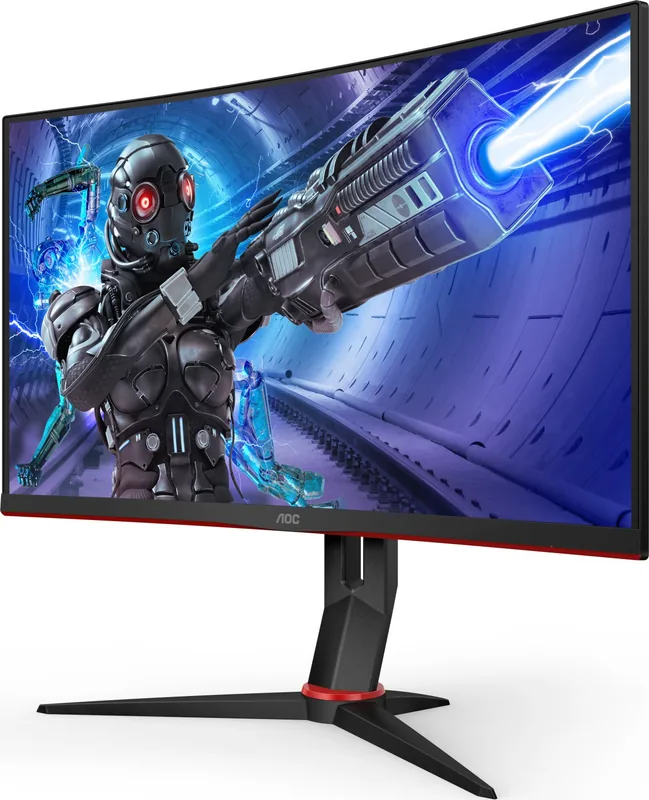
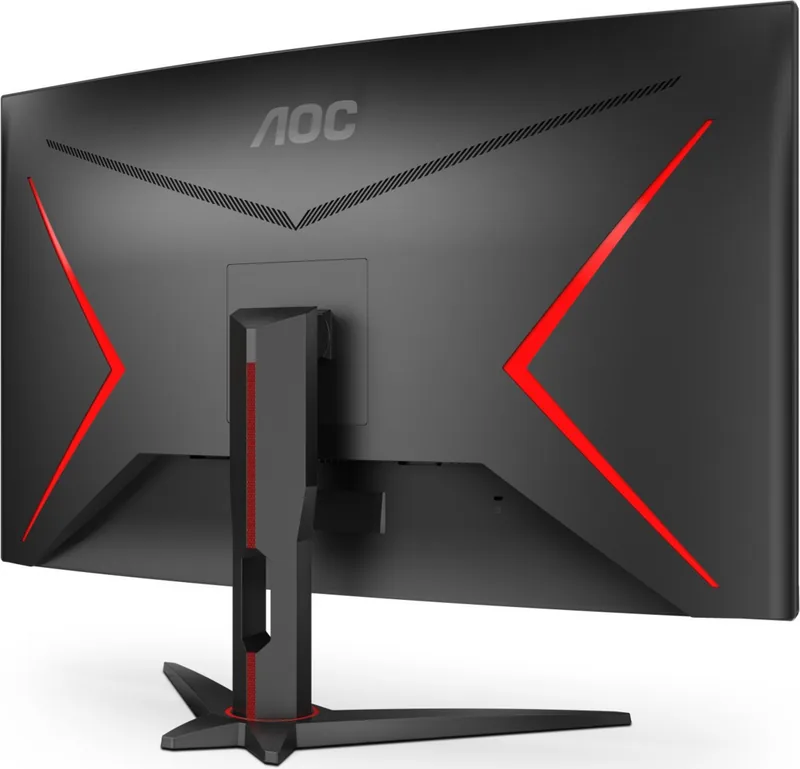
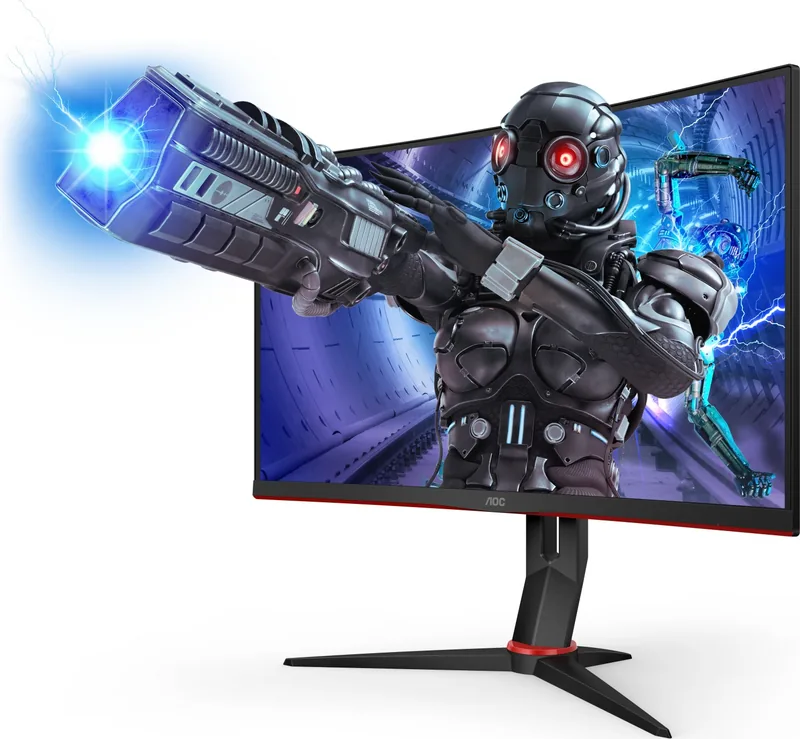
AOC C32G2ZE/BK Manual
PDF manual · 27 Pages
English



Quick check
Incorrect answer, please try again.
Chat with your AOC C32G2ZE/BK manual using AI
Get instant AI answers from your AOC C32G2ZE/BK manual
Ask anything about the AOC C32G2ZE/BK. Answers come from this manual, with the pages they are based on.
Ask a Question
Do you recommend C32G2ZE/BK?
Yes No
GamerMax
5 months ago
Is there a German manual for this monitor since some reviews only mention Chinese and English?

Manual.ly
5 months ago
Thank you for your inquiry. The current product manual and description are provided in Chinese and English only. German documentation is not included in the standard package. You may visit our official support page to check for downloadable regional manuals or contact our customer service team for further assistance.
Frequently Asked Questions
Hold the stand firmly while tilting the screen between five and twenty-three degrees. Do not touch the LCD screen directly to prevent damage.
Is this answer helpful?
Include power cable, DP cable, and HDMI cable. These connect the monitor to the PC for video and power.
Is this answer helpful?
Connect via HDMI 2 or DisplayPort. Enable the feature in your graphics card settings and monitor OSD.
Is this answer helpful?
Check the power cord connection and input cable. Reboot the computer to see if the screen initializes properly.
Is this answer helpful?
Use a soft cloth with mild detergent. Disconnect power first and do not spray liquid directly on the panel.
Is this answer helpful?
Yes, press and hold the Menu button while powering on the monitor to enable the lock function.
Is this answer helpful?
The monitor supports 1920 by 1080 at up to 240 Hz for the best visual experience.
Is this answer helpful?
Advantages and Disadvantages
Advantages

- High 240Hz refresh rate for smooth gaming motion
- FreeSync Premium support reduces screen tearing effectively
- Multiple video inputs allow connecting various devices easily
- Eco mode helps save energy during low usage periods
- Customizable game modes optimize settings for specific genres
Disadvantages

- OSD settings lock requires specific hotkey combination to change
- Some brightness controls disable when HDR mode is active
- Stand tilt range limits extreme viewing angle adjustments
- Power switch is a button rather than a physical slider
- No built-in USB hub for peripheral connectivity mentioned
Product Specification
Feature
Monitor (Fixed)
Diagonal
31.5"
Resolution
1920x1080 (FHD), 16:9, 70 ppi
Panel
VA
Backlight
LED, Blue Light Filter, flicker-free
Brightness
300 cd/m2 (typical)
Contrast
3,000:1 (static), 80,000,000:1 (dynamic)
Response Time
4ms (GtG), 1ms (MPRT)
Refresh Rate
240Hz (1920x1080)
Variable Refresh Rate
Adaptive Sync, AMD FreeSync Premium certified (48-240Hz via DisplayPort, 48-240Hz via HDMI, with LFC support, without HDR)
Scan Frequency
30-255kHz (H) / 48-240Hz (V)
Ports
2x HDMI 2.0, 1x DisplayPort 1.2, 1x 3.5mm Jack (Line-Out), 1x AC-In C13 (Power-In)
Shape
Curved, 1500R / 1.50m
Viewing Angle
178 deg / 178 deg
Coating
non-glare (matte)
Color Depth
8bit (16.7 Million colors)
FRC
unknown
sRGB
123%
Adobe RGB
91%
Controls
Mechanical buttons
Ergonomics
With Stand, height adjustable N/A, Pivot N/A, rotatable (+/-30 deg), tilt (+22/-4 deg)
VESA
100x100 (mounting)
Power Consumption
45W (typical), 0.5W (Standby)
Energy Efficiency SDR (A to G)
32kWh/1000h (F)
Special Features
Security Lock (Kensington Security Slot), Slim Bezel
Screen-to-Body Ratio
Inf% (calculated)
Dimensions
28.07 x 22.05 x 9.65 inch (WxHxD) with Stand
Color
Black (Display Frame) / Black, Red (Lower Bezel) / Black, Red (Stand) / Black, Red (Rear)
Weight
15.39 lbs (with Stand), 12.50 lbs (without Stand)
Power Supply
Internal
Warranty
three years
USB Spelling
Link
Product Description
Experience the AOC C32G2ZE/BK Performance
The AOC C32G2ZE/BK, 31.5" Manual provides detailed insights into maximizing your display setup for professional and personal use. This monitor delivers an immersive curved experience tailored specifically for hardcore gamers and creative professionals alike. The 31.5 inch panel utilizes a TN panel technology to achieve high refresh rates and fast response times essential for competitive play. You will find the optimal resolution set at 1920 by 1080 pixels ensuring crisp text and clear imagery for all types of content.
Connectivity and Gaming Features
Connecting to your PC is simplified with dual HDMI ports and a DisplayPort input for versatile compatibility. FreeSync Premium function works seamlessly with specific graphics cards to minimize visual artifacts during intense action. This technology ensures fluid movement during high speed sequences in popular titles without screen tearing issues. The Game Setting menu includes modes for FPS, RTS, Racing and custom Gamer profiles to optimize visuals instantly. Shadow control features enhance visibility in dimly lit scenes without washing out bright colors in the image.
Installation and Physical Adjustments
Setup begins with securing the stand to the base firmly following the instructional diagrams provided carefully. The viewing angle ranges from five degrees down to twenty-three degrees up to suit your body posture. Hold the stand carefully to prevent toppling the monitor while adjusting the angle on your desk. Ensure adequate ventilation space remains around the device to avoid overheating during long sessions of operation. The physical dimensions allow for comfortable viewing distances in a standard desk setup for home offices.
Software and OSD Management
The On Screen Display menu allows adjustments of brightness, contrast and color temperature settings easily. You can select Eco modes to reduce power consumption during idle times or when the system is less active. HDR mode settings affect how the monitor processes high dynamic range content for better contrast perception. Note that some settings become unavailable when HDR is active to ensure image integrity remains consistent. The LED indicator shows power status with distinct colors for different modes to provide feedback.
Cleaning and Maintenance Tips
Regular cleaning protects the screen surface from dust accumulation and stubborn stains over time. Use a soft cloth with mild detergent for cleaning tasks to maintain the screen clarity. Always disconnect the power cord before wiping down the cabinet to ensure personal safety. Avoid spraying liquids directly onto the panel to prevent internal damage or electrical shorts. Strong detergents should be avoided as they may cauterize the product cabinet finish and cause permanent marks.
Technical Specifications Overview
The device supports up to 240 Hz vertical refresh rate for smooth motion rendering in games. Plug and Play features simplify driver installation through VDDC2B capabilities on the host system. Power consumption stays typical at 45 watts for standard operation and up to sixty watts maximum. Environmental conditions for operation support temperatures between zero and forty degrees Celsius for safe use. Altitude ratings allow use at elevations up to 5000 meters above sea level easily. Proper installation ensures the longevity of the unit for years of performance and reliability.
Support and Troubleshooting
If images do not display correctly, check your cable connections and the power supply. The LED light status indicates the current mode of the device clearly. Input frequency must match the video card output to avoid unsupported signal errors. Rebooting the computer can help reset the initial screen recognition if issues persist. Contact the service center if the unit emits smoke or strange sounds during operation.
Search for 67,706 Manuals online


Type-in Brand or Model
Markus Weber
7 months ago
Can the monitor stand be adjusted for height, or only tilted?
Manual.ly
7 months ago
Thank you for inquiring. The integrated stand for this model supports tilting only and does not feature height adjustment functionality. Users looking to customize vertical positioning should consider using an external VESA-compatible monitor arm. This allows for flexible ergonomic setup while maintaining the monitor's secure attachment. Thank you.