
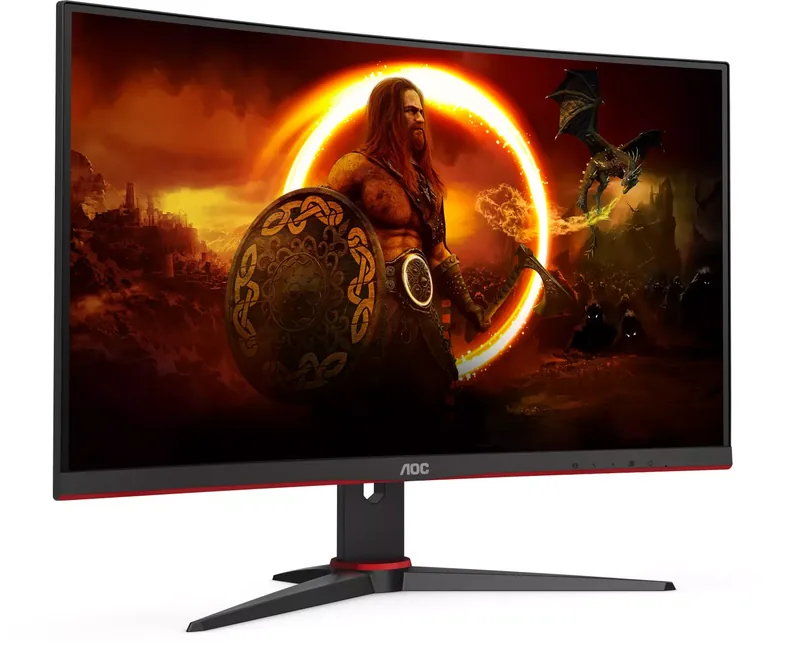
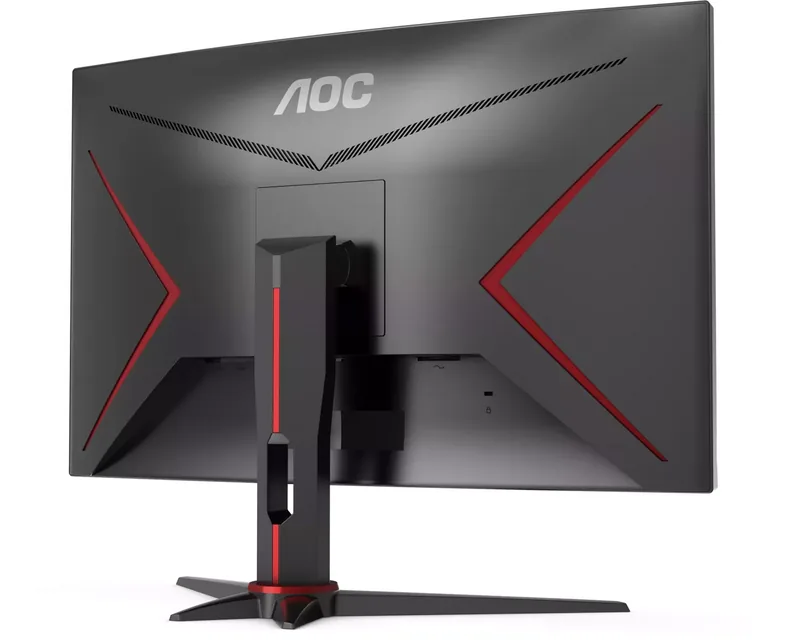
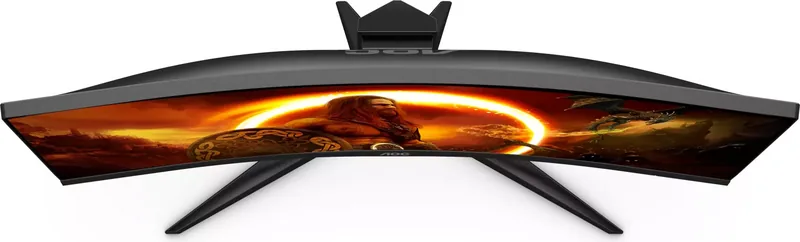
AOC C27G2E/BK Manual
PDF manual · 29 Pages
English



Quick check
Incorrect answer, please try again.
Chat with your AOC C27G2E/BK manual using AI
Get instant AI answers from your AOC C27G2E/BK manual
Ask anything about the AOC C27G2E/BK. Answers come from this manual, with the pages they are based on.
Ask a Question
Do you recommend C27G2E/BK?
Yes NoFrequently Asked Questions
The monitor supports 1920 x 1080 resolution. Through HDMI or DisplayPort, it can reach up to 165 Hz. Through the VGA connection, the listed maximum is 1920 x 1080 at 60 Hz.
Is this answer helpful?
Yes. AMD FreeSync Premium is supported through DisplayPort and HDMI with compatible AMD graphics hardware. DisplayPort capability should be set to DP 1.2 when the source supports it, because the menu notes that FreeSync Premium requires DP 1.2 over DisplayPort.
Is this answer helpful?
The rear connections include two HDMI inputs, one DisplayPort input, one VGA or D-Sub input, a headphone output, and the power connection. This allows connection to modern PCs and consoles as well as selected older devices.
Is this answer helpful?
The game settings include FPS, RTS, Racing, and three custom Gamer modes. Users can adjust Shadow Control, Low Input Lag, Game Color, Overdrive, AMD FreeSync, a frame counter, and Motion Blur Reduction. A target-point overlay is also available from a shortcut button.
Is this answer helpful?
It can be prepared for an optional wall-mount arm. Remove the base, follow the mount maker's instructions, align the arm with the rear mounting points, and reconnect the cables. Confirm VESA hole availability and mount compatibility for the specific unit before purchase.
Is this answer helpful?
Disconnect the power cable before cleaning. Use a soft cotton or microfiber cloth that is lightly dampened with water and almost dry. Avoid letting liquid enter the housing, and do not use cleaning methods that could damage the panel or enclosure.
Is this answer helpful?
Advantages and Disadvantages
Advantages

- Up to 165 Hz Full HD operation through HDMI or DisplayPort supports smooth, fast-paced gameplay.
- AMD FreeSync Premium can reduce screen tearing and stutter with compatible AMD graphics hardware.
- Gaming tools include Low Input Lag, Overdrive, MBR, Shadow Control, game presets, frame counter, and target point.
- Two HDMI ports, DisplayPort, VGA, and headphone output provide useful connection flexibility.
Disadvantages

- The 165 Hz maximum is available only through HDMI or DisplayPort; VGA is limited to 1920 x 1080 at 60 Hz.
- The supplied stand is described for tilt adjustment, without stated height, swivel, or pivot adjustment.
- MBR and Overdrive Boost are available only when AMD FreeSync Premium is turned off.
- VESA mounting-hole availability may vary, so compatibility should be confirmed before buying a mount.
Product Specification
Function
Monitor (desktop)
Diagonal
27 in (68.6 cm)
Resolution
1920x1080 (FHD), 16:9, 82 ppi
Panel
VA
Backlight
LED, blue light filter, flicker-free
Brightness
350 cd/m2 (typical)
Contrast
3,000:1 (static), 80,000,000:1 (dynamic)
Response Time
4 ms (GtG), 1 ms (MPRT)
Refresh Rate
165 Hz (1920x1080)
Variable Synchronization
Adaptive Sync
Signal Frequency
30-200 kHz (H) / 48-165 Hz (V)
Ports
1x VGA (60 Hz at 1920x1080), 2x HDMI 2.0 (165 Hz at 1920x1080), 1x DisplayPort 1.2 (165 Hz at 1920x1080), 1x 3.5 mm jack (line-out), 1x AC-In C13 (power connection)
Shape
curved, 1500R / 59.06 in
Viewing Angle
178 degrees / 178 degrees
Coating
non-glare (matte), 3H hardness
Color Depth
8-bit (16.7 million colors)
FRC
unknown
sRGB
99%
Adobe RGB
84%
Speakers
speakers (2x 2 W)
Controls
mechanical buttons
Ergonomics
with stand, height adjustment N/A, pivot N/A, swivel N/A, tilt (+22 degrees / -4 degrees)
VESA
100x100 (occupied)
Power Consumption
31 W (typical), 0.3 W (standby)
SDR Energy Efficiency (A to G)
21 kWh/1000 h (E)
HDR Energy Efficiency (A to G)
21 kWh/1000 h (E)
Special Features
security lock (Kensington Security Slot), slim bezel
Screen-to-Body Ratio
89.35% (calculated)
Dimensions
24.11x18.29x8.95 in (WxHxD) with stand, 24.11x14.46x2.88 in (WxHxD) without stand
Color
black (display bezel) / black, red (bottom bezel) / black, red (stand) / black, red (rear)
Weight
9.13 lb (with stand)
Power Supply
internal
Warranty
three years
USB Notation
Link
Product Description
AOC C27G2E/BK, 27" Manual: Full HD Gaming Monitor Overview
The AOC C27G2E/BK is a 27-inch gaming monitor designed for players who want a responsive Full HD experience with flexible connectivity and extensive on-screen controls. Its 68.6 cm visible TFT LCD panel delivers 1920 x 1080 resolution and supports refresh rates of up to 165 Hz through HDMI or DisplayPort. This combination helps motion appear smoother in fast games and gives compatible systems a more fluid desktop experience.
Built for Fast, Adjustable Gameplay
A key feature is AMD FreeSync Premium support through DisplayPort and HDMI. When paired with compatible AMD hardware, this technology can synchronize the monitor and graphics output to reduce tearing and stutter. The gaming menu also offers Low Input Lag, Overdrive response settings, Motion Blur Reduction, Shadow Control, Game Color adjustment, and an optional frame counter. Dedicated FPS, RTS, and Racing modes provide quick presets, while three Gamer profiles allow personal settings to be stored.
The monitor includes a target-point overlay that can be enabled from a shortcut button. This can be useful for games without a permanent crosshair. Users can also tune brightness, contrast, gamma, sharpness, color temperature, and Low Blue Mode settings from the OSD menu. HDR Picture, HDR Movie, and HDR Game modes are available for compatible content and preferences.
Connections and Everyday Flexibility
The AOC C27G2E/BK includes two HDMI inputs, DisplayPort, VGA, and a headphone output. HDMI and DisplayPort are the connections to use for the highest 1920 x 1080 at 165 Hz capability, while VGA offers compatibility with older equipment at lower maximum refresh rates. The monitor is also compatible with VESA DDC2B/CI Plug and Play functions for straightforward setup with supported computers.
The stand lets users adjust the viewing angle, with a stated downward tilt limit of 5 degrees. For alternative desk layouts, the display can be prepared for an optional wall-mount arm where supported. Care should be taken to use approved mounting hardware and maintain clear space around the monitor for ventilation.
Notes
For the best gaming result, connect via DisplayPort or HDMI, select the 165 Hz refresh rate in the computer settings, and enable FreeSync Premium where supported. The monitor uses approximately 31 W under typical stated settings and less than 0.3 W in standby mode.
Search for 67,706 Manuals online


Type-in Brand or Model