
AOC C27G2AE Manual
PDF manual · 28 Pages
English



Quick check
Incorrect answer, please try again.
Chat with your AOC C27G2AE manual using AI
Get instant AI answers from your AOC C27G2AE manual
Ask anything about the AOC C27G2AE. Answers come from this manual, with the pages they are based on.
Ask a Question
Do you recommend C27G2AE?
Yes NoFrequently Asked Questions
The monitor supports a maximum refresh rate of 165 Hz when connected using HDMI or DisplayPort cables. VGA connections are limited to lower frequencies, typically up to 75 Hz depending on the configuration.
Is this answer helpful?
Yes, AMD FreeSync Premium is available on selected models. It functions with DisplayPort and HDMI connections to synchronize the display with supported graphics cards like Radeon series.
Is this answer helpful?
The unit features HDMI, DisplayPort, and D-Sub (VGA) ports for video signal transmission. It also includes an audio output jack for headphones.
Is this answer helpful?
The stand design allows for tilt adjustments to change the viewing angle. It does not support height or pivot adjustments, so users should place the monitor on a stable surface at the desired level.
Is this answer helpful?
The typical power consumption is 25 Watts with brightness set to 90 and contrast at 50. Maximum consumption is capped at 38 Watts. It also supports an eco mode for lower energy use.
Is this answer helpful?
Check the power cable connection and ensure the signal cable is securely plugged into both the monitor and computer. If the PC is on, try restarting it or checking the input source selection in the OSD menu.
Is this answer helpful?
Yes, the LowBlue Mode and various color presets like Internet or Reading modes make it suitable for office tasks. The 27-inch size provides ample screen real estate for multitasking.
Is this answer helpful?
Advantages and Disadvantages
Advantages

- High refresh rate up to 165Hz via HDMI and DP
- Multiple input options including VGA and HDMI
- Supports AMD FreeSync Premium on selected models
- LowBlue Mode reduces eye strain effectively
Disadvantages

- Stand only supports tilt adjustment without height change
- Max resolution is 1920x1080 which limits 4K usage
- VGA input does not support the highest refresh rates
- No integrated speakers included in the package
Product Specification
Function
Monitor (stationary)
Diagonal
27" (27.01")
Resolution
1920x1080 (FHD), 16:9, 82 ppi
Panel
VA
Backlight
LED, Blue Light Filter, flicker-free
Brightness
250 cd/m2 (typical)
Contrast
4,000:1 (static), 80,000,000:1 (dynamic)
Response Time
1ms (MPRT)
Refresh Rate
165Hz (1920x1080)
Variable Synchronization
Adaptive Sync, AMD FreeSync Premium certified (48-165Hz via DisplayPort, 48-144Hz via HDMI, with LFC support, without HDR)
Signal Frequency
30-200kHz (H) / 48-165Hz (V)
Form
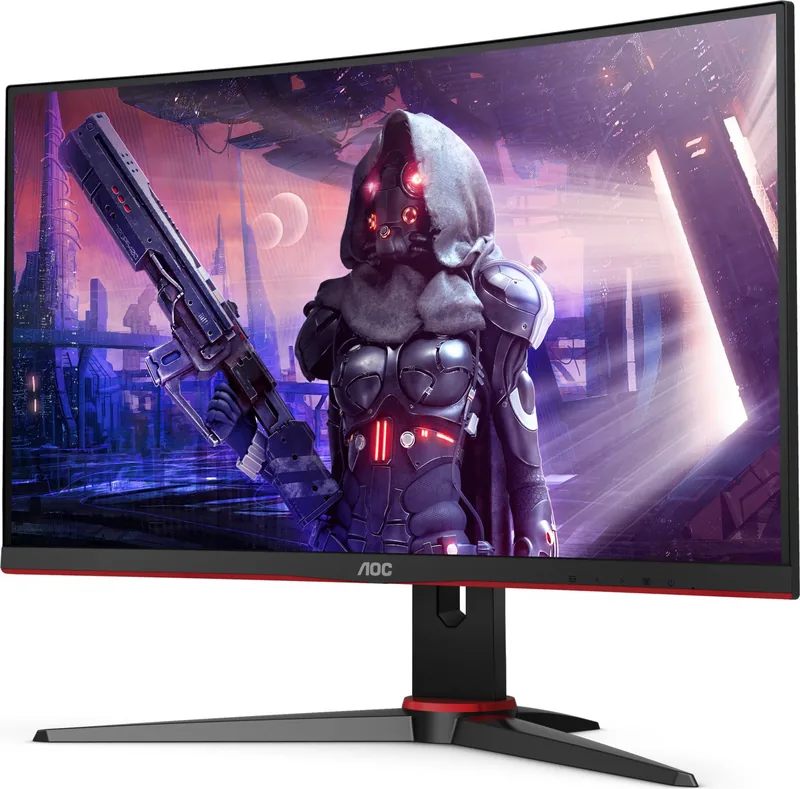
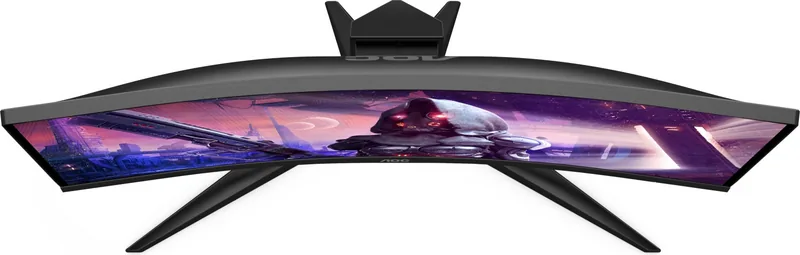
curved, 1500R / 1.5m
Viewing Angle
178 deg / 178 deg
Coating
non-glare (matte), Hardness 3H
Color Depth
8bit (16.7 Million colors)
FRC
unknown
sRGB
120%
Adobe RGB
89%
Speakers
Speakers (2x 2W)
VESA
100x100 (occupied)
Power Consumption
31W (typical), 0.3W (Standby), 32W (Energy Label old A+++ to G)
Energy Efficiency SDR (A to G)
23kWh/1000h (F)
Energy Efficiency old (A+++ to G)
46.7kWh (B)
Features
Security Lock (Kensington Security Slot), Slim Bezel
Screen-to-Body Ratio
89.48% (calculated)
Color
black (display frame) / black, red (lower bezel) / black, red (stand foot) / black, red (back side)
Power Supply
Internal
Warranty
3 years
USB Layout
Left
Product Description
AOC C27G2 Gaming Monitor Overview
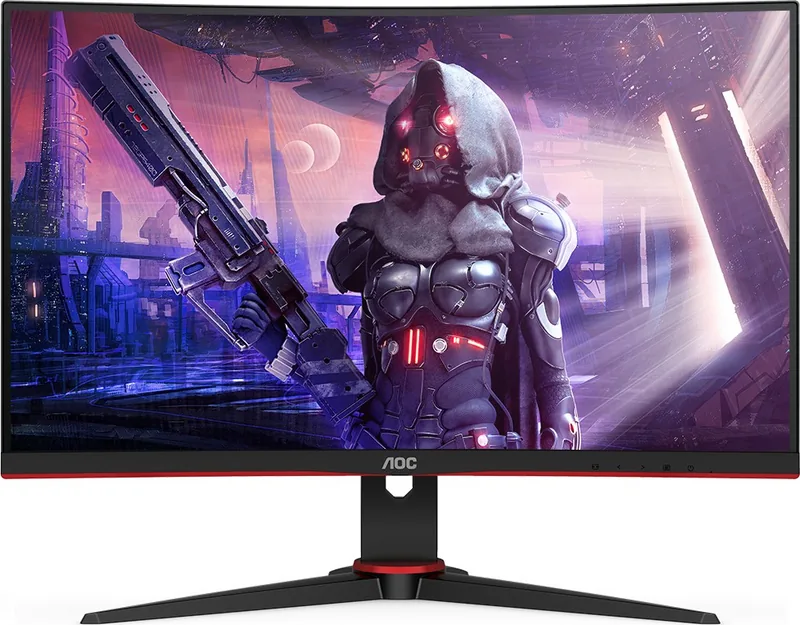
The AOC C27G2 is designed for gamers seeking high performance and visual clarity on a 27-inch screen. With a resolution of 1920x1080, this monitor delivers crisp Full HD visuals that are ideal for competitive gaming. One of the standout features is the ability to reach refresh rates up to 165 Hertz when connected via DisplayPort or HDMI. This smoothness reduces motion blur and provides a competitive edge in fast-paced titles. The screen utilizes a TFT LCD panel capable of displaying 16.7 million colors for vivid imagery. It supports adaptive sync technologies to prevent screen tearing when paired with compatible graphics cards.
Setting up the display is straightforward, though attention to detail ensures optimal performance. The device requires a grounded three-pin plug for safety to prevent electrical hazards. Users must ensure adequate ventilation space around the unit to prevent overheating during extended play sessions. Connections include HDMI, DisplayPort, and VGA ports, offering flexibility for various computer setups. When cables are secure and the source device is powered, the monitor initializes quickly. It supports Plug and Play technology for seamless integration with the host system. Audio output is available via a headphone jack, allowing users to connect external speakers or headsets directly to the display unit.
Customization is key to the gaming experience. The On-Screen Display menu allows adjustments for brightness, contrast, and color temperature. The Game Setting menu offers specialized modes for FPS, RTS, and racing games. Features like Shadow Control enhance visibility in dark areas of a game without washing out bright spots. Additionally, the LowBlue Mode minimizes harmful blue light emission to reduce eye strain during long hours of use. Picture Boost also allows for visual enhancements like a bright frame to increase the visual experience. Users can lock the menu to prevent accidental changes while gaming.
While the built-in menu outlines these features extensively, consulting the AOC C27G2 Manual is highly recommended for first-time setup. It provides specific guidance on installation steps, such as mounting the stand, and troubleshooting common issues like signal loss. The stand offers tilt adjustment, allowing users to find the most comfortable viewing angle. Power consumption is efficient, typically drawing 25W with a maximum of 38W. If the monitor displays no image, checking the input selection and cable connections is crucial. Overall, this monitor combines responsive performance with user-friendly settings for a balanced home gaming environment. Whether you are working or playing, the ergonomic design and extensive connectivity make it a robust choice for modern users who demand reliability and speed. Proper handling ensures long-term durability and consistent quality.
Additional safety notes advise against using non-UL listed computers and keeping liquids away from the device. This ensures the longevity of the hardware and user safety during operation.
Search for 67,706 Manuals online


Type-in Brand or Model