
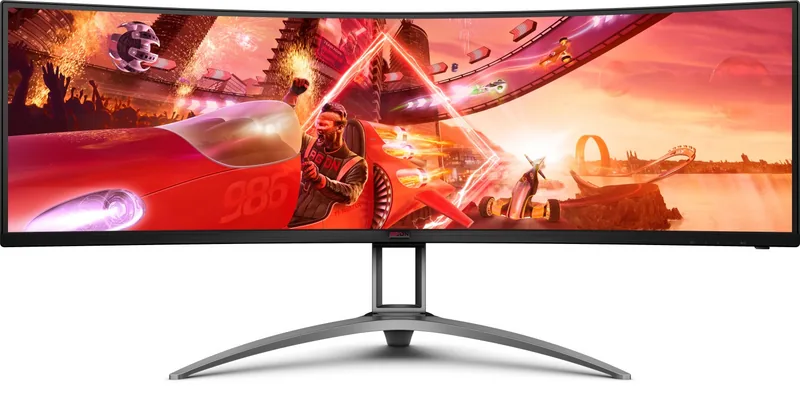
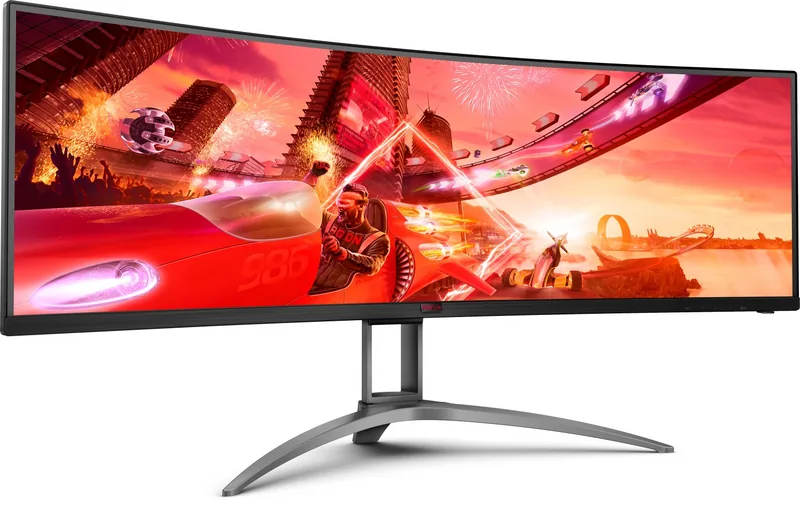
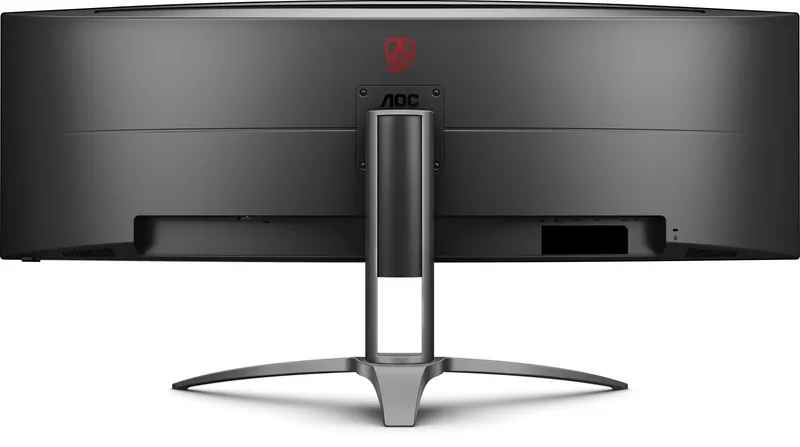
AOC Agon AG493UCX Manual
PDF manual · 31 Pages
English



Quick check
Incorrect answer, please try again.
Chat with your AOC Agon AG493UCX manual using AI
Get instant AI answers from your AOC Agon AG493UCX manual
Ask anything about the AOC Agon AG493UCX. Answers come from this manual, with the pages they are based on.
Ask a Question
Do you recommend Agon AG493UCX?
Yes NoFrequently Asked Questions
Yes, it supports HDR10 format via HDMI and DisplayPort inputs. However, USB-C and DisplayPort on older Windows versions may not support HDR features.
Is this answer helpful?
Connect the power cord to a grounded outlet and link signal cables like HDMI or DisplayPort to your PC. Turn off devices before connecting to protect equipment from surges.
Is this answer helpful?
Yes, it features game modes for FPS, Racing, and RTS. Adaptive-Sync reduces input lag and tearing for smoother competitive play.
Is this answer helpful?
Use only the provided three-pronged grounded plug. Avoid liquids near the unit and ensure proper ventilation to prevent overheating or fire hazards during operation.
Is this answer helpful?
Use the remote control or monitor buttons to access the menu. Press Enter to select and move keys to navigate through brightness, color, and game options.
Is this answer helpful?
Included items typically are a stand, base, remote, power cable, DP cable, HDMI cable, and USB cable. Some regions may not include all signal cables.
Is this answer helpful?
Yes, use a VESA approved mounting kit. Ensure proper clearance for air circulation and follow manufacturer instructions to secure the panel safely.
Is this answer helpful?
Advantages and Disadvantages
Advantages

- Supports HDR10 for vibrant colors and deep blacks in compatible content
- Adaptive-Sync technology prevents screen tearing during fast gaming
- Extensive connectivity with Dual HDMI, Dual DP, and USB-C with Power Delivery
- Large 49-inch ultrawide screen enhances productivity and immersion
- Sturdy stand allows height and tilt adjustments for ergonomic comfort
Disadvantages

- Overdrive setting on strong may cause image blur artifacts
- USB-C interface does not support HDR function on certain versions
- HDR mode disables some game settings like Shadow Control and Game Color
- Screen dimming occurs when HDR is active at full resolution
- Requires powerful graphics card to handle 5120x1440@120Hz refresh rates
Product Specification
Type
Monitor (stationary)
Screen Size
49 inches
Resolution
5120x1440 (DQHD), 32:9, 109 ppi
Panel
VA, Manufacturer: Samsung
Backlight
LED, Blue Light Filter, flicker-free
Brightness
550 cd/m² (Typical)
Contrast
3,000:1 (Static), 80,000,000:1 (Dynamic)
HDR
VESA DisplayHDR 400
Response Time
4 ms (GtG), 1 ms (MPRT)
Refresh Rate
120 Hz (5120x1440)
Variable Refresh Rate
Adaptive Sync, AMD FreeSync Premium certified (48-144 Hz via DisplayPort, 48-144 Hz via HDMI, with LFC Support, with HDR)
Signal Frequency
30-200 kHz (H) / 48-120 Hz (V)
Ports
2x HDMI 2.0, 2x DisplayPort 1.4, 1x USB-C 3.0 with DisplayPort 1.2 (Upstream, 5 Gb/s, PD 65W), 1x USB-B 3.0 (Upstream, 5 Gb/s), 3x USB-A 3.0 (Downstream, 5 Gb/s), 1x 3.5mm Jack (Line-Out), 1x DC-In Barrel Jack (Power)
Shape
Curved, 1800R / 1.8 m
Viewing Angles
178 deg / 178 deg
Coating
Non-glare (Matte), Hardness 3H
Color Depth
8 Bit (16.7 Million Colors)
FRC Support
N/A (8 Bit Native)
sRGB
121%
Adobe RGB
90%
DCI-P3
93%
Speakers
Speakers (2x 5 W)
Controls
Mechanical buttons, Remote control included
Ergonomics
with Stand, Height adjustable (3.94 inches), Pivot N/A, Rotatable (+/- 15 deg), Tilt (+14 deg / -4 deg)
VESA Mount
100x100 (Included)
Power Consumption
60 W (Typical), 0.5 W (Standby), 78 W (Legacy Energy Label A+++ to G)
SDR Energy Efficiency
52 kWh/1000 h (G)
HDR Energy Efficiency
75 kWh/1000 h (G)
Legacy Energy Efficiency
113.9 kWh (B)
Features
Security Lock (Kensington Security Slot), KVM-Switch, Picture-in-Picture, Slim Bezel
Screen-to-Body Ratio
91.63% (Calculated)
Dimensions
47.01 x 18.43 x 12.13 inches (W x H x D) with Stand (Compressed), 47.01 x 14.53 x 6.02 inches (W x H x D) without Stand
Color
Black (Display Frame) / Black (Lower Bezel) / Silver (Stand) / Black (Rear)
Weight
31.75 lbs (with Stand)
Power Supply
External
Warranty
3 Years
USB Label
Link
Product Description
The AOC Agon AG493UCX offers an immersive ultrawide gaming experience with its massive 49-inch screen.
This display features a stunning 5120x1440 resolution providing exceptional clarity and productivity screen space. Users accessing the AOC Agon AG493UCX, 49" Manual find detailed setup instructions for optimal performance. The monitor supports HDR10 content for vibrant colors and deeper blacks when paired with compatible devices. Native HDR activation may require specific input sources like HDMI or DisplayPort depending on version. Adaptive-Sync technology ensures smooth gameplay without tearing or stuttering during intense moments. Connectivity is extensive with dual HDMI, dual DisplayPort, and USB-C with power delivery for laptop charging. VESA mount compatibility is often required for wall setups mentioned in guidelines.
The stand allows height and tilt adjustments for ergonomic comfort during long sessions. Game modes include specific presets for FPS, Racing, and RTS to tailor image quality. The menu system allows precise control over luminance, gamma, and red green blue gains. Shadow Control enhances dark scene visibility while MBR reduces motion blur. Proper ventilation is critical to prevent overheating while running at high brightness. Safety warnings include always using grounded power outlets to avoid electric shock. The remote control simplifies navigation away from physical buttons on the bezel. Troubleshooting guides help resolve common issues like fuzzy images or ghosting shadowing. Environmental factors like temperature and humidity also matter for longevity. Users should avoid placing liquids near the unit.
Overall, this screen delivers high performance for both productivity and entertainment across multiple workflows. Enjoy vivid visuals and responsive controls for competitive gaming. The product includes a remote for convenience and quick access to settings. Installation requires careful handling of the heavy panel to avoid breakage. Always disconnect power before cleaning with a soft cloth. The OSD menu offers numerous customization options for color temperature and image ratio. Gamers benefit from low input lag settings and overdrive adjustments. Color accuracy is adjustable for photo editing or professional video work. This monitor stands out in the ultrawide category for its size and features. It demands a powerful graphics card for full resolution usage. The warranty covers standard defects found in manufacturing. Setup is straightforward with included cables for most connections. Ensure your PC supports the refresh rates for best frame rates. The screen dimming indicates HDR activation during supported content playback. Users can set break reminders to maintain eye health. USB ports allow peripheral connection without reaching the computer tower. The unit runs on standard 100-volt to 240-volt power supplies. This combination of features makes it a strong choice for enthusiasts. Do not use strong detergents on the cabinet surface. Use only the recommended stand accessories for stability. Check your region for included signal cables as availability varies.
Search for 67,706 Manuals online


Type-in Brand or Model
Markus H.
7 months ago
Is the image quality and functionality good according to reviews?
Manual.ly
7 months ago
Yes, users highly recommend this product. Specific feedback highlights outstanding image quality and functional performance as key strengths.