
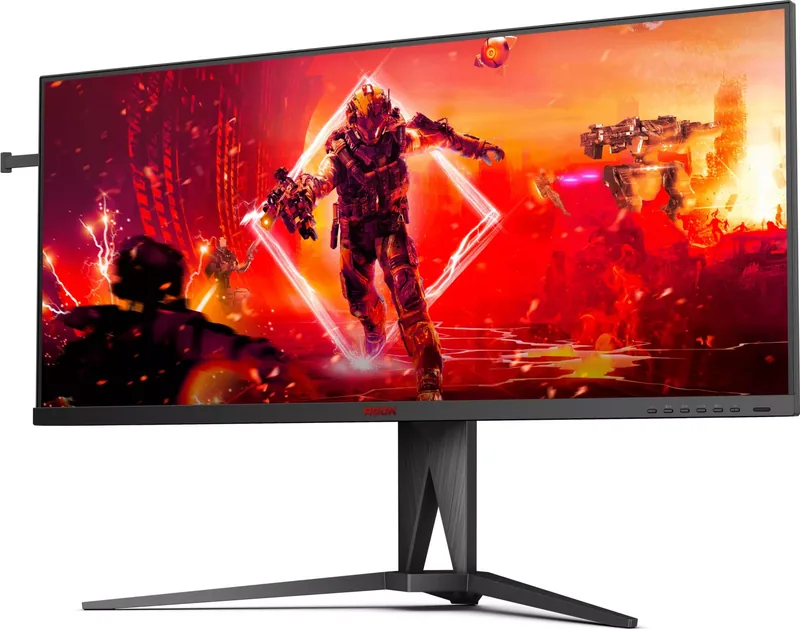
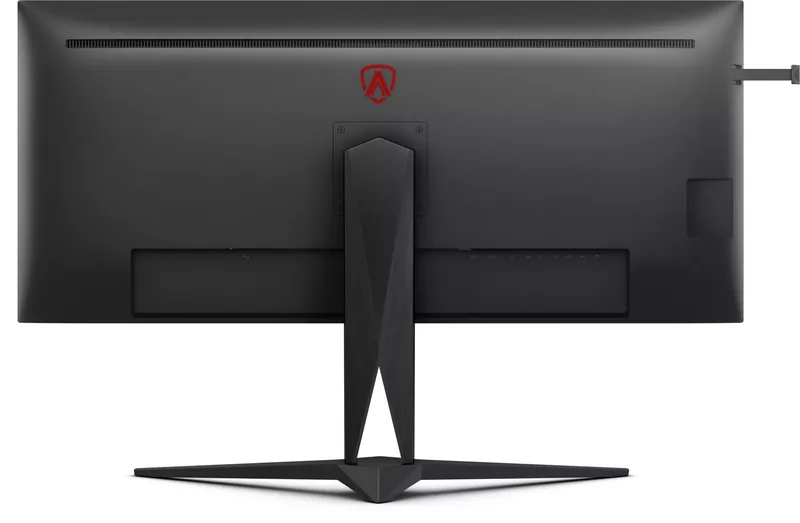

AOC Agon AG405UXC Manual
PDF manual · 36 Pages
English



Quick check
Incorrect answer, please try again.
Chat with your AOC Agon AG405UXC manual using AI
Get instant AI answers from your AOC Agon AG405UXC manual
Ask anything about the AOC Agon AG405UXC. Answers come from this manual, with the pages they are based on.
Ask a Question
Do you recommend Agon AG405UXC?
Yes NoFrequently Asked Questions
The monitor features two HDMI ports, one DisplayPort, one USB C port supporting video and power, four USB 3.2 Gen 1 ports, one USB upstream port, an audio jack, and a Quick Switch port. This variety ensures compatibility with most modern devices.
Is this answer helpful?
Connect one device via USB C and the other via HDMI or DisplayPort along with a USB upstream cable. Then enter the OSD menu, navigate to the USB Selection tab, and choose Auto or fix to USB C or USB up to switch between devices.
Is this answer helpful?
The monitor supports 3440x1440 resolution at 144 Hz when using DisplayPort or USB C interfaces. When using HDMI, the maximum refresh rate for this resolution is up to 100 Hz to ensure signal stability and quality.
Is this answer helpful?
Yes, the monitor supports wall mounting with a compatible arm. However, you must not tilt the screen downward by more than 5 degrees to prevent panel damage. Removing the stand is required before attaching the wall mount arm securely.
Is this answer helpful?
The USB C port includes DisplayPort Alt mode and delivers up to 90 Watts of power using USB PD version 3.0. This allows you to charge laptops or other devices while simultaneously transmitting video and data through a single reversible cable connection.
Is this answer helpful?
Yes, the display is compatible with HDR10 format input signals. HDR automatically activates if the source and player are compatible. You can also manually select HDR Picture or HDR Game modes within the Luminance OSD setting for optimized visual output.
Is this answer helpful?
Ensure adequate ventilation space around the monitor to prevent overheating. Do not tilt the display more than 5 degrees downward to avoid warranty issues. Unplug the unit during lightning storms. Clean the screen with a damp soft cloth only and avoid liquid entering the casing.
Is this answer helpful?
Advantages and Disadvantages
Advantages

- High 144Hz Refresh Rate on DisplayPort and USB C
- USB-C Port with Up to 90 Watts Power Delivery
- Built-in KVM Functionality for Multi-PC Control
- AMD FreeSync Premium for Smooth Gaming Visuals
- HDR10 Support for Enhanced Dynamic Range
Disadvantages

- Wall Mount Tilt Restricted to Negative 5 Degrees
- USB-C DP Alt Mode Requires Manual Enabling
- Certain Game Settings Disabled When HDR Is On
- Wall Mounting Arm Sold Separately Not Included
- Signal Cable Availability Varies by Region
Product Specification
Function
Monitor (Stationary)
Diagonal
40"
Resolution
3440x1440 (UWQHD), 21:9, 93ppi
Panel
IPS
Backlight
LED, Blue Light Filter, flicker-free
Contrast
1,200:1 (Static), 80,000,000:1 (Dynamic)
HDR
VESA DisplayHDR 400
Response Time
4ms (GtG), 1ms (MPRT)
Refresh Rate
144Hz (3440x1440)
Variable Sync
Adaptive Sync, AMD FreeSync Premium Certified (48-144Hz via DisplayPort, 48-120Hz via HDMI, with LFC Support, with HDR), NVIDIA G-Sync Compatible
Signal Frequency
30-220kHz (H) / 48-144Hz (V)
Ports
2x HDMI 2.0 (100Hz@3440x1440), 1x DisplayPort 1.4 (144Hz@3440x1440), 1x USB-C 3.0 with DisplayPort 1.4 (Upstream, 5Gb/s, PD 90W, 144Hz@3440x1440), 4x USB-A 3.0 (Downstream, 5Gb/s), 1x 3.5mm Jack (Line-Out), 1x AC-In C13 (Power)
Shape
Straight (Flat)
Viewing Angle
178 deg / 178 deg
Coating
Non-glare (Matte), Hardness 3H
Color Depth
8bit (16.7M Colors)
Frame Rate Control
Unknown
sRGB
100%
Adobe RGB
83%
DCI-P3
90%
Speakers
Speakers (2x 5W)
Controls
Remote Control Included
Ergonomics
With Stand, Height Adjustable (5.91 in), Pivot N/A, Rotatable (+/-30 deg), Tilt (+22 deg / -4 deg), Headphone Holder
VESA Mount
100x100mm (With Mount)
Power Consumption
225W (Max), 45W (Typical), 0.5W (Standby)
Energy Efficiency SDR (A to G)
41kWh/1000h (G)
Energy Efficiency HDR (A to G)
70kWh/1000h (G)
Features
Security Lock (Kensington Security Slot), Picture-in-Picture, Slim Bezel, HDCP 2.2
Screen-to-Body Ratio
92.88% (Calculated)
Dimensions
37.17x18.81x12.30 in (WXHxD) with Stand (Folded), 37.17x16.51x2.15 in (WXHxD) without Stand
Color
Black (Bezel) / Black (Lower Panel) / Black (Stand) / Black (Back)
Weight
26.19 lbs (with Stand), 21.01 lbs (without Stand)
Power Supply
Internal
Warranty
3 Years
USB Notation
Link
Product Description
Unlocking Performance with the AOC Agon AG405UXC
Overview and Display Specifications
The AOC Agon AG405UXC is designed for users who demand high visual standards. This 40 inch wide screen LCD monitor delivers optimal clarity. It supports WQHD resolution at 3440 by 1440 pixels naturally. The panel refreshes at up to 144 Hz using DisplayPort or USB C. High dynamic range input signals up to HDR10 format activate automatically when compatible content is detected. Gamma controls allow for color accuracy adjustments in various modes like Movie or Game settings. The unit operates efficiently on standard 100 to 240 V AC power supplies.
Connectivity and Peripheral Management
Connection versatility is a standout feature of this model. Dual HDMI ports allow easy switching between sources. A single DisplayPort supports advanced data transfer rates. The USB C connector integrates video transmission and fast charging. Power delivery reaches up to 90 Watts through this single cable. KVM function lets you manage two input devices using one keyboard and mouse set. You select the signal source via the OSD menu easily. This setup reduces desk clutter significantly while enhancing workflow efficiency for multitaskers.
Advanced Gaming and Visual Tools
Gamers benefit from specialized software settings available within the interface. AMD FreeSync Premium helps synchronize frame rates to reduce tearing in supported environments. Shadow Control adjusts the dark areas of the image for better detail visibility. Overdrive settings can be tuned to balance ghosting and artifacts. Motion Blur Reduction features assist in fast motion scenes. Low Input Lag mode ensures your commands translate to screen updates quickly. Multiple gamer presets let you store preferred configurations for different genres.
Installation and Safety Protocols
Proper setup ensures longevity for the product. Do not place the monitor on unstable carts or stands. Maintain clearance around the unit for airflow. The tilt angle must not exceed negative 5 degrees to avoid warranty voiding due to panel damage. Unplug power cords during lightning storms to prevent surge damage. Clean regularly with damp soft cloths. Ensure ventilating openings remain unblocked. Use remote control or hotkeys to access menus efficiently. Check pin assignments for cables to ensure correct signal flow.
Operational Considerations
Users should note specific operational quirks. USB C Alt Mode may need toggling in OSD for video. HDR effects disable game color adjustments in some states. PIP features split the screen for dual source viewing but limit resolution to 3440 by 1440. Break reminders help prevent eye strain during long work sessions. Ensure Windows drivers are updated for plug and play functionality. Contact service centers if strange smells or sounds occur.
Search for 67,706 Manuals online


Type-in Brand or Model