
AOC Agon AG325QZN/EU Manual
PDF manual · 34 Pages
English



Quick check
Incorrect answer, please try again.
Chat with your AOC Agon AG325QZN/EU manual using AI
Get instant AI answers from your AOC Agon AG325QZN/EU manual
Ask anything about the AOC Agon AG325QZN/EU. Answers come from this manual, with the pages they are based on.
Ask a Question
Do you recommend Agon AG325QZN/EU?
Yes NoFrequently Asked Questions
The monitor uses a native QHD resolution of 2560 x 1440. This provides more workspace and image detail than Full HD while remaining well suited to high-refresh-rate gaming.
Is this answer helpful?
Connect the monitor through DisplayPort and select 2560 x 1440 at 240 Hz in the computer's graphics settings. HDMI supports QHD up to 144 Hz on this model.
Is this answer helpful?
Yes. It supports Adaptive-Sync and includes options for AMD FreeSync and G-SYNC Compatible operation. Availability depends on the graphics card, driver, connection, and selected display settings.
Is this answer helpful?
Available gaming controls include game presets, low input lag, overdrive, shadow control, game color, motion blur reduction, and a frame counter for compatible AMD graphics hardware.
Is this answer helpful?
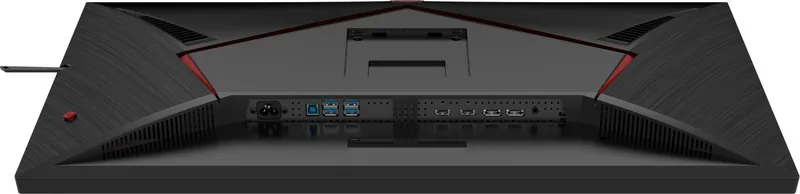
The monitor has two HDMI inputs, two DisplayPort inputs, a headphone output, one USB 3.2 Gen 1 upstream port, two USB downstream ports, and one USB downstream port with fast charging.
Is this answer helpful?
Yes. The stand supports 150 mm of height adjustment, 90-degree swivel to either side, and tilt adjustment. Avoid tilting the display downward beyond -5 degrees.
Is this answer helpful?
Advantages and Disadvantages
Advantages

- 31.5-inch QHD panel combines a large viewing area with 2560 x 1440 detail.
- Supports up to 240 Hz at QHD through DisplayPort for very smooth gameplay.
- Adaptive-Sync, FreeSync, and G-SYNC Compatible options support variable refresh gaming.
- Ergonomic stand provides 150 mm height adjustment, swivel, and tilt control.
- Two HDMI ports, two DisplayPort ports, headphone output, and USB 3.2 hub add flexibility.
Disadvantages

- The maximum 240 Hz refresh rate is available through DisplayPort, not HDMI.
- HDR modes limit access to several picture and gaming adjustments.
- G-SYNC functionality requires compatible NVIDIA hardware and correct DisplayPort support.
- Wall mounting requires a separately purchased compatible mounting arm.
- The large 31.5-inch format needs substantial desk space.
Product Specification
Function
Monitor (desktop)
Diagonal
31.5 in
Resolution
2560 x 1440 (QHD), 16:9, 93 ppi
Panel
VA
Backlight
LED, blue light filter, flicker-free
Brightness
400 cd/m2 (typical)
Contrast
4,000:1 (static), 80,000,000:1 (dynamic)
HDR
VESA DisplayHDR 400
Response Time
1 ms (GtG), 0.5 ms (MPRT)
Refresh Rate
240 Hz (2560 x 1440)
Variable Synchronization
Adaptive Sync, AMD FreeSync Premium (48-240 Hz via DisplayPort, 48-144 Hz via HDMI)
Signal Frequency
30-250 kHz (H) / 48-240 Hz (V)
Ports
2x HDMI 2.0 (144 Hz at 2560 x 1440), 2x DisplayPort 1.4 (240 Hz at 2560 x 1440), 1x USB-B 3.0 (upstream, 5 Gb/s), 1x USB-A 3.0 (downstream, 5 Gb/s, BC), 3x USB-A 3.0 (downstream, 5 Gb/s), 1x 3.5 mm jack (line-out), 1x AC-in C13 (power connector)
Shape
Straight (flat)
Viewing Angle
178 degrees / 178 degrees
Coating
Non-glare (matte)
Color Depth
10-bit (1.07 billion colors)
FRC
N/A (native 10-bit)
sRGB
121%
Adobe RGB
89%
DCI-P3
92%
Controls
Joystick
Ergonomics
With stand, height-adjustable (5.91 in), pivot (+90 degrees), swivel (+/-20 degrees), tilt (+22 degrees/-4 degrees), headphone holder
VESA
100 x 100 (occupied)
Power Consumption
32 W (typical), 0.5 W (standby)
SDR Energy Efficiency (A to G)
32 kWh/1,000 h (F)
HDR Energy Efficiency (A to G)
55 kWh/1,000 h (G)
Special Features
Security lock (Kensington Security Slot), slim bezel, HDCP 2.2
Screen-to-Body Ratio
89.32% (calculated)
Dimensions
28.12 x 18.93 x 10.87 in (W x H x D) with stand, 28.12 x 16.88 x 1.93 in (W x H x D) without stand
Color
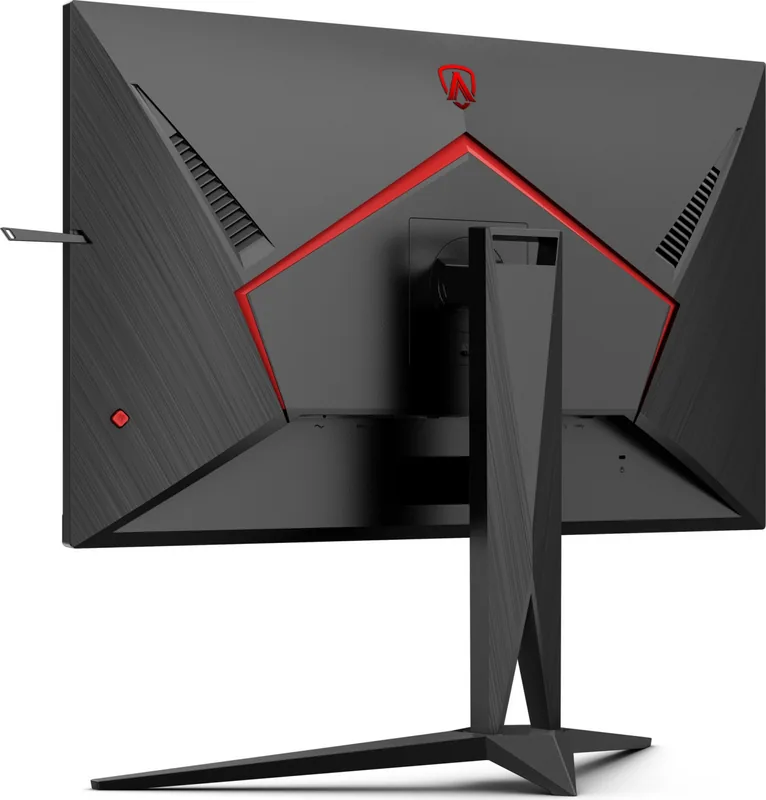
Black (display bezel) / black (lower bezel) / black (stand) / black, red (rear)
Weight
18.74 lb (with stand)
Power Supply
Internal
Warranty
Three years
USB Labeling
Link
Product Description
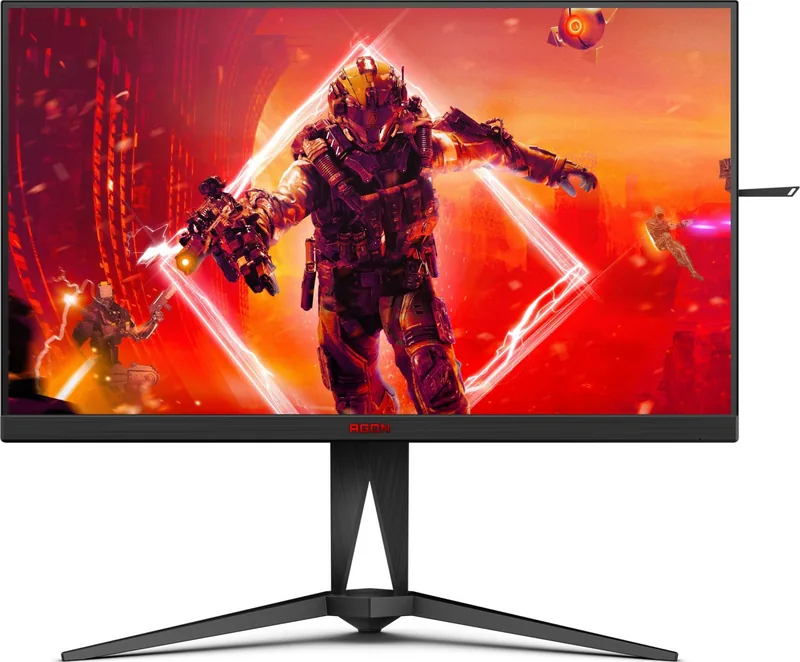
AOC Agon AG325QZN/EU, 31.5" Manual: Big-Screen QHD Gaming Performance
The AOC Agon AG325QZN/EU is a 31.5-inch gaming monitor designed for players who want a larger, more immersive view without stepping away from sharp QHD detail. Its 2560 x 1440 resolution gives games, video, and desktop work a clear, spacious appearance, while the fast refresh-rate support makes it particularly appealing for competitive and action-focused titles. For anyone comparing settings, connections, and everyday features, the AOC Agon AG325QZN/EU, 31.5" Manual highlights a display built around speed, flexibility, and convenient control.
Fast refresh rates for responsive play
When connected through DisplayPort, the monitor supports up to 240 Hz at its native QHD resolution. HDMI supports QHD up to 144 Hz. This distinction is important when choosing a cable and graphics output, especially for users who want to pursue the highest available refresh rate. A fast panel can make motion appear smoother and help make rapid on-screen changes easier to follow.
Gaming tools are integrated directly into the on-screen display. Users can select presets for FPS, RTS, and racing games, or save personal preferences in three Gamer profiles. Overdrive settings, low input lag, motion blur reduction, shadow control, and game color adjustments provide further room to tailor the image. A frame counter is also available with compatible AMD graphics hardware.
Adaptive visuals and HDR support
The AG325QZN/EU supports Adaptive-Sync and provides options for AMD FreeSync and G-SYNC Compatible operation on supported hardware. These technologies can help synchronize the monitor with the graphics card, reducing visible tearing and improving perceived smoothness during variable frame-rate gameplay.
HDR10 input is supported, with HDR Picture, HDR Movie, and HDR Game modes available depending on the detected content. HDR settings change which picture controls can be adjusted, so it is worth selecting the mode that suits the source material. Outside HDR, users can fine-tune brightness, contrast, gamma, color temperature, and low-blue-light modes for work, reading, media, or games.
Connectivity and ergonomic setup
The rear panel includes two HDMI inputs, two DisplayPort inputs, a headphone output, and USB 3.2 Gen 1 connectivity. The USB hub includes an upstream connection, two downstream ports, and one downstream port with fast charging. This selection helps keep gaming accessories and everyday peripherals close at hand.
The stand offers 150 mm height adjustment, swivel movement of 90 degrees in either direction, and tilt adjustment. It can also be used with a separately purchased wall arm. For stable operation, leave ventilation space around the display and avoid tilting it downward beyond -5 degrees.
Notes
- Use DisplayPort for QHD at up to 240 Hz.
- Enable sync technology only with a compatible graphics card and suitable connection.
- Disconnect power before cleaning or changing cable connections.
Search for 67,706 Manuals online


Type-in Brand or Model