
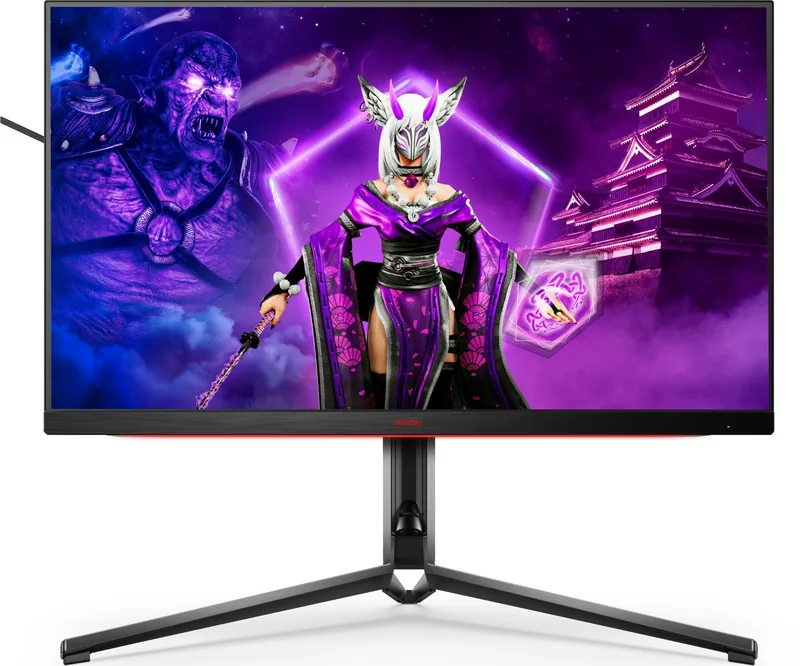

AOC Agon AG324UX Manual
PDF manual · 34 Pages
English



Quick check
Incorrect answer, please try again.
Chat with your AOC Agon AG324UX manual using AI
Get instant AI answers from your AOC Agon AG324UX manual
Ask anything about the AOC Agon AG324UX. Answers come from this manual, with the pages they are based on.
Ask a Question
Do you recommend Agon AG324UX?
Yes NoFrequently Asked Questions
The AG324UX supports a native 3840x2160 (4K) resolution and refresh rates up to 144Hz. Typical usage is 4K@60Hz for many PCs; higher refresh rates (120/144Hz) may require specific GPU support and proper DP/HDMI configuration.
Is this answer helpful?
Yes, it is HDR10 compatible and provides HDR Picture/Movie/Game profiles. HDR may automatically enable with compatible content and can make the image appear darker; you can toggle HDR mode or choose profiles to suit the content and personal preference.
Is this answer helpful?
Use DisplayPort or HDMI with a compatible GPU. Ensure the DP capability in OSD is set to DP1.2 or DP1.4 (if supported) and enable Adaptive-Sync in the monitor menu and your graphics drivers for tear-free gameplay.
Is this answer helpful?
Connectivity includes HDMI, DisplayPort, USB-C, multiple USB-A ports, headphone and mic jacks. The USB-C supports Power Delivery up to 90W (PD 3.0), enabling laptop charging while using the display as a dock.
Is this answer helpful?
Yes, the screen is VESA-compatible for wall or arm mounting. Remove the stand before installation and follow the wall mount arm instructions; confirm screw compatibility and that tilt limits (no more than -5° down) are respected.
Is this answer helpful?
The monitor offers Shadow Control to reveal dark-scene details, Overdrive presets, MBR to reduce motion blur, Low Input Lag toggle, and genre-specific Game Modes (FPS, RTS, Racing) for optimized visuals and responsiveness.
Is this answer helpful?
Check power and signal cables, confirm input selection, ensure the GPU output resolution and frequency match the monitor’s supported range, try auto-adjust, and consult OSD troubleshooting. If problems persist, contact support.
Is this answer helpful?
Advantages and Disadvantages
Advantages

- 3840x2160 31.5" panel with up to 144Hz for sharp 4K visuals and smooth motion.
- USB-C with up to 90W Power Delivery and multiple USB ports for streamlined connectivity.
- Adaptive-Sync/FreeSync Premium, MBR, Overdrive and game modes tailored to genres.
- Comprehensive color controls, HDR profiles, Low Blue Light mode and DTS audio options.
- Ergonomic stand, VESA compatibility, Light FX customization and QuickSwitch keypad.
Disadvantages

- HDR behavior can darken scenes unless profiles and resolution are adjusted.
- High refresh rates at 4K may require powerful GPUs and correct DP/HDMI settings.
- Wall-mount tilt is restricted (no more than -5° down) to avoid screen damage.
- Some advanced features depend on specific input types or GPU compatibility.
- Full feature set and cables vary by region; check included accessories before purchase.
Product Specification
Function
Monitor (stationary)
Diagonal
31.5" (31.50in)
Resolution
3840x2160 (4K UHD), 16:9, 140ppi
Panel
IPS (AAS-IPS), Manufacturer: Innolux (M315DCA-K7B)
Backlight
LED, Blue light filter, flicker-free
Brightness
350cd/m² (typical)
Contrast
1.000:1 (static), 80.000.000:1 (dynamic)
HDR
VESA DisplayHDR 400
Response time
1ms (GtG)
Refresh rate
144Hz (3840x2160)
Variable synchronization
Adaptive Sync, AMD FreeSync Premium
Signal frequency
48-144Hz (V)
Connectors
1x USB-C with DisplayPort (Upstream, PD 90W), 2x HDMI 2.1, 1x DisplayPort 1.4, 1x USB-B 3.0 (Upstream, 5Gb/s), 4x USB-A 3.0 (Downstream, 5Gb/s), 1x 3.5mm jack (Line-Out), 1x 3.5mm jack (Line-In), 1x DC-In barrel connector (Power connector)
Shape
straight (flat)
Viewing angle
178°/178°
Coating
non-glare (matte)
Color depth
10bit (1.07 billion colors)
FRC
yes (8bit+2bit)
Speakers
Speakers (2x 8W)
Operation
mechanical buttons
Ergonomics
with stand, height-adjustable (5.12in), Pivot N/A, swivel (+120°), tilt (+21°/-3°), headphone holder
VESA
100x100 (occupied)
Power consumption
57W (typical), 0.5W (Standby)
Energy efficiency SDR (A to G)
40kWh/1000h (G)
Energy efficiency HDR (A to G)
68kWh/1000h (G)
Special features
Security lock (Kensington Security Slot), KVM-Switch, Picture-in-Picture, Slim Bezel
Screen-to-Body-Ratio
90.14% (calculated)
Dimensions
28.11x19.69x15.75in (WxHxD) with stand compressed, 28.11x16.73x2.58in (WxHxD) without stand
Color
black (display frame) / black, red (bottom bezel) / black (stand) / black, red (back)
Weight
22.05lb (with stand)
Power supply
external
Warranty
three years
USB notation
Link
Product Description
AOC Agon AG324UX, 31.5" Manual — Powerful 4K HDR Gaming Display
The AOC Agon AG324UX, 31.5" is a premium 4K (3840x2160) monitor designed for serious gamers, creative professionals, and anyone who wants a high-fidelity visual experience. Boasting a large 31.5-inch IPS-like panel, high refresh capabilities up to 144Hz, and HDR support, this display balances sharp detail with smooth motion and vivid color. It includes extensive connectivity—HDMI, DisplayPort, USB-C with Power Delivery up to 90W, and multiple USB ports—making it a versatile hub for modern workstations and consoles.
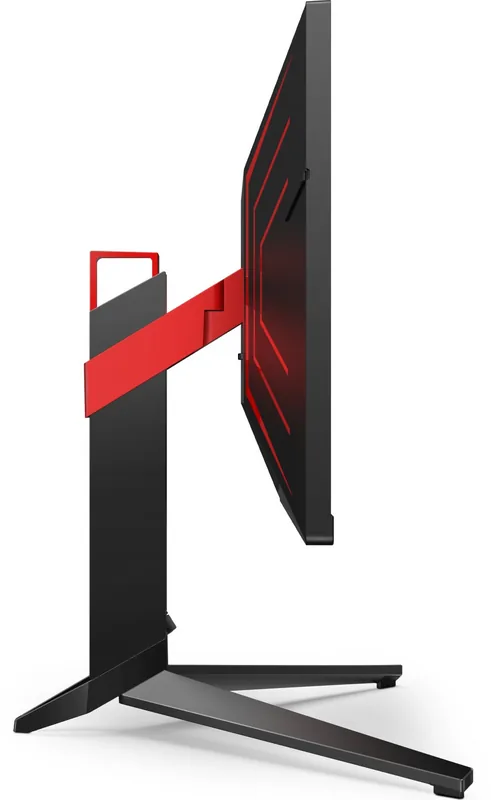
Ergonomically, the Agon AG324UX is built for long sessions: a sturdy adjustable stand with wide tilt and height range, VESA compatibility for wall or arm mounting, and careful ventilation to avoid overheating. The physical design includes controllable Light FX RGB effects and a logo projector to personalize your setup. Practical touches such as quick-access hotkeys and a QuickSwitch keypad simplify switching inputs, toggling game modes, or enabling low-latency features.
In terms of image and gaming features, the monitor supports Adaptive-Sync/FreeSync Premium across DP and HDMI, along with selectable game modes tailored to FPS, RTS, racing, and user presets. Advanced options include Shadow Control for improved detail in dark scenes, Overdrive with multiple response presets, MBR (motion blur reduction), and an on-screen frame counter. HDR10 compatibility lets the screen automatically enable HDR when supported content is detected, and several HDR profiles optimize picture quality for movies, pictures, or games.
Color and audio controls are comprehensive: multiple color temperature presets, user-adjustable RGB gains, DCB picture-enhancement modes, and a Low Blue Light mode for reduced eye strain. An onboard DTS audio suite and equalizer let you shape sound without external speakers. The monitor also offers PIP/PBP (picture-in-picture / picture-by-picture) with selectable sources and sizes, useful for multitasking across consoles, PCs, and USB-C devices.
From a power and performance standpoint, the AG324UX is energy-conscious with ECO modes and configurable USB power behavior for connected devices. The monitor’s menu system is fully customizable (OSD position, transparency, language, DP capability selection) and includes helpful troubleshooting guidance and technical specifications—such as pixel pitch, refresh ranges, and environmental tolerances—making setup and maintenance straightforward.
Notes
- HDR may darken the screen when enabled; toggling HDR profiles can help match content and preference.
- For Adaptive-Sync and the best refresh rates, ensure DP capability is set appropriately (DP1.2/1.4) and use compatible GPUs.
- When wall mounting, follow VESA instructions and check screw compatibility; tilt is limited to prevent damage.
Search for 67,706 Manuals online


Type-in Brand or Model