
AOC 27E3UM Manual
PDF manual · 31 Pages
English



Quick check
Incorrect answer, please try again.
Chat with your AOC 27E3UM manual using AI
Get instant AI answers from your AOC 27E3UM manual
Ask anything about the AOC 27E3UM. Answers come from this manual, with the pages they are based on.
Ask a Question
Do you recommend 27E3UM?
Yes NoFrequently Asked Questions
The monitor has a native resolution of 1920 x 1080. It supports Full HD at 60 Hz through VGA and up to 75 Hz through HDMI or DisplayPort.
Is this answer helpful?
The AOC 27E3UM includes DisplayPort, HDMI, and D-Sub video inputs. This combination supports modern digital systems while retaining compatibility with legacy analog devices.
Is this answer helpful?
Yes. Adaptive-Sync can operate through DisplayPort or HDMI with compatible graphics hardware. The menu allows the feature to be switched on or off.
Is this answer helpful?
It includes one USB upstream port and two USB downstream ports. One downstream port supports fast charging, making it useful for compatible accessories and mobile devices.
Is this answer helpful?
Yes. The stand can be removed and the display can be used with a separately purchased compatible VESA wall mounting arm. Follow the arm manufacturer's installation instructions and use appropriate mounting hardware.
Is this answer helpful?
Gaming controls include game modes, overdrive, shadow control, game color, Low Blue Mode, an aiming point, a frame counter, and Adaptive-Sync. Availability of some controls changes when HDR mode is enabled.
Is this answer helpful?
Advantages and Disadvantages
Advantages

- 27-inch Full HD screen provides generous workspace for daily computing, media, and multitasking.
- DisplayPort, HDMI, and D-Sub inputs support both current devices and older systems.
- USB hub includes two downstream ports, with one port designed for fast charging.
- Adaptive-Sync, 75 Hz support, overdrive, shadow control, and game modes add gaming flexibility.
- Extensive OSD controls include Eco presets, Low Blue Mode, color settings, and break reminders.
Disadvantages

- Maximum resolution is 1920 x 1080, which offers less pixel density than QHD or 4K on a 27-inch screen.
- The stand adjustment described is tilt-focused, without stated height, swivel, or pivot adjustment.
- HDR mode disables several color, Picture Boost, and gaming controls while active.
- Some supplied signal cables may vary by country or region.
- VESA mounting hardware may not be included and a compatible wall arm is sold separately.
Product Specification
Function
Desktop monitor
Diagonal
27" (27.01 in)
Resolution
1920 x 1080 (FHD), 16:9, 82 ppi
Panel
VA
Backlight
LED, blue light filter, flicker-free
Brightness
300 cd/m2 (typical)
Contrast
3,000:1 (static), 20,000,000:1 (dynamic)
Response time
4 ms (GtG)
Refresh rate
75 Hz (1920 x 1080)
Variable synchronization
Adaptive Sync
Signal frequency
30-85 kHz (H) / 48-75 Hz (V)
Ports
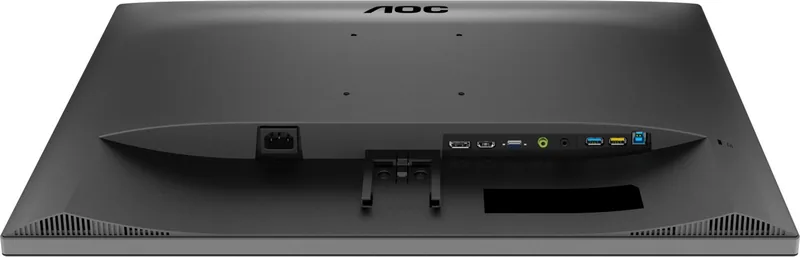
1x VGA (75 Hz at 1920 x 1080), 1x HDMI 1.4 (75 Hz at 1920 x 1080), 1x DisplayPort 1.2 (75 Hz at 1920 x 1080), 1x USB-B 3.0 (upstream, 5 Gb/s), 1x USB-A 3.0 (downstream, 5 Gb/s, BC), 1x USB-A 3.0 (downstream, 5 Gb/s), 1x 0.14 in jack (line-out), 1x 0.14 in jack (line-in), 1x AC-In C13 (power input)
Shape
Straight (flat)
Viewing angle
178 degrees / 178 degrees
Coating
Anti-glare (matte), 3H hardness
Color depth
8-bit (16.7 million colors)
FRC
Unknown
sRGB
115%
Adobe RGB
89%
Certifications/standards
TCO 9
Speakers
Speakers (2x 2 W)
Controls
Mechanical buttons
Ergonomics
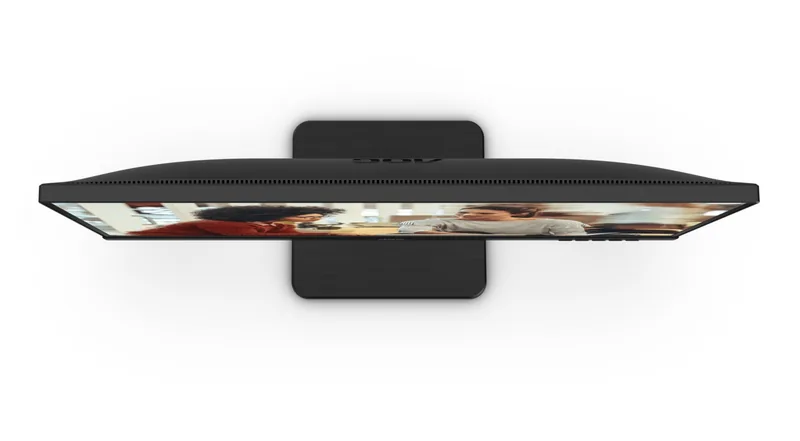
With stand, height adjustment N/A, pivot N/A, swivel N/A, tilt (+23 degrees/-5 degrees)
VESA
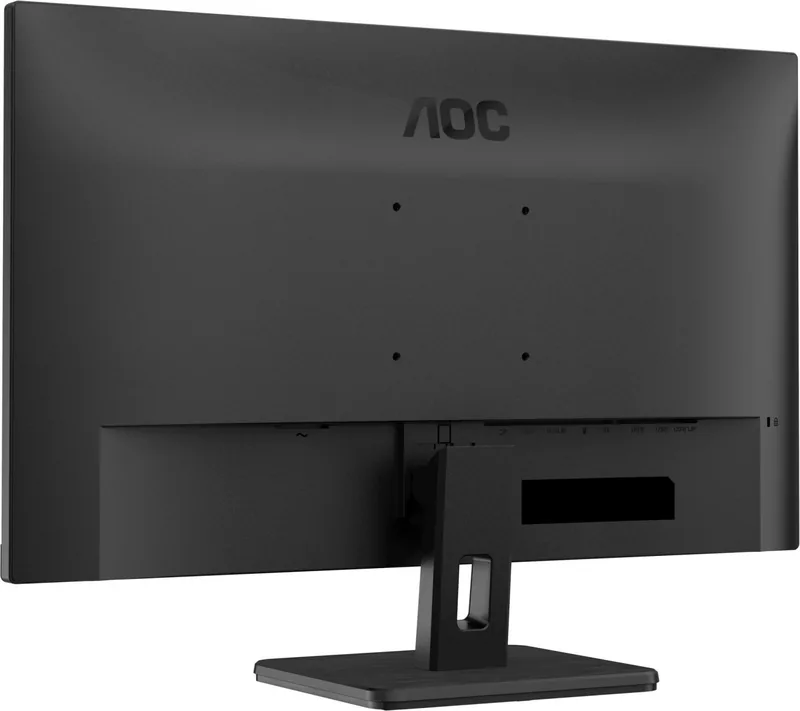
100 x 100 mm (clear)
Power consumption
60 W (maximum), 21 W (typical), 0.3 W (standby)
SDR energy efficiency (A to G)
21 kWh/1,000 h (E)
HDR energy efficiency (A to G)
21 kWh/1,000 h (E)
Special features
Security lock (Kensington Security Slot), Slim Bezel
Screen-to-body ratio
88.46% (calculated)
Dimensions
24.2 x 17.68 x 7.93 in (W x H x D) with stand, 24.2 x 14.55 x 2.08 in (W x H x D) without stand
Color
Black (display bezel) / black (bottom bezel) / black (stand) / black (rear)
Weight
9.57 lb (with stand)
Power supply
Internal
Warranty
Three years
USB notation
Link
Product Description
AOC 27E3UM, 27" Manual: A Versatile Full HD Monitor for Work and Play
The AOC 27E3UM is a 27-inch Full HD monitor designed to bring practical connectivity, comfortable viewing, and flexible image controls to a desktop setup. With a 68.6 cm TFT LCD panel, 1920 x 1080 resolution, and support for refresh rates up to 75 Hz through HDMI or DisplayPort, it offers a clear, spacious screen for productivity, home entertainment, and casual gaming.
Connectivity for Modern and Legacy Devices
A standout feature of the AOC 27E3UM is its broad selection of connections. DisplayPort, HDMI, and D-Sub inputs make it suitable for newer PCs as well as older hardware. It also includes audio input and a headphone output, helping users manage sound conveniently from their monitor setup. The integrated USB hub provides two downstream USB ports, including one fast-charging port, plus a USB upstream connection for linking peripherals to the computer.
Adjustable Viewing and Mounting Options
The screen can be tilted to improve viewing comfort, with a maximum downward angle of -5 degrees. Its stand should be held while adjusting the angle to keep the display stable. For users who prefer a more customized workspace, the monitor can also be attached to a separately purchased VESA-compatible wall mounting arm.
Image Controls for Everyday Use
The on-screen menu offers detailed adjustments for brightness, contrast, gamma, sharpness, color temperature, and RGB color levels. Preset Eco modes include Standard, Text, Internet, Game, Movie, Sports, and Reading, allowing the image to be tailored to different activities. A Low Blue Mode is also available with presets for multimedia, internet, office, and reading use, helping reduce blue-light output during extended sessions.
Gaming and Motion Features
For gaming, the AOC 27E3UM supports Adaptive-Sync over both DisplayPort and HDMI when paired with compatible graphics hardware. Game-oriented controls include overdrive, shadow control, game color, selectable game modes, an on-screen aiming point, and a frame counter. These settings can help improve dark-scene visibility, saturation, and motion response based on personal preference.
Practical Daily Operation
The monitor uses physical shortcut buttons for source selection, automatic configuration on supported analog connections, Clear Vision enhancement, volume control on applicable configurations, menu access, and power. Clear Vision is intended to improve the appearance of lower-resolution or blurred content. An optional break reminder can notify users after more than one hour of continuous use.
Note: HDR mode limits access to several color, Picture Boost, and game-related adjustments. Use the supplied or locally available compatible cables based on regional package contents.
The AOC 27E3UM, 27" Manual highlights a well-rounded monitor that combines a large Full HD display, broad device compatibility, USB convenience, and extensive customization for mixed home or office use.
Search for 67,706 Manuals online


Type-in Brand or Model