
AOC 24P2C Manual
PDF manual · 28 Pages
English



Quick check
Incorrect answer, please try again.
Chat with your AOC 24P2C manual using AI
Get instant AI answers from your AOC 24P2C manual
Ask anything about the AOC 24P2C. Answers come from this manual, with the pages they are based on.
Ask a Question
Do you recommend 24P2C?
Yes NoFrequently Asked Questions
It supports Full HD 1920x1080 with 60Hz and 75Hz refresh rates optimally.
Is this answer helpful?
Yes, it is VESA compatible for wall mounting with a separate arm purchased separately.
Is this answer helpful?
Yes, Low Blue Mode helps reduce blue light waves to protect eyes during long use.
Is this answer helpful?
Includes HDMI and DP. USB-C is listed in ports but cable availability varies by region.
Is this answer helpful?
Use the Reset option in the Extra menu to return settings to factory defaults.
Is this answer helpful?
Yes, HDR Mode is available in the menu for compatible content and inputs.
Is this answer helpful?
Typical is 23W with max consumption under 135W at peak brightness settings.
Is this answer helpful?
Advantages and Disadvantages
Advantages

- Adaptive-Sync technology ensures smooth visuals by reducing screen tearing effectively.
- USB-C connectivity allows for versatile data transfer and video input options.
- Low Blue Mode function significantly reduces eye strain during extended usage sessions.
- VESA mounting compatibility supports flexible installation on walls or arms easily.
- Comprehensive OSD menu enables detailed customization of brightness and color settings.
Disadvantages

- Physical stand tilt adjustment is limited compared to advanced ergonomic stands.
- Built-in speakers may not be included in every specific region model.
- HDR support is limited and does not guarantee high dynamic range performance.
- Color gamut coverage is standard and may not meet professional color grading needs.
- USB ports may require specific driver installation on some legacy operating systems.
Product Specification
Function
Monitor (stationary)
Diagonal
23.8" (23.82 in)
Resolution
1920x1080 (FHD), 16:9, 93 ppi
Panel
IPS
Backlight
LED, Blue Light Filter, flicker-free
Brightness
250 cd/m^2 (typical)
Contrast
1,000:1 (static), 50,000,000:1 (dynamic)
Response Time
4ms (GtG)
Refresh Rate
75Hz (1920x1080)
Variable Synchronization
Adaptive Sync, AMD FreeSync certified (48-75Hz via DisplayPort, 48-75Hz via HDMI, no LFC support, no HDR)
Signal Frequency
30-144kHz (H) / 48-75Hz (V)
Connectors
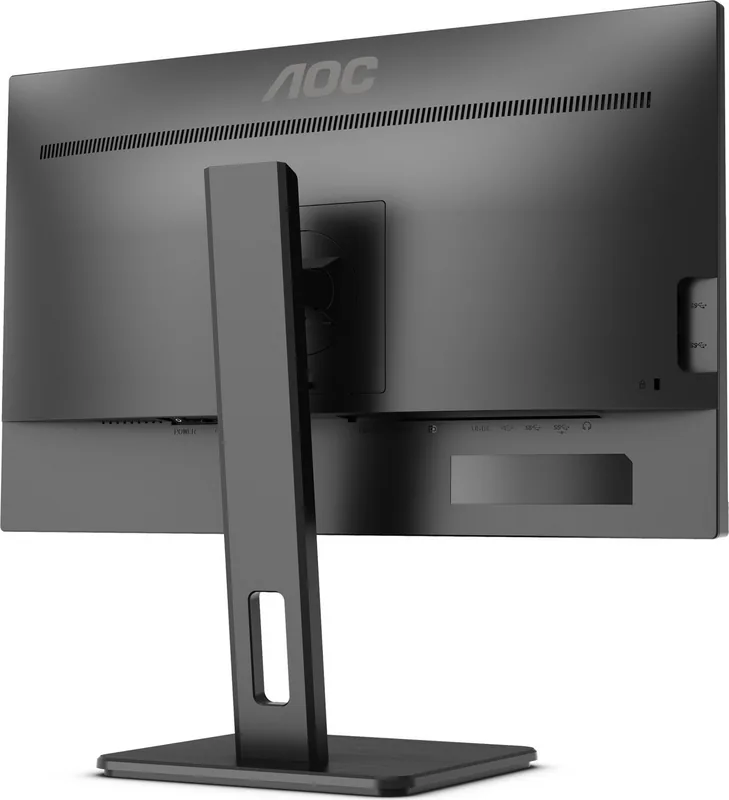
1x HDMI 1.4, 1x DisplayPort 1.2, 1x USB-C 3.0 with DisplayPort 1.2 (Upstream, 5Gb/s), 1x USB-B 3.0 (Upstream, 5Gb/s), 4x USB-A 3.0 (Downstream, 5Gb/s), 1x 3.5mm jack (Line-Out), 1x 3.5mm jack (Line-In), 1x AC-In C13 (AC Power)
Shape
Straight (flat)
Viewing Angle
178 deg/178 deg
Coating
non-glare (matte), Hardness 3H
Color Depth
8bit (16.7 million colors)
FRC
unknown
sRGB
107%
Adobe RGB
79%
DCI-P3
79%
Certifications/Standards
TCO 9
Speakers
Speakers (2x 2W)
Controls
Mechanical Buttons
Ergonomics
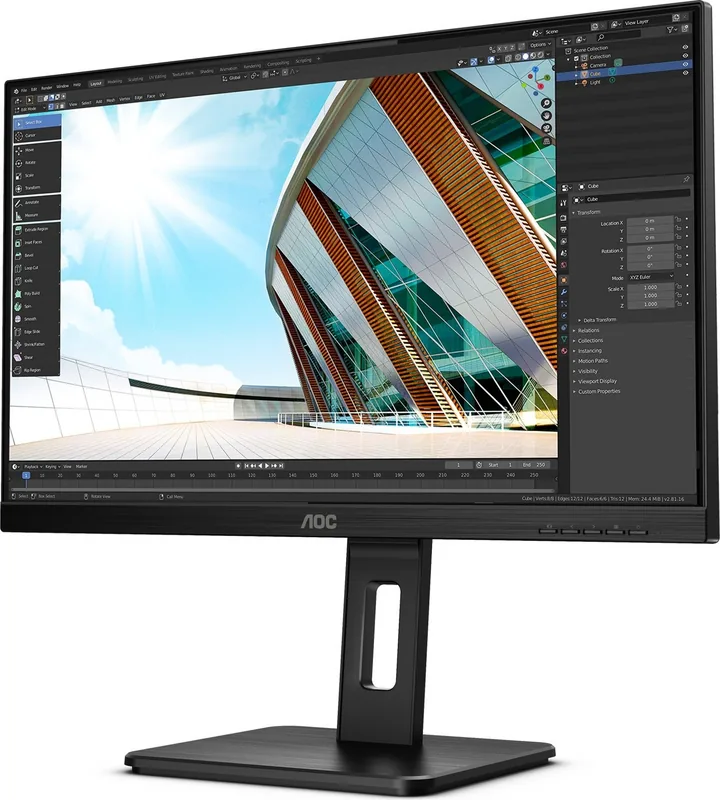
with stand, height adjustable (5.91 in), Pivot (+90 deg), swivel (+/-180 deg), tilt (+35 deg/-5 deg)
VESA
100x100 (mounting)
Power Consumption
0.3W (Standby), 25W (Old Energy Label A+++ to G)
Energy Efficiency SDR (A to G)
18kWh/1000h (E)
Energy Efficiency HDR (A to G)
19kWh/1000h (F)
Old Energy Efficiency (A+++ to G)
36.5kWh (B)
Features
Security lock (Kensington Security Slot), KVM Switch, Slim Bezel
Screen-to-Body-Ratio
88.70% (calculated)
Dimensions
21.26x20.20x7.87 in (WxHxD) with stand (folded), 21.26x12.83x2.01 in (WxHxD) without stand
Color
black (Display Frame) / black (Bottom Bezel) / black (Stand) / black (Rear)
Weight
11.05lbs (with stand)
Power Supply
Internal
Warranty
Three Years
USB Spelling
Link
Product Description
Discover the AOC 24P2C Gaming Experience
The AOC 24P2C monitor delivers a compelling visual experience for both professional tasks and entertaining games. Its 23.8-inch screen size strikes a perfect balance between detail and desk space. Whether you are working on detailed spreadsheets or immersing yourself in virtual worlds, this display offers clarity with Full HD resolution. The provided AOC 24P2C, 23.8" Manual guides users through setup and customization effectively.
Connectivity and Performance
This device supports modern connectivity standards including HDMI and DisplayPort. The inclusion of USB-C allows for convenient data transfer and video input with fewer cables. Users can connect audio devices directly via the headphone jack. Adaptive-Sync technology ensures smooth gameplay by reducing screen tearing when paired with compatible graphics cards. Users can also benefit from Low Blue Mode, which helps reduce eye strain during long sessions. The OSD menu provides extensive control over brightness, contrast, and picture modes. Picture Boost feature allows for enhancing the visual experience with a bright frame option.
Customization and Ergonomics
Adjusting the view is simple with the tilt mechanism included on the stand. For those needing more flexibility, VESA mounting is supported for wall arms. The Game Setting menu allows for specific profiles like FPS, RTS, or Racing to optimize performance. Shadow Control helps reveal details in dark areas without overexposing bright sections. Users can also adjust color temperature to match their environment perfectly. Game Color allows for saturation adjustments for enhanced visuals. Clear Vision technology converts low-resolution images into clearer ones.
Power and Installation
Installation requires connecting the power cable and signal sources safely. The monitor operates within standard voltage ranges globally. Safety guidelines emphasize proper grounding and ventilation to prevent overheating. Regular cleaning with a soft cloth maintains the panel without damage. Users should refer to safety warnings regarding liquid exposure and electrical risks. Plug-and-Play support ensures the system recognizes the display quickly upon connection.
Troubleshooting and Support
Common issues like flickering or signal loss have specific solutions in the documentation. If the LED indicator is off, check the power connection first. Users can reset the menu to defaults if settings become unstable. The manual outlines voltage requirements and frequency support for optimal operation. Energy Star certification indicates efficient power consumption for reduced costs. Warranty cards are included in the box for coverage purposes.
Final Thoughts
Overall, the AOC 24P2C remains a versatile choice for users seeking reliability beyond basic standards. The manual details troubleshooting steps for common issues such as signal loss. It ensures you get the most out of your purchase without unnecessary complications or setup errors. The balance of features makes it suitable for home or office environments alike. Proper placement around the device is crucial for heat dissipation during extended use. This model is designed for daily productivity and entertainment demands. Enjoy a stable and high-quality display with this monitor for your daily computing needs.
Search for 67,706 Manuals online


Type-in Brand or Model