
AOC 24P1 Manual
PDF manual · 36 Pages
English



Quick check
Incorrect answer, please try again.
Chat with your AOC 24P1 manual using AI
Get instant AI answers from your AOC 24P1 manual
Ask anything about the AOC 24P1. Answers come from this manual, with the pages they are based on.
Ask a Question
Do you recommend 24P1?
Yes NoFrequently Asked Questions
It is a strong fit for office work, home productivity, browsing, and general everyday use. The screen size and adjustment tools make it comfortable for long sessions, while the multiple inputs help it adapt to different setups.
Is this answer helpful?
Yes, supported models may include VGA, HDMI, DVI, DisplayPort, USB, and audio connections. Exact ports depend on the version, so it is best to confirm the model before buying or connecting devices.
Is this answer helpful?
Yes. The monitor is designed for straightforward installation with clear cable connections and Plug and Play support. Once the correct cable is connected, setup is usually quick and simple.
Is this answer helpful?
Yes. The stand allows angle adjustment, and the on-screen menu lets you change brightness, contrast, color, image position, and other settings. This makes it easier to tailor the display to your preferences.
Is this answer helpful?
Clear Vision is intended to improve the look of low-resolution or blurry content. It can make images appear sharper and more vivid, which is useful when viewing older media or less detailed sources.
Is this answer helpful?
Yes. The monitor includes energy-saving functions, optional off-timer settings, and AOC software such as e-Saver. These features help reduce power use when the system is idle or turned off.
Is this answer helpful?
Advantages and Disadvantages
Advantages

- 23.8-inch size fits most desks while still offering a roomy workspace for daily tasks.
- Multiple video inputs on supported versions make it easy to connect older and newer devices.
- Built-in display tools help improve clarity, color balance, and viewing comfort.
- OSD hotkeys and software utilities simplify setup and ongoing adjustments.
- Power-saving features and break reminders support efficient, responsible use.
Disadvantages

- Some ports and extras vary by model, so not every version includes the same connectivity.
- The design focuses on practicality rather than premium visual flair or advanced gaming features.
- Wall-mount compatibility is model-dependent and may not be available on every unit.
- Best image quality often requires manual tuning through the menu settings.
Product Specification
Function
Monitor (stationary)
Diagonal
23.8" (23.82in)
Resolution
1920x1080 (FHD), 16:9, 93ppi
Panel
IPS
Backlight
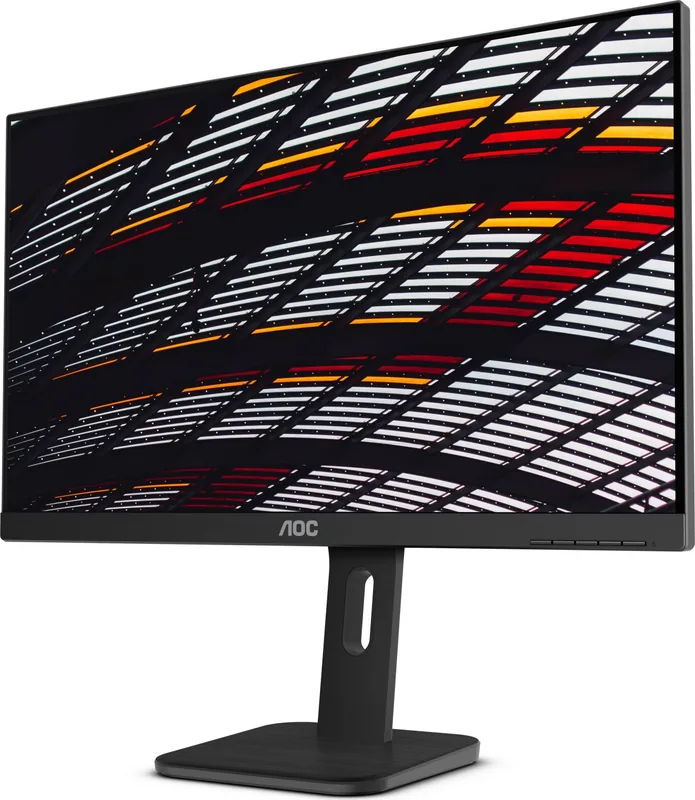
LED, blue light filter, flicker-free
Brightness
250cd/m² (typical)
Contrast
1,000:1 (static), 50,000,000:1 (dynamic)
Response time
5ms (GtG)
Refresh rate
60Hz (1920x1080)
Connections
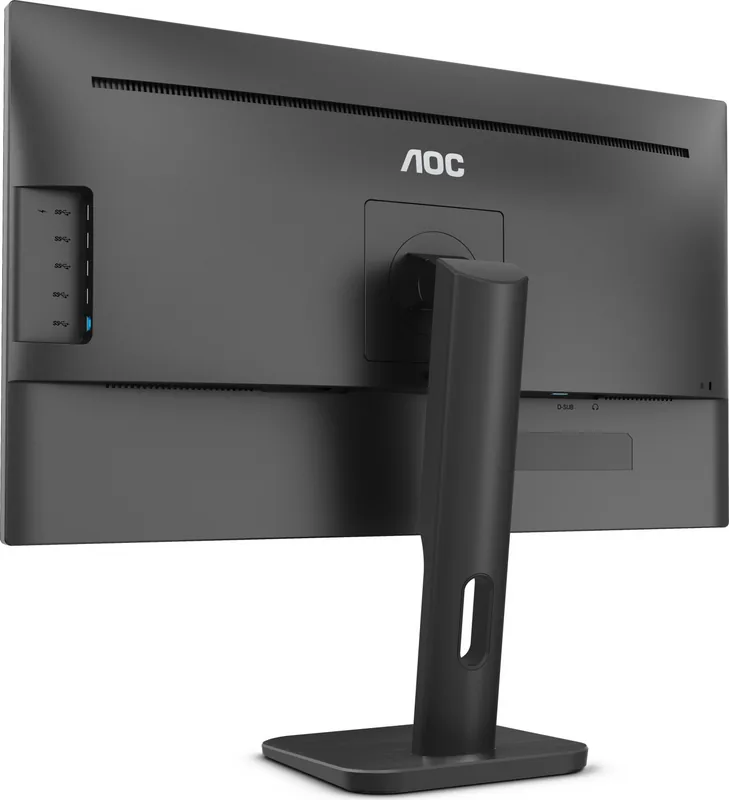
1x VGA (60Hz@1920x1080), 1x HDMI 1.4, 1x DisplayPort 1.2, 1x DVI, 1x USB-B 3.0 (Upstream, 5Gb/s), 4x USB-A 3.0 (Downstream, 5Gb/s), 1x 3.5mm jack (Line-Out), 1x AC-In C13 (power connection)
Form
straight (flat)
Viewing angle
178°/178°
Coating
non-glare (matte)
Color depth
8bit (16.7 million colors)
FRC
unknown
Certifications/Standards
TCO 9
Speakers
Speakers (2x 2W)
Controls
mechanical buttons
Ergonomics
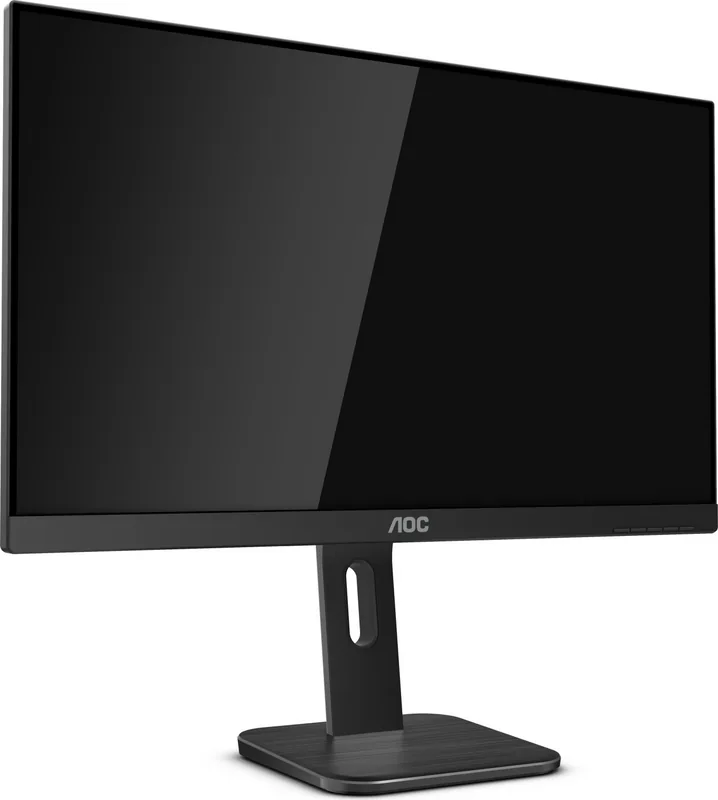
with stand, height adjustable (5.91in), Pivot (+90°), swivel (+/-175°), tilt (+35°/-5°)
VESA
100x100 (occupied)
Power consumption
0.5W (Standby)
Energy efficiency SDR (A to G)
18kWh/1000h (E)
Special features
Security lock (Kensington Security Slot), Slim Bezel
Screen-to-Body-Ratio
Inf% (calculated)
Dimensions
21.06x20.98x7.99in (WxHxD) with stand compressed
Color
black (display frame) / black (bottom bezel) / black (stand) / black (back)
Weight
10.14lb (with stand)
Power supply
internal
Warranty
three years
USB notation
Link
Product Description
AOC 24P1 23.8-inch Monitor: Practical Comfort for Work and Everyday Use
The AOC 24P1 23.8-inch Monitor is built for users who want a dependable display that balances clarity, flexibility, and everyday convenience. In the AOC 24P1 23.8-inch Monitor Manual, the emphasis is clear: simple setup, reliable connections, and a comfortable viewing experience that suits office tasks, general browsing, and light multimedia use. With a 23.8-inch screen and a Full HD-class 1920x1080 resolution on supported models, it offers a crisp workspace that feels spacious without taking over the desk.
One of the strongest points of this monitor is its versatility. Depending on the version, it can support VGA, HDMI, DVI, and DisplayPort, along with USB and audio features on selected models. That makes it easy to connect with both older and newer systems. The monitor also supports Plug and Play functionality, so getting started is straightforward. For users who need a tidy and efficient desk setup, the included stand, adjustable viewing angle, and optional wall-mount compatibility add extra convenience.
The AOC 24P1 series is also designed with comfort in mind. Menu controls and hotkeys make adjustments quick, while features such as Clear Vision, Low Blue Mode, and picture tuning tools help improve the viewing experience. Whether you are reading documents, editing spreadsheets, or watching content, these settings can help reduce strain and fine-tune image quality. The OSD menu includes easy access to brightness, contrast, color setup, image position, and more, giving users more control over how the screen looks.
From a practical standpoint, this monitor is made for long-term daily use. It includes power-saving support, break reminders, and software tools like i-Menu, e-Saver, and Screen+ for better workflow management. The manual also highlights safety and maintenance guidance, reinforcing that the monitor is meant to be used responsibly and kept in good condition over time.
Notes
- Features may vary by model and region.
- Check cable availability before purchase.
- Keep ventilation space around the monitor for safe operation.
- Use the OSD and software tools to personalize the display for your needs.
Overall, the AOC 24P1 23.8-inch Monitor is a smart choice for users who want a reliable, adjustable, and easy-to-use display for everyday productivity.
Search for 67,706 Manuals online


Type-in Brand or Model