
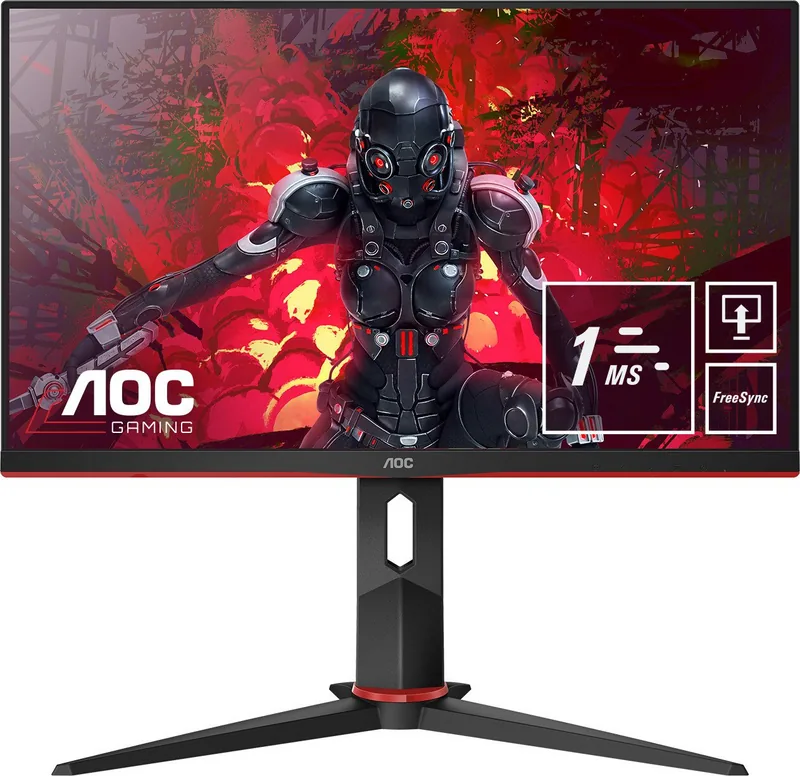
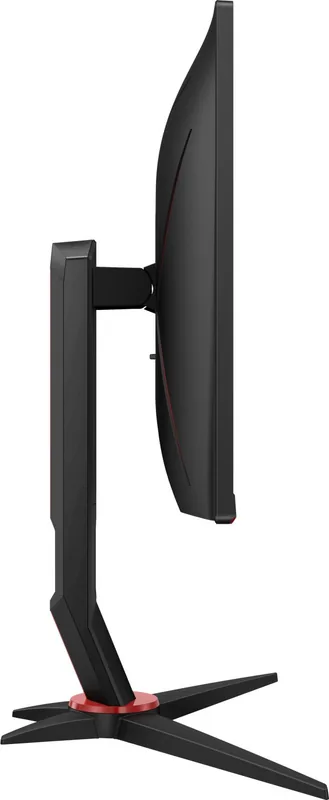
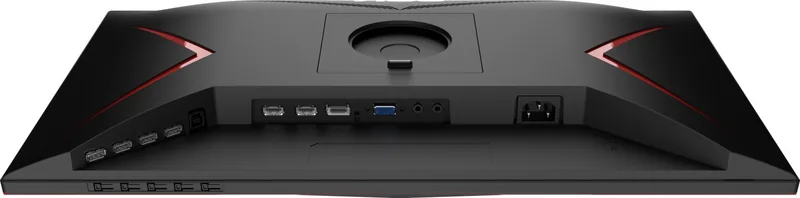
AOC 24G2U5/BK Manual
PDF manual · 33 Pages
English



Quick check
Incorrect answer, please try again.
Chat with your AOC 24G2U5/BK manual using AI
Get instant AI answers from your AOC 24G2U5/BK manual
Ask anything about the AOC 24G2U5/BK. Answers come from this manual, with the pages they are based on.
Ask a Question
Do you recommend 24G2U5/BK?
Yes NoFrequently Asked Questions
The monitor supports multiple video inputs including HDMI, DisplayPort (DP), and D-Sub (VGA). The setup also includes audio connectivity (earphone out and/or line in depending on the model) and, for U-series models, USB-PC upstream. The manual recommends powering off the PC and monitor before connecting cables.
Is this answer helpful?
Yes. FreeSync is supported with DP and HDMI1/HDMI2 inputs. The manual also notes DP capability selection (DP 1.2 vs 1.1) depending on the supported video content or capability. It lists compatible AMD Radeon graphics from the RX R-series era, and recommends checking AMD compatibility.
Is this answer helpful?
For the 24-series specifications, the optimal preset resolution is 1920x1080 at 60Hz. Maximum refresh is 60Hz over D-Sub (VGA), and up to 144Hz over HDMI or DisplayPort.
Is this answer helpful?
Start by adjusting Contrast and Brightness, and use the auto-adjust option. The manual also recommends avoiding extension cables or switch boxes and plugging the monitor directly to the PC output. If a wave or pattern appears, move electrical devices that may cause interference and use the maximum refresh rate supported at your chosen resolution.
Is this answer helpful?
Use Luminance controls (contrast, brightness, and gamma) and Image Setup tools like Clock and Phase to reduce vertical and horizontal line noise. Sharpness can be adjusted to match your preference. For more targeted improvements, Picture Boost features like Bright Frame let you highlight content areas.
Is this answer helpful?
The monitor includes Game Mode options (FPS, RTS, Racing, and Gamer presets), Shadow Control for black-level detail, Low Input Lag to reduce latency by disabling frame buffer, LowBlue Mode to reduce blue light, and Overdrive with different strength levels. FreeSync can also be toggled on or off, depending on your preference.
Is this answer helpful?
The manual describes G-Menu (Windows 7/8/10) for adjusting display settings through on-screen menus, e-Saver for timed monitor shutdown based on PC status, and Screen+ for splitting your desktop into panels to manage multiple windows. It notes that features may vary by model.
Is this answer helpful?
Advantages and Disadvantages
Advantages

- Up to 144Hz refresh rate over HDMI or DisplayPort for smoother gameplay
- FreeSync works with DP and HDMI inputs to reduce tearing and stutter
- Extensive OSD tuning: luminance, gamma, color temperature, and image adjustments
- Game-oriented modes and controls like Low Input Lag and Shadow Control
- Optional software ecosystem: G-Menu, e-Saver, and Screen+
Disadvantages

- D-Sub (VGA) is limited to 60Hz maximum refresh rate
- Some features depend on supported input capability, including DP version for FreeSync
- Glossy bezel reflections can be distracting depending on lighting
- Package contents (cables/media) can vary by country and region
- For best performance you must ensure proper ventilation and correct cable/power setup
Product Specification
Function
Monitor (stationary)
Diagonal
23.8"
Resolution
1920x1080 (FHD), 16:9, 93ppi
Panel
IPS
Backlight
LED, blue light filter, flicker-free
Brightness
250cd/m2 (typical)
Contrast
1,000:1 (static), 80,000,000:1 (dynamic)
Response time
1ms (MPRT)
Refresh rate
75Hz (1920x1080)
Variable synchronization
Adaptive Sync, AMD FreeSync certified (48-75Hz via DisplayPort, 48-75Hz via HDMI, without LFC support, without HDR)
Signal frequency
30-160kHz (H) / 48-146Hz (V)
Connections
1x VGA, 2x HDMI 1.4, 1x DisplayPort 1.2, 1x USB-B 3.0 (Upstream, 5Gb/s), 4x USB-A 3.0 (Downstream, 5Gb/s), 1x 3.5mm jack (Line-Out), 1x 3.5mm jack (Line-In), 1x AC-In C13 (power connection)
Form
straight (flat)
Viewing angle
178°/178°
Coating
non-glare (matte)
Color depth
8bit (16.7 million colors)
FRC
unknown
Speakers
Speakers (2x 2W)
Operation
mechanical buttons
Ergonomics
with stand, height adjustable (5.12in), Pivot (+90°), rotatable (+130°), tiltable (+22°/-4°)
VESA
100x100 (occupied)
Power consumption
21W (typical), 0.3W (Standby)
Energy efficiency SDR (A to G)
18kWh/1000h (E)
Special features
Security lock (Kensington Security Slot), Slim Bezel
Screen-to-Body Ratio
Inf% (calculated)
Dimensions
21.22x14.76x8.94in (WxHxD) with stand compressed
Color
black (display frame) / black, red (lower bezel) / black, red (stand) / black, red (rear)
Weight
9.37lb (with stand), 6.50lb (without stand)
Power supply
internal
Warranty
three years
USB notation
Link
Product Description
AOC 24G2U5/BK 23.8" Manual
A fast, feature-packed 23.8-inch monitor for work and play
The AOC 24G2U5/BK (23.8-inch) is built for sharp everyday viewing and smoother gaming. With a Full HD 1920x1080 panel and up to 144Hz over HDMI or DisplayPort, it aims to keep motion looking fluid, while its on-screen controls make it easy to tune brightness, contrast, gamma, and color temperature. If you want a display that can shift quickly between browsing, media, and competitive sessions, this model is designed to support that flow.
Quick setup, smart controls, and gaming-focused options
The manual walks you through safe installation and cable connections, including HDMI, DP, and D-Sub, plus audio and (for the U series) USB upstream. You can adjust the stand and viewing angle without touching the screen, then fine-tune image settings using options like Clock and Phase (to reduce line noise) and Sharpness.
For adaptive gaming, FreeSync is available with DP and HDMI inputs. The OSD includes a dedicated FreeSync setting, along with Game Mode choices such as FPS, RTS, Racing, and customizable Gamer profiles. Additional tools like Low Input Lag, Shadow Control, LowBlue Mode, and motion clarity features (including MBR) help you shape performance for different game types and lighting conditions.
Software that extends your workflow
Beyond the monitor controls, AOC provides G-Menu for Windows-based on-screen adjustments, plus e-Saver for power management with timed shutdown behavior based on your PC status. Screen+ supports desktop splitting into multiple panels, making it easier to manage windows and multitask across applications.
Pros (top takeaways)
- Up to 144Hz refresh rate with HDMI or DP for smoother movement and gameplay.
- FreeSync support across DP and HDMI inputs to reduce tearing and stutter.
- Deep OSD tuning: luminance, gamma, color temperature, and image cleanup controls.
- Game-focused modes with options like Low Input Lag and Shadow Control.
- Workflow add-ons: G-Menu, e-Saver, and Screen+ for comfort and productivity.
Cons (top tradeoffs)
- D-Sub (VGA) maximum refresh is limited to 60Hz.
- Some settings depend on input capability (for example, DP version support for FreeSync).
- Glossy bezel models may show reflections based on room lighting.
- Included cables and media may vary by region.
- Best results require correct placement, ventilation, and safe power connection.
Notes
- Use a grounded outlet and keep ventilation openings unobstructed.
- Unplug before cleaning, and avoid harsh detergents or liquids on the screen.
Search for 67,706 Manuals online


Type-in Brand or Model
sluettgen28
8 months ago
I read some reviews about dead or stuck pixels. Is this a known risk with this monitor, and what should I do if I notice pixel defects after delivery?
Manual.ly
8 months ago
Pixel defects can happen with any LCD panel, so it's worth checking the screen as soon as it arrives. We recommend testing on a bright background and running a dead-pixel test right away. If you find dead or stuck pixels, stop using the monitor and document the issue (photos or a short video showing the pixels). Then start the return or replacement process within the retailer's return window. In most cases, the fastest solution is an exchange or refund, provided the defect is reported promptly. If you are past the return window, check the product warranty and contact customer service with your order details to request warranty support.