
AOC 24E3UM Manual
PDF manual · 31 Pages
English



Quick check
Incorrect answer, please try again.
Chat with your AOC 24E3UM manual using AI
Get instant AI answers from your AOC 24E3UM manual
Ask anything about the AOC 24E3UM. Answers come from this manual, with the pages they are based on.
Ask a Question
Do you recommend 24E3UM?
Yes NoFrequently Asked Questions
The AOC 24E3UM has a 23.8-inch visible screen size and a native Full HD resolution of 1920 x 1080 pixels. This resolution is well suited to daily work, web browsing, video, and general entertainment.
Is this answer helpful?
The monitor supports up to 75 Hz at 1920 x 1080 when connected through HDMI or DisplayPort. VGA supports up to 1920 x 1080 at 60 Hz.
Is this answer helpful?
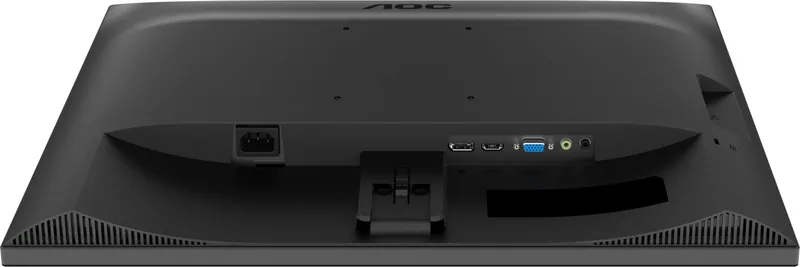
Connections include DisplayPort, HDMI, D-Sub, audio input, and a headphone output. It also has a USB 3.2 Gen 1 hub with four downstream USB ports, one of which supports fast charging.
Is this answer helpful?
Yes. Adaptive-Sync can operate through DisplayPort or HDMI with compatible graphics hardware. For DisplayPort use, set DP capability to version 1.2 because DP 1.1 does not support Adaptive-Sync.
Is this answer helpful?
Game Mode presets, Shadow Control, Game Color, Overdrive, Adaptive-Sync, and an optional aiming point are available. Shadow Control can brighten dark areas or reduce excessive brightness to make scene details easier to see.
Is this answer helpful?
Use LowBlue mode, select a suitable Eco preset, and adjust brightness and contrast for the room. Keep reflections off the panel, sit about an arm's length away, and take short breaks regularly during long sessions.
Is this answer helpful?
Advantages and Disadvantages
Advantages

- 23.8-inch Full HD panel provides a clear, practical workspace for office tasks, media, and everyday computing.
- Supports up to 75 Hz at 1920 x 1080 through HDMI and DisplayPort for smoother on-screen motion.
- Includes DP, HDMI, D-Sub, audio connections, headphone output, and a four-port USB 3.2 Gen 1 hub.
- Adaptive-Sync, Overdrive, Shadow Control, Game Mode presets, and an aiming point support gaming use.
- LowBlue mode, anti-glare treatment, flicker-reduction features, and a break reminder support viewing comfort.
Disadvantages

- Maximum 75 Hz refresh rate is suitable for casual gaming but lower than dedicated high-refresh esports displays.
- HDR mode restricts access to several color, picture boost, and game-related adjustments.
- The stand is intended mainly for tilt adjustment; advanced height, swivel, and pivot adjustments are not specified.
- Included signal cables may vary by country or region, so local package contents should be confirmed.
Product Specification
Function
Monitor (stationary)
Diagonal
23.8 in
Resolution
1920 x 1080 (FHD), 16:9, 93 ppi
Panel
VA
Backlight
LED, blue light filter, flicker-free
Brightness
300 cd/m2 (typical)
Contrast
3,000:1 (static), 20,000,000:1 (dynamic)
Response time
4 ms (GtG)
Refresh rate
75 Hz (1920 x 1080)
Variable synchronization
Adaptive Sync
Signal frequency
30-85 kHz (H) / 48-75 Hz (V)
Connections
1 x VGA (60 Hz at 1920 x 1080), 1 x HDMI 1.4 (75 Hz at 1920 x 1080), 1 x DisplayPort 1.2 (75 Hz at 1920 x 1080), 1 x USB-B 3.0 (upstream, 5 Gb/s), 1 x USB-A 3.0 (downstream, 5 Gb/s, BC), 1 x USB-A 3.0 (downstream, 5 Gb/s), 1 x 3.5 mm jack (line-out), 1 x 3.5 mm jack (line-in), 1 x AC-In C13 (power connector)
Shape
flat
Viewing angle
178 degrees / 178 degrees
Coating
non-glare (matte), 3H hardness
Color depth
8-bit (16.7 million colors)
FRC
unknown
sRGB
121%
Adobe RGB
91%
Certifications/standards
TCO 9
Speakers
Speakers (2 x 2 W)
Controls
mechanical buttons
Ergonomics
with stand, height adjustment N/A, pivot N/A, swivel N/A, tilt (+23 degrees/-5 degrees)
VESA
100 x 100 (available)
Power consumption
55 W (maximum), 18 W (typical), 0.3 W (standby)
SDR energy efficiency (A to G)
18 kWh/1,000 h (E)
HDR energy efficiency (A to G)
18 kWh/1,000 h (E)
Features
Security lock (Kensington Security Slot), slim bezel
Screen-to-body ratio
88.59% (calculated)
Dimensions
21.26 x 16.1 x 7.39 in (W x H x D) with stand, 21.26 x 12.85 x 2 in (W x H x D) without stand
Color
black (display bezel) / black (bottom bezel) / black (stand) / black (rear)
Weight
7.23 lb (with stand)
Power supply
internal
Warranty
three years
USB designation
Link
Product Description
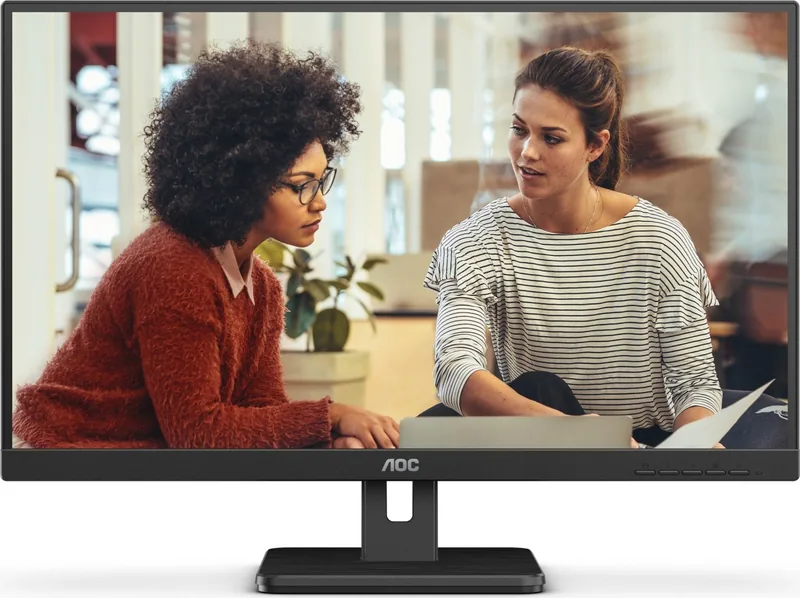
AOC 24E3UM, 23.8 Manual: A Versatile Full HD Monitor for Work and Play
The AOC 24E3UM is a 23.8-inch Full HD monitor designed for everyday productivity, multimedia, and responsive gaming. Its 1920 x 1080 resolution delivers a clear desktop workspace with detailed text, sharp images, and comfortable viewing for common office tasks. The screen supports refresh rates up to 75 Hz through HDMI and DisplayPort, providing smoother movement than a conventional 60 Hz setup.
Practical connectivity and desktop convenience
This model offers a flexible set of connections for modern and legacy devices. DisplayPort, HDMI, and D-Sub inputs make it easier to connect desktops, laptops, and older systems. It also includes audio input, a headphone output, and a USB 3.2 Gen 1 hub with four downstream ports, including one fast-charging port. These connections help keep useful peripherals close at hand without requiring constant access to the computer tower.
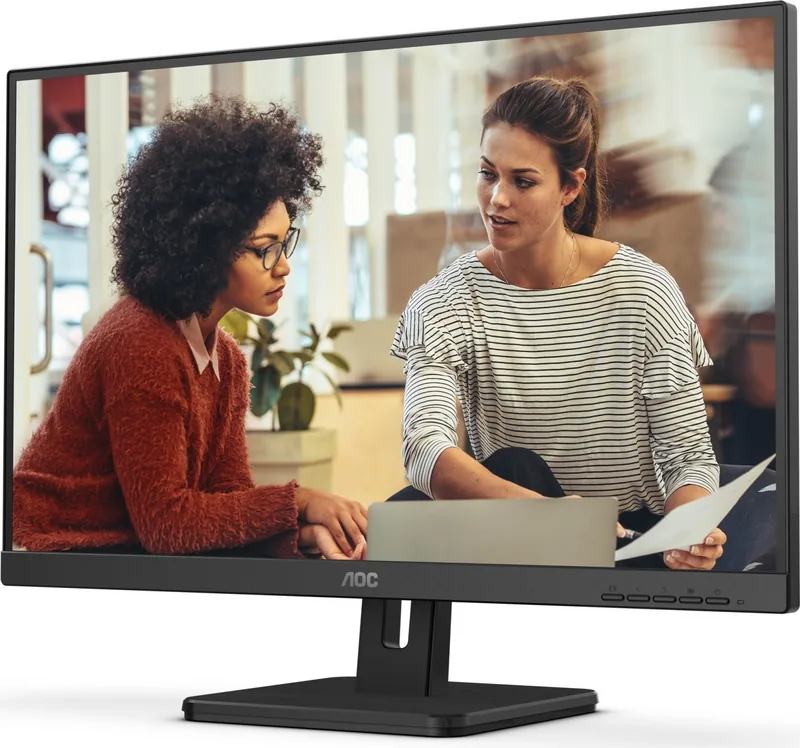
The monitor supports VESA mounting for users who want to place it on a compatible wall arm or desk mount. Its stand allows viewing-angle adjustment, with a downward tilt limit of 5 degrees to protect the panel. For the best ergonomic setup, position the display at about arm's length and keep the top edge slightly above eye level.
Image controls for different tasks
The AOC 24E3UM includes extensive on-screen controls for brightness, contrast, gamma, color temperature, sharpness, and display positioning. Eco presets are available for text, internet, gaming, movies, sports, and reading. The LowBlue mode can reduce blue-light output for more comfortable extended viewing, while flicker-reduction features and an anti-glare surface support a less distracting workspace.
For games, Adaptive-Sync is available over DisplayPort and HDMI with supported graphics hardware. Game Mode presets cover FPS, RTS, and racing titles, while Shadow Control can reveal dark-scene detail. Overdrive settings help tailor pixel response, and the optional on-screen aiming point can assist in compatible shooter games. HDR picture, movie, and game modes are also included, although some color and gaming adjustments are unavailable while HDR is active.
Everyday efficiency
With typical power use of 18 W, the AOC 24E3UM is suited to an efficient desk setup. The monitor also provides an off timer, DDC/CI support, selectable image ratios, and a break reminder that can encourage regular pauses during long sessions.
Notes
- Use HDMI or DisplayPort to access the 1920 x 1080 resolution at up to 75 Hz.
- Enable DisplayPort 1.2 when using Adaptive-Sync through DisplayPort.
- Disconnect power before cleaning and use a soft cloth to avoid screen scratches.
Search for 67,706 Manuals online


Type-in Brand or Model