
Antec VSK-10 Manual
PDF manual · 2 Pages
English



Quick check
Incorrect answer, please try again.
Chat with your Antec VSK-10 manual using AI
Get instant AI answers from your Antec VSK-10 manual
Ask anything about the Antec VSK-10. Answers come from this manual, with the pages they are based on.
Ask a Question
Do you recommend VSK-10?
Yes NoFrequently Asked Questions
The Antec VSK-10 uses SPCC steel construction. This helps the case maintain durability and stability over time, making it a solid choice for builds that may be upgraded later.
Is this answer helpful?
It features two USB 3.0 ports along with Audio In/Out connectivity. This setup is designed for convenient front-panel access to common peripherals and headsets.
Is this answer helpful?
The VSK-10 provides four drive bays. The guidance indicates support for 3.5-inch drives and compatibility with 2.5-inch SSDs, depending on how you configure the mounts.
Is this answer helpful?
The case includes four expansion slots. This allows room for a typical set of upgrade cards, such as adding functionality beyond a basic GPU configuration.
Is this answer helpful?
The chassis lists fan mount compatibility using 120mm and 140mm sizes across front, top, and rear positions. Use the provided front/top/rear size guidance to choose compatible fans.
Is this answer helpful?
Yes. With four drive bays, four expansion slots, and practical front I/O, it fits well for upgrade-ready builds where you may add storage or expansion cards over time.
Is this answer helpful?
Check the Antec VSK-10 Manual and follow the listed guidance for drive sizes, layout planning, and assembly steps. The warnings also emphasize using the product as intended and following warranty and manual instructions.
Is this answer helpful?
Advantages and Disadvantages
Advantages

- SPCC steel chassis design for durable, long-lasting build support.
- Front connectivity includes 2x USB 3.0 ports and Audio In/Out for everyday convenience.
- Supports 4 drive bays for practical storage configurations in one enclosure.
- Includes 4 expansion slots, enabling upgrades and multi-card builds.
- Defined fan mounting options support both 120mm and 140mm cooling setups.
Disadvantages

- Total drive capacity is limited to 4 bays, so large multi-drive arrays may require planning.
- Cooling compatibility depends on specific fan sizes and positions (120mm/140mm).
- SSD/drive size combinations are described explicitly, so some users may need to confirm exact fit.
- The provided guidance focuses on core layout details; advanced feature depth is not highlighted.
Product Specification
External
N/A
Internal
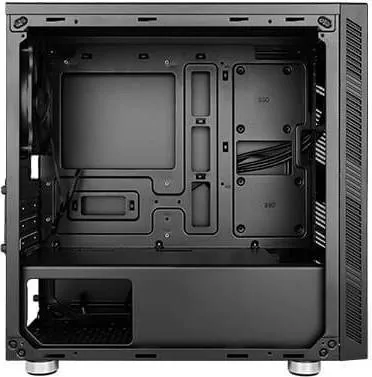
2x 2.5"/3.5" (transverse, drive rails), 2x 2.5"
Ports
2x USB-A 3.0 (5Gb/s), 1x 3.5mm jack (Line-Out), 1x 3.5mm jack (Line-In)
PCI Slots
4
Fan (front)
2x 5.51in (optional) or 3x 4.72in (optional)
Fan (rear)
1x 4.72in
Fan (left)
N/A
Fan (right)
N/A
Fan (top)
2x 5.51in (optional)
Fan (bottom)
N/A
Fan (other)
N/A
Radiator sizes
4.72/5.51/9.45/11.02in front, N/A top
Motherboard
up to µATX
Supported Motherboards
Mini-ITX (6.7"x6.7")/µATX (9.6"x9.6")
Power Supply
ATX (max. 6.30in deep)
Power Supply Position
bottom
CPU Cooler
max. 6.30in height
Graphics Cards
max. 13.78in
Color
black, interior black
Lighting
no lighting
Dimensions (WxHxD)
8.07x15.75x15.94in
Volume
35.07 qt
Weight
8.78 lb
Case type
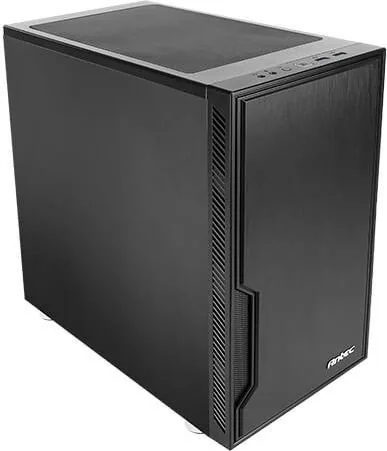
Mini-Tower
Front
closed, side ventilation slots
Top
partially closed, mostly fan grille, external dust filter
Bottom
partially closed, rear fan grille, external dust filter
Left
closed, front ventilation slots
Right
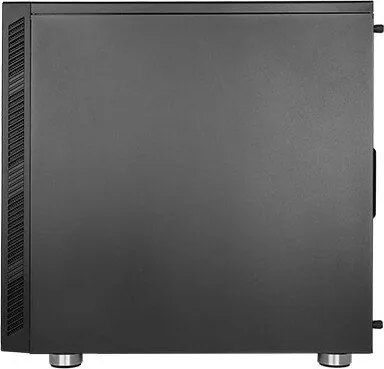
closed, front ventilation slots
Rear
partially closed, top right fan grille, PCI-Slots (4x horizontal)
Front I/O Position
Case side: top, Height: Front, Position: middle
USB Notation
Link
Product Description
Antec VSK-10: Built to Streamline Your Next Build
The Antec VSK-10 is a mid-tower style chassis designed for builders who want solid physical durability and a straightforward layout for everyday performance. Built with SPCC steel, it focuses on dependable longevity while providing practical front-access connectivity and a flexible internal layout.
One of the most appealing aspects of the VSK-10 is its balance of storage and expansion. You get four drive bays, supporting storage setups that can include both 3.5-inch drives and 2.5-inch SSD options. In addition, the case includes four expansion slots, giving room for expansion cards such as GPUs, capture cards, or network upgrades, depending on your build plan.
For the front-of-case connectivity, the VSK-10 includes two USB 3.0 ports plus an Audio In/Out setup, making it convenient to plug in peripherals, headsets, or quick-access devices without reaching around the rear panel. Cooling support is also part of the design, with clearly defined fan mount options across the front, top, and rear, including configurations for 120mm and 140mm fans.
If you are setting up a system from scratch, the Antec VSK-10 Manual keyword often comes up in searches because builders want to confirm compatibility details and the correct way to plan storage, airflow, and expansion card placement before final assembly. Using the manual alongside the case layout helps you align the build with what the chassis supports.
Key highlights
- SPCC steel construction prioritizes durability and long-term stability for daily or upgrade-heavy use.
- Two USB 3.0 ports and Audio In/Out provide convenient front I/O for peripherals and headsets.
- Four drive bays support a mix of 3.5-inch drives and 2.5-inch SSD configurations.
- Four expansion slots support multi-card builds within a clean, accessible internal layout.
- Fan mounting supports 120mm and 140mm options on front, top, and rear positions.
Notes
- Drive and SSD compatibility is described in the included guidance, so double-check your exact drive sizes before purchasing.
- Fan mounting options are size-specific; plan your cooling using the listed 120mm/140mm placements.
- Always follow the Antec VSK-10 Manual instructions for safe assembly and intended use.
Search for 67,732 Manuals online


Type-in Brand or Model
Waldemar Feldmann
8 months ago
I am building in this case for an mATX board. Is the setup difficult, and will it be too tight if I want a top fan or extra cables?
Manual.ly
8 months ago
Overall it is a good fit for mATX and offers plenty of room for the case size. However, builders report it can get tight with top fans and cable routing. To avoid issues, connect all required PSU cables before mounting the power supply, and route front audio and similar cables through the PSU area. When installing top fans, expect less clearance and plan cable paths early. If the included fan is louder than you like, it is straightforward to swap for a quieter model. For the drive cage, one screw may be stiff during removal, so take care and use the correct tool/torque.