

Antec Fusion 120 ARGB Manual
PDF manual · 2 Pages
English



Quick check
Incorrect answer, please try again.
Chat with your Antec Fusion 120 ARGB manual using AI
Get instant AI answers from your Antec Fusion 120 ARGB manual
Ask anything about the Antec Fusion 120 ARGB. Answers come from this manual, with the pages they are based on.
Ask a Question
Do you recommend Fusion 120 ARGB?
Yes NoFrequently Asked Questions
You have two primary methods. Option A connects the PWM fan cable and ARGB cable directly to motherboards headers. Option B uses a controller that takes SATA power from the power supply and routes signals to the motherboard for control.
Is this answer helpful?
Yes, syncing applications typically manage the ARGB effects. You need software to change colors and lighting modes to ensure they work correctly across the system.
Is this answer helpful?
Yes, the 120mm dimensions ensure broad compatibility with standard chassis designs. It fits standard mounting holes found in most Mini-Tower and Mid-Tower cases.
Is this answer helpful?
The VDG conversion line simplifies wired connections for the lighting setup. It helps reduce cable clutter inside the case interior for better airflow and cleaner aesthetics.
Is this answer helpful?
No, fans are balanced to reduce vibration noise significantly. This ensures your workstation remains quiet even during intensive rendering tasks or gaming.
Is this answer helpful?
Yes, the design supports both air-in intake and air-out exhaust configurations easily depending on your cooling strategy and airflow needs.
Is this answer helpful?
Advantages and Disadvantages
Advantages

- Flexible dual connection options for motherboard or controller
- Granular ARGB pixel control for vibrant lighting effects
- High compatibility with standard 120mm chassis mounting
- Balanced design reduces vibration noise levels significantly
- VDG conversion line simplifies cable management tasks
Disadvantages

- Requires SATA power source for controller option setup
- Extra cabling needed when using central controller method
- Lighting customization relies on external software tools
- Size is limited to standard 120mm dimensions only
- Setup may be complex for users with limited PC experience
Product Specification
Fan Connector
4-Pin PWM + 3-Pin ARGB (+5V/DATA/GND)
Dimensions
4.72x4.72x0.98in (WxHxD)
Speed
600-2000 RPM
Airflow
57.93 CFM
Air Pressure
0.08 inH2O
Noise Level
17.02-31.24 dB(A)
Fan Bearing
Hydrodynamic Bearing (HDB)
Voltage Range
6-13.8V
Power Consumption
2.52W, 2.90W (RGB)
RGB Lighting
RGB (16 LEDs)
Manufacturer Warranty
2 years
Product Description
Elevating System Cooling Performance
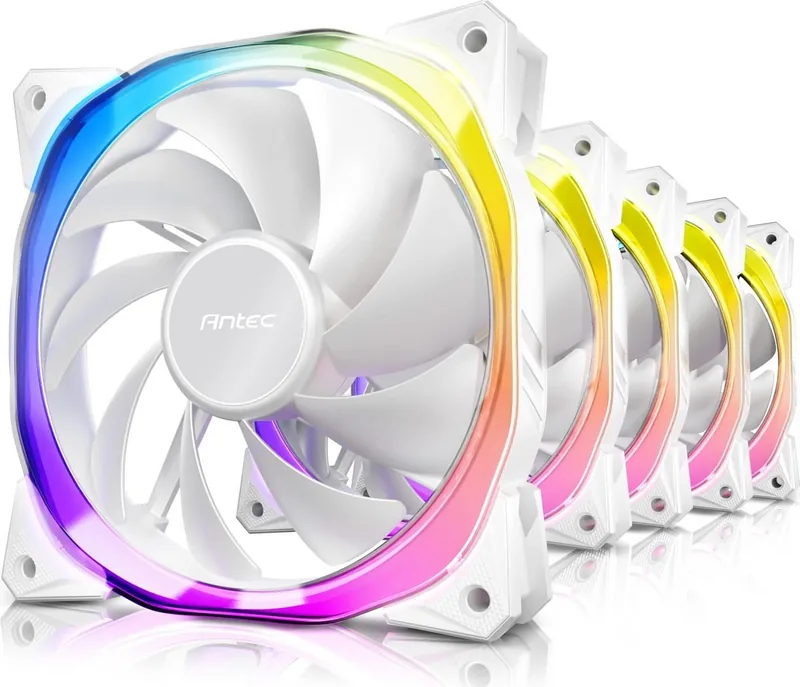
Building a high-performance computer requires attention to detail and precision. The Antec Fusion 120 ARGB stands out as a premium choice for modern case fans. It combines functional cooling with striking visual appeal across every inch. Each unit in the series is engineered to maintain optimal internal temperatures while operating quietly. The 120mm dimensions ensure broad compatibility with standard chassis mounting holes and designs. This versatility makes it suitable for enthusiasts seeking a balanced upgrade path without major hardware changes.
Visual Customization and Lighting Effects
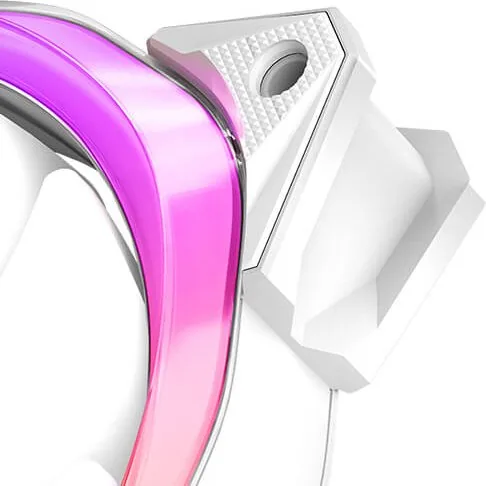
Visual customization and lighting effects are key drivers for modern PCs. The ARGB feature provides granular individual pixel control for stunning gradients. This allows dynamic colors to flow seamlessly across the entire setup. Syncing applications typically manage these effects effortlessly through dedicated software. The result is an immersive gaming environment where every glow counts. Every component contributes to the overall look without creating visual clutter or distraction during gameplay. Users can select from various lighting modes to adapt to sessions.
Flexible Connection and Installation Methods
Flexible connection and installation methods are crucial for smooth builds. Option A allows direct motherboard linking for specific PWM speed control mechanisms. The 4-pin connector handles motor rotation while the 3-pin ARGB line manages illumination effects. Option B utilizes a central controller for easier signal distribution throughout the case. This controller connects directly to a SATA power source from your power supply unit. The controller then routes signals back to the primary motherboard headers reliably. This dual-path approach ensures compatibility with legacy or modern system boards.
Efficiency and Airflow Dynamics
Efficiency and airflow dynamics maintain stable internal temperature regulation effectively. The Antec design supports both air-in intake and air-out exhaust configurations easily. Fans are balanced to reduce vibration noise significantly for a peaceful work environment. This ensures your workstation remains quiet even during intensive rendering tasks. The VDG conversion line simplifies wired connections further for cleaner builds. It reduces cable clutter inside the small case interior for better airflow.
Long Term Reliability and Maintenance
Long term reliability and maintenance need focus on hardware that runs daily. Quality bearings are used to extend the mechanical lifespan significantly. This investment supports your PC for years without frequent replacement needs. Regular heavy use does not degrade performance quickly under pressure. Users report consistent speeds over extended periods of time on average. It remains a reliable choice for water-cooled systems or traditional air-cooled builds alike.
Final Conclusion on Hardware Selection
Choosing the right fans impacts your overall computing performance and experience significantly. The Fusion series offers a compelling blend of cooling function and visual form. It simplifies the connection process for beginners and IT experts alike. With clear labeling and multiple options, setup becomes less daunting initially. Enjoy a cooler and brighter PC experience today.
Search for 67,732 Manuals online


Type-in Brand or Model